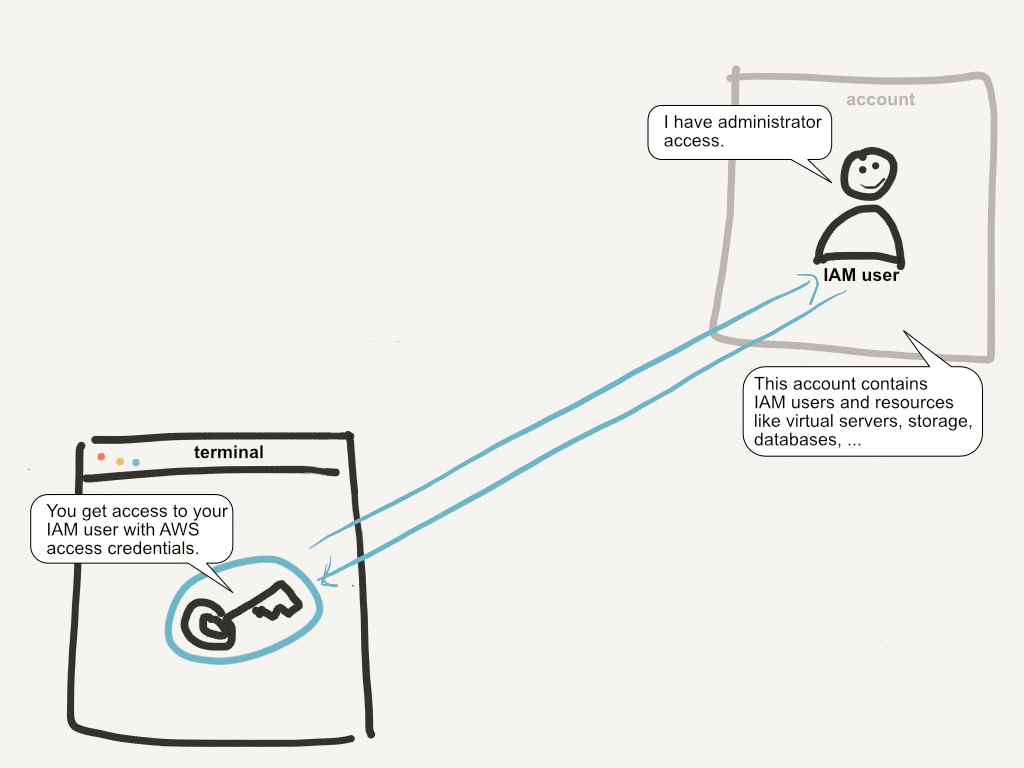
Your single AWS account is a serious risk
Your AWS account is one of the most valuable things you own if you run a business on AWS. If you only own a single AWS accoun...
cloudonaut
322 points · by hellomichibye · 11y ago · 138 comments
For my own AWS accounts, I use a read-only account in the profile and, on the very rare occasion I want to get clicky rather than use awscli to frob something, I'll log out and log back in as my writable-to-IAM user. I have a third user that only has IAM read/write privileges if I have to deal with that service. (I haven't sold my clients on this approach, though.)
Ha, I do the same thing. I learned about this from a previous job I had where prod/test webapps were functionally similar but had obnoxious coloring in the header. Very effective.
Let's say you have a bug or SQL injection in a web app (or choose any server): the user running the web app and/or database now has access to your AWS account.
Instance profiles are available to every user and process on the server for the life of the server.
Layering multiple least-privilege roles is impossible: you can't assign multiple IAM roles to an instance.
You can't separate what process receives access to those credentials.
The old-school way of embedding credentials in a config file and make it readable only by root and/or a specific user account on the system is currently the best solution. Better, but more challenging at scale, are SE-Linux, AppArmor, etc.
You can assign multiple IAM roles to an instance profile, which is what is associated with an instance.
See e.g. [0]; you can add IAM roles to instance profiles without destroying the instance.
[0] https://docs.aws.amazon.com/cli/latest/reference/iam/add-rol...
The main takeaway here is to always use IAM accounts when doing stuff with AWS, and make sure each IAM account is only permitted to do the things you want it to do. It might be a pain in the ass to learn how the IAM policy syntax works, but believe me it works out for you in the long run!
(And, of course, use multi-factor auth. But you should be doing that anyway...)
The next day I got an email from Amazon, alerting me to the problem. Apparently, they scrape github looking for just that kind of stupidity. I instantly deleted the project, but it was too late.
Amazon ended up waving the nearly $3k in EC2 charges I incurred, thankfully. I'm now a zealous advocate for making sure a person never even HAS AWS credentials. Instead, make a new user without a password for each use case, and manually select the privileges that account has.
If you have a password to AWS, you shouldn't have credentials.
What kills me is there is no easy way to stop all the instances for an account, in a region. It took me hours to kill all the instances. They had maxed out the number of instances in every single region. Very, very annoying.
For what it's worth, the word is "waived". :-)
I'm glad Amazon dealt with you well!
Always use least privileged IAM keys in code if you must, preferably use EC2 roles instead of access keys, and never give your IAM users permission to run instances ... That way if the key is leaked then evil hacker can't do much with it.
This paradigm is very puzzling to me. Why do people feel the need to publish every small project to the public? Is it because github is so easy to create a new repo? Why don't more people use private repos like self hosted or bitbucket?
The whole reason why I spawned my own source code hosting service is so that I can work on projects in private without worrying about random people looking at what I'm working on (some of my C++ projects would give even Stroustrup a heart attack...). Note - this isn't saying bitbucket or gitlab or any of the others aren't good (oh I have my own opinions and comments about them...) - I've become rather bitter/paranoid/resentment of offers of free hosting.
Github acts as a portfolio site for programmers.
The usual refrain when doing hiring is "check a candidate's Github." Thus every potential employee makes sure there is something other than cobwebs on their pages. This is especially explicit in startups around San Francisco. Hell I'm guilty of it as well.
Likewise, many language communities actively encourage library development. Ruby and Javascript are great examples of this.
Then there are entire tools built around git paradigms. Heroku's push to deploy a perfect example. Many services have easy application hooks into git actions. Github has many built in. Pushing code and then kicking off a build system with automated tests is worth every penny I spend. Other services have this as well. However, it's harder (read: more than 5 minutes work) to build these hooks on a server you are running yourself. Paying Github for the work is a no brainer.
I've used Bitbucket for private repos, but usually the user wants their code public. They want to show off. But if I wanted to keep some code private (like my latest app) I'm all for private hosting.
No [1] [2]. It is not your resume or your CV. You should be able to highlight projects or accomplishments on your CV - github gives you no control over the layout of your profile.
> The usual refrain when doing hiring is "check a candidate's Github."
(I'm assuming you mean something that they do rather than something they don't do)
I'm not saying you can't look at be like "oh those are some cool projects he is working on" - but actually using it to say "man this guy is a loser coder - we can't hire him!" I think you should just step outside for some fresh air and just relax and listen to the birds for awhile.
If you need reasons [3] why you shouldn't [4] - there are plenty [5].
> However, it's harder (read: more than 5 minutes work) to build these hooks on a server you are running yourself.
You should check out Jenkins. Within a couple of mouse clicks I can ask it to automatically build, run tests, archive the binaries, and send them somewhere. And even email me if it fails.
[1] https://blog.jcoglan.com/2013/11/15/why-github-is-not-your-c...
[2] https://tommcfarlin.com/github-is-not-your-cv/
[3] https://github.com/gelstudios/gitfiti
[4] https://github.com/will/githubprofilecheat
[5] http://mikeboers.com/blog/2014/10/26/the-evils-of-gamifying-...
Trying to protect against leaking creds by not open sourcing is a bit of misdirected effort.
I don't think I've ever seen a professional team push AWS credentials (or any other credentials for that matter) - and if they did it's very rare to the point where I don't remember.
As far as mixing credentials with code - that happens all the time. I'm not saying it's right but I have much bigger concerns - such as why people keep silly projects to github with their credentials. The first time I saw an article about it - I found out that there are bad people who are monitoring github for exactly that - and they will use it even before you realize it what you did. And not just AWS credentials mind you - MySQL, SSH, anything they can get their hands on...
I think my comments are getting lost in translation -
I'm not saying I'm against people pushing their silly projects. Push your 1 line GPL code projects all day long - I don't care. That's why github is there. What I find puzzling is not that people want to create new projects - but they feel like they must create a git repo for EVERYTHING they do and push it up to a public github like it's going to change the face of computer science as we know it or something. I've seen people keep documents and even bash profiles as public repos. I'm not saying it isn't a good idea to use git for those purposes - but I wouldn't want my bash profile common knowledge (especially if it contains commands or functions that I use at my day job).
And that's why you should use Bibucket first and foremost. And then when you vet your stuff and you know it's clean, you can publish it on publicly Github.
If you rush pushing code on github public repos that's exactly what will happen. If you start with a private one then move to a public one you have more time to think things through.
Now one could imagine a third party service warning users of potential issues with files pushed,based on their name/extension/folder name. But privacy first , then open the code to the public.
This solution is also strange because if you ever committed anything private it will be in the history. So to make this work you either have to rebase over some history, or lose all the history.
Github doesn't have a personal tier big enough for my private repos. (And I'd host my own before paying $50/month.)
I do pay Bitbucket, though, because I have a consistent and small-enough group of collaborators that it makes sense.
I'd be happy to pay Github something for my usage and to support development. I believe in paying people for work that I find useful. But the pricing model makes the cost disproportionate with the value for me.
[1] - https://github.com/jfalken/github_commit_crawler [2] - http://blogs.aws.amazon.com/security/blog/tag/key+rotation
I know we're not supposed to post negative comments that don't "add value" to a discussion, but the only thing that comes to mind is "really?". Your setup is as secure as you make it. How you use your API access is up to you. Putting all your eggs in one basket is not insecure. This article doesn't actually bring to light anything important. There is no risk involved so long as you pay attention to what you are doing.
Any set of credentials, if leaked, destroys security. So... don't set yourself up to leak your credentials? I mean, come on, seriously?
*edit: I unfairly used the word "incompetent". Change to a phrase about paying attention to what you are doing.
We're humans. We're imperfect. Sometimes a safety net isn't a bad thing.
Using any kind of AWS account (in a personal capacity) is a serious risk in my eyes.
Its much like I'm happy to take the risk of buying shares, but don't like leveraged derivatives.
I don't want to deal with something that is not my area of expertise and has very real potential to blow up in my face.
I wish Amazon allowed me to cap spending to say 200USD...that I can plan for much easier than X thousands.
Agreed. We use Google App Engine for our recommendation engine (https://recent.io/) and daily budgets are a core feature -- just tap on the "Application settings" tab.
We use AWS for some additional components of our service that aren't part of the core recommendation engine, and I've been surprised by the lack of a maximum-dollars-per-day setting. Or if there is one, I'm not aware of it.
"You are receiving this email because your estimated charges are greater than the limit you set for the alarm "awsbilling-AWS-Service-Charges-total" in AWS Account XXXXXXXX.
The alarm limit you set was $ 10.00 USD. Your total estimated charges accrued for this billing period are currently $ 1050.95 USD as of Saturday 18 July, 2015 17:34:36 UTC."
So, it came a bit too late to take action.
Seems so much easier, and safer, for Amazon to just have a hard "don't charge more than this".
Increasingly, I wish this could be fixed at the banking end -- I'd like to be able to get my bank to enforce that I won't give more than £X to some company (obviously the company should be able to find this fact out, and not give me products worth more than £X).
Amazon's market is largely not people who are worried about those kinds of overages, and I can't really blame them for not worrying about these kinds of edge cases.
I don't want alerts, I want a fixed amount limit. If watching this sht was my day job then sure I'd be OK with billing alerts. I'm busy fighting other fires in my day job though & often won't see mails for days. By that time Amazon might have bankrupted me.
Amazon has some decent engineers & this is not technically difficult. Its very obviously a concious decision to not provide this very useful feature as any kind of capping feature will negatively impact revenue...but its also literally the only reason why I don't have a paid AWS account for personal use.
It's not about capping features being negative for revenue, it's that the customers who want it don't matter; if it's not something a company dropping $20K/month is going to use, I doubt it's really worth the time of day. You are a Linode or DigitalOcean customer, and that's not a bad thing, but I think that AWS is not the right place for you and I think that they know that.
When you go over your limit your compute services are all turned off and your data is rendered inaccessible until your account is resumed (which happens at the end of the month or when you raise your spending limit).
(Full Disclosure: I work for the Azure Web Apps team)
You're spending $/hr on compute, so terminate your instances. Plus your EBS volumes, so delete your drives. Plus... S3? So delete all your data?
You can actually automate the response if you want; it doesn't have to be email-read-by-human.
I don't think you want AWS - I think you just want a VPS or a dedicated server. AWS is for people who are going to need to scale at large - and you pay a premium for that. I've priced it out - as an individual you get more value from a VPS provider such as DigitalOcean than you do from AWS.
The only way would be to completely reset the entire account, otherwise you'd still be accruing charges just for data at rest or incoming requests or anything else passive.
A complete account reset doesn't seem like a feature that's very useful or something they'd want to implement because it would likely cause more trouble then help fix.
Did the same with my cellphone contracts - take expected spend, triple it and make that the limit. Put a number on it (even triple) and I can deal with it...just not liable for "unknown".
One solution is to backup to a separate backup-only AWS account, with super-serious access controls (MFA and password physically locked away somewhere). Set up a "write-only" link, such that backups can be added, but never removed. This way, in the worst case, your runtime infrastructure can be decimated, but your data backups would be safe.
1 - http://arstechnica.com/security/2014/06/aws-console-breach-l...
I really like that layer of protection, but I'm under no illusion as to what a disaster it would still be if the main pass was compromised.
[1] https://stups.io
However, I question the merit of using two separate AWS accounts. While this separation of responsibility sounds nice in theory, doesn't it introduce additional maintenance burden because you now have two accounts to administer? You can't define or manage the roles in the 2nd account without credentials to do so.
IAM is just a PITA is what this boils down to. Create an IAM policy that allows users to push updates to elastic beanstalk but not touch any other resources in the account.. It's a major, major hassle. AWS has no concept of resource groups and each service has different ways of restricting access(ec2 can do it on tags, other services you kinda have to use naming schemas and wild cards in your policies). So you are often left needing to have users with a little too much access, and/or spending a LOT of time testing and crafting IAM policies..
IAM is a really good idea and powerful in many ways but unfortunately AWS's lack of consistency and UX across individual services really shows through sometimes, and with IAM in particular.
Where I work, we have a federated access system that generates temporary credentials so you can access the Console without having to sign in, and it uses our work authentication mechanism to do the initial handshake.
The thing is this process is useless if you want to use it with the AWS command line client, or any other tools that rely on the use of credentials. It would be nice if AWS adopted a plugin system or something where you could plug in a "credentials provider" of some sort, and the command line client queries that for credentials each time you make a request, instead of having to stash keys in ~/.aws/credentials
And then after hours of that I can determine that IAM policies fall way short off what I needed (isolation between different product groups in the org) and that we need to use separate root accounts.