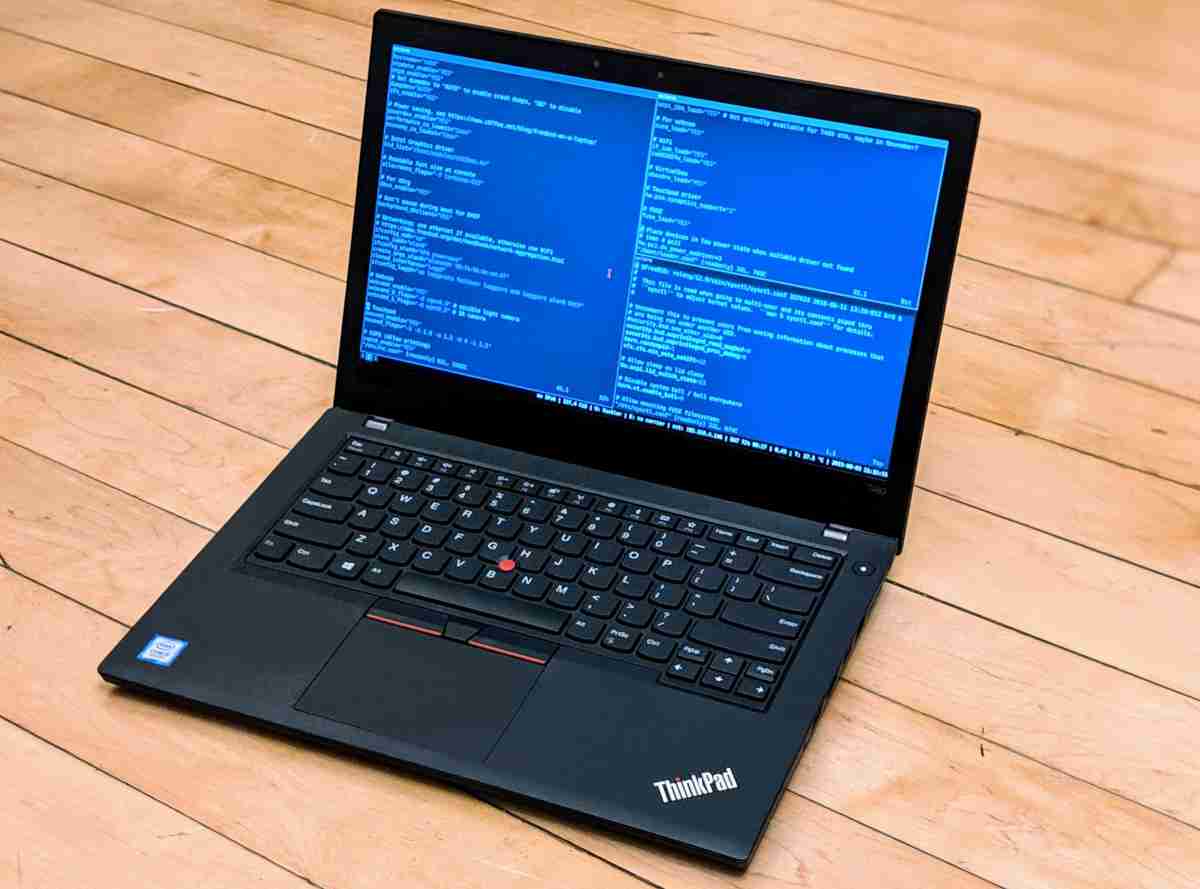
FreeBSD on the Lenovo Thinkpad T480
Compatibility of FreeBSD on a Lenovo Thinkpad T480, notes and fixes (HiDPI, Trackpad, camera, etc).
davidschlachter.com
170 points · by dddddaviddddd · 7y ago · 150 comments
Also moused is not a great way to use a touchpad. At least on 12-stable (idk if it made it into a 12.x-release) EVDEV_SUPPORT is enabled out of the box, so you can just set kern.evdev.rcpt_mask=12 and get proper evdev events, separately for the trackpoint and touchpad, with full gesture support on the touchpad.
And since you like i3, might want to try Sway – HiDPI is much better supported on Wayland ;)
"Don't use the faffle-fille.123456 tweak, that's for the 2016 driver; the 2019 driver inherits the booble-babble hack from the nzudzu core. Also, the 611-double-decker-dev release added FOO_MANCHU support so you just need the abcdefghijk=999 argument to set up all the things you would expect to work by default."
I just want to pay someone to make my computer work the way it's designed to.
There is a negative feedback look here. With enough of that kind of "customization freaks only, casuals need not apply, enjoy your non-innovative proprietary shitware" talk, user bases stay small and niche, people get alienated, and don't contribute to or use free OSes.
It's perfectly reasonable to want to trade customizability for usability. Chasing people who think that away from free software helps nobody.
I reject the idea that this is how it has to be. There is no reason Free Software has to be user-unfriendly.
I think the situation is a little bit made worse by the fact that historically, FreeBSD had some poor or out of date defaults, so it is prone to putting something in a config file and forgetting about it as it meanwhile becomes obsolete. This is not really an "open source desktop" problem so much as a FreeBSD problem.
The point is precisely that manual tweaks to drivers selection, kernel settings, and Xorg/wayland, survive in modern desktop Linux mostly as an example of cargo cult. They aren't necessary, or even advisable in most cases.
I don't understand why people say that ; I had my first hidpi screen in 2014 and it worked fine from day 1 on X - to the extent apps & toolkits themselves supported it; the only two that took their time were chrome and firefox but even today they work fine ; the last remaining bastion is TCL/Tk but this does not even work natively on wayland anyways.
here's how it looks for me today on X11 : https://i.imgur.com/VfWisJ7.png
I would gladly make a comparative sway screenshot but it is unbearably slow on my machine (maybe due to nvidia drivers), the keymap is incorrect, and half the programs I want to use don't even launch
The GENERIC kernel configuration for FreeBSD-12.x-release does not support EVDEV out of the box. It is there however for both 12 stable and of course head.
Seconding this.
Long time Windows, Linux AND i3 user.
When I (for the Nth time) tried Sway recently, I was blown away by the multi-display support and how well it handled DPI-differences between those.
It was without a doubt the best HiDPI experience I’ve had on any OS so far.
If you’ve tried Sway in the past and given up on it (like I did), for lack of maturity or whatever, do give it a spin now.
IMO it’s finally ready. It’s finally here.
There are 3 distinct issues I've had (one of which I believe was a Wayland-related problem).
(1) I dislike how you can resize a window horizontal & vertical at the same time. Grab a corner, and adjust. I distinctly think that this is a feature and not a bug, I just don't like it. I vastly prefer i3's method of 'Adjust vertical' OR 'Adjust Horizontal' depending on where your mouse is.
(2) Window-title bar. The size of the font/title bar dynamically changing. Lets say I have firefox open with 3 xterm windows in a even 2x2 matrix. I might have 10 Tabs in Firefox open. As I cycle through the firefox tabs the height of the title-bar changes to reflect the website name. With some sites the font size and/or style changes (from default) too. This causes the titlebar size to change by 1-2 pixels. That causes a screen refresh/redraw and my 2x2 window matrix is no longer 'aligned'. The lack of alignment doesn't bother me, but the 'flicker' it causes does.
(3) Wayland specific: screenshots. I need to be able to take screenshots for parts of my job. I've worked around most of these issues (FireFox has a screenshot tool built-in,etc..) but once in a while I'll need to grab an xterm or something else. [ok this has just devolved into a rant.]
I only have one 4k screen, and had some issues with scaling, but I'd be willing to take another stab at Sway.
bindsym Print exec grim -g "$(slurp)" "$HOME/screenshot-$(date).png"The rest seems to be normal bsd setup stuff, but I know little of that beyond setting up a few virtual machines to test things
From what I read OpenBSD can be better supported than FreeBSD on laptops, especially the Thinkpads as that's what a lot of OpenBSD devs used.
FreeBSD has a couple more drivers for wireless cards than OpenBSD, and has some GPL drivers that you can optionally compile in for even wider support (bwn has optional GPL components for example). But for most hardware, the support will be very similar (aside from bluetooth, which OpenBSD got rid of because their code was poor and unmaintained—nobody's gotten around to writing another bluetooth stack yet)
I prefer OpenBSD, but FreeBSD has a lot going for it too with Jails, ZFS, support for NVIDIA cards, Wayland.
Volume and Brightness keys have always worked fine on my fedora even after they defaulted to wayland.
As an old geek, statements like this still feel weird, in a very good way. Remember winmodems and XFree86? Eh.
That said, if you’re used to Linux and Windows where you can just start services then daemons on FreeBSD might catch you out because you need to (or rather, get “told” to) manually edit the rc.conf file for any services you want. It only takes a few seconds to do but I can see why some people might find it an annoyance if they’re not used to manually editing system files (personally I don’t mind but I’ve been using UNIX for decades).
Most of the things in Thinkpads work but not all (notably the latest WWAN LTE Modems don't have support).
I could write up my experience if there's interest.
Start with Ubuntu, Fedora, elementary OS, or any of the myriads of actually complete operating systems that let you get some work done less than half an hour since you start an installation.
Also: I'm not judging an ecosystem, I'm judging the Laptop support of Linux and I know that some of it is not even the fault of Linux itself.
Things like:
- Windows has 7h battery lifetime, Linux gets 3h on my Laptop (that is with Fedora)
- Which driver do I need to disable the NVidia card? Modesetting, xf86-video-intel, nouveau, etc.. .what do these even mean? (that is with Fedora)
- Why does the modem not work? (That is with Fedora)
- Does my Laptop have a light sensor?
- How to disable the "Hot Corner" in Gnome (Fedora) and many more things.
Almost everything I'm facing has nothing to do with the distro and I switched to Arch because its documentation is by far the best out there.
As pointed out by others, pacman is that good. Much faster than others, better dependency resolution, and AUR. From a productivity stand-point, AUR allows me to avoid the significant tedium of cloning, fiddling with, and cajoling a git package to build.
The most difficult part is the install, which really isn't that bad if you read the installation guide. My first install took about 2 hours, and now it takes ~20 minutes. When you install, you basically do the following:
1. Configure internet access (netctl is pretty simple) 2. Set up mirrors (if you're lazy, just enable the kernel.org ones, they're the most consistent) 3. Mount partition(s) - need to create them manually too; cfdisk is great 4. Install base packages 5. chroot - basic configuration (hostname, locale, etc) 6. Install/configure grub 7. Reboot 8. Install everything else, may take a few reboots to make sure everything comes up as expected
In my recent installs, I install the desktop environment (and drivers) and enable it before rebooting, so when it comes up, it's ready to go. The important thing to remember when coming from something like Ubuntu is that you need to enable services through systemd manually.
What I really appreciate about Arch is that I really haven't had to touch it since I got it configured. I run updates every week or so and check archlinux.org first to make sure there are no weird steps required to do an update (usually deleting a file on the filesystem or upgrading a dependency first or something due to a package change). I haven't had any significant breakage, though I have had to roll back the kernel once or twice in the last couple years (Arch keeps one backup kernel by default). Make sure to always reboot when the kernel gets upgraded and you'll be fine. Also, the issues I've had are because the nvidia driver didn't get updated with the kernel, so if you have AMD or Intel graphics, this likely won't happen to you.
I've tried a few different distributions (Ubuntu, Fedora, openSUSE), and honestly Arch has been the least finicky once installed. I hate release-based distributions since doing a release upgrade tends to break things.
Seriously, though, you folks put up with _a lot_ of crap like this (the jokes and the endless system configuration tweaking)
I'm currently working on Mac OS, and the limitations when rebinding keyboard shortcuts for example are absolutely infuriating. Getting to log in on my home Arch Linux desktop is so relaxing every day after work - if something doesn't work the way I want it to work, I can just fix it myself.
But these are personal tweaks, the machines run happy as they are post-install without any meddling. Steam runs happy, proton is running a lot of games without any problem. So it _is_ ready for the Desktop for some of us.
though really i think for many people part of the appeal of Arch, FreeBSD, etc, IS the endless system configuration tweaking.
Am writing this from such a setup on my TP.
UEFI is fine booting a third party OS when SecureBoot is disabled BUT the T2 chip blocks accessing the internal storage from those OSs [1][2]
[1] https://www.reddit.com/r/linux/comments/a4thsc/the_actual_fu...
[2] https://twitter.com/LinusTech/status/1067232394934083584
I used FreeBSD a TON from around 1998-2004 or so. I did it because I could configure an environment to develop in that ran fast on the hardware.
At some point the type of development I do (Web) really took off on Linux and OSX so I drifted that way.
I'm going to spin up a VM of FreeBSD just to check it out, but why are folks using it as a Desktop these days?
The difference in personality has widened a bit as Linux comes up with things like systemd. If you just want a light Unix workstation that isn't trying to imitate Windows or Mac, the BSDs will get in your way less. That or a very conservative Linux distro.
Linux's success ended up bringing in a distinctly different crowd than it had when I first started using it, and when the software decisions started to reflect that evolving culture I just found myself going against the grain for a lot of common tasks.
Switching to FreeBSD was like coming back to your home country after being abroad - there were definitely nice things about the place you were travelling in, but it's still a relief to be back in your own culture. When you travel there's lots of random surprises because everything's built on a different set of values and assumptions - that's part of the charm of being abroad - but eventually you want to get things done and it's great to be back home where you can devote your whole brain to the task at hand.
I can't even get Ubuntu to run properly on my X1E, the 4K display completely breaks grub and the dual GPU situation causes loads of problems when connecting an external display though thunderbolt. Battery life is worse compared to Windows (3h vs 5h).
The battery life is much worse than on Windows, can't deny that.
0: https://bauklimatik-dresden.de/privat/nicolai/index.html?htt...
One of the problems I've ran into is that my external 4k monitor (40") runs at 100% scaling and my laptop 4k monitor at 200%, which causes all sorts of rendering bugs. After some searching I found that this has nothing to do with the X1E or Ubuntu for that matter. It's a X11/Wayland issue that just isn't properly implemented yet.
Edit: it looks like this guide also instructs to switch to 'discrete graphics' in the BIOS. This is a hack and not what you want. This causes the nVidia graphics chip to be always on (instead of letting the OS choose). This causes terrible battery life. Don't do that.
Compared to what? If Windows, then absolutely. Any Linux- or FreeBSD-based operating system will make your laptop seem like it's brand new in comparison.
I never tried Windows 10 (although I'm kind of curious now), but I think this is pretty impressive, and at these kind of levels a bit extra battery life is still nice, but hardly critical.
It's not that Linux isn't usable with minimal tweaking, I'm pretty sure macOS users also do a fair amount of tweaking (with, e.g. mapping keys with Karabiner (swapping Control & Caps Lock doesn't need third-party apps BTW), making the TouchBar useful again with HapticKey, etc...).
The problem is that Linux doesn't get fundamental things (in a user-perspective) right. It's a few months ago, so I'm not sure if the bug still remains, but the latest version of Ubuntu still has HiDPI problems (at least in VMware Fusion - and VMs are pretty standard to test OSes, right?) related to mouse pointer size, sleep doesn't work without configuring with systemd for a few hours about one-third of all of my Linux laptops, WPA2 Enterprise Wi-Fi connecting is an hassle, configuring input-systems for CJK languages require making a systemd service manually(!), installing packages are needed to use exFAT USB (I've heard that the Linux Kernel has now gained exFAT support by Microsoft, but it's still months later for the user), adding apt repository hangs when done with aptitude so the user has to touch /etc/, and the list goes on...
Are these issues really 'configurable' issues? They aren't, but everyone kinda says, 'Fiddle with {systemd and you will get manageable {battery life,Wi-Fi connection,HiDPI support, etc...}' And that's the reason why people just use macOS instead.
So yeah, -1 from me to all of those posts, and also the Arch Linux one (I'm typing this from an Arch machine). I don't think the reasons are that obscure: it's off-topic and doesn't contribute. Your post at least has some depth to it, but on the other hand, it's the same discussion ... every time.
Isn't one of macOS's main selling features its sleek UX? If you're all about the command line and don't care much about the UI, you probably wouldn't be using it in the first place.
And in terms of Linux, I think it's more of a personal preference to be honest. Personally I go the other way. People who love macOS will continue using it regardless of what Linux (or even FreeBSD) is like.
FYI: not only VMware Fusion but also two of my laptops also has the same problem. It's the desktop DE that has to be patched, not VMware Fusion.
The bug is about mouse pointer's size are displayed differently in GTK/non-GTK apps, if you're interested. There's lots of different 'solutions' in the web, but it's a hassle to find out what works. :-(
(George Hotz livestreaming himself installing arch, just for the sake of it)
Watched it while having half a bottle of merlot, _easily_ the best content I've seen to date.
If Slackware was updated more often, the system would work better. The dynamic libs are always way out of date, and god help you if you want to install a newer version.
Regarding the versions, slackware-current is a very up-to-date rolling distro (e.g. much more so than ubuntu).
But gosh I just need my machine to get up and going so I can make some money and then go back to living.
If your workflow can be moved outside of MacOS ecosystem then it's worth to checkout Linux especially Ubuntu (and all it flavors) as an alternative.