Mac
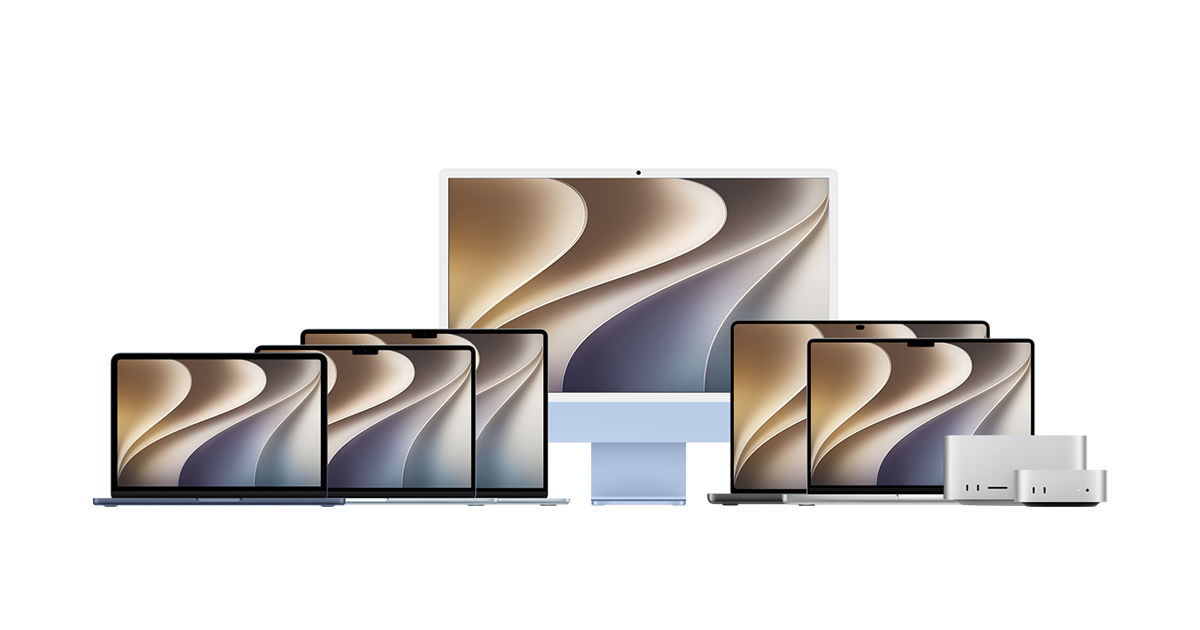
The most powerful Mac laptops and desktops ever. Supercharged by Apple silicon. MacBook Neo, MacBook Air, MacBook Pro, iMac, Mac mini, and Mac Studio.
Apple
246 points · by arunmib · 7y ago · 480 comments
Apple bloggers said time and time again the reason they were not making a tower was that there isn't really a market for one anymore, yet when they finally made it they decided to build something that only really serves the highest of high end video editors.
Completely ignoring 3D, mid range video editors, developers who need high core counts + ECC, deep learning, etc.
Before they made it we kept being told "There isn't enough of you to justify them making it"
They finally make it and the narrative turns into "It's not for you it's for people who edit Marvel movies"
I don’t really think Apple cares about that drama. I think they know they have customers who will pay the premium. I think the machine is squarely aimed at businesses making the purchase, not consumers.
Is it really a problem that the Mac Pro is only for ultra high end users? Apple hasn’t made a mid-range consumer tower in over a decade now. If you walk into Best Buy how many towers you think they’re selling compared to laptops?
That’s the market Apple sells in, not the low-margin custom built PC parts market.
Apple doesn’t cover every use case of the personal computer. They are just one OEM. Unfortunately if you like macOS they are the only OEM.
As far as the mid-range video market that you talk about, what about the iMac Pro (has ECC memory) or a high spec iMac is insufficient for that task? Sure, it’s not as nice as your dual 1080Ti setup, but also, NVidia isn’t actually a viable option for Apple anymore thanks to their disastrous support for the platform in the past. If you made a Hackintosh system with NVidia you’d still be SOL. You aren’t getting CUDA on Mac no matter what hardware configuration Apple comes out with. Is Metal supposed to cover that use case and compete with CUDA?
- Ships with anything other than Windows (Linux, OSX, BSD, etc)
- Has a corporate warranty
You'll quickly find that Apple has this market cornered. To many people, you're not paying the extra money for the goodness of Apple. You're paying to avoid the badness of Windows. There's also some software that works on Macs, but not Linux machines that may be necessary for the job.
- Ships with anything other than Windows (Linux, OSX, BSD, etc)
- Has a corporate warranty"
Support for mac-only software notwithstanding, Dell's workstations officially support RHEL, have Nvidia GPUs for CUDA workloads, and come with up to five years warranty with on-site service. You can probably find comparable HP Z-series workstations too.
Has Apple finally started to offer one comparable to the Big Three? (SLAs, Onsite service with guaranteed reaction times and HW replacements and so on) Serious question - this was actually a big argument against Pro Apple workstations in the past.
>-Ships with anything other than Windows
Well, you won't get macOS of course, but all big workstation manufacturers sell workstations with Linux preinstalled. It's really nothing unusual and hasn't been for quite some time.
https://support.apple.com/applecare-enterprise-service
I do not know what the criteria are to be able to get on that program, though.
Apple could not possibly do that today. Maybe you don’t need it, but if you care about warranty service Apple is not the answer
Are you telling me there is a market of an intermediate OS? Because I would be ready to pay about $250/year/user for a Linux that is as good as Mac, but with cheaper and more maintainable gear than the iMac. It’s almost as if Apple were trying to tell us there’s an intermediate market up for grabs, but they’re still to close to it for any incumbent to try their luck. Canonical was close to it, but stuck to the wrong business model and decided to switch to Unity in 2013 instead of stabilizing Ubuntu. Product roadmaps are hard. Jony Ive is available, just saying ;)
I bought a Dell XPS13 laptop recently which unfortunately had a non functioning motherboard. I contacted Dell and a technician came to my house first thing the next day and replaced it, no questions asked. Totally hassle free. I'd take that any day over having to book an appointment to see a 'Genius'.
I had a macbook pro with a logic board that died. I phoned Apple, they couriered me a replacement device next day, and that courier picked up my old device. Literally couldn't ask for better service.
We were attracted to these as there was a Linux version that potentially offered a good alternative to Windows 10 for some of our people, but the experience was so bad that instead we immediately ruled Dell out as a supplier for any serious equipment for the foreseeable future.
I can't speak for anyone else, but the last time I had trouble with my MacBook (five years or more ago now, the touchpad had cracked, IIRC), I made an appointment in the morning to come in in the afternoon. Walked up, explained the problem, gave them the machine, and they called me back to pick it up a few hours later. That's not bad, IMO.
Home service is awesome, but unless things have changed recently, I don't think that's common. It also may be different for wear-and-tear fixes vs. DOA replacements; Dell has a strong interest in fixing the latter as quickly as possible to protect their reputation. Most companies, most of the time, expect you to come to them to get service.
It doesn't exactly sound like it would be any kind of a problem for you to install your own OS if you're willing to accept a manufacturer supplied BSD.
Hopefully soon I'll be able to use VSCode to remotely work on my Mac though! - https://github.com/microsoft/vscode-remote-release/issues/24
> You'll quickly find that Apple has this market cornered.
No they don't. Not the market for people who just need a corporate Unix box. At my consultancy we have a mix of machines with many people running a System 76 tower or laptop and you'll find plenty of folks here on HN who will name Dell, Lenovo or HP as their supplier.
Perhaps you're thinking of just the market for people who do the absolute highest end video work for the film industry? Other than that, I don't see it.
And Windows has been rock solid for a massive amount of users and developers of various types since Windows 2000.
Well, that’s, like, your opinion, man...
No, seriously, I feel the same way about Windows’ UI. I mean, did you ever use Windows 8? And Windows 10 has built-in ads by default in the UI/UX?
Windows XP SP3 was peak Windows, IMHO - the awful part about them making an abortive mess bastard child of the UI/UX in 8 was that there are millions of non-techie people who literally know how to follow one sequence of events on their computer, and that usually starts with ‘press start’.
Windows 8’s awfulness is probably what drove a lot of those people to iPads. If you’re learning a new user interface idiom anyways, and even Microsoft Office is on the iPad; why stick with Windows?
The only tangible market for a Mac Pro is professional Final Cut users in a professional setting, no?
If this is hogwash, tell me so, but it just seems that any other realistic scenario that requires this level of hardware (like research, rendering and AI) would be significantly cheaper and better supported outside of Apple's ecosystem.
Short of having a pretty device to sit in a studio, what other reason is there for this to exist? (And how much of that audience is more likely to just buy iMac Pros).
As regards development - Most development tasks won't significantly benefit from the performance offered here, and anyone who needs that performance is likely going to buy something significantly better value for money (as regards tech specs) than a Mac Pro.
I'm not aware of any significant tools for 3d modelling or video editing (besides FCP) that are OSX-exclusive, and that audience is surely better served by a much cheaper Windows/Linux machine.
In my experience, the past five years have seen a dramatic shift to windows in professional facilities (Oscar winning editors).
I do know one very high end editor who cuts on a Mac mini. The old school guys are used to proxy workflows and you don't need lots of power for that anyway.
If I have a resource heavy problem, I can solve it for a fraction of the price outside the Apple Ecosystem.
Who buys these? When you look to the source you will understand.
Given the number of posts telling people in Hollywood not to restart their Trashcan mac Pros because of the Google Raven screw up, I would say that yes, in fact, plenty of people in Hollywood are using Mac Pros, and likely will buy this new one.
> I struggle to find the target audience for this, now that they are alienating home users
This machine has NOTHING, and I mean nothing to do with home users.
Next you'll tell me that Tesla have alienated "normal" car buyers because they make a $100k P100D rocket ship. Tesla also make a $35k regular sedan. Apple also make much cheaper iMacs, and Mac Books and Mac Books Airs for home buyers.
I don't understand why people time and time again bash Apple for making something that isn't in any way designed for "home users", while they still make plenty of things that are.
I think this new MacPro is going to be a huge failure. Professionals are running PCs now, and home users won't spend the money.
If Apple doesn't want to serve the "I need a decently powerful machine but don't want to waste money on what is basically a status symbol" market, maybe they should license MacOS to someone who does. Something like that might actually bring me back to the platform. As it is, I stick to PCs running Linux.
I'm a programmer. If I want to prototype a multi-component stack, I've got a Raspberry Pi Cluster running K8 for that. If I want to play around with deep learning, I'll just spin up EC2 instances. Games? Let's be honest. That war was lost decades ago. I've got a good PC rig for that now. The days of a general machine to do everything are gone.
The only issue is the storage space, which I can get from a multi-bay drive enclosure.
Businesses listen when their bottom line is hit.
Apple’s hardware/software combination is the reason a lot of us have stuck with them for so long. It’s quality control. No drivers to fuss with; just plug in and go.
Some people do not want to do that.
But as I said dual GPU machine for half the price of an iMac Pro that can run Octane Render[0] which requires Nvidia cards with CUDA left me asking why I didn't do this years ago after using that for 15 minutes I couldn't go back to how I did my work on my old Mac.
If Apple wanted my business I would have given it to them but they were pretty insistent that they had no interest in my money.
And it should cost around $500, not $12,000.
$500 with what I request is certainly available on the PC side of things and I have that and run Linux on it and have transitioned everything I can off Apple because they can't produce the desktop that I need. I've put Mac versions of my products on bug fix only status and when customers ask me when the new version comes out I tell them never and advise them to try Linux.
Thunderbolt GPU cases are hundreds of dollars.
For a dual GPU Mac Mini setup (which would be a mass of cables and require 3 outlet plugs) you could afford a 3 GPU Windows tower.
As someone who used to be a pretty extreme Mac evangelist I really did look into all this before I made the switch to a Windows machine.
The first Apple computers I bought lasted for years and I never thought Apple Care was necessary, but since the fiasco with the 2011 MBP and the butterfly keyboards I'm not buying another of its products without Apple Care. Yes, Apple ended up doing the right thing in both cases but it took years after the problems started and a couple of class action lawsuits.
TV set you get on Black Friday works until X-mas. It was a bargain, what did you expect?
That discount you got on your car? You think it was because of your outstanding negotiation skills? Think again, the seller swapped a cheaper bifurcator, meaning your mileage will suffer. But is it wrong? You got a discount.
If you sell it, if needs to be good. If it is not good, you cannot sell it. There's no price in question.
A single-year warranty is in general an indicator that a) the manufacturer doesn't have faith in reliability past the first year and b) the manufacturer is begrudgingly just meeting the minimum standard for warranties in most jurisdictions. Even if neither of these are the case, the optics aren't good.
Dell's Precision workstations come with 3 years warranty, upgradable to 5 years coverage with on-site service. There is no reason Apple can't match that.
This wasn’t an issue years ago because reliability wasn’t an issue. My ~2005 30” Apple Cinema Display is going strong connected to my 2010 Apple mini. My 2017 MBP however has been the most unreliable hardware I’ve ever had (my first computer was a 286). 6 weeks for repairing a pro device with a hefty premium price.
These type of design flaws should be fixed up as part of their normal warranty process.
Unless of course you are talking about the EU-wide consumer protection rights which apply for 2-6 years after purchase, but which people very mistakenly call a guarantee. The problem with this protection is that it protects you only against manufacturing defects. And anything that happens after the initial 6 months is up to you to prove that it existed at the time of purchase. So no, if your MacBook suddenly dies 23 months after purchase, apple doesn't have to repair it, unless you can demonstrate to them that it died because of a manufacturing defect. In comparison, apple care would get your laptop replaced under the same circumstance.
p.s. Switched to Windows when I bought my laptop for that reason.
Do Apple hardware failures happen often?
In ~20 years of assembling PCs with consumer grade parts I've only had 2 legit non-keyboard/mouse hardware failures (3 if you count lightning destroying a power supply before I knew about surge protectors). For context, I've had 0 hardware failures in the last 10 years. I keep my computers on 24/7 too.
I still prefer to DIY for value... my 4790k build lasted 5 years, just put together a new one, placeholder cpu waiting for 3950X. Will probably, again, last 5 years or so.
My 2 legit failures were an old IDE HDD that audibly clicked like crazy for months before failing completely. Since it gave such a long warning I was able to back everything up thankfully. The 2nd failure was a different power supply that just stopped working without any notice or grand events. I never had any RAM or video cards go bad, but after assembling a new machine I always run them through rigorous automated tests to help detect faults. I've had 1 stick of RAM be DOA but I don't count that as a failure.
My current system is an i5 4460 (3.2ghz) with a bunch of other components. It's been going 5ish years now without issues and I work this thing pretty hard. Full time development, video recording and editing, gaming, etc..
These were one's that specifically came to mind for me:
2019: Battery Recall: https://www.wired.com/story/apple-macbook-pro-recall/
2018: Macbook Air Logic Board issue: https://www.laptopmag.com/articles/apple-macbook-air-power-i...
2018: Battery Recall: https://qz.com/1258843/macbook-pro-battery-recall-apple-ends...
2017: Screen staining: https://www.macrumors.com/2017/11/17/apple-extends-free-stai...
2018 SSD Issue: https://www.macrumors.com/2018/11/09/apple-macbook-pro-ssd-s...
2017: Battery recall https://support.apple.com/15-inch-macbook-pro-battery-recall
2016: "Flexgate" _ https://www.macrumors.com/guide/flexgate-macbook-pro-display...
2013 - 15 Retina Screen Issues: https://www.cultofmac.com/514741/apple-extends-free-repair-p...
2010: White Macbooks Yellowing - "https://forums.macrumors.com/threads/unibody-white-macbook-t...
2009: White MacBooks crack: https://appleinsider.com/articles/09/04/08/apple_addressing_...
But that's not the world we live in. Nvidia's pitch is "We make the only hardware that runs the framework used by almost all deep learning research and media creation software, and we're also the only folks operating at our level when it comes to high-end video game graphics, and if our high-end cards are too expensive for you, we have cheaper ones. And when our competitors start to think they can catch up, we'll drop RTX and Tensor Cores on their face."
AMD seems stuck on "We have great value middle-to-high-tier video game graphics cards" at best. I have no idea how they can get out from under that rock. They've been turning the CPU market upside down and smashing Intel's once proud "near monopoly" status. Nvidia seems like exactly the kind of prideful company that would be poised to fall, but I have no idea how AMD could make it happen.
Most people aren't spending over $500 on a GPU, so they get the volume sales. The better aftermarket cards have been selling out pretty consistently. And the longer term strategies are similar to how they approached Ryzen. So, I'd think that Navi can definitely succeed in that light.
The real lock in for NVidia, is all the existing CUDA development. Intel and AMD will have a lot of work, One API may help there, so long as Intel and AMD can work together, without Intel's often and weird lock in attempts.
It was always about software. Granted, CUDA is not the best and most elegant platform in the world... but AMD seems not to be able to reach even that level.
I'd still likely only go AMD GPUs in the near future, just because I don't have particularly demanding GPU requirements and they have better Linux drivers.
Lose-lose for customers.
Anyone privy on what hold Apple back on supporting Nvidia? The only info I read was due to some earlier bad blood, but I wonder why hurt your users just because of some old scuffles...
They probably both each want too much money.
So no, it is not a replacement, again. Elegance matters.
For and Engineer or Computation Scientist, I think this is not a bad investment
But Yes existing CUDA libraries won't work.
As an example, I worked a bunch on our PostgreSQL infrastructure, but we support 5 years of versions. So you have to CI/integrate your changes and test them across all 5 versions, every time you test. My machine could do this on the order of 2-3 minutes -- recompiling everything from scratch every time, and running all integration tests on all versions. There's no CI system or cost-effective cloud hardware that would have given me turnaround like that. In the end I was doing hundreds of builds over the course of just a few days.
In contrast, at $WORK we have a C codebase that takes < 1 minute to compile on my 4 core work laptop. YMMV.
Also, all that needs to be set up. If you need to change some little thing, you're much faster doing it locally, rather than trying to wrap your head around the build server configuration and figure out how to just run this one test different but only for this branch and not for the normal builds ...
It happened, when the 2nd gen TR arrived. It used the same mainboards, so all the manufacturers issued BIOS updates.
Unfortunately, these updates claimed to support SEV (Secure Encrypted Virtualization). Linux of course tried to initialize it at boot/module load time and the entire thing went hanging, because TR CPUs do not support SEV, only EPYCs do.
So there were the following fixes:
1) downgrade BIOS back to pre-TR2 version,
2) blacklist the ccp module; which would make kvm_amd non-functional,
3) wait for a fix in Linux kernel, which initializes SEV with a timeout.
So it wasn't that tragic issue, if you had first gen TR.
When it was bad, it was so bad. I never wanted to know as much as I do now about IOMMU groups and PCIe lanes.
When I bought it I was doing some embedded device work involving a Windows VM, as well as heavy web dev on a frontend JS app and a backend app with tons of Chrome tabs open. All these things crave memory, and my 16GB MacBook Pro was swapping itself to death. This was pre-32GB MacBook Pros, so I bit the bullet and couldn’t be happier with the setup. It’s dead silent basically no matter what I do and doesn’t get thermally throttled during heavy workloads. Having the extra RAM also makes a huge difference.
Now that I’m doing more regular web dev on an Elixir & React app, I benefit from the 16x parallel compilation & test suite, as well as the ability to keep basically anything open without resource issues.
I have around 5-6 windows with 10-15 tabs each within them as well some ssh tunnels and some other applications open (I do heavy front/backend with docker builds through ssh as well as ML work through ssh)
Not sure what's going on, but my lowest-end Mac is running everything I need like butter.
That said, if you are just running simple Go or Rust compilations, or small single-package C++ compilations, caching and a decent processor should be good enough, and you probably won’t benefit much from a lot of threads. (You may want it for your Webpack builds still ;)
One tip: scale up your RAM, pay attention to clocks and latency relative to your processor (especially with AMD where it really matters.) 16 GB is easy to kill when you are running 24 instances of GCC and a VM or two.
I would think the extra cpu would be more of an impact with Rust than even C++... I wouldn't know, running a 3600 as a place holder until the 3950X comes out. I couldn't handle the 4790K anymore, going from 32gb to 64gb and the couple extra cores made a huge difference for my docker/vm workflows. Can't wait for the 3950x. I'm sure the TR 3rd gen will be similarly impressive with the changes to IO.
I’m rocking a Samsung 970 Pro 512 GB on my desktop. I never thought I’d need more space than that, since I can always use my NAS or the spare spinning disk I have installed. But, the more CPU power you have, the more you can feed it... I find myself building entire fragments of Nixpkgs now and it takes substantial disk space to do it.
The contribution experience was a nightmare because a full build of Firefox took 3 hrs and running the entire testing framework took 4 hrs, though it turned out that I needed to run only a part of the testing framework. Changing a single line and building it again still took more than 30 minutes.
That was the first moment that I wanted a HEDT in my life. It feels like devs who work with big C++ projects would want a bigger workstation because of the significant build time.
Hm, I guess I don't live anywhere near a data center. 1M+ North American city, but lowest ping to any AWS/GCE region is ~130ms.
Level 1 contributors (contributors who are acknowledged by one of Mozilla dev) grant access to TryServer.
I've recently built php + most of the bundled extensions, in a VM (on a 2018 Mac mini) and it's only a couple of minutes at most to build.
Even if not for that, I tend to cross compile a lot of software since all the engineers at my company use macs for software development but we deploy to linux servers, so often I end up building rust binaries for linux and it's fairly computationally intense.
For an anecdote, on my work laptop (i9/32Gb/512SSD 2018 15" MBP) I can compile the dev environment from scratch in 40 minutes whereas it takes 4 hours on the company standard dual core/8gb/256gb 2015 13" macbook
I’m a robotics controls engineer. The code I write is pretty short compared to most of you, and it doesn’t take long to compile. But to test it I have to run very complicated dynamic simulations. These never run in realtime. It’s not uncommon for a thirty-second simulation to take five, ten, fifteen minutes to run; sometimes I have to run many iterations of the sam sim to collect valid statistics. So both CPU speed and number of cores translates directly to time spent waiting for the sim run to finish.
I have a 2013 trashcan Mac Pro with 12 cores. It’s still a good machine.
Possibly the only laptops that could compare to desktops are gaming laptops, and I know developers who buy things like the Razer gaming laptop to try and get desktop-like performance.
I migrated from a MBP to a 2018 Mac mini with 64GB, and the ability to run say 10 VMs at once, without having to limit them to half a GB RAM each is amazing.
I'm not in the market when this thing (Mac Pro) is actually released but in a year or to, I may well be migrating to the latest of the Pro line - I don't care about GPU (much - it just needs to drive some displays) but I do care about CPU speed + core count, Memory and fast storage.
Actually my main rig is the last mac pro, the 2013 one - I just don't use apple's OS. I really like the rig and I expect to use it until at least 2023 (10 years of use).
The latest MacBook pros (8 core, 16 threads, 32gb ram, 2tb flash disk) are finally fast enough with enough ram to both run CLion with clangd indexing and do C++ compilation/testing. Full builds are still not advisable (not that a full build is particularly useful since our prod is only Linux and we have CI/desktops to avoid cross-compilation).
I use a 3 year-old laptop with 32GB of RAM, an SSD, and a dual-core i7 (U-series) processor. It's reasonably efficient. I think the amount of RAM and the IO speed of my SSD remove most of the hardware bottlenecks I face.
However, I would like compile times to be faster, I do sometimes notice applications hanging, and IntelliJ (we use Java at work) seems limited on how many projects I can run efficiently in a single workspace. I'm just wondering whether a workstation-grade laptop (Dell Precision or Thinkpad P-series) would be a sufficient upgrade, or investing in a desktop would be worthwhile at some point.
Yes, either 17" machine offers an 8-core CPU and plenty of thermal capacity (i.e. larger chassis than their 15" equivalents), along with more than enough memory (128GB), and in Dell's case, a boatload of HD slots (4, run in whatever RAID config you want). These are desktop replacements, heavy (as in 6.5+ lbs), with 240W power bricks , so you'll probably want them to stay on the desk for most of the time.
I'm personally looking to replace my old Dell Precision with a 15" 5540, maxed out. For Scala work the extra cores help reduce build times, probably the same for Java.
In native app development, Android Studio and Xcode are severely bottlenecked by 2 cores. The difference between my laptop and my Mac Mini (6 cores) is astounding.
The difference between a build taking 6x minutes and 1x minutes is more than just 1/6 because it goes from "Well, guess I'll check email/messenger/HN real quick." to taking a sip of coffee.
It also gets real bad when your IDE is forced to fight with your browser, email client, etc. Then you're forced to do nothing, lest your casual actions further slow down your local build.
Usually the "breaking point" is when builds take more than 5 minutes, but especially when they take more 30+ mins.
My build times aren't as long, because I'm working with Java-based microservices, so each service takes a minute or so to build (with tests) but even that delay can break concentration. Turning off tests helps, but then you don't always have the immediate feedback of the test results (and don't worry, I always run the tests before committing).
Android is probably the only platform that in almost every conference has at least one talk related to how to improve build speed, thanks Gradle + Android Studio.
But now that I am working across projects that run 2-3 repositories at a time with Jetbrains IDE, the computer almost barely keep up. I get times where typing will actually lag.
I am contemplating asking them for a Mac Mini instead since I rarely ever venture out from my desk.
Cumulative wasted minutes from compilation over the course of a year can add up to a lot.
It's absolutely faster than any business laptop for doing builds of medium sized C and C++ projects.
(But I think a non-HEDT desktop would also outperform a typical laptop in this use case -- thermal throttling is a real problem for laptops.)
Last year I bought a T470s with 20GB DDR4 and an i7 (U series) as I was mostly working away from home. It's good enough for most of the work I do, but it can be a bit slow at times. The processor just isn't as fast and the integrated graphics struggle with a 4K desktop (I think that's mainly Linux/GNOME being unoptimised though). I haven't noticed it throttling, but my workload usually isn't that CPU intensive.
If you mainly work from home I'd definately suggest building a desktop machine for your needs.
Of course, it's far bigger and heavier than the Mac, but also of course (for I am Old Skool) I'm using it with a decent keyboard, a decent-sized monitor, a decent mouse, and a USB-C charger. It does mean I can't go to meetings, but that's ok with me...
Mind you, my workflow could probably do with adjusting as well, I tended to work like I do with webapps and just continually rebuild/restart and review my changes on the device itself (or an emulator).
Part of me also wishes we had a big setup with multiple docker images running in parallel but ATM we have the luxury of working on 'just' a website (react, some lambdas, back-end are all third party services, we connect to a staging environment during development) so it's not too bad.
But I'd still like a permanent machine, there's something about (and this is me idealizing) having a fixed workspace you don't have to pack up every day. I mean sure disconnecting a laptop and yeeting it into a backpack isn't that much effort but it's the little things.
It's way better at running Docker instances, a bunch of electron apps, and tons of Chrome tabs simultaneously without a hitch.
Having a real keyboard, mouse, and four 27" monitors is something I will never leave behind at this point. All that screen real estate to spread out over helps enormously. I can have a browser with our application pulled up, Visual Studio, another browser with doc, Webstorm with the front-end code, SSMS connected to the database, an email client, Notepad++ with logfiles, all the different chat clients I have to use, and more if I really need to, all on screen and available at the same time. I don't have to alt-tab around, I just look and it's there.
If I had a similar performing laptop that could replace my desktop in terms of GPU performance and compatibility with the devices I use, my HEDT would start collecting dust.
I still have an old laptop that I use to ssh into my workstation occasionally.
Web Dev. Going from a 2015 MBP to the new touchbar model, my cold build times were cut in half. Other than, saving 15 seconds once per day, I noticed nothing.
We have discussions on HN [1] when it was announced. The Tech Spec page has been there since day 1, I looked hard and dont see any significant changes, if any changes at all.
I’d go so far as to say they should sell it without a default hard disk if they could - let the buyers make the choice. I’m guessing it’s defaulting to the smallest disk just for optics.
This is clearly a start with the skeleton and build it yourself kind of machine, which is as it should be. It just looks odd when the selector defaults to the lowest available option on every selection.
How is it different than buying a Mac now? It also won't upgrade itself to an ARM processor and they'd need to support existing macOS installations for a while anyway.
When / if Apple stop support for x86 any Apple computer purchased before they go ARM will essentially be end of life.
If you do not want to build a hackintosh because of ARM in the future you also do not want to buy a Apple x86 computer today.
My own theory, Apple has probably already spoken with clients like effects houses long ago. Since these are the clients that will generate most of the revenue with this product, I'd wager they've put it together almost especially for them. If anyone else wants to buy one, gravy, but I'd bet Apple's money comes mainly from clients in those very specialized segments.
My guess is, they won't be doing anything those clients don't want them doing with that platform. Apple made that mistake once already, and it sounds like they are done chasing the larger market with their pro platform. Basically, They're going the HP workstation route and just becoming an Intel distributor. Only they're trying to distribute components in a bit more aesthetically pleasing package.
But AMD said new workstation chips are coming in November. This could be up to 64-core Threadripper chips with PCIe4 support. Though we have no idea on the clock rates so it is possible these Xeon W CPUs may still come out ahead in lightly threaded performance, especially with AVX-512.
Edit: My bad... I misread thread ripper for Ryzen for some reason
Even if it did, most displays pull less than 1A, so theoretically you have room for 3 more displays on your standard 15A North American residential circuit. Any office should be on 20A circuits, anyways.
A coffee pot pulls 5-8 amps. Laser printer 3-5 amps while printing. Stereo, lamps, etc., it all adds up pretty fast.
This conversation reminds me of the movie Apollo 13: "You can't run a vacuum cleaner on 12 amps, John!"
CPU-wise, probably. Xeon W 28-core is still quite good from Intel however, with AVX 512 support and such.
Surprised there's no 802.11ax/wifi 6. Why not use the same wifi chips as the iPhones?
I'm still holding out for a Navi product from Apple. There's some mention of support in the Kexts but alas my 5700 XT does not work in Mojave or Catalina (Hackintosh).
Isn't the Navi architecture gaming-focused? Vega might still be superior for the "compute" workloads of pro apps.
Edit: Although I guess the base-spec comes with an ancient Polaris card, not Vega. Cheap bastards.
If you ran Folding@Home on one of these, would you get sustained 4.4GHz clock speeds?
Furthermore, I think the advertised Turbo Boost 3.0 frequency is single-core only. It will not increase all core frequencies to that level unless there is sufficient thermal headroom.
https://segmentnext.com/2017/10/11/intel-removing-all-core-t...
I think there were more benefits to an ordinary user to getting a tower in the past then there are now.
In the past even a hobby or prosumer photographer would see a big benefit from getting a Mac Pro. Nowadays an iMac or Macbook Pro with very normal specs can edit large RAW files without breaking a sweat.
The extra HDD bays on a Mac Pro were great because you didn't have to mess around with USB2 (cheap but slow) or FW (fast but expensive). Now you have USB3 (cheap and fast) or TB (very fast but expensive).
I guess that leaves upgradeable graphics cards, at this point it is easier to just get a PC or try a hackintosh build if you want a beast GPU for the latest games.
> There was even a time in the past, when a Mac Pro would start below 2k and consequently was very popular.
2006:
Mac Pro base model: $2,199 ($2,800 in 2019 dollars)
30" Cinema Display: $3,299 ($4,198)
Soundsticks (Of course!) $169.99
2019:
iMac 27" 5K base model: $1,799
iMac Pro base model: $4,999
Graphics cards is another thing, but also the plain ability to clean fans when they start to clog up. The limitations of the iMac are amplified by Apple making the interior inaccessible.
Finally, while the screen of the iMac is great, I would like to have a larger screen.
So there are plenty of reasons still to have a bit more than the iMac can deliver.
Gonna need a citation on the Xeon-W board with PCIe 4.0 support. Apple aren’t using Ryzen and definitely not Ryzen 3. If they were they’d be waiting for Threadripper - even current TR doesn’t support PCIe 4.
I've been seriously considering a second-hand, early Mac pro - just for the case. Not sure if they fit regular/modern psus - but those cases were very nice.
Good riddance to the trash can design...
Now, if these wouldn't be priced like a car, and came with some proper AMD cpus ...
I thought the trash can was cool because the whole thing was one big fan. Never owned one though.
so but a refurb BTO to replace the 2013 model, stuck with ATI but at least the screen appearance is a big jump for me, my model was the last on the non retina models
If your workflow and machine are built around CUDA thinking back to before you had that setup you wonder how you ever got anything done.
It’s more irksome to me that they don’t have a high spec non-pro desktop.
Eg I want high end consumer desktop GPUs, not high end mobile GPUs (afaict that’s essentially what iMacs use). But my alternative appears to be “pro” GPUs with their absurd - for a consumer at least - markups and Xeons, which no one really wants ;)
My experience with all apple products at work has been quite bad so I might be a little biased.
"Why would I pay AWS to host a Virtual Machine for me when I can get a physical host on Hetzner for the same price, if not less, that's 5x better?" -- the point has truly been missed.
It's the same thing here: you don't respect the product so you don't understand who would use it, so you don't buy it. That's fair enough.
But the MacPro is designed for a niche audience who are happy with the hardware, implementation, support, and so on. The things they're doing with this product are not things you're doing, so you don't understand their pain points.
Intel is old news on HEDT ever since Threadripper became a thing. The final nail in that coffin will be the November release of the third-gen Ryzen Threadripper making that 28 core Xeon obsolete. I'm curious if the new Mac Pro will even be available by then.
AMD builds admirable video cards, but the Radeon VII is inferior for professional work compared to Nvidia cards and CUDA.
MacOS is superior to Windows but inferior to Linux. A lot of people with HEDT builds are in Linux (myself included). I appreciate being able to do some of my favorite Unixy stuff in MacOS at a fraction of the speed, but for high end use it's still a joke.
I get that Apple has some products that are really good, but for a professional environment I am still unsure if I would really recommend to buy them.
[1] http://hypercritical.co/2013/03/08/the-case-for-a-true-mac-p...
Edit to add: of course I know people use those keyboards... I meant are people actually moving with them in ways that makes the wireless capability useful? Do most users not stay in a pretty close proximity the whole time?
Yes. Why wouldn't you? Why do you think the downsides are?
> Especially when you can't use your freaking mouse when it's charging?
I charge it for about ten minutes every month while I'm out. It doesn't interfere with anything.
I’m not sure how many ports are needed, though I’m sure more couldn’t hurt. This seems less about expansion externally than doing so internally. My MBP with 4 USB-C ports has one that is power + hub (HengeDock Stone) with one of the USB-A ports on it chaining to a USB-A (powered) hub. One other port is used for eGPU and the other two are untouched. Works for me, but I can completely see where this Mac Pro could end up needing a hub attachment for a lot of people.
I swear, the old IR wireless keyboards and mice were more reliable.
Does anyone know how or where they do this testing? Seems quite bothersome to do.
Not saying this is where they were tested (I have no idea), just pointing out that these altitudes are not necessarily far from major metropolitan areas and international airports.
ESO, the European Southern Observatory, has its Llano de Chajnantor observatory at 5,100m (16,700 ft), in the Atacama Desert. Low humidity is a major concern for electronics due to static buildup and discharges.
Not sure how much Apple kit they use.
Basically there's two issues affecting electronic chipsets at high altitude : air density and cosmic rays.
The reduction of the air density can mess with the cooling system.
Cosmic rays contain radioactive particles which can cause soft failures to occur in solid state electronics.
EDIT : Found an interesting paper about it with more details : https://pdfs.semanticscholar.org/6046/529f05a65e182ac9323ef8...
Lower air density -> less heat transfer, so components run hotter.
Air pressure may affect disk drives and other sealed / fluid-dynamic systems.
Capacitors and other electronics might possibly be affected.
Apparently displays and printers (liquid ink) are strongly affected.
Arcing increases with elevation.
https://highaltitudelife.com/electronics.htm
Not on my computer if you scroll too fast :/
The purpose of these pages is to representative and informative than for selling or marketing.
This is an absolutely great style update.
I personally think the understated 2D graphics are a cool touch. It's actually quite polished in its simplicity.
Laptops default to persisting memory & sleeping (hibernatemode=3, a sleep which falls back to hibernation in case of complete power loss e.g. run out of battery). Both can be configured to regular hibernation (hibernatemode=25, persist memory then shut down).
If the form factor is just a tower, well I can buy a tower myself. What is the advantage of paying for Apple a (presumed) bunch of money to build it for you?
If you don't want the hassle of building a PC (which is fair) there are an endless supply of places that will put PCs together for you, with (I'm presuming) a much smaller cut than Apple.
Both necessary and well worth it, as Apple simply wasn’t selling anything appropriately powerful for like five years (also why x99 was so tricky until more recently - no equivalent hardware of theirs), but by any other calculation if you actually put the value of your own time anywhere close to any professional scale (or see it as a hobby) it will very likely end up costing way more to do yourself.
But yeah it's to get Mac OS, that's how it's always worked, and the Apple workstations have always been at the high price segment, from the early G3, G4 days too.
That's total, right? Not 4 GPUs per MPX module?
Most of the final rendering can be offloaded to a farm, but being able to quickly and interactively get a good idea of what something will look like is extremely helpful and time-saving. Right now, I'm doing some of the work on an EC2 instance with 48 cores (96 vCPU) to help with this—cost-effective for occasional use, but I can certainly see the appeal of a machine like this. And for task like compositing where you need access to a bunch of huge source files, or where maybe you have a specialized video I/O device you need to use, running in the cloud might not be practical at all.
Plus you can put some pci NVMe card the can support up to 4 NVMe slots
Apple isn’t selling for your use case.
Until then, I’m going to just buy upgraded but used 2012-2013 macbook pros.
It’s one of those sounds good on paper but useless in real life. Not only that, it’s a hindrance for coders like me who need to be able to hit the escape button and other top buttons quickly with force feedback.
Sorry, I'm new here and half the comments I read are bickering about some feature a someone doesn't think it optimal for how they use their device.
Checkout karabiner and hammerspoon.
This unfortunately doesn't work if you're not logged in.
The force is strong with this one.
As for the other comments complaining about downvoting, it's discouraged in the guidelines: https://news.ycombinator.com/newsguidelines.html