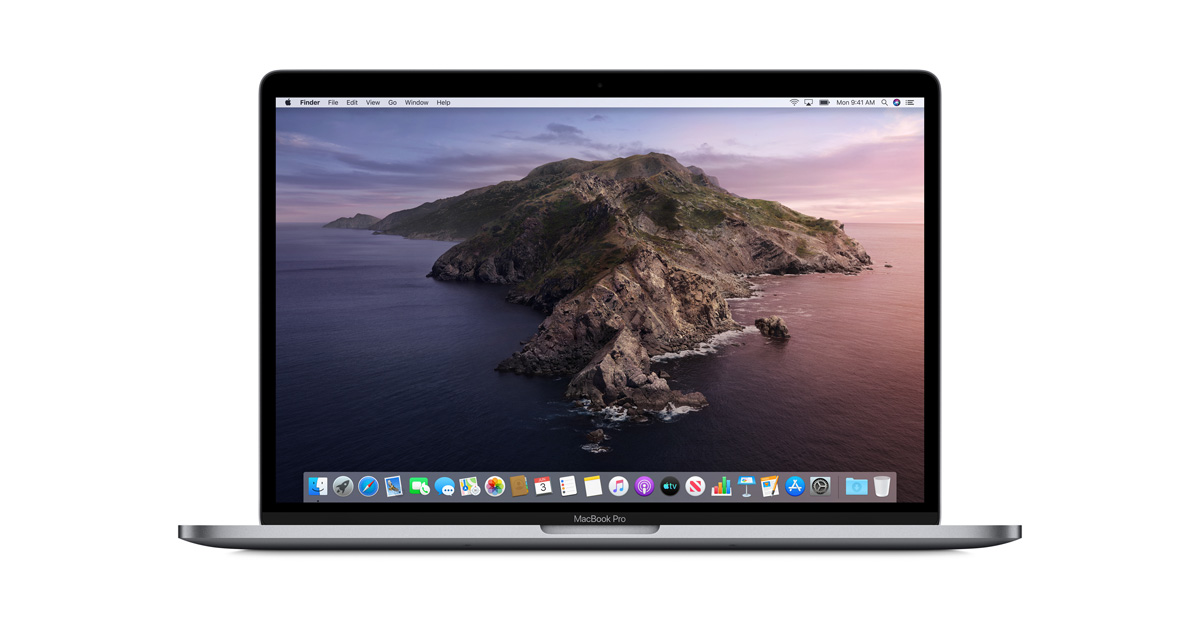
macOS Catalina is available today
macOS Catalina, the latest version of the world’s most advanced desktop operating system, is now available as a free software update.
Apple Newsroom
477 points · by css · 7y ago · 565 comments
Also, clicking on a dropdown box in a web browser (Safari, Chrome, or Firefox) after the computer has been asleep for a while freezes the whole computer for about 10 seconds.
Maybe it's just me, but that feels like a showstopper.
The whole 32/64 bit thing doesn't seem too bad, although I've had to use Pages instead of Word and can't use Adobe products anymore and have had to switch to open source alternatives, but I don't use those products very much so it wasn't a huge deal for me.
- My scanner support (they have new version, which is insanely buggy and can't even detect my scanner properly)
- All my games (literally every single one of them turns out to be 32-bit) - I don't play that much but still, would be a shame to lose all of them
- Postal label printing app (no idea if they have an update, need to check)
- App supporting my stand-alone disk array (not using it too much though)
- My niche learning apps (pretty old, from small providers, not sure if they'd ever be updated)
Much more than I expected, given that I don't have any exotic stuff like music instruments, specialized equipment, etc. So I personally probably would hold off upgrading as long as I can.
Stick with Windows/Steam/Consoles/etc. if you don't want a bunch of your games that you purchased to become unplayable every year (unless you add multi-boot to run the old, compatible OS, or run them in a VM, which usually works poorly.)
As I have mentioned before, it's a very annoying example of Apple shifting technical debt and maintenance work away from themselves and onto developers, and the overall maintenance burden is greatly increased.
I like how the platform moves forward, but I really wish that there were a way of getting desirable security patches and feature improvements in the OS without breaking all of my apps.
Essentially what Apple Arcade will end-up hosting is ports of run-of-the-mill mobile games. And I'd bet the advertised number of developers will diminish as soon as the agreements they secured for the launch expire. But if this is the kind of gaming you're interested into, you already have your iPhone/iPad.
[1]: https://www.gridsagegames.com/blog/2019/09/sorry-mac-users-a...
[2]: https://www.vice.com/en_us/article/43k4ww/its-hard-to-use-ap...
Keeping around old code increases the security vulnerability surface. For instance, there are at least a half dozen ways of representing a string in Windows. One of the earliest widespread vulnerabilities in Windows was caused by improper handling of string encoding where anyone could run DOS commands on a web server running IIS just by encoding the commands in the browser.
https://www.sans.org/reading-room/whitepapers/threats/unicod...
(Even in the Linux world, which prides itself in supporting crap used by a handful of people globally, X32 is dead, to the extent it was ever alive.)
I haven't evaluated the quality of available offerings yet, but they look good in the App Store previews, and I think they're all native Mac apps (not lazy ports), using Metal and everything.
Although yeah, you can't really own any of those games and will always need a subscription, and some may be removed in the future.
I'll hold off too. My macbook pro is 2013 and pretty old it overheat often if I play video. This update will definatedly exacerbate the problem.
I use it myself and ignore the manufacturers software altogether. Which form my scanner only supported PowerPC.
Software like VueScan and USB Overdrive (just bought a license for that too $20) deserve to be in some sort of Apple Hall of Fame.
Although I understand the Windows codebase is a nightmare.
It's not easy to get into the mindset of fixing every problem a 3rd party app creates.
Some will say Apple is offloading tech-debt onto client apps, but Microsoft is allowing client appts to offload tech-debt onto itself, and it's big enough to take that burden on so its users can still use the stuff they bought.
I dunno, sometimes I hate having to do it but it's all about user/dev experience and if you're optimising for your own employees you're making it worse for everyone else who makes your OS/machinery worth buying. There's got to be some compromise, coz it sounds like if you buy into Apple then you're SOL if they can't be bothered supporting your hardware.
Which, additionally, must contradict their environmental aims. It's not good for the environment if upgrading an OS means you throw away your printers and scanners and buy compatible ones.
[1]didn't really pay attention to version numbers before 7.6, but I guess "install on public release" didn't begin until OS X...
- iOS 13.0 was so bad they released 13.1 in less than 5 days, but even now many things are still hit and miss (with 13.2 in beta)
- watchOS 6.0 is also still pretty bad and not yet fixed (with 6.1 in beta)
- macOS 10.15 GM seems pretty buggy
- Well, I think tvOS 13 is ok?
While the situation might be better for people who use the latest betas, it is still a horrible current user experience for all normal users just updating their devices.
Lots of cross-platform features introduced across these updates (like the new iCloud features and new Reminder apps, etc.) are also in a horrible state.
I'm not sure what their QA team is doing this year but it seems almost everything planned for this Fall would have been better off if pushed back a couple of months. Well, if it weren't for device compatibilities... (the iPhone 11/Watch 5 seemed to be more important than stable software across all their platforms and other devices)
iOS 11 was a complete disaster and it took an entire OS upgrade cycle (iOS 12) to control the most pressing issues. Apple is constantly releasing wild bugs and after getting burned multiple times now, they still don't seem to tackle this internal problem.
This year it has been 12 days after iOS 13.0, instead. Wouldn't really call that much of a push back. It's less than one week behind the usual schedule..
However, Numbers is not at all an Excel replacement and that is going to cause a lot of grief.
Glad to know that Pages does a good job as a Word replacement. I do track changes pretty frequently and have wondered how solid the support/translation is for that feature.
If Pages works for you, great: but save a copy in a different format if you want to be able to edit it in a couple years.
And the icloud version of Numbers is pretty handy when you don't have a Mac around (but the collaboration capabilities suck compared to Sheets).
If you’re even a halfway serious user of Excel than indeed, Numbers is a complete joke. But if google sheets would work for you numbers probably would too.
Unless you use some of the very special features of Word, or you're in a profession that requires Word docs specifically, Pages is a very good substitute. It can even open old Word docs (and new ones too).
I haven't tried Sidecar yet because the iPad is on my wife's iCloud account since she's the primary user and I'm not sure how to make it work across iCloud accounts, or if you even can. She uses it so much I can't get my hands on it!
Duet Display's iOS component costs US $9.99.
For the 2 first catalina beta, you could still activate it with 2 command line in the Terminal, but these mother* removed the ability to do so in the third beta.
That's how I know Apple don't give a shit about me and my 2015 macbook Pro unless I pay 2000€+ every 3 years.
What a fucking joke.
dude, Libre Office wipes the floor with Pages, Numbers, etc. If you haven't tried open source office programs in the last decade, they've come a long way. And I find they work better cross platform (ie they save in MS office format much more seamlessly and less buggy)
I am also about to buy RockSmith on Steam, but it's 32 bits at the moment. I currently used it on my PlayStation but want to have it on macOS to access more songs.
It looks like you find many games on steam that are 32 bits only.
On our side when OS X was introduced we trusted Steve when he said Carbon is there to stay and will be 64 bits. We took a few years a few years ago to do the switch...
Macbook Pro, 15inch, Mid 2015 2.5GHz i7 16GB RAM 500GB SSD
Homebrew has some broken packages, e.g. trying to run Midnight Commander dumps a nice "Bad CPU type in executable" message.
Turning off iCloud capability stoped the insanity.
Have been using Apple’s betas for years now. This season was the first time I regretted it. But I like telling myself that dark mode and iPad OS multitasking made it worth it.
Some UX improvements across the board are very neat though.
In the end, new desktop runs Linux, and aside from a few issues for brand new hardware, it's been a nice change of pace.
Edit: it seems to be only old versions that won’t be supported (office 2011).
That's the boat I am in. I can afford their cloud subscription but out of principle I will try their main competitor first (Affinity: $50 one time purchase). I will try running it in a VM second. Only if neither of those solutions are satisfactory will I pay a monthly fee for software that I use very little.
16GB RAM
1TB SSD (3rd party upgrade)
And this "doesn't seem too bad"? These are the industry standards for productivity. Pages on the other hand is only good for throw-away projects. Last time I checked, importing and exporting to Microsoft Office sucked. So, Catalina pretty much turns your professional machine into an overpriced netbook.
Microsoft/Adobe will of course eventually release 64bit versions of their software. But these will cost extra $$$ on top of the premium you have already paid for Apple hardware. A lot of money with doubtful productivity gains. This won't make any professional happy.
Still, I'm running both using a site license from my work. The upgrade cost per user in site licensing is pretty low. If I had to pay myself for a single license, I'd bet I wouldn't have upgraded for eight years either. And the Office/Adobe CC subscription costs may not be insignificant either, depending on where you live.
Here's a rundown of products that depend on 32-bit support or that haven't been tested in 64-bit on Catalina yet:
Audio products: https://www.sweetwater.com/sweetcare/articles/macos-10-15-ca...
On the plus side, I've been running Kontakt 5 along with lots of other audio software since 10.15 beta 3 every day and most everything is working alright.
Some other observations:
• Pro Tools' QuickTime video plug-in prevents it from launching because it's a 32-bit only subprocess meant to interact with the now-defunct QuickTime framework. You can delete the plug-in from the application bundle and it will proceed and seems to be working normally.
• EastWest has a nasty crash in PLAY 6 that can be worked around temporarily by removing their internal word builder plug-in.
• Pretty much every iZotope plug-in as of September had a 32-bit non-pkg installer. The software works fine if you copy all the relevant parts from an install on another computer.
• MOTU hardware drivers for anything but the latest Pro Audio line won't work as the drivers are 32-bit at the moment (MIDI interfaces, CueMix-based audio interfaces).
Imagine digging up an old project, recompiling it for 64-bit, and finding out that:
1. It doesn’t compile any more, with modern tools.
2. When you get it to compile, it crashes mysteriously.
3. When you get it to run, it again crashes mysteriously when you try a 64-bit build.
Yes, there are a lot of “best practices” out there to avoid this. Any discussion of best practices is moot because people in the field have to work with actual practices and legacy code that might be full of undefined behavior, custom build systems, weird hacks, and lost tribal knowledge. And you are simply not given enough time to go through and fix it.
This is not all about the 32-to-64 bit transition, but that’s the biggest part.
Then consider the smaller shops—which might only have a couple of Apple devices altogether, and not a lot of spare developer-weeks to go through and test old plugins on new systems.
Apple has deprecated a lot of things and seems to be trying to move everything over to AudioServerPlugins, which essentially requires a full rewrite of the drivers. The architecture isn't similar at all (AudioServerPlugins actually follow a Microsoft-style COM interface, among other things). I don't even think Apple makes any sample code for updating old Firewire drivers to run on Catalina, so it's a tough slog, and low-level CoreAudio expertise to update old drivers is getting scarce. Traffic on the CoreAudio developer mailing list is down to less than a dozen posts most months. There hasn't been a single post to the mailing list yet in October.
I strongly suspect that some interface vendors are not going to update their 32 bit drivers for Catalina. (MOTU in particular is one, which kind of marks the end of an era because they used to be champions of some of the best CoreAudio features, like Firewire clock syncing.)
Surely, surely it was obvious for years that Firewire is on the way out? Why are people so reactive and sluggish? People should be ready for change.
A lot of audio developers are dealing with legacy code that has been growing over the years with a focus on pleasing a very specific user base.
Just look at how long studios held onto OS9 because of the long tail of plugins they had that were awesome, but abandoned.
1) Although everything is "notorized," the Safari extensions aren't installed on app start up like it's supposed to in most cases.
2) The following API call works, UNTIL macOS wakes from sleep mode, in which case it always returns 'false.' SFSafariExtensionManager.getStateOfSafariExtension(...)
Unfortunately, the only way I’ve found to figure out why this happens is to sprinkle breakpoints throughout Safari…
Not saying it isn’t work, just that “I didn’t see it coming” isn’t much of an excuse.
Outside of audio, I know of companies that ignore prerelease stuff because Apple has been known to change APIs during the beta period. It's not like Apple has a GM weeks before it is released publicly.
Both my audio macs are on Mojave now. I don’t think I’ll have any good reason to go to Catalina soon. I’d like to try it since it’s new but... too much could go wrong and it takes too long to restore backups to be worth my while.
It was still the fastest way to access:
- Multiple calculators
- Multiple sticky notes
- Multiple unit conversions
- Stocks
- Weather widgets
Notification center as currently implemented is just not cutting it. The amount of widgets I can quickly access is dependent on screen size, and worse, they're moving targets! — The weather widget causes all the ones below it to shift up and down while it loads. Not to mention I can't see my notifications when in Widget mode.
What a sad state of affairs for what was once a very powerful feature.
EDIT: For fun here's Steve Jobs' intro to Dashboard widgets https://youtu.be/XQQPTtdzBig?t=4872
When I four-finger swipe left for Dashboard, stocks and weather take several seconds to load, and to use the calculator I actually have to click inside of it. And visually they all look like toys that bear no relation to current OS look and feel.
Two-finger swipe-left from right edge brings up Notification Center with weather and stocks always instant (so much faster), and I use cmd-Space for Spotlight for all calculations and conversions without having to click/tap ever, just using my keyboard. And since Spotlight allows me to type complex math expressions with parentheses, I've never had a need for multiple calculators. And then Stickies has a dedicated app.
So except for multiple unit conversions (which I've never needed)... I'm personally very glad we've moved on from Dashboard.
Hot damn! That's the most useful thing I learned today!
I can't even recall how to invoke Dashboard. The fact that was always hidden meant I never used it.
This was a space that was useful, and then became saturated and commercialized to the detriment of usefulness. It was just before we had good off-screen rendering, right as the html-and-js-as-desktop-apps was starting to take off, and when transparency in window rendering was still difficult. I could share a lot more thoughts
Is there an opportunity to fill the void? I'm really not sure. Bear in mind that this was well before the iPhone hit and smartphone apps got huge. Most of the things we did with widgets back then are far easier done on our phones now. Kapsules had some good parity with what Konfabulator and Apple Widgets had offered, and I can't name a single widget for Kapsules, aside from the silly barking hamster, that doesn't ship by default with our phones now.
The widget craze was a fun phase of app development, and no doubt influenced UX and mobile apps, but I consider it merely an interesting footnote now. If anyone is interested in the source code for Kapsules, I can probably dig it up from one of my old HDDs. It was written in C# on .NET 4.0.
I missed multiple calculators by default as in Windows. I found a simple Apple Script accessed with 'mcalc' that made this a bit easier for me.
do shell script "/Applications/Calculator.app/Contents/MacOS/Calculator -background >&/dev/null&"
I use multiple calculators for quick reference and when testing various implementations of my work, and was baffled that Apple explicitly stopped my from doing that with their stock calculator.app
open -n /System/Applications/Calculator.app
Edit: and fun fact, if you hate Electron, don't go looking under the covers of Dashboard... it's tons of old-school web tech cruft. Fun, if you're into it.
Also siri can be configured to have text-only input. a long hold of cmd-space will pop up an additional window where I can type "weather in london" or "time in london" etc.
Similarly, someday MS will remove live tiles from the start menu. It’s inevitable, but clearly internal politics are keeping the feature around. Guaranteed that 99% of humanity will rejoice when it happens, but equally guaranteed that someone on HN will express how appalled they are that a company as big as MS didn’t choose to keep the feature alive for the sake of the handful of people who liked it.
(And I'm sure a 3rd party replacement will pop up, if there are enough frustrated users).
A good example was usage of LLVM on the PPC->Intel transition which then helped when they ported OSX to ARM (ie, iOS, nee iPhoneOS).
Another is Safari (which was useful/needed on Mac at the time) but more importantly was critical in making the iPhone successful - mobile browsing sucked before the iPhone.
I’m not an Apple insider, but I don’t believe LLVM played a substantial role in either the PPC-to-x86 or x86-to-ARM-for-iOS ports — the former was accomplished with Rosetta and a lot of bugs.
The current rumor, OTOH, is that Apple’s collection of LLVM bitcode for apps is intended to allow painless migration for applications when macOS is switched over to ARM.
For example, I know there is a contingent of people who are stuck at Adobe CS6, whose certain critical components are 32 bit. Since Adobe no longer sells permanent licenses, opting to only rent their software instead, it's impossible to get these updated. And these expensive and still-in-use licenses are going to die the moment people update to Catalina.
If you were already using Cocoa, and were heeding deprecation warnings for the last 10 years, there should be zero issues.
Of course, with lots of software (especially projects started decades ago) it might have been difficult to do this. But the only paths forward were
(A) expect to drop support once 32-bit was removed
(B) gradually replace components which were dependent on things without 64-bit versions
(C) wait until 32-bit support was removed, then have a terrible time updating
And the writing on the wall has been there for a very, very long time.
This is fine for the producer, who can drop support for old software. It's not fine for the consumer, who may not want to pay yearly for their software and therefore don't want to upgrade to the latest versions.
I don't see why Apple couldn't provide an optional compatibility solution, even if it were something I had to download separately.
I'm actually sad because I wanted to find a replacement that had:
- layers - Good text engine - good magic wand
I use Photoshop/Illustrator for very basic collage style works and those are the tools I need.
I was excited to try gimp, but it was slow enough on this Mac that I gave up. Inkscape is on the list, but my hopes are low.
That said, I think its low price point has started working against it. New releases come at a glacial pace, and a few broken features have literally had fixes in the works for years (expand stroke is the standout). When the last thing I bought from the company was a $50 purchase four years ago, I can’t really complain, but in retrospect, I wish Affinity had gone the Sketch route with an annual upgrade program. I’d like to pay more to see Affinity Designer advance faster, but presently there’s no option to do so.
Also, while people are even more likely to forget Graphic Converter since it first came out in 1859 or something (this may be a slight exaggeration, but my point is, it's been around a long time), it has some neat tricks up its sleeve. I sent business cards to a print shop that required CMYK PSDs by doing the work in Acorn and converting in Graphic Converter.
Installing macOS on a separate APFS volume https://support.apple.com/en-us/HT208891
“APFS makes it easier than ever to switch between versions of macOS, including a beta (prerelease) version of macOS.”
https://support.apple.com/en-us/HT208891
I've done this to install a beta, but not to try to install an older macOS version from a newer release. If for some reason, the Mojave installer won't launch from Catalina, then you could create a bootable Mojave installer:
Think CS6 is still a viable option for Windows 10 users though.
It's an amazing framework. Sure Flutter and others came first and already did parts of what SwiftUI+Combine do, but being able to take an app from design mockups -> interactive prototype -> final version right in the same editor and using the same language for UI, logic and model (with native APIs and look-and-feel) is something I've fantasized about since forever.
There are many rough edges (just like Swift itself which took like 3 years to become good enough for "serious" use), you still need AppKit/UIKit for some things, and Apple's developer documentation remains appalling as ever, but I was able to turn a bunch of ideas into usable apps in a matter of hours, that traditional frameworks would have taken me weeks to do.
I hadn't even planned or expected to make "proper" apps with it, I was just playing around, iteratively adding to mockups, and boom, there was an actual app on device.
Catalina itself however was the buggiest macOS beta for me. I permanently lost random files on iCloud Drive, CPU and network usage was always high, and I had to use a temporary local user account that was not tied to iCloud to avoid messing things up.
And it's annoying that they still haven't fixed some minor bugs I reported since the Mojave beta, like unreadable white text on brightly colored tags in Dark Mode and Books jumping around between desktops on its own (the kind of stuff that would have infuriated Steve Jobs I assume but is deemed unimportant now.)
Some of my issues where that sometimes the buttons seem to have a very small hit-box (yea, I changed that but it didn't help), you have to use lists because tables mess up certain animations, lists always have this separator line, the documentation is not really there, ....
I started to use it from the 3rd beta and still, the API changed with every update and generally it felt more like an alpha. Overall I wouldn't do much more than a simple example ToDo app with it and definitely not rely on it for a product.
I definitely managed to make something a little more complex than a To Do app though. See the demos from other people like @MengTo [0] to see what's already possible.
Lists etc. will be customizable once they open up the -Style protocols. Try ScrollView -> VStack -> ForEach for now.
SwiftUI is walled-garden bait. Hard pass.
EDIT: Not sure why I'm being downvoted - (one of) Flutter's main selling point is that it's cross platform by default. SwiftUI doesn't do that and yet is marketed to be very similar in coding style to Flutter, which yeah great, but no cross platform so you still have to code everything twice, unless all your users happen to have iPhones. I mean really?
and macOS, tvOS, watchOS (and soon I suppose, AROS?), all counting for over a billion devices.
You can literally run the same SwiftUI code on all of them, then make small changes to adopt each OS's unique paradigms (like menus on macOS, the crown on watchOS, the remote on tvOS) and get the most native performance via Metal etc. for free.
It's ideal for publishing to services like the new Apple Arcade and macOS/iPadOS Catalyst.
How is Flutter for accessibility features? Those seem really effortless to adopt in SwiftUI.
I was just looking into this yesterday but found no info - so you're saying it's now possible to write an iPadOS app with SwiftUI and use Catalyst to port it to macOS? It used to be a "known issue" in the beta that this was not supported... does this work now?
It's not native, it emulates native UI. What happens when they can't keep up with the updates for all the platforms they plan to support.
Also, I don't think they support platforms other than iOS/Android, desktop and web is planned, but that doesn't help me now.
I do agree with your premise though, but I use React Native for a true native UI, plus it can target Windows, MacOS, Android, iOS, and Web.
ART running on Fuchsia gets better every day.
> Upgraded reminders aren't compatible with earlier versions of iOS and macOS. If you upgrade your reminders on your iPhone with iOS 13, your iPad and Mac using the same iCloud account can’t access your reminders until iPadOS and macOS 10.15 Catalina are available. from https://support.apple.com/en-us/HT210220
https://www.obdev.at/products/littlesnitch/releasenotes.html...
https://www.obdev.at/support/index.html?product=LS&topic=faq...
This seems like a sizeable change.
You'll find plenty of threads on forums like Gearslutz, asking for tips on how to downgrade brand new Macs to an older version of macOS that doesn't even support their hardware. Or 2019 threads asking if it's now safe to upgrade to High Sierra. They're typically 2-3 versions behind. Why ? Older is just safer, better in their worldview.
In that context, audio developers know they have customers on their side against "evil Apple that's always breaking everything for no benefit", and every year in September/October they get away with emails that read like Apple just unexpectedly dropped a huge bomb on them out of the blue, and it'll take them 6-12 months to get ready, like WWDC and 3-4 months of developer betas never happened.
As a DJ, My Serato set up _works_. I don't have any show stopping bugs, and I don't want any new features. It's running on Sierra with an older version of Serato from like 2 years ago. Why do I need to upgrade the OS?
When I'm playing in the Club, I shut off wifi/bluetooth, and everything else that I can.
If I could simplify even more, I would. General Purpose computers are both great and a liability when it comes to digital audio especially for any live performance.
Basically for many musicians, upgrading macOS will mean killing some of their plugins.
To the extent businesses care about reducing losses from cyber attacks, that’s probably useful.
Now we have Catalina, which shares a base with iOS 13, which according to numerous reports is very buggy... I don't want to touch Catalina with a ten foot pole. The fact that my copy of CS6 would stop working is icing the cake.
I should get one more year of security updates on High Sierra. Not sure what I'll do after that...
I'm not updating to Catalina either, I plan to stick around on Mojave until they release something that actually makes me want to upgrade. (maybe when Catalyst matures)
How do you do a clean install? Is this available from the recovery menu?
Doing the dreaded "clean install" fixed my issues (primarily a Finder that would routinely spend up to 30 seconds or more displaying the contents of any folder).
Up until Mojave, I'd never done a "clean install" on a Mac for performance reasons. Once doing so worked for my laptop, I followed suit on my desktop.
Haven't reinstalled that software. It may have been the root cause.
I used to use uBlock Origin and forget about it, but now I don't know what to use. The market feels scammy or very expensive or even both.
Struggles with some videos, and YouTube in particular. But, as @jzl wrote in the sibling comment, most ad blockers require that their app is running as well, for them to function. "Ad And Stuff Blocker" does not, which is why I'm trying it out. Has been treating me well for two weeks.
I tried the demo earlier this year and liked it a lot, and they even happened to have a promotional discount at the time, but for whatever reason the purchase button was broken for me. I’m sure it was either just my machine, or Phase One has fixed the bug long ago.
I'm curious about what kind of T&C will need to be accepted for this to work.
1. Click the Apple symbol () in the menu bar on your Mac's desktop.
2. Click on About This Mac.
3. Choose "System Report" at the bottom of the window.
4. Scroll down to the Software list on the sidebar.
5. Select "Applications."
6. Scroll all the way to the right to see the 64-bit list.
[0] https://www.macrumors.com/guide/32-bit-mac-apps/
You can sort on the "64-bit (Intel)" column to separate 32-bit from 64-bit apps.
When I tried this on my crufty main machine, Step 5 would yield a timeout and a very unhelpful error message. Works OK on my work machine. YMMV
[0] https://www.macrumors.com/guide/32-bit-mac-apps/
EDIT: formatting, punctuation
https://www.stclairsoft.com/Go64/
Note: I haven't tested it.
Apple's become a phone company that grudgingly still makes computers, and this is reflected in their treatment of end users.
If you're using Chrome, this may be the result of a bug in Chrome. Have a look in Safari, it should be fine there.
Other issue is that arduino flashing is broken for my redox wireless keyboard, so I have to flash firmware on my old laptop for now. Something to do with super low baud rates not working in catalina!
Other than that, nothing in catalina that gets me excited, the screentime thing is pretty broken, it shows the same amount of time for all apps pretty much, so kinda pointless.
https://bugs.chromium.org/p/chromium/issues/detail?id=100596...
I remember when Apple dropped the CD-ROM drive....I haven't used a CD/DVD since 2013...over 6 years ago and I cannot remember a time when I needed to use one other than playing old DVDs which is not a big deal with Netflix & co.
Until now I've pretty much been a day 1 updater with MacOS. Nope.
This means you're probably already using latest Catalina on the device that's on the beta cycle and you will continue getting new minor releases before the general public release one.
To see what's still 32-bit on your mac, go to:
Apple icon > About this mac > system report > applications > then click the 64-bit column to sort. No will be 32-bit apps.
I have a playlist called "ipod" that I select to sync to ipod. I have certain podcasts that I select to sync to ipod. I plug my ipod in and click sync. The end. I've been doing this for 10 years.
Now what?
- return of scripting, alright maybe not AppleScript, but JS, Python, anything: I want to automate my UI meanderings, what the hell
- return of services: make this a reminder, make this a note, send this as email, etc. come on
- a chat app with windows: why is it exactly that every Telegram and Twitter and whatnot has me clicking back and forth and back and there and back and here, why? also why can't I open a chatroom with these three WhatsApp peeps and this one Twitter dude and my mom on Skype? this is backwards
- return of managers: at some point iTunes stopped being my 90+GB music library manager, and became hell knows what. same with Photos, Safari, Mail. all full of cloud and gotchas and eye-candy that keeps me away from my stuff by making me wait.
- the return of self-published dashboard widgets. they are awesome. I'll be where they are, thank you very much.
- Services isn't gone.
- Yeah, that's fairly annoying. I think Skype has tear-off-able windows but that might only be for voice calls, not chat windows.
- The new Music app (which is really just iTunes with all the videos, podcasts, and other crap ripped out) now just manages music — it's oriented towards Apple Music by default but a couple of clicks in the View menu changes that.
Python is still installed by default. Launching /usr/bin/python (2.7.16) prints a big warning about how "future versions of macOS will not include Python 2.7", but that's because Python2 is EOL.
At a glance, the new Podcasts app isn't scriptable but the TV app is.
Is this directed towards Apple? Cause they only make one chat app, called Messages, which lets you open conversations in separate windows.
Script Editor.app and osascript both support Javascript
Each time I tried to enter my password the focus would glitch back to the large background window, which oddly could still be clicked. So I had to keep clicking grayed-out Continue buttons in the background setup window, until the desktop finally appeared and the password prompt (which was in front the whole time) would finally accept input.
I mean, this is the first thing you see when you launch the OS, these are exactly the kinds of bugs that need to be found by Apple and not by users.
When I upgraded my iOS devices to 13, my shared To Do lists stopped working in macOS. Each item in the list has a warning triangle next to it that explains I have to upgrade my desktop OS to use the lists again.
It turns out that I underestimated the importance of the grocery list shared among my family members. I now have five gallons of milk and no kitty litter in the house.
(1) wipe disk, install new OS, & reinstall apps & documents
(2) let apple try to upgrade in place
Have they fixed mission control's top bar not expanding by default yet? That would be the only reason to upgrade.
Instead of showing you labels or icons in a task switcher, they just showed you all your windows. Direct representation instead of symbolic proxies.
"Desktop 1/2/3" is meaningless. Show me what's on it so I can see where my windows are. Don't put a dumb gesture between me and what I need to see.
They only did this because of tiny screens, it makes zero sense on any decent monitor.
Old Apple would've put in a hidden pref, tracked its use, and then quietly eaten crow. New Apple thinks they know better than even their power users. It's ridiculously arrogant.
overall performance seems better. connects to wifi network faster.
default shell on terminal is now zsh.
will upgrade homebrew managed packages now, Catalina bottles are available.
Yeah, no thanks. Until Apple learns to release non-buggy crap I'll wait out the horror show for at least the next 6 months. You guys have fun debugging this for me!
EDIT: Pretty funny watching all the Apple fanboys going through my account and downvoting all my posts. Oh no! My fake internet points! /s
Don't fool yourself. Maintaining 32-bit support is "easy" (with all the technical issues we all know). This is simply a sales strategy.
It's the same strategy than disabling a glorified vnc (Sidecar) on three years "old" laptops. Sure you need a lot of horsepower to display a remote image in real time. Never done. Yeah.
Apple is taking the "appliance route". Your (my) Apple computers, your (my) Apple phones...are closed appliances (no ram upgrade, no battery upgrade, no significant OS upgrade). This appliance version do this, the next appliance version do that. Soon we'll see that they're no longer upgradeable computers, and we will be fine with it...sadly.
It's that experience and knowledge that makes me question some tactics.
I think it's not bad to question things, right?
[ ] We remove 32-bit support because is better for our users. [ ] We remove 32-bit support to push a sentiment of obsolescence on our users.
Choose yours.
Otherwise it was all Apple or irrelevant.
(Sufficiently out of it to wonder if Catalina was related to Messalina ...)
I searched for "Catalina" in a private browser window and got exactly two results about today's release news, then a whole lot of Catalina Island results.
Very disturbing that one of the biggest companies around can't keep 32-bit support, at least in some capacity.
Removing 32 bit support hurts users.
I hear a lot of post hoc justifications from Apple fans about how hard to maintain the compatibility layers are. But. It strikes me that a job has fun and not so fun parts. If there is really an ongoing maintenance issue generating more work release-to-release maybe look to re-design how the compatibility layer works.
> Nobody wants to carry support for both 32- and 64-bit forever.
Support means money and developer time, no one wants to waste money unless they really have to. In this case they don't have to, because everyone should have already updated whatever they use that was first made only for 32bit to 64bit.
imho the actual blame lies on whoever have resisted moving to 64bit(again mostly because of money).
If you run `otool /System/Library/Frameworks/AppKit.framework/AppKit -f` you'll see 2 slices, one for "cputype 16777223" (CPU_TYPE_X86 | CPU_ARCH_ABI64) and one for "cputype 7" (CPU_TYPE_X86).
This is exactly what Linux distros are planning to do.