Ultimate list of all tools we used to create a hit HTML5 game on Steam — Codecks
The ultimate list of (almost) everything we used to create our premium Steam hit game Curious Expedition.
codecks.io
637 points · by riadd · 7y ago · 201 comments
I feel this. The documentation for Sublime seems to be in a permanent state of chaos. Most of the details of how to write plugins were never documented in the first place, and for what you can find you will never be quite sure if it applies to ST2 or ST3. Even the official website has a bunch of outdated documentation for version 2 that still isn’t labeled with version number. I imagine this will only get more confusing with the upcoming version 4.
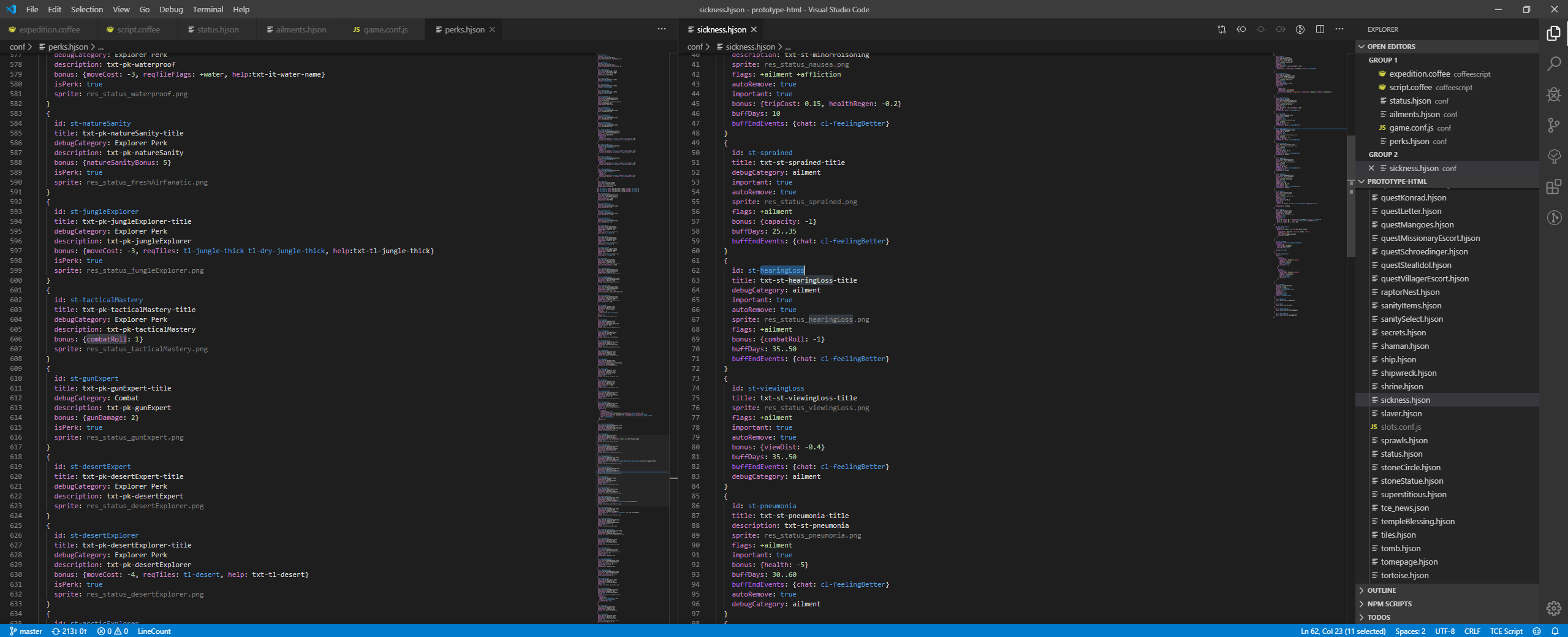
- Sublime text, then VS Code
- Photoshop
- Paint.net (pixel editing)
- TexturePacker (create sprite sheets)
- Trello, Then Codecks (project task management)
- Chrome (for devtools)
- Bitbucket (git host) and SourceTree (git client GUI)
- Electron/NW.js (native PC executable for HTML game)
- Greenworks (Steam SDK)
- Back4App/Parse (Payment, user auth)
- Humblestore widget (payment processing)
- Layershift (hosting node
- Crowdin (translation)
- CoffeeScript (programming language)
- Python/Ruby (scripting languages)
If you're serious about large scale games, you should look into typescript. I'd start away from any other language, like coffee script, Ruby... See my next point.
Use node.js on the back end so you can do client side and server side validation with the same code. Another benefit is that you can also make your game single player much easier. I usually prefer to start the game multiplayer first and then do single player.
Another tool useful for game is pixi.js (or phaser if you need what they provide. Pixi just does the rendering part, phaser does a lot of game related things)
I'd use illustrator instead of Photoshop because you can scale your graphics without losing quality. Vectorial is better than bitmap.
For state management I use redux.
If you're interested here is my game https://bitplanets.com . It's a RTS game, where you need to conquer planets. You can play with your friends and people online. Of course no need to download or register and works on mobile. (60fps if on a decent phone)
https://blog.getpaint.net/2007/12/04/freeware-authors-beware...
Someone tried to claim it as their own by repackaging it and packaging up some plugins... He obviously got annoyed and figured he doesn't want to make it so easy to make your own version.
It adds up for me, just kind of unfortunate, I'd like to think it still would've been better off open, but it's his creation and his time and effort so if that's what he wants to do, I'm ok with it.
- Buzz! / FFmpeg - SugarJS - tween.js - hjson
> This version of Qt WebEngine is based on Chromium version 73.0.3683, with additional security fixes from newer versions.
Assuming they both have a full Chromium embed, would there have been better performance? I assume the developers are mostly JavaScript devs so their choice to use Electron/Node makes sense.
Sure, partial counterexample in VSCode, but then there's all the others.
Uses Edge or IE on Windows by default. Nope nope nope. :D
A better choice would have been to simply use WKWebView in macOS and the equivalent in .NET/UWP for Windows.
Parse server OSS (and b4a service) does help us in our development.
The language is very familiar for AS3 devs and it transpiles to performant C++.
Many games such as Papers Please have been made with Haxe.
There are numerous engines/libs for game devs:
I also tried Heaps which on paper looks amazing but could not proceed due to lack of documentation.
The reason why business apps went all to the web still holds for games as well. Games like agar.io use these features, such as no downloads and instant start, and their success speaks for itself.
It's complicated.
I don't regret writing Loop Thesis in Javascript; there are substantial benefits to the web as a platform. If I went back to rewrite Loop Thesis from scratch, I wouldn't do anything different. But benefits aside, there are also complications and headaches, particularly around timers, audio, controller support, and garbage collection. I think there are concerns that have to be balanced.
There's definitely room for more games on the web, and there are huge benefits to looking at it as a platform, but I don't want to give the impression that it's all rainbows.
As a quick test I just opened two browsers in my PC (Windows), ran the Acid3 test, and got different results at different speeds. My phone's browser gave me yet a third result. That's a bad start for a multimedia platform that I'll be in charge of supporting.
For all its weaknesses, there was a platform that offered all you mentioned plus good portability and saw the success you speak of: Flash.
From what I know, canvas rendering is pretty much the same across different browsers. It's a pretty low level API so there's not as much room for interpretation. In any case, the Acid3 test you're running is focused on the specifics of HTML/CSS layout, and don't think it tests the canvas at all.
I think that canvas has done a good job of taking over the use cases that Flash had, and is very portable these days (basic canvas has 98-99% support[0]).
- OSX likes to turn random Unicode symbols into emoji (extends past Canvas)
- Fractional font sizes on Chrome/Linux get bizarrely stretched out (after a transform that makes the font not a fractional size)
- Complex clipping operations freak Chrome out
- All the compositing rendering options are broken somewhere or mis-defined to the point that it's weirdly hard to render anything to an alpha channel
You also need input APIs to make a game, and the input APIs often have strange inconsistencies in function names, returned objects, or event ordering.
Canvas is nice and straightforward if you want a purely sprite-based game with only mouse/keyboard input (but even then you need to jump through hoops if you want pixel art). Anything beyond that is going to need cross-platform debugging.
It's worth checking the Acid Tests homepage [1] here:
> Acid3, in particular, contains some controversial tests and no longer reflects the consensus of the Web standards it purports to test, especially when it comes to issues affecting mobile browsers.
Furthermore, because of Google's dominance, not many browser engines are left in the market. Essentially all you have to do is support WebKit, Gecko, Blink, and you'll cover 99.9% of your userbase.
The thing is, you can target Unity/Unreal/etc at a browser and get most of the benefits listed above, plus the benefit of using more-or-less the same toolkit as everybody else.
Tom Greenaway is making the same argument: https://web.dev/ready-player-web/
> You can just send a link to your friends and they can join your game with a single click.
Web Bundles takes it a step further and lets you share the entire game, P2P, as a single file: https://web.dev/web-bundles/
Disclosure: I work on web.dev
It seems pretty neat, my question is what the functional difference between this and running something like wget with recursive and convert-to-local flags?
Let's say I have some contrived portfolio website and it contains links to several sub-page sections, and some static resources (images, JS, fonts, CSS, etc).
I can run this and get an offline copy of the website that I can browse or distribute how I wish:
wget --mirror --convert-links --adjust-extension --page-requisites --no-parent http://example.orgThe value proposition just isn't there when Unity and similar engines exist.
has been an absolute dream to develop for a 2 person team. One of the benefits we've found that rarely gets mentioned is that there are minimal fees. Our only outgoings are server costs and Stripe fees: no payments for Unity/Unreal, no App/Play store cuts. Another is that depending on your game mechanics lots of existing technologies solve problems that big game engines often handle for you. Thanks to Postgres transactions we have never spent a second thinking about client/server synchronisation.
For those who saw the game on HN a few weeks back, we have turbocharged our tutorial and game information and the player base is growing. Jump on and play a round!
https://github.com/LiveAsynchronousVisualizedArchitecture/si...
It should be MUCH faster than loopback IP IPC if that's what you were trying.
[0]: https://www.sitepen.com/blog/the-return-of-sharedarraybuffer...
By the way, browser compatibility is not a concern if you develop for Electron. Just target Chrome and you're done.
Are you using it for P2P, or making the 'peer' be a central server?
Last I checked a few months ago this library was working for WebRTC data channels on node.js. Check it out, but it might not work properly:
- Use `requestAnimationFrame`, don't use timers. JS timers are really bad, and they won't sync with monitor refresh rates.
- If possible, avoid lots of canvas calls. For example, if you want to draw something simple like a bunch of boxes on the screen, grab the pixel array from the canvas and manipulate it directly, don't call `ctx.rect` in a for loop.
I once stuck in a quick dozen-line block of code before a demo that just drew a couple hundred tiny pixel stars in the background and occasionally randomized their position. Went back and profiled later and found out it was taking something like 30% of my render time each frame, and refactoring just that one block of code got rid of a bit of stuttering on old hardware.
- On that note, cache stuff in memory. My game is tile-based. At the start of a level, I iterate over the tiles on an offscreen canvas and generate a single, giant image for the entire map. Then for subsequent frames I can render that with a single sprite call, rather than by iterating over every tile.
Caching visual effects is huge. In general, don't be afraid to stick generated effects in RAM, because every call you make to Canvas has an overhead.
- Also on that note, don't be afraid to use multiple canvases. If you have an overlay or a visual effect on top of your main game, and you can just update that without needing to redraw all of your sprites/tiles, that can sometimes be a big performance benefit.
> If possible, avoid lots of canvas calls. For example, if you want to draw something simple like a bunch of boxes on the screen, grab the pixel array from the canvas and manipulate it directly, don't call `ctx.rect` in a for loop.
I think this is likely what's causing me the most trouble. The problem is that my game needs to draw many hundreds of circles, each of different colors/sizes. Perhaps I need to pre-render these to an off-screen canvas and then do some blitting.
I'm also tempted now to try what someone else suggested and target WebGL instead (likely via Pixi.js).
So my gaming monitor running 144hz at 1080p runs the application at 144 FPS according to my FPS counter from stats.js[0]
On my laptop running at 60hz it's capped at 60 FPS. There is a huge difference in the "smooth-ness" as well as reduced input lag on the 144hz vs 60hz monitors. So much that I currently dislike working on the app on <100hz monitors.
However, assuming the cap is an issue, I still strongly doubt that with `setInterval` you'll be able to get the precision you need to target specific monitor refresh rates, even if you can figure out a way to detect what the refresh rate is. Maybe if you're targeting Electron, but even there I kind of doubt it. Even with frame caps, `requestAnimationFrame` is still likely the best bet (opinion me).
The reality of games on the web is that timing in general, whether it be for update logic, rendering, or audio is kind of a massive pain, and you'll always be accepting some compromises. To me, those compromises aren't big enough to outweigh some of the other substantial benefits, but I don't want to pretend those compromises don't exist.
Thanks! Great tips. Do you write about this stuff elsewhere?
https://developer.mozilla.org/en-US/docs/Web/API/Canvas_API/...
If you plan on having any amount of medium to large numbers of things (heck I’d say any amount) you’d be doing it wrong to be using the 2D canvas API.
I was very surprised to learn what's possible with html5 games now, a few days ago I've learned about https://krunker.io/ - absolutely incredible that it's possible to create something like this, especially for a solo developer.
----
What I'm really curious about is the stack that would be optimal for such games. Here's what I learned so far:
- For 2D people seem to use pixi.js(very fast webgl rendering framework), or phaser(2D game framework).
- For 3D the leading frameworks are three.js(some say it's more focused on creating pretty demos, and is suboptimal for games), babylon.js(html5 3D game engine from microsoft), playcanvas(proprietary web-first game engine). Krunker was made in three.js.
- For networking people seem to use socket.io, I'm not sure what else.
- Engines like Godot and Unity can build games for bowser. People call Unity builds "bloated" and keep mentioning something called TinyUnity as a solution to this. Godot is supposed to implement WebRTC soon, which apparently should be great for multiplayer (https://godotengine.org/article/godot-webrtc-report3).
Can anybody add something to this? I'm just starting to figure things out, and any tips/advice on picking the optimal stack, or links to good learning resources would be very useful!
A game I love that's made in Impact/NW.js is CrossCode, which even leverages its Web-based nature by having the demo fully playable from the website!
Five percent seems like quite a lot, given that most payment processors charge less than three percent. What sort of value do they add outside of payment processing?
Depending on how much time you have, some of those features can save you a bit. Not sure how that compares to other widgets like itch.io though.
Even scrolling through my GOG collection of games I'm somehow too lazy to play instills in me a sense of pride that at least they weren't purchased on Steam.
Though there are also major practical advantages of purchasing things within stores like GOG and Steam instead of a bunch of disparate websites: when you move to a new computer, you don't have to chase down a bunch of websites and license keys and emails to reinstall all of your software. Which is something I hate so much I only got outside of platform shops as a last resort.
If the product payments are typically below $10 then it makes sense to use Humble.
Trying to figure out which county in some state you owe $0.14 to is a nightmare.
* Minor spacing mistakes subtly moving code between blocks.
* A variable in a nested scope accidentally reusing a name from another scope and merging the variables.
* Implicit return generating huge collections that are never used because a function happened to end in a loop.
* Random breakages because the value of the last statement in a function sometimes affects the callee even though the author didn't mean to return a meaningful value.
* People not setting strict mode because "it's not needed with CoffeeScript" but then introduce bugs where they try to write to readonly properties which silently "succeeds" (does nothing) in sloppy mode.
CoffeeScript looks nice and readable but in practice it's almost impossible to decipher what the code actually does.
Regarding their development stack... this game proves that your stack is absolutely inconsequential in determining if a game/app will be good or not. If the team executes well and the game is obviously not flawed, I could care less if the devs used something not considered "pro".
From the perspective of someone who absolutely adores the mood and style and gameplay, I see the Ligne Claire work you're doing and it's absolutely beautiful. The art in CE2 is beautiful.
If I may offer an entitled little little nugget of feedback: As I experience it, the "breathing" style of animation feels a little jarring. Maybe when coupled with Ligne Claire especially. I'm referring to the "flexing" cutout animation (time-interpolated affine transformation / skeleton deformation of a set of shapes per entity). I'd like to request an in-game option to disable it :) Or actually, ideally to slow entity motion down to subliminal speed while maintaining motion speed of lights. Ligne Claire adventures are a big part of my nostalgia and my unconscious expectation would be of a more frozen, nostalgic, disconnected, dreamlike life on screen.
Mostly I feel shame to be saying this though and feel like there's no way to say this and also deliver the amazing amount of respect and love for your work.
Did you see our comparison with Renowned Explorers by the way? :)
It seems the OP uses NW.js/Electron to target desktop, but I can’t see that they target mobile yet. Curious to know how they’d do this if needed.
It is meant to be a new version of Cordova, with support for Cordova plugins. At this time the general consensus is that Cordova is still generally the best, unless you specifically need functionality in Capacitor.
For Flappy Royale (http://flappyroyale.io, https://github.com/flappy-royale/flappy-royale) we built our own native web view wrappers for both iOS and Android, but that's mostly because we already had extensive native iOS/Android dev experience ourselves and wanted more control.
In my experience Cordova/PhoneGap come with a lot of cruft and bloat if all you care about is a canvas and a handful of other hyper-specific native API hooks. At least in the sense of engineering and tooling complexity; I can't speak to runtime performance considerations, except that it should be irrelevant on iOS since everything's using the same WKWebView under the hood.
Makes me wonder what do they use for AAA games, could it be Visual Studio?
Were these utilities custom tools built for the IDE or the actual application code you were/are developing?
Following on the comment you quote, I assume so!
(But also: Wizards teach wands. Wands teach wizards.)
What did you use for sounds and music?
Given that Curious Expedition is an amazing success and proof the power of HTML5, modern Web development toolchains, and modern browsers, I'm super curious if Codecks have a comparative opinion of Jetbrains' IntelliJ platform / Webstorm JS IDE versus VS Code.
Seems like some pragmatic tool selection... I am curious how their turn around time was compared to something like MonoGame, Unity or other rapid development options.
Overall, very cool to see this list and the openness.
(and the font for "Curious" also reminds me of the Monkey Island logo, was that intentional?)
Looking forward to the Switch release!
Can someone elaborate on this? Why is this needed? Is it a market penetration decision? Does steam not allow HTML5 games?
Due to virus issues, etc, I would prefer playing an HTML5 game in the browser. I don't want to install something that could contain viruses or be a vector or increase my attack surface.
I'm missing something, but not sure what it is. I don't use Steam or install games on my computers, but I do play HTML5 games.
We also have a web version which can be played online via the regular browser.
    cd www
    python -m http.server &
    xdg-open http://0.0.0.0:8000