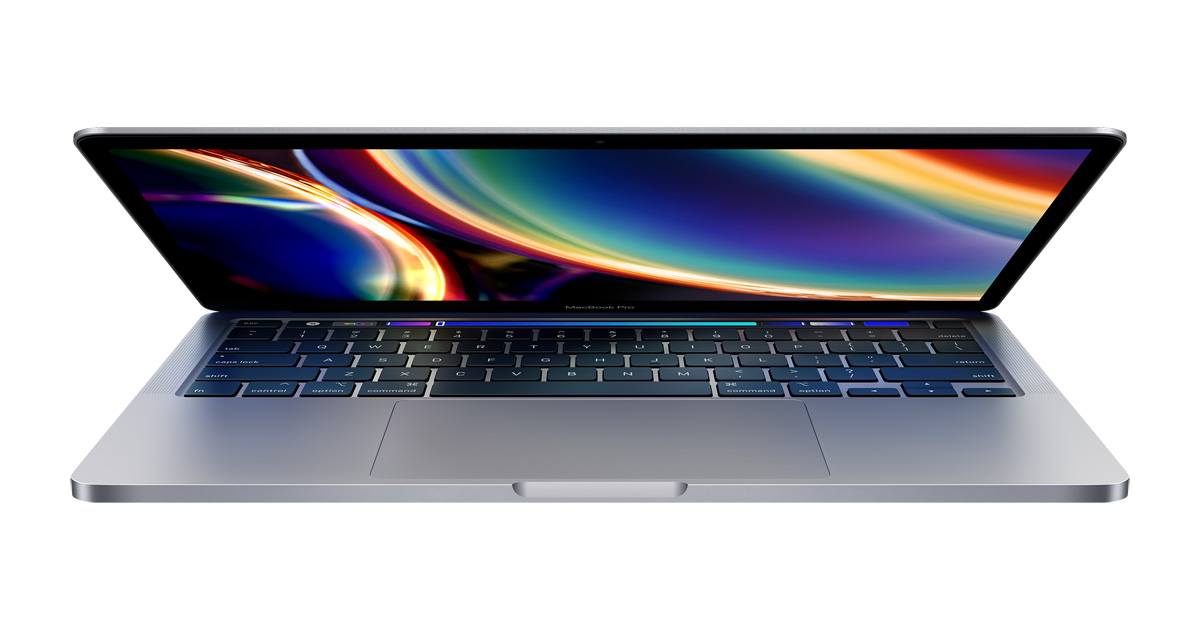
Apple updates 13-inch MacBook Pro with Magic Keyboard, double the storage, and faster performance
Apple today updated the 13-inch MacBook Pro, improving the typing experience with the new Magic Keyboard and doubling the storage.
Apple Newsroom
726 points · by gshakir · 6y ago · 1079 comments
Having a virtual ESC key in software that can be frozen, where part of your keyboard chord to kill apps includes the ESC key is really, really, stupid and caused me lots of wasted time that could have been saved had there just been a hard ESC key.
But yeah, it was stupid, especially given that software developers are a very visible market for them in the Bay Area. As soon as the 16" came out with an Esc, I ordered one at work and bought one at home so I guess they won, but it's another step towards getting me on a Linux or Windows PC a generation or two down the line.
:__)
*yes, fingers pointing at me
Run `:inoremap jk <Esc>` to try it out.
I did not notice at first, but I could not reduce the volume, since its control was gone.
Then I tried to restart finder, but the escape key was ‘gone’.
I have an even better story about the one that replaced this (same model).
I did add the "Do Not Disturb" key to the touchbar; it's nice to have one-button access to that function when I need to get work done without distractions.
This takes the touchbar from 'annoying' to 'ok this is kind of useful actually', for me at least. I spend a lot of time on a keyboard + trackball combo, but keep my laptop propped a bit for TouchID, zooming, and one or two other useful idioms.
I've been hiding the Dock for a solid decade, and it's a more useful default than, say, the illegible window snapshots Safari insists on offering over the obvious choice of favicon + a few letters of the title.
It's baffling to me that none of Chrome, Firefox, nor Safari, offer that interface for the touchbar on Mac.
I do find the Touch Bar useful for music controls and scrubbing through a video, but that's about it.
I do not use the Fn keys in MacOS - and having media controls, screen lock, and other data in the touchbar makes more sense for me. It was and is an experiment in user behavior and UI. Some like it, some don't. I'm not committed to it, but I don't want the HN bubble to think their "bad touchbar" is the only opinion.
Not quite one button, but option- clicking the notifications icon at the far right of the menu bar will also enable do not disturb
I was forced to remove several buttons from the touch bar, because when I go to type numbers I will occasionally brush the bar with my fingertips, interrupting my workflow as something random suddenly pops up.
I hate the Touch Bar.
I went so far as to build a physical escape key -- #couragekey -- a few years back (just as a joke, but it does work) https://twitter.com/martinmroz/status/995003391314083840
I just put in my order!
[edit] also the #couragekey was a really fun project to put together, I think I'll write it up to commemorate a real escape key coming back.
All of that only applies if you're a dev, so I definitely agree that the touchbar was a fuckup from Apple, but it happens that it's massively useful for me
See, the problem is that I rarely use the laptop's own keyboard. Only in cases where I'm actually on the go. If I'm at the office or at home, I'll have an external keyboard (and monitor).
While the laptop's own display remains useful, the keyboard becomes awkward to reach. The touchbar, even more so.
Now, if Apple's external keyboard had a touch bar, now that would be useful.
I can sort of understand the potential appeal of it, especially in terms of customization. But even though the Touch Bar is 3 years old, am I the only one who is reluctant to invest time in learning it (this includes learning how to fully customize and optimize it) because it seems like the kind of feature that may soon disappear into obsolescence? It doesn't help that it's the sort of hardware feature that is literally only applicable to 1 of 3 computers I currently use. But unlike other Apple-pioneered hardware features (multitouch trackpad, built-in Touch ID), Touch Bar seems very unlikely to eventually become a popular cross-platform feature.
If you want to Think Different, you don't want apple.
For example I love that apps written to use (eg VS.Code) now have labelled buttons rather than imposing on me to remember strange function buttons.
I use an external keyboard with the Touch Bar all the time. Pretending like you have to use one or the other is disingenuous.
Guess which key Apple will remove next :)
Remap caps lock (a useless key anyway) to escape.
This is in System Preferences > Keyboard > Modifier Keys > pick 'Escape' from the dropdown next to 'Caps lock key'.
If you wanna get fancy you can rewire right-ctrl or whatnot to esc too if you like that.
There are also 3rd party utilities like [Karabiner](https://karabiner-elements.pqrs.org/) which is undoubtedly the front runner for mac remappers (And public domain to boot). It's very scriptable; for example, if you want, you can set it up such that a longer press on caps lock really is caps lock (making use of the led for visual feedback that you engaged caps lock), but a short tap is escape. This does mean the ESC cannot register until you release.
If only there was some software to make this keyboard not sound like a slap fight between 2 otters...
"The new magic keyboard, not only with the new inverted T arrangement of arrow keys, but also with absolutely brand new physical function keys featuring all new haptic feedback experience."
Instead, Jony Ive insisted on the touch bar replacing the function keys, and here we are. At least the butterfly switches are finally dead.
The 16-inch MacBook Pro takes workflow efficiency to a new level. The new Magic Keyboard features a refined scissor mechanism with 1 mm travel for a responsive, comfortable, and quiet typing experience. The Touch Bar puts powerful shortcuts front and center, and Touch ID provides fast authentication. A dedicated Escape key allows quick switching between modes and views. And the inverted-T arrow keys enable fluid navigation whether you’re flying through lines of code, navigating spreadsheets, or gaming.
The keys that are there (caret and circle) get some other place, which works fine for me, because I am used to having those somewhere else in the first place.
Have you tried using crtl-[? As a side benefit, it's less of a stretch on the little finger, and it ought to work across most vi setups.
Use CTRL-C or map something like "jj".
Remap CapsLock -> Esc
Changed my life.
(Functions as ESC if pressed alone, otherwise acts as hyper key which is great to use for keyboard shortcuts)
Dell came out to $2399[0] USD and Apple came out to $2999[1] USD.
Dell Pros:
* Row of function buttons (I've used BTT to customize my touch-bar to the point where it's a little bit of a tossup, but years of muscle memory still haunt me)
* Better processor (maybe [2])
* Cheaper
* MicroSD reader
Apple Pros:
* Better Trackpad
* More Ports (Upgraded Dell only has 2 USB-C, while Upgraded MBP has 4)
* Better hardware support
* Better resale value
Objectively, seems to me that list used to be a lot longer on the Apple side. IMHO I think the Touch Bar disappointment is probably over dramatized by developers, it's not too bad a couple years in and BTT has made it so I can run whatever macros I want in any application, so overall tossup in my mind. I still miss mag-safe adapters though. I still don't understand that decision.
Also, I'm happy with the new Magic Keyboard. I have the 16 inch MBP right now, and I will say that even though I prefer the travel of the '12-'15 era keyboards, this typing experience is far superior than the faulty butterfly keys.
I'm hoping given how they've walked the keyboard back, and how the new Mac Pro is actually a Pro machine that they're headed back in the right direction (post Jony Ive). A $600 price difference for this machine is probably worth it in my mind, just given my experience with resale value, longevity and lack of competitors, but there's a lot of room improvement.
[0] https://imgur.com/a/p6RA9HF
USB-C was all about standardizing. I'm still not sure how I feel about it, I did love magsafe, but I also love that in theory someday I'll have one cable to rule them all. And I'll be able to charge my headphones/laptop/phone/random device with a usb-c cable instead of needing 8 of them.
Furthermore, one of its main added features — the ability to do gestures that keys can’t do — just isn’t valuable. I haven’t seen a single example of something that was easier to do on the Touch Bar when I have a giant screen and trackpad/mouse already. I don’t need micro-scrubber interfaces or color sliders or Emoji bars, and the volume/brightness sliders are imprecise.
Despite customizing the bar with BetterTouchTool, including “vibrate” feedback, I invariably found I had to remove more and more things from the bar over time. Any functions in the central part of the bar were invariably triggering by accident. It was just too distracting to have things randomly happening when my finger slid onto something that doesn’t feel like an active panel.
Now, therefore, I have a Touch Bar with just a few things: a battery status indicator on the left end (near the thankfully-now-real Esc key), and the brightness/volume/mute on the right (near the wonderful Touch ID). And that’s it. It is literally 70% empty space now. This is ridiculous for something as complex and expense-adding as the Touch Bar. A complete failure of a technology.
It's the worst. I constantly hit mute instesd of backspace.
Changing the volume or brightness is a complete pain now. It used to be just tap the key a couple of times and that was it. I would do it as a reflex without interrupting the work I was doing. Now I have to look at where the 'button' is, and then tap and slide. Completely awful.
Is there any way to disable the fixed `esc`? I could just ignore the touch bar, except for that. It haunts my vim experience and my attempts to use full-screen (which `esc` exists by default), since apparently my left little finger tends to rest there without my realising (maybe because I'm a vimmer?).
I simply H A T E it.
I hate it so much that I started to carry an TKL keyboard all the time with me just to avoid using this piece of sh*t touch bar and internal keyboard (MBP 2017).
As a developer it is crucial that I can use my keyboard without any looks but as there is no way to tell which function key you press on the touch bar the bar itself is completely useless for me.
Beside the butterfly switches one of the worst things Apple has ever introduced to their computers.
As a workaround for the touchbar that worked pretty well, I bought a silicon keyboard protector for the Apple Magic Keyboard, cut out the area for the function keys, and used hot glue to glue it over the touch bar.
Prevented the touchbar from activating at the slightest touch and did return some of the feel of actually having a row of keys.
Plus, the hot glue causes no damage to the aluminum and does hold for a good period of time.
Turn this into a product people could purchase and you'd become rich :)
My work machine is the new 16" MBP, and while the new keyboard is the best they've ever made, and the return of Esc is welcome, the goddamn TouchBar still drives me up a wall (especially when tweaking audio volume, which is something one wants to do instantly and reflexively).
More than once I've hit the "back" button and inadvertently evicted myself from a browser video call, just by putting my hands on the keyboard.
tl;dr - Glad they brought back the escape key, now get rid of the rest of the touch bar.
USB-C is all about having a thinner connector and giving the appearance of standardizing.
Previously if the cable fit, it worked. There were just a bunch of different cables but that had largely settled down to USB-A cables to like 2 maybe 3 connectors on the other end.
Now we have cables that have the same connector on each end but do vastly different things and there's no clue as to what.
- Does it carry data or just power?
- Does it carry a video signal?
- How much data can it carry?
- How much power can it charge?
A USB-C cable that does everything is limited to about 30cm (1 foot) in length, give or take. I know because I use them to connect to a USB-C dock. If I wanted a longer cable to connect to something else, I could. I'd just have to remember not to use it for the dock.
How is this a good user experience?
USB-3 standard is even a bigger mess. This whole USB 3.2 Gen 2 x 2 is the biggest clusterfuck in the history of naming things.
Boom -- instant docking station: Plugging in a single standard cable gives me power, ethernet, monitor, and external keyboard.
Obviously you have to carry around a USB-C adapter when actually traveling, but if you get a good all-in-one adapter that does ethernet, HDMI, and USB-A, I haven't found it too disruptive. Hopefully the USB-C form factor will take over and then stay as long as USB-A has.
True, although they could have done what many of the pc laptop makers have done. They still provide their proprietary charger with many models (ie. ThinkPad connector), but the USB-C port can also be used to charge the computer if you one already or want to pony up for a USB-C charger. For example, I've used my macbook pro charger to charge my last couple PC laptops too (ThinkPad and Acer). Like you said, then I only need one charger on my desk.
I assume these manufacturer's do this because their own charger, especially the barrel chargers that some manufacturers use, are cheaper than USB-C chargers/cables. In Apple's case, they could have kept the magsafe connector because it's a better connector. But, I assume it was lost to cost savings or aesthetics.
Maybe you're just not realizing its potential. I definitely recommend checking out some cool extensions to the touch bar such as Pock https://pock.dev/
1. The keyboard. Ugh. The keyboard was ostensibly changed to shave half a millimeter off the thickness of an MBP. 0.5mm. The old chiclet keyboard was fine. The new one is basically worse in every way. It's louder, feels crappier to type on, has a high failure rate (as witnessed by Apple's free repair program) and is otherwise expensive to replace. There is absolutely nothing redeeming about the keyboard; and
2. The touch bar. This was is more mixed. The big problem is you don't have an option for not having it and Apple's reason for adding it is simply to raise the ASP (average selling price) of Mac SKUs. That's it. The old Macbook Air was too successful. Many people object to it because you lost a row of function keys with tactile feedback (ie physical key). Some really objected to the loss of a physical Escape button. Probably vim users.
I agree with you that Touch ID is great. I sure wish the latest iPhones had it (you could put a sensor on the back if you didn't want to lose the screen real estate). Face ID is absolutely atrocious.
Anyway, the problem here is that basically Johnny Ive went insane, chasing thinness to the extreme. Design is the art of compromise (as they say) and no compromising on thinness led to shitty products (eg the 12" Macbook).
There are many people here (myself included) that for years simply wanted a 13" Macbook Air with an upgraded screen (as close to edgeless as possible and higher res) and more memory. That's it. We waited for years. We got the shitty 12" Macbook instead.
It's incredibly frustrating to be so close to perfection but to take a giant step backwards instead.
My best quality of life improvement with this machine was to connect an external windows keyboard and mouse. Swap the windows key with the alt key, and you have a beautiful macos keyboard.
The one holdout still is an e-ink e-reader, the Kindle Oasis's top review is a one-star review talking about lack of USB-C.
I might switch to an apple-based consumer tablet when they put USB-C on them. The pro tablet models already have USB-C but I don't need that kind of power.
USB-C is really nice. There are some complaints about cables but if you buy brand name cables (anker, cable matters, etc) they seem to last forever and don't have the problems the tech blogs speculate about.
I think twice in five years am I glad I had the magsafe adapter but I'm happy to live without it to avoid carting around a proprietary charger all the time. We lost my wife's magsafe charger while traveling and found out that those cannot be bought for any price when in rural areas, especially outside of first-world countries. Every town has a shop that sells/services USB-C phones/tablets/laptops though.
https://www.amazon.com/Magnetic-Adapter-Connector-Quick-Char...
Before any of you see that and go "awesome, exactly what I was looking for!" - I've had several coworkers try various models of those adapters and all have told me they universally suck. Don't waste your money.
I trust Apple could do it with quality - frankly I'd be willing to spend $50+ for a reliable version of that.
Apple makes up for a small percentage of all laptops sold, even if you compare manufacturers (rather than "Apple" vs "Windows machine"). They have a smaller share of laptop sales than HP, Dell, or Lenovo, and very close to the same (depending on when you look) as Acer and ASUS:
https://www.statista.com/statistics/818439/global-notebook-c...
Because then no software would have used it. (Said ironically)
Macbook, Ipad Pro, Cheap phone (Moto G / Pixel 3A) everything on my desk shares just one power brick.
- It's incredibly sensitive, so a slightly misplaced touch on the number row sometimes results in a wild function key that snaps me out of whatever I'm doing (launches iTunes, goes to Spaces, adjusts brightness).
- It's distracting. It's either a lighted row of fake buttons, or a constantly changing offering of useless app shortcuts. It turns on and off (again, distracting).
- The UX of using it as function keys is in every way worse than a physical button. You can't tell if the click registered by feel. Sometimes it even seems like it reacts to a click but then nothing happens.
I predict a future with USB-D that's incompatible with USB-C and on and on...
With BetterTouch Tool I have set it up so it's halfway usable. Still worse than the old function buttons though.
However, I feel that without comparing the OS and tight OS integration, this doesn't represent one of the most important aspects of a comparison between the two, when considering a purchase.
I go through this same loop every time I buy a new machine... yes, usually it's "no more Apple for me!" especially when I do the price comparison. So I waver for a couple of weeks whilst I research the latest hardware and Linux distros. But then I end up buying an Apple machine. It's been the same story for me for the last 17 years.
There's plenty of people like me out there that definitely don't want to use Windows, and that want a Unix that gets out of the way. I love Linux, especially on the server, but it's generally too much hassle on a laptop and so I always gravitate back to macos.
If the $600 is an Apple tax for that, then I will gladly continue to pay it. Over the 3 years lifetime of a developer machine (or more!), my time is definitely worth more than $600 compared with constantly fiddling with Linux kernal modules and other hardware support issues. I just want to get some work done without interruptions.
Definitely would love the exact same machine without the TouchBar, though. Perhaps that would shave off $100?
I find the the touch bar obviously annoying, but that annoyance is so minor compared with the annoyances of Windows or running Linux on a laptop. Honestly it seems like a lot of people have quite the double standard when it comes to Apple products.
This is also coming from someone who was forced to use Windows professionally for several years (worked on CAD software).
I can't understand the appeal outside the marketing gimmicks.
You have to be a bit careful with the hardware, especially non Intel wifi/Bluetooth seems not well supported. And Nvidia graphics are a bit risky, but of the alternative is a MacBook that shouldn't matter as much
Usually there's a lot of manual config, driver issues, shitty hardware support, screen resolution issues, bad battery life, laptop suspend issues, terrible trackpad support, connecting to external monitor issues, etc.
I've had the best luck with Thinkpads and I still like Linux and have fun with this kind of thing, but it's not even close to macOS and I don't think it's really close to Windows either.
While I appreciate that people put in tons of time and effort to make these things available for free, I’d rather pay for something better, and on Linux I usually can’t.
As an example, our dev machines at the office run Linux, and it’s a great platform for the majority of the work we do. But I have to keep a Windows VM around for Office, because I can’t trust that LibreOffice isn’t going to completely mangle a file that I need to send to a client.
Seriously, I'm in the market for a new laptop and there are still too many concerns relating to support for these devices... not just Dell but usually for whatever manufacturer I'm looking at. Once you start reading about people's experiences there are always issues - many of which have been discussed to death on HN.
Just because Dell claim that Linux is officially supported does not mean that it will be a smooth ride. I don't think that has changed much at all over the last few years? But perhaps this year is different.
Do you own this though? If you're using this new XPS model without power consumption issues, excellent wifi (wifi chips issues seem to always be the main downer), good mousepad behaviour? Perhaps it's finally not a problem? I will gladly lap up any positive news that you can give on this front.
My work machine is a 13" macbook pro on Catalina, my personal project machine is a 15" dell xps from 2017.
Of the two, I'm delighted by the XPS running Arch/Gnome/Wayland.
I'm much, MUCH less delighted by the Catalina crap box.
Things went downhill rather quickly. I've had massive cooling issues, I've removed and replaced the thermal paste. I've been forced to operate the laptop on the "Cool" thermal setting; downgrading the performance of the processor. Now, the two of the screws in palm rest, which hold the screen in place, have sheered right off. Doing some digging, this was commonplace with this particular model.
I'm not doing anything particularly intense either. Docker with a few containers running a dev website.
I can't speak for the latest XPS 15 7590 build quality however.
Cooling is sub-par, but I think that's mostly due to the Intel i9-8950HK running way over the advertised TDP during Turbo. Dell has been tweaking their cooling profile in subsequent BIOS updates, at with the latest version (1.15) they're quite aggressive on ramping up the fans to keep things cool. Which is good from a performance perspective, but really annoying to sit beside all day. While I didn't experience severe thermal throttling, I did end up disabling Turbo as it made the laptop sound like a jet engine too often for my taste.
My only other complaint would be that despite Dell's claims of 100W+ power delivery from their ThunderBolt dock (above and beyond what USB-C PD can deliver), I frequently find the laptop discharging the battery under moderate load (high CPU, idle dGPU) when connected via USB-C to the dock. Using the supplied DC charger solves this, but it's still a poor user experience.
At my previous employer I had a 2017 MBP. IMHO an XPS/Precision is a better option as you can (in no particular order): upgrade the RAM, upgrade the SSD, run Linux on it, and (until the new MBP release) had a much better keyboard experience.
As others have noted, Dell's enterprise warranty support is fantastic. I was able to invoke the warranty to replace a motherboard in a Latitude I bought used on eBay; they sent a technician to my house to replace it free of charge.
I bought a macbook and use the dell charger (udb-c) to charge my macbook.
Okay, I thought. $200, maybe $300, including parts and labor.
Not quite. They wanted $879. "Maybe we should look at getting you into a new Macbook instead?"
No thanks. It was almost never used unplugged anyway.
600 is pricey for a mainboard replacement, but none of the other vendors are much better, including Apple. I previously had a Thinkpad that died shortly out of warranty, and they actually wanted more to fix it than I paid for it new.
on any intensive work it would get so hot that i could not rest my hands on it.
What followed was a year of fan noise, thermal throttling, GPU switching problems and many hours lost trying to get the right combination of Ubutunu + Nvida drivers working.
So when my house was burgled and that machine got stolen, I went back to the XPS13 form factor. Smaller, lighter, longer battery life, quieter. Only disadvantage being the max of 16GB RAM.
Once the XPS13 finally arrives with 32GB RAM I may well upgrade again.
The new MacBook Pro may tempt me, but I am certainly not giving up proper function keys.
If you live in a city with good Dell support, you could probably have managed to replace it. Sounds like a hardware problem.
Except MacOS.
Compare that to the surface pro my wife has, which essentially lost all its value the moment she walked out the store. It’s an excellent machine by all means, and Linux subsystem is great, but it’s not actually cheaper than a Mac when you factor in the resale value.
I do live in Denmark, and things may be different elsewhere, but the only hardware that has any resale value around here is Apple.
By missing that main difference the comparison is reduced to pure comparison of commodities, and of course the result is that the Apple machine is ‘unjustifiably’ more expensive. The Apple ecosystem is literally why people buy Apple machines rather than any other brand.
I’m also mystified nobody else brought this up.
The old argument about security is mostly a wash now as well. (whereas with pre-SP2 Windows XP vs. OSX 10.4, you could legitimately claim that OSX was more secure.)
Now we have better third party apps on macOS than Windows but OS stopped advancing but who cares about OS anymore? It's all about apps nowadays.
This is still a problem: https://discussions.apple.com/thread/3969131
https://forums.macrumors.com/threads/macbook-pro-giving-me-e...
https://apple.stackexchange.com/questions/10545/is-it-bad-th...
That said, I did feel the electric current when the 2012MBP was not grounded, but the 2017 model does not have the same problem.
Yes, the one that comes with extremely expensive European 2019 16" Macbook Pro is not grounded.
I'm not sure they sell the grounded lead anymore. But maybe I should charge my work macbook with my personal xps 13 charger which is grounded (yay usb-c!)
I have one short and one long cable, and am only just now realizing the issue. I'd simply assumed the short one was a fake I'd gotten.
Can't speak to why your iPhone and iPad do the same thing, I've experienced it when using sketchy cheap lightning cables or wall adapters (including ghost touching), but not when using better built stuff (like AmazonBasics or Anker).
The three posts you provided are from 2012, 2013, and 2011. So is it really still a problem?
Linux is good if you can configure it for a very specific purpose, like a server, or a graphics workstation, or even web development. For general purpose, its warts grow the more you use it. Hopefully someone has a dangerous looking Bash one-liner that will solve all your problems.
I now run a tiling window manager (i3wm) on a Debian distro (PureOS, came with the laptop) and I'm enjoying it immensely.
I still use an external Apple keyboard (a magic keyboard from 2015 - y'know, when they were good hehe). The trackpad has never been quite up to the Mac's standard, so I use an external mouse too. But I was using an external keyboard and mouse even on the MBP, so no change there (just the option to switch to trackpad isn't as awesome).
It's very much like Windows and it's pretending Desktop is the root folder and then hiding everything behind databases of My Documents.
Dont make me jump through hoops to find computery stuff.
I'm curious what "computery" stuff you're looking for? If you're trying to modify stuff a "normal user" wouldn't touch, you'd be better off on the command line. Finder isn't meant for people who want to muck around with the system because everyday normal users shouldn't be messing with system files.
Personally I hardly ever use Finder. Cmd+Space to launch apps and then I use those apps to manage their document types. I develop using VSCode and I'm on iTerm I'd say 75% time anyways.
Just press cmd+shift+period in the Finder to unhide all the hidden files and directories.
You can also write `open /path/to/somewhere` from any location in your terminal window to open the Finder at that spot.
Lots of people complain about missing MagSafe but I’ve never seen or heard of this actually happening. I’m sure it has happened but it just doesn’t seem like a big problem. For me, just in the past month I’ve had the usb charger yanked out by the cord multiple times by people and pets tripping over it while working from home, but the laptop is heavy enough that it doesn’t budge and the cable comes out cleanly.
The benefit of having a standard port now, being able to get monitor, power, and usb connected through one cable, or being able to use the usb-c charger to charge other devices when traveling, is well worth the change IMO. I also used to get little metal specks stuck in the MagSafe port, and then realize the laptop hasn’t been charging all day and have to clear it out and make sure the contacts were connected securely. I wasn’t a big fan of MagSafe at all.
With the current 8+ hours battery life, I only have it plugged in when I'm at my desk, so no risk of tripping over.
For me, the standard port overweights any other downside.
Still, I wouldn't want to discharge the battery if it's not needed as to save the cycles.
More annoyance comes from removing of the charging indicators that were on the magsafe port. The only clue is a small "ding" sound when it starts charging, but is easy to miss and won't happen in deep sleep. I've plugged in a laptop not noticing someone had unplugged the other end until the next morning my computer was still dead. It was also nice that you could see that amber charging light turn green so you knew it was charged without opening the lid and waking it up.
I'm shocked that Apple has not taken it upon themselves to ensure that there's a usable magnetic adapter for the USB-C port, under their brand or through a partner. I've tried a couple of third-party adapters that were utter failures. I hope somebody succeeds someday, preferably Apple or with Apple's blessing, because I would be very slow to try another third-party adapter otherwise.
These days I tend to use my laptop at my desk with external monitors, but the thing that worries me the most when I'm somewhere else is the yanking of the cable weakening the and/or reducing the reliability. I had to re-solder the power adaptor on an old Acer a few times, I don't think I've got the parts or skills (or time) to do that on a few year old Mac.
EDIT: If you talking about the connector inside your laptop, that is a different story.
My biggest disappointment in this 13" upgrade is that it is still 13 inch. The display quality has increased over the years, but resolution/size has stayed the same since 2012.
That and the continued use of the same 720P webcam. Hopefully we get a FaceID enabled mac in 2021 where they put in a decent camera.
My $800 13” HP Envy for example only has about 2mm of bezels on its 4k display.
Apple is falling behind here which is strange considering how much they fetishize thinness.
As someone who’s never had a tripping accident with a magsafe charger but has had to replace multiple damaged chargers despite being careful, I welcome that change. Spending 90€ because Apple doesn’t know how (or doesn’t care) to make cables with a modicum of durability isn’t fun. With USB-C, presumably (I don’t own one of these) I could get better cables or replace them cheaper if they got frayed.
I was also excited for the possibility of being able to charge on either side, until I learned that comes at a cost: https://apple.stackexchange.com/questions/363337/how-to-find...
I probably went through one Apple MagSafe charger a year. One of them I literally only used on my desk, and the cable fell apart in 6 months, the Apple Store guy accused me of all kinds of abuse to avoid replacing it under warranty. Even with crappy amazon marketplace noname Chinese 90W USB-C cables, I've been totally fine for 3 years now.
With USB-C you can get cheaper third party chargers with all kinds of options (including full-featured Thunderbolt docks), you can use literally any old USB power bank, you can just switch out the cable when it wears out or gets chewed on, charge on the right side of the computer [the latter also really helps with the yanking risk].
I don't have enough experience with USB-C devices to know but micro USB ports ended up being too fragile if you have toddlers.
If you’ve ever had an accident with it, which I never had.
I don’t doubt that removing magsafe is a loss in the aggregate; I’ve only mentioned the alternative is likely to be better for me.
A better option still would be if they made durable magsafe cables. But they don’t, so here we are.
I’ve been watching the xps closely and the internal stats are good but the “plastic laptop with a small hinged trackpad” aspect of it make it a no go for me at the price point.
A few other Dell Pros:
* 16:10 aspect ratio. The 4K touchscreen in general is fantastic, nearly borderless and really stunning in person. Dell has honed in on some great industrial design for the XPS 13 line. The laptop is incredibly compact for the feature set and screen size.
* Keyboard is fantastic. Trackpad is great, but not quite Mac level. They have been improving this considerably over the years and this latest iteration is the best yet.
* Linux support, even though I ended up not using it due to "okay" HiDPI support.
* i7, FWIW. Not sure the thermals really allow you to take advantage of full perf gains from the better processor.
* Another Dell Pro which has made me feel better about the purchase has been the free year of Next Day On-Site ProSupport. My original lid had a mark on it and no shit they scheduled a technician to come to my apartment and replace it the next day. Macs obviously have the advantage of Apple stores but in this case I was really happy with the level of CS Dell was able to provide.
Dell Cons:
* I was previously an (Arch) Linux user and have given Windows 10 a shot this time around, mostly because I don't have the time to be fiddling with config files these days. And while Windows does "just work", some things are a little janky still. From what I've heard of MacOS these days, things are not necessarily perfect there either, so maybe a toss-up. I will say Windows being so linux-friendly with WSL has made the transition much easier.
* Two ports has been not really a huge issue. I find that either I'm docked, in which case I have a whole other set of ports to use, or I'm not really plugging in more than two USB C accessories at the same time.
Well that and I have xps 15 and that was fine when I took a class a year or two ago but I find it a bit bigger than I like for laying about on the couch and etc.
MacBook ( Pro, Air or just MacBook ) has always been using 16:10 ratio.
16:10 on Dell is something new in the PC space that everyone is making a big fuss about it. Although I hope this change will finally run across the industry so we are back to 16:10 instead of stupid video consumption orientated 16:9 Ratio.
Mostly annoyed now, because you are correct, it's running at 15W[0][1].
[0] https://imgur.com/a/ry5eAIy
[1] source for [0] (pg 11) https://topics-cdn.dell.com/pdf/xps-13-7390-2-in-1-laptop_se...
Sometimes its not really about the price, its about "can you?".
I'm glad Apple (and Dell) is addressing the market, alongside the improvements in the technology in their supply chain.
There have definitely been some years where I have been pretty sure something was possible but everyone was holding out for another year because a processor came out too late, or some totally antitrust violating agreement, or milking consumers, all while we just had to assume there were some quality control or battery life issue.
I am glad to know this is going to be generally available.
For the price premium and judging by the quality of the drivers that Apple produces, I WOULD MUCH RATHER PAY THE PREMIUM than struggle with Dell.
I'm never buying Dell
The build quality of the XPS line is just not up to snuff.
That said, I've had terrible luck with Razer batteries, and their only warranty replacement option involves a multi-week turnaround. It's a good thing I'm pretty handy and replacements can be had on the usual sources.
I still need a Mac for my music and photo collection, and to sync my phone. But since my 2015 MBP is dying, I'm in the market for a used Mac Mini.
MacOS vs Windows 10 is a MUCH lesser difference than MacOS vs Windows 8 and below. If Apple doesn't put more focus into their computers over the next 5 years the tide may truly turn.
Also before someone mentions Linux, I really love linux. I used linux out of NEED in college but I find myself maintaining it too much for it to be worth it vs MacOS when it comes to work. I have access to linux servers for running most of my code anyway so perhaps I'm a special user.
Why doesn't Dell open a store in every neighborhood that has an Apple store? They should be able to match the Apple consumer experience, but more importantly (to Dell), they could run business support operations from those stores.
I'd be a lot more likely to buy the XPS machine you mentioned if I could take it someplace when the coil whine becomes apparent.
No having to check for appointment slots each day, hoping to get one two weeks out. No having to arrive at the store at the start of the day, get in the same-day queue, and hope to get seen for a 15 min checkup within 4 hours, and then lose your machine for days, if not weeks, while the repairs are done off site.
Dell premium consumer (consumer, not talking about their business support options here) support gets you next day engineer to your home, with replacement parts on hand to repair your fault in your home. Three unsuccessful repairs on the same component results in a total replacement, usually with an upgrade.
Dell should bring that all in-house.
You don't need to take anywhere. You call support and a technician will show up at your office/house and change the part on the spot. [1]
Where Apple shines is when you travel internationally. Apple offer an international warranty. If you buy a product in the EU they will fix/exchange it under warranty in the US or anywhere else in the world.
[1] https://www.dell.com/downloads/emea/services/uk/en/in_home_s...
Dell's higher tier hardware support is pretty great, but it isn't an apples-to-apples (sorry) comparison.
How would they manage to keep any competitive pricing if they do that? They have cheap prices because they hire totally cheap support labors doing crappy support.
Every dell I've had starts creaking at the hinges after just a few uses. Doesn't feel as sturdy, the $600 difference is worth the longevity and integrity of the macbook hardware alone.
[1]: https://news.ycombinator.com/item?id=22957573
[2]: https://apple.stackexchange.com/questions/363337/how-to-find...
https://www.radtech.com/products/screensavrz-macbook-pro-key...
I still have a Macbook Air 2013, and have been looking for an upgrade for like 5 years, but I was not willing to pay 4k for a laptop with a worse keyboard, a worse power plug, an OS that in 2020 still doesn't have any kind of windows tiling capabilities and quite poor virtual desktops support, a useless touchbar, no wifi6, and the worst webcam ever made.
Selling it at twice the price that in the US doesn't help. I can pay for a plane ticket, and still get it cheaper there.
Also, for a company that markets their laptops as having great displays, its quite ironic that their OS still doesn't support any kind of window tiling to use them efficiently in 2020. The display isn't micro-LED either, so it is instantaneously outdated, and well... the retina display doesn't help you see your macbook-using coworkers any better because their webcams have a resolution of 1x1 pixels.
Luckily, the accessibility API make this quite possible to do if you're one of the people that can't work without it. (Do keep in mind that note everyone uses tiling to work "efficiently".)
> The display isn't micro-LED either, so it is instantaneously outdated
What? How many computers actually ship with microLED today?
> the retina display doesn't help you see your macbook-using coworkers any better because their webcams have a resolution of 1x1 pixels
Even with the current climate, reading text and looking at images in retina resolution is a huge part of most people's jobs. If you haven't tried a Retina Display, I suggest you do: it's quite nice.
I wouldn't say AppleCare is the same as having the extended warrenty to obey the EU consumer law. AppleCare includes a bunch of things that are outside of normal "warrenty" coverage.
As an individual, I can just by it in the US for personal use, and carry it over. But if you intent to transporting them for selling them, the story is very different.
Import duties and VAT. VAT accounts for much of the price difference, OP didn't explain which Europe they're talking about, but assuming a 20% VAT a 2999 machine costs $3598.8 to the end-user.
Means you're working with a 325.2 price difference, which doesn't even cover import duties.
So pretty much as ever, if you're round-tripping through the US, picking up an MBP there is nice. It does not however make for a business.
After using the Dell for a month and finally sending it back, I can tell you that this was the deal breaker for me.
* Much higher resolution screen (3840x2400 vs 2560x1600)
* Smaller and lighter (not by much though) and thinner bezels
* Better hardware support (apple hardware has bad support under anything but macOS and I can't think of any hardware which is supported under mac but not on windows).
I had to read this a few times. You mean third-party hardware and peripherals, right? I first read it as running Windows on Mac hardware, which Bootcamp supports. Linux usually lags a few years and often isn't solid. Battery life usually isn't as good.
Paradoxical to your peripheral experience, I often much prefer macOS' experience to Windows with things like mice and printers since they often use standard, builtin tools instead of requiring third-party drivers with terrible UIs. For most things in the past 10-15+ years they support both Mac/Windows.
One pro Windows laptops usually have over Mac is the Mac webcams have the same quality from their laptops over a decade ago. Cameras are something Apple used to brag about (both including them standard and the quality of them).
That is an understatement.
Sadly, Jobs' vision is fading out.
"Peak MacBook Pro" was 2013 (once they fixed the screen-coating deterioration).
I see little reason to continue buying into the Apple ecosystem. I switched from iPhone to an S9+ a couple years back and plan to keep this phone for at least another few years unless it dies.
I think in general people are getting sick of the upgrade cycle. Gadgets are getting good enough that they can last multiple release cycles. I think consumer electronics companies are going to need to find a way to evolve, or they really will be running into the classic "not enough consumers" problem.
Any idea on battery life comparisons between the two? I'm not an Apple fan by any stretch, and don't have any Apple hardware at all except MacBooks, but honestly, the Mac here might be worth the extra money for the ports, build quality, and longevity. My current laptop is a 2013 top of the line MacBook Pro 15" that is still chugging along fine without any problems.
I still don't use it unless I need more processing power, preferring to use my 2016 Macbook 12" for everything other than compiling Rust code. The Macbook has held up great, and I even did the infamous glued in battery replacement myself.
I will probably get a Macbook pro in the next few years instead of another non-mac computer.
I buy an operating system.
In my case, the Apple OS gives me exactly what I need. Apple holds all the cards, and are able to set the price. Wish it was lower, but I am glad the OS works as well as it does. The control that Apple has over both the hardware and software is key to that.
For others, Windows is exactly what they need (I see this a lot with hardware hacker stuff. It's very hard to get Apple versions of a lot of the tools I need). They do have a lot more choices, but I prefer my experience. Well worth the difference in price, for me.
Hardly, considering the lack of professional tools support outside Hollywood movie makers.
Writers and sound engineers are still firmly in the Mac camp though due to their tools being mac exclusives.
Agreed. Recently bought the 16 inch MBP after considering Lenovo and Dell. Prices between the machines weren't that much different (Lenovo came to 7200 minus some discount to bring it down to MBP price).
End of the day I didn't want to deal with Linux drivers (no M$ for me) and I wanted something that worked. Plus, the touchpad on an Apple device can't be beat. It's not a perfect machine, mainly Catalina issues I suspect, but worth it IMO.
I hope the Mac screen is still better. We bought a couple of Thinkpad T490's on discount. The internals are fine, good processors, battery life, keyboard, but the trackpad sucks and the screen is noticeably still worse than my 2014 MacBook Pro...
I really dislike the mag-safe adapter on my 2015 Mac (the first Mac I've ever had). It often feels like you only have to sneeze in the direction of the connector and it pops right off.
I get the problem they're trying to solve, I too don't want to go back to the old style of connector where you could accidentally rip it out of the motherboard. I just want something a little firmer than magsafe.
https://en.wikipedia.org/wiki/MagSafe#MagSafe_2
I believe the Surface have their version of MagSafe and support charging via USB-C...I wish that was the direction Apple went with.
You also "forgot" to mention that the xps 13 is probably easier to fix if anything goes wrong.
Regarding hardware support... what do you mean exactly? If it's warranty, dell is probably as good as apple.
Regardless though, the gesture support on MacOS touch-pads would probably cancel it out as anything I'd probably do with the touchscreen frequently could be supported through a gesture.
The top end is the Core i7-1068NG7 and the i5 is the Core i5-1038NG7. They are both 28W parts with the highest end integrated GPU that Intel sells.
Maybe, but I think the price gap used to be a lot longer too?
(As in, Apple's dragged it up (or perhaps arguably dragged up build quality or whatever that's impacted price) not vice versa.)
With any luck the mag-safe connector will be back in a couple of years. Of course Apple will call it "new".
Returning to magsafe would be a downgrade when you can just magsafe-ify any of the ports yourself with a cheap adapter.
A lot of the hardware things I liked about Mac laptops got stripped off (MagSafe, charging indicator, SD card slot).
I imagine everything else is up to personal workflow. My wife was looking at another Mac laptop because she wanted to transition GarageBand projects from her iPad. Since, in practice, the files often crash when doing this and she has to export/import that workflow is useless and she's looking at a Windows laptop.
I'd be curious what kind of things you would put on your list.
FaceTime, iPhone, sms/iMessage integration that works even when phone is not nearby.
T2 chip/Secure Enclave.
Easier to use full disk encryption.
Note’s built in capability to encrypt specific notes with a private, unrecoverable password.
Faster system software updates.
Most apps shipping as DMG rather than installer packages, which allows me to install them without granting admin rights.
Family members who have macs ask me for help far less than those with windows.
The trackpad is vastly superior. I actually prefer thinkpad-style trackpoints, but thinkpads aren’t what they used to be. The Mac trackpad feels good to touch, the taptic full-pad pseudo-clicking is superior to physical button presses, and the multi-pressure level support is occasionally useful. The gestures work well and feel natural.
Find my Mac/iPod/iPhone is implemented in a privacy preserving method. It’s also super useful to be able to simply say to my laptop “hey Siri, where is my phone?” to have it trigger the audio beacon.
The speakers on the new 16” MBP are excellent. I use my headphones much less now.
I love the look of Macbook monitors more than most pc laptop monitors. Of course, some pc laptops have comparable or exactly the same panel, but the price goes up pretty fast.
Photos is an imperfect replacement for Picasa (RIP). However it has some features my family loves, like automatically figuring out groups of related events and generating movies from photos of family trips, then surprising me with a phone notification.
Many of the built in apps feature end-to-end encryption.
I feel like windows 10 is always spying on me. I have to spend hours configuring a fresh windows install to turn off all the garbage. Not signing into a Microsoft account with windows 10 causes all kinds of limitations, like not being able use fingerprint readers.
The microphone array on the new MBP works very well such a shame it wasn’t paired with a better camera.
Access to a terminal. I spend most of my time in vim. WSL just isn’t comparable (yet) in terms of integration and ease of use.
There are also things that are much worse about macs, but that aren’t dealbreakers for me:
Horrible software quality, going back decades, in ways that really matter. The only times I’ve ever lost data due to software is when OSX corrupted a drive. Backups are vital, and they must be stored on non-Apple devices/services. This is a hidden cost no one ever talks about, even though the internet is rife with Mac/time machine data loss anecdotes.
Extremely uncomfortable sharp edges.
Safari is so close to being useful, but falls short. I configure it to wipe out everything on close, and use it as a sort of super-private-mode browser.
QuickTime is garbage.
Application file associations are super finicky.
There is no built in method to set the screen to native resolution, needlessly inflicting blurry screens.
Apple might blow it again with the hardware for years, meaning no upgrade path.
The machines are under-ventilated, under-powered, under-rammed.
Lack of games support.
Horrible battery life if you do anything intensive. Factorio burns through a full battery in about 90 minutes.
I wish they would make a “kids edition” laptop that is cheaper, made of plastic for dent-resistance, and can be locked down in the same way as iOS.
I wish it had a built in hyper visor or allowed me to run apps in something like sandboxie.
I wish I could change the the window manager (I happily used Arch for years and fell in love with the tiling window manager spectrwm).
The lack of a 4K screen on the MBP makes me sad. I had a thinkpad p1 with a 4K screen and it was stunning (but a power hog).
We use 0 apple specific apps. We write python and Vue.js using pycharm.
So from a business use case, do you want windows, Linux, or Mac hot keys? Python and everything runs everywhere.
(Biggest problem is Windows Home doesn’t run Docker as well, but it can be worked around)
Other than that, I completely agree
I still dont like the new Magic Keyboard travel. It feels to me exactly the same as butterfly. The whole typing experience just sucks. But given a lot of people ( DHH ) are saying it feels the same as Magic Keyboard on the iMac ( Which I will probably never understand ), the likelihood of that ever coming back to the Mac is near Zero. May be even Magic Keyboard on iMac will one day be the same as well.
I wonder if someone will make a plastic keyboard cover that adds back the few mm key travel, along with "artificial" buttons to cover up the Touch Bar.
In case anyone ask why not the MacBook Air, it is because the CPU run up to 90C with passive cooling. I dont know how long will the product last under medium load usage.
* macOS
Personally this is a con.
What are you basing that on?
The touch bar still sucks, but eventually all design decisions Apple makes are justified by users.
Kernel Panics on waking from sleep almost every day, bluetooth chip crashes and requires restarts to get working again.
Not to mention the disgustingly low storage in the base model that my company thinks is fine makes the thing almost unusable for any semblance of "Professional" work other than being a journalist.
The design doesn't even feel modern and the bezels are janky compared to whats normal now on the windows side. I understand the new model fixes some of this, but they still thought this thing was absolutely fine to ship for several years now speaks volumes to me.
This is something I've had a problem with as well on my late 2016 13" MBP, 2 usb-c port model. I have two external drives that I sync via rsync occasionally (1 local, 1 offsite). No matter what type of dongle I use, one of the disks always ejects shortly after beginning the rsync. Even with the Apple dongle, when I plug in one of the external disks via usb-a, and plug my usb-c power to the dongle, then plug in the 2nd external disk directly to the only other usb-c on the mac, it fails every time.
What I have been doing instead is unplugging the power cord and syncing the disks while running on battery. This seems to work, but the odd thing here is that about 50% of the time when I do this I lose my wifi connection as soon as I begin the rsync from disk to disk. Nothing I can do makes the network work again until after I unmount the external disks.
Having only two ports on the computer, one of which is also used for power, has turned out to be far more annoying than I imagined.
I hope other manufacturers don't start removing ports just because Apple does. Really annoying - why not just copy the good stuff from Apple, instead of their arrogant choices...
With the bluetooth chip, do you get an error when it crashes? Airdrop basically never works on mine and I was wondering if it might be a related problem.
But yeah AirDrop wont work in the state so it's likely the same issue because on a long enough uptime the chip crashes without fail.
I've been buying Macs for 20+ years, let's be honest... I'm not rage quitting and moving platforms. The productivity hit would be too much. So now the game becomes: waiting until the next full redesign to see if they fixed everything. The 2015 era was great.
For anyone on the fence, avoid all of these.
And then there's the degradation of reliability software wise. Way more regular crashes, bugs etc. Dodgy Bluetooth issues, WiFi issues, a bricked iMac after a software update, and way more (including the MacBook keyboard issue, which I'll need repairing).
And the support. I've had good experiences with Apple in the past, but a recent issue with my iMac has led to it being repaired twice, and still it's broken. I've been dealing with this since January. I've experienced faulty diagnoses, lies about consumer law rights for replacement (which they've since confirmed was incorrect on multiple occasions), they forgot to put my RAM back in, they scratched my screen, and now it clearly hasn't been assembled correctly as the speaker causes something to reverberate in the case, as if a screw's lose. My most recent interaction with a senior support advisor was the most awful of my life, and I've never dealt with such a confrontational customer support person. After finally getting a replacement machine authorised (for the second time in 2 weeks), it's been cancelled a further 2 times for "unknown reasons", leading to more delays. It's been a real nightmare.
Purely anecdotal of course, but I've had that many negative experiences with my Mac's in general recently, both hardware and software, that I feel it is not coincidental. The MacBook and Mac lineup in general is moving towards being too expensive for the joy and stability it gives me, and I'm very close to moving back to Linux after what has up until relatively recently been a very positive experience for almost a decade for me.
I really hope that the new keyboards are a sign of better things to come, but I'm not holding my breath.
Heating/fan issues, double typing keys, too many "-gates" to count. I never had so much buyers regret.
Mine in particular: bright white splotches. There are 12 of them at random locations. I get a new one every couple of months.
If you were to press your fingernail forcefully into the LCD, to purposely damage it, that's what it looks like. But I obviously don't do that... gentle circular patterns with a clean eyeglasses cloth, dampened with water.
Same with external displays. People have wanted standalone retina displays for what, 5 years? Then 4 years later, we get a $5,000 display made only for a single market. All anyone wanted was the iMac sans computer.
Just, like... why? I don't understand their product choices. On any level.
As a long time user of a Dell XPS, I would never go back to that (poor bluetooth and WiFi support after 2-3 years, battery sucks after a while).
After evading all the issues that have plagued the butterfly-switched keyboards, I started seeing my “e” key repeating itself every so often.
I made the relevant changes in settings to minimize this, but I’m now seeing occasional repeats on both the “e” key and the “i” key (maybe once every 30 presses). Livable, but it worries me.
I think I’m going to look into their keyboard repair program later today
This isn't a case where some are faulty some are fine it's a fundamental flaw in the design of the mechanism and it will happen to your laptop some day we know this because it was grandfathered into the replacement scheme.
I've put off buying a new MBP because I just cannot face putting down three grand for something that probably will be even worse than this piece of junk.
I've had an Apple computer since I was 8 years old. I thought I was pretty much in for life but as soon as I can jump ship, I will. :(
With older laptops (PC or mac) if enough parts break I could either go remote headless server or tee-pee it on the ground with an attached and pretend it's a desktop.
Every part of the MBP has some sort of problem so nothing works. I just have to deal with something eventually failing after an hour or so of use.
Sometimes you get a lemon - that's one thing, but this is a whole generation of machines. That seems new... Well, saying that: I had a 2006 iBook - the black one - and the battery ran so hot I still have the scar on my thigh (geek trophy!). Apple denied there was an issue with that machine, too, and the recall came way too late. So I guess it's a pattern and not a new thing, really.
Maybe the new thing is that I am actually genuinely tempted by the Surface. In 2006 there were no contenders.
Sadly I feel pretty invested in Mac OS as an operating system.
Overall, for me there's been no big dramatic declines from the laptops of yore in terms of day to day productivity and reliability.
On the other hand, my personal laptop is an Air (2019, I think) and I have no such complaints—it's very stable and only heats up when I'm putting it under heavy (relative to its power) load. It also lacks the execrable Touch Bar.
I would guess that Apple's drive toward replacing Intel's processors with their own has a lot to do with heat. Will be interesting to see how that goes, but for now it seems like their reach exceeds their grasp.
My Thinkpad is not as fast as the latest and greatest ones, but it's a pretty sweet device and I'm happy with the purchase.
I am honestly astonished at how bad hardware companies are at incrementally improving their products. Every new "improvement" (new CPU) comes with a huge completely-unrelated drawback for no reason (horrible keyboard, touchbar, .......)
And HW is sooo bad in contrast. It looks like a toy. Overheating, it's either too hot (so some had to drill holes at the bottom), or cold to touch if powered off, pain to use due to bad ergonomics, hard corners, stupid ideas like touchbar, too tiny key travel, no upgradabity (RAM soldered), battery glued. Many decisions made just for the "keynote marketing show", to make it thinner again, one or two ports because wireless revution (like XDR monitors over WiFi?!). Overpriced slow and throttling CPU, every model looks almost the same, aluminium casing easy to bend, scratch, make dents.
Are you really purchasing those overpriced SSDs direct from Apple? Do you know you can easily buy and replace SSD? I even replaced the screen on my HP Elitebook G6 easily to get better sRGB coverage.
And then I see people saying "you can get used to it". Get used to dongles and lack of ports. Really, why would I need to get used to some bad design decisions on such an expensive machine, doesn't make sense to me.
Maybe they like CMD+C shortcut in the terminal. Ok... But something like that is possible on Linux too with Autokey and two lines of Python code to detect a terminal window (I use it myself). And I guess similar hotkey app can be set up on Windows.
I am sorry but I can't help myself. I see Macbooks more like a fashion item for not very technical people than the professional hardware.
I entered the serial number of my Macbook Air 11" (Late 2010). I confirmed that it boots up, has no defects, has no optical faults and that I will include the power supply.
Apple offered 10€ ($12).
Yay?!
PS: This ancient notebook runs macOS High Sierra with the current 2020-2 security patch and sells for an astonishing 200€ on eBay.
I use a nine-year-old Air almost daily, but I don't think the vast majority of people would consider it viable, let alone pay for one.
But if you want to talk about much newer machines, Apple doesn't offer good trade-in prices, so it still doesn't look like they are trying to beat out the secondary market.
I think it's pretty clear the trade-in offers are a convenience they can provide more than anything.
Also, when selling second hand, at least I know it's being reused not just recycled.
Sale price, or asking price?
The average fleaBay asking price for a TRS-80 Model 100 is $1,200. But the actual average selling price is closer to $100.
I also found CeX (a buy/sell company) are paying £350 for my spec, which is less risky (and no eBay/PayPal fees).
It's just too slow now. Even browing web pages is unbearably slow. I wish it wasn't because I love the 11" form factor. If Apple were to offer something in that size again, I'd buy it.
The difference will be down to convenience for many people and potentially the lower upfront cost of purchase if you haven’t sold the previous device yet.
If you select "Other", the immediate next text you see is "based on what you told us, your computer is ready for recycling".
Note: Apple is not forced to offer any trade in service, let alone for third party computers. But the above is insulting, if not outright misleading. Doesn't matter what your other computer is, "it's ready for the trash heap (recycling, but still), has no trade-in value".
This is my favourite.
Don't we (Canada/Ontario) already pay an e-waste fee on purchase?
Jokes aside, for those old computers, selling on eBay is way better than trade-in programs. There are collectors out there that might need this to complete their macbook shrine, and others who that want a mac but can't afford a new one.
The HP Dragonfly is the closest new equivalent I can find, and it's super expensive.
This is silly. I guess the transaction cost is eating up most of the cash.
In this lineup, the first two models are the 8th generation processors whereas the top model (starting at $1799) is the one with the latest 10th generation processors (but that still comes with a stingy 512GB SSD).
Another thing is that SSD storage on Apple Macs is expensive, and they can no longer be upgraded after purchase (since they have the T2 chip and are soldered on to the logic board). This would be kinda ok to put up with just for the combination of hardware and software, but poorly designed software makes the experience worse. Photos and videos take up a lot of space, and Apple's default app, Photos really sucks. You can't move the photos library to an external (cheaper hard) drive and live peacefully. If you do, then you might find yourself unable to eject said drive because there are background processes that launch themselves and keep your photos library in use even if nothing has changed and even when you've let them run for a day or a few days before to finish). Apple seems to be doing a terrible job on the software front (I don't even want to talk about other issues in Catalina). Is there any other alternative for photos on Mac that works well and can also import photos and videos from iOS devices (on to an external drive)?
(Disclaimer: I'm the author of PhotoStructure, details in my profile)
Correction from the original post: I've tested Resilio on iOS and Android. SyncThing doesn't have an iOS port.
Anyone knows which processors?
I had to double-check this wasn't a typo.
Also, regarding other comments on “just” the 4 core CPU - it’s probably all they could squeeze in without having to redesign the chassis/thermal design. I’m going to hold off for a tear down to see if they have improved the cooling system like they did (Or claimed to) with the 16” version.
I think a lot of these are bought by corporate bean counters and people who assume that Airs must be awful if they’re the most affordable.
(Yes, I’ve used them, my current “burner” is a ‘17 escape key model)
* Svelte enough to watch Netflix in bed with or throw in my bag to take on a commute
* Powerful enough that I never had major performance issues when plugged in at my desk at work, driving an external monitor
I look back on that machine and those internships fondly, and I could see myself going for a 13" MBP (or 14", if they ever release it) when I next need to upgrade my laptop - after I finish undergrad :)
For me the 13'' is the perfect balance between mobility and performance. At least for web dev, obviously not for video editing or gaming.
If you don’t need one, you won’t have to care about tweaking for power consumption (like adding utilities to force disable it) and your laptop will be less likely to take off like a jet engine.
I had to take the 15” to get the 32G RAM on the previous iteration, and it made me wish I could have had a 13” option at that time.
The Pro is barely any thicker and barely any heavier.
It's a really weird feeling, because on the Air the keyboard has once again returned to just being something I don't think about. I'm not ecstatic or something. Just overnight I stopped getting infuriated at my machine and feeling like a complete idiot when I'd see an email where I sent "butt" instead of "but" due to repeated keys. But it's like fixing a dead pixel, my experience is not amazing now, it's just not an issue anymore.
The problem I've always had with the Touch Bar is that I'd lightly brush some random button and all of sudden I would have triggered some action. When I first got a Touch Bar MacBook Pro, I could swear we had some weird state-resetting bug in our website. Turned out, I would just every so often accidentally hit the refresh button on the Touch Bar. Do "normal people" ever refresh a website? I feel that refresh has basically become a pro-level feature now for development. Anyways, I ended up just manually removing just about every button from the Touch Bar.
So, back to where we were 3 years ago as far as I'm concerned (on the Air).
I know Apple doesn't think touch-sensitive screens on laptops are a good idea. I would have agreed with them 5 years ago. But every time I have to show my MBP screen to a colleague who's not an Apple user, they try to scroll the window by touching the screen with their finger. Every time. Apple is out of step with the world on this issue.
One of the reasons for me to keep using a Mac has been not having a touch screen. It has become very difficult to find non-Mac laptops without a touch screen now. I for one hope they never add it.
For me the big factors are that I actually use functions keys (in Emacs, mostly) and just cost. My previous Macbook Pro (2011), which is in its death throes, at the time a top-of-the-line 13", was $1200. With aftermarket 8 GB of RAM and a 1 TB SSD, I managed to keep it usable for almost a decade. At the current MBP configurations, I'd almost certainly end up shelling out a mind-blowing 3-4x that much.
This gives me pause for three reasons:
- All of the soldered on crap means that I can't use aftermarket upgrades to extend the life
- It sounds like an ARM switch is in the cards in the next 1-2 years
- I just don't like having a $3000-5000 portable device. I have my laptop out with me quite often, and I don't relish the idea of having something worth > $4000 with me that may get lost or stolen.
1. Performance was kind of a reason for the Air. I want a machine that gives me the perspective my users will have when using my software. 2. But doesn't that suck for actually building? Yes except... I also just have a nice computer on the network that I offload the actual rough tasks to. This might end up being a good solution for you too. 3. This might also future-proof you for the ARM switch. If you have a good build computer, and a cheap "interface" computer, you can switch to a new ARM computer in a bit with little pain: none of the the "real" stuff has to change.
It kinda sucks for multi-monitor though. It really struggles with it.
It's basically passively cooled! There's no heatpipe connecting the fan to the CPU so it kicks up to max all the time trying to cool it but can't make much of a dent on the temp. Really mind boggling.
I had to switch back to my old pro machine and felt like a bit of a berk for not reading up on that aspect.
It's worth noting that the Touch Bar is driven by an entirely separate processor that also handles Touch ID and some other security stuff, so porting it to an external accessory is probably nontrivial.
College football fans on national signing day.
However, when the 2020 Air dropped, I snapped one up because it ticked all the boxes, and I really don't need the "power" of the Pro, especially given its presumed expense.
I bought a loaded Air with 512gb which was I think $1650.
Speccing out the Pro, the pricepoint for a similar machine is actually $1600; $50 cheaper.
Air is 1.2ghz quad core i7 10th gen / 16gb 3733mhz memory / 512gb
Pro is 1.4ghz quad core i5 8th gen / 16gb 2133mhz memory / 512gb.
In the Pro, you also get the touch bar (for better or for worse; I kind of like it, but no big deal). But its' also a heavier, thicker machine.
Also, that Pro is limited in the same way my Air is -- only 2 ports.
So I suspect it's kind of a wash. I bet we'll start seeing benchmarks soon comparing these 2 machines. I haven't dug into bus speed or cache amounts, but it's interesting how much faster the RAM on the Air is; I'm guessing slower bus speed but a higher multiple or something?
For my (home) use case, it really doesn't much matter, I just figured an 'acceptable' Pro would be $1800+, and figured the Air would be more in the $1400 range. FWIW I only really paid for the $150 CPU upgrade on the Air to get it a couple weeks sooner, I'm sure the 1.1ghz quad core i5 was the sweet spot in the lineup for price/performance.
Isn't that just the difference between DDR4 and DDR3?
Edit: Yes, I just confirmed that the last generation of MacBook Pros used DDR3 memory, whereas these new ones will use DDR4, so that's why there is such a big difference in speed. The new ones run at 3733MHz.
- the retina MBA is ~ 5 W (but I think it's configurable by the manufacturer and configured up, since it has a fan, though no heat pipe, unlike the 12-inch MB that was fully passive) [Edit: I think it's 10 W.]
- the 2-port (originally no touch bar) MBP is 15 W
- the 4-port 13-inch MBP is 28 W
Of course Apple never mentions this, or the Intel CPU model numbers.
(And FWIW the pre-retina MBA is 15 W, and before the USB-C models the 13-inch Pro was 30 W only.)
Eh, my mid-2015 MBP with an i7-4780HQ and 16gb of memory will do for now. I occasionally bump into the memory limit but hopefully I can hold out until a fully sane keyboard is an option.
Either that or hacklapintosh it
I actually really like the touch bar. I don't use it very often, but I never used function keys.
The Touch Bar is, at its core, an anti-pattern for people who cannot touch type and frankly a cop-out because Apple didn't want to add a touch screen (due to the high cost of updating MacOS).
A touch bar that was pressure sensitive with haptic feedback would fix it for me, but mixing keys that you need to press down with a screen you just have to touch in the same area just creates a mess.
Additionally, the Touch Bar has awful latency... hundreds of milliseconds to reconfigure itself when switching between apps??
I used a macbook with a touchbar for about 6 months. Never again.
Edit: spelling
Also, the base CPU is an 8th gen chip, you need to fork out a lot of extra $$$ to get to 10th gen.
Reading through this, I can't help but think this feels like Apple's 2.5Ghz PowerMac G5 all over again, back in like 2004.
Back then, they promised a 3Ghz G5 CPU in under a year and IBM just couldn't do it. Apple even noted it as why they were switching to Intel at the time. They couldn't keep promises and it seemingly pissed Steve off to the point of basically trashing them on stage.
This order sheet only makes sense if you think: 'What would they do if Apple couldn't get enough 10th gen parts and they showed up late?'
Obviously they would skew them to the high end models as they move mostly lower spec models. That way your product line still offers the fastest Intel hardware. But it makes for a messy nonsensical spec sheet that confuses customers.
When should I get the 8th Gen i7 that Turbos to 4.5Ghz but then when should I get the 10th Gen i7 that Turbos to 4.1Ghz?
You know what floored me?
This press release: https://www.apple.com/newsroom/2020/05/apple-updates-13-inch...
It seems to not mention 'Intel' until nearly half way through and exclusively uses it as a technical descriptor twice. (not `Intel's newest processors`, but instead the `10th Generation Intel Core' and 'Intel Iris Plus') The first reference to the CPU just calls them '10th gen processors'. It's like watching a person refer to an ex. This is the first Macbook Pro with a 10nm processor...why don't they say that?
This mess of product line just isn't Apple-like...And I think it has them pissed.
Makes the switch to their own ARM chips even more plausible.
(p.s. - I mentioned the fans not because it's an important spec for consumers, but to highlight that the two variants are physically different internally, it's not just about swapping in a 28W CPU for a 15W one)
And the only reason I want that RAM is for Chrome.
Apple apparently thinks that smaller form factor means the audience is “junior pro” or something. People who want smaller laptops are probably also running proportionally smaller workloads, thinks Apple. It makes zero sense to me.
I was hoping the rumors of a 14" were going to pan out. Maybe next time.
Deception and lies.
This is the exact relationship I have with mine. I love this thing. Reading how frustrated people are with their newer macs makes me kind of sad, because my late 2013 15" dGPU might be the best piece of hardware I've ever bought.
that said, touch bar is awesome, I'm currently typing this and it is correcting or completing my sentence, emoji as well
Current rumblings in the rumour mill say the ARM transition starts next year. Which makes sense, the $399 iPhone SE has better single-threaded performance than the fastest MacBook you can buy. An Apple A-series CPU with 4-5x the TDP of what they can put in a fanless phone or tablet is something I would very much like to see.
At most laptop usage angles the Touch Bar is in the periphery of your vision, and I can go for buttons that are always in the same place, like the volume/brightness sliders, without having to give it a conscious glance.
You have to look up what each F# key does in each app.
Which raises the question, why would anyone (who doesn't care about the Touch Bar) buy the 1499 MacBook Pro and not the 1499 MacBook Air? The Air is slower in multi-core benchmarks, but offers double the SSD at that price (512GB), has 3733‑MHz LPDDR4 memory, and has a more power-efficient 10th generation CPU, AVX-512, and probably better GPU.
I for one prefer the butterfly keyboard. So the magic keyboard is at best a neutral move (I think a downgrade). For those folks who loathe the butterfly, I'm sure they'll be delighted at a 13" with the new magic keyboard. For me, it looks like the 2018 will continue to be on my desk. Happy that I maxed it at time of purchase.
Maybe an ARM Macbook in 2021 is in my future.
Semi-sarcasm.
Also the distinction between the Air and the 13” Macbook is not clear.
That said: this is a decent update for a decent laptop and I’m looking forward to what is to come. The rumors re 14” form factor and ARM based Macbooks do sound intriguing.
In the meantime I think the recommendation re when to buy a new Mac is as it always has been: when you need one. Don’t wait for a specific update or rumor, otherwise you might have to wait for years in some cases :)
Are we still lacking good chipsets with support?
Still an insane choice as headphones have their wires on the left ear so when on my work macbook i have a wire either under or over my wrists. (Or behind the display, which shortens cable length significantly and pulls a sharp angle which will ruin my Sony MDR 7506 soon enough.
Back to Mac laptops, hardware is really not that exciting. It feels as the one major thing Apple has over the competition is macOS. So the combination of hardware and software is still the best one on the market (like IBM P series laptops were in the decade before Lenovo took over).
Not that we are flying anytime soon. Could as well get an iMac...
The thermals on Apple laptops from the last several years don’t seem to be designed to work without frequently revving the fans way up.
Keyboard is great. I think I still prefer the chiclet keys but these are close enough. Function row is far superior to the touch bar. The touch ID button is great too. Makes using 1password much more convenient.
Small battery (which means fast charge times) and long battery life are huge for me. I've got 8 1/2 hours remaining on 91% after >1 hour of usage.
I unfortunately haven't done any local development on the machine. I ssh into a linux machine on the network. But I don't think the fans ever spin up. And it never feels hot to the touch.
I spent two weeks doing remote dev work with a 2012 Macbook Air and another week doing remote dev work with the 2020 Macbook Air. Since processing power was irrelevant my experience between the two was mixed. The 2020 Air has a better trackpad and screen. But the 2012 Air has the better keyboard. I could have used the 2012 for the rest of my life had it had a better screen.
Anyway... just some thoughts for anyone looking for a new macbook.
Sincerely, Disappointed Customer.
At least Apple seems to have listened to customer feedback here.
I'm sorry, but 8GB LPDDR3 and 256GB SSD with 2 USB-C ports and jet engine fans aren't really that "Pro".
Why does a computer have to be cheap-ish to be “pro”?
Weird thing to belittle someone over there man.
I love my MBP but its issues make me feel like €1000 less and I'd be perfectly happy.
But it turns out the CPU has passive cooling and the case fan needs to work very hard to keep it cool. At least the i5 model which is the one I was considering. I don't know about the i3.
Also, having no option for a keyboard with function keys on any MBP model anymore is just disappointing. Why are they so stubborn with that touchbar?!
Honorable mention: better screen in terms of colors and brightness. Probably a faster SSD. More TB3 ports.
This hasn't been true since the 2015 models, the USB-C era will turn fans on at the drop of a hat.
I don't understand why they still sell anything with < 16GB ram in the base config.
This has to be a joke right?
https://www.tonymacx86.com/threads/guide-high-sierra-on-hp-s...
https://www.vice.com/en_us/article/8xznw4/how-to-make-a-hack...
But yeah... not easily enough that many consumers would consider doing it over directly buying a mac.
You would have a rough time finding something as good as or better than Logic Pro for $200, too.
Sketch is also very popular, although I have never used it personally.
I need to do a lot of video conferencing nowadays, and the macbook air 2020 webcam is worse than the rear facing camera of a Nokia 3210.
I used to look forward to these announcements, now it's just 'we upgraded to a +1 generation config (still 1-2 generations behind what others are doing), that'll be 2000 bucks thanks'. Advertising 4 cores and 2018 Iris graphics as if it's some kind of achievement, when competitors have full dGpu solutions and 6 cores in same sized chassis at the same price bracket. They're taking a bit of a piss at this point.
I have an xps-15 for work and it's... it's okay. It's decent hardware. But I want a mac because I need a non-Windows environment and I'm just dead tired of all the jank in Ubuntu. I no-longer try to undock it because doing so is either a full reboot or the resolution/scaling gets messed up and video memory corrupts (my fonts became colour vomits).
For me, buying a Mac is basically, "here's a ton of money. Now I don't have to think about these things for 7 years." (except the last few macs questionable hardware absolutely ruined this peace of mind...)
Frustrations I've had to deal with in MacOs that have just not been pain points in other OSes (yeah, not even on Ubuntu):
* No DisplayPort MST support[1]. I spent a large chunk of money on a monitor that had MST so I could daisy chain across two monitors and charge my laptop all with one cable and no separate dock sitting on my desk. I was heartbroken to see that it JustWorks™ on Windows 10 using the MacBook or desktop, but not on MacOS. I ended up needing to buy another expensive dock and sacrifice some desk real estate.
* If you use bluetooth audio headsets, the sound balance randomly shifts to the right if you change volume while the CPU is under load[2].
* No built in window snapping or hotkeys is kind of ridiculous in 2020. Yeah, I have paid for apps like BetterTouchTool and Moom, but it's ridiculous that this is something users have to buy standalone. I often end up assisting coworkers on their machines, and it sucks when they don't have anything setup for snapping.
* Turning WiFI off and back on quickly sometimes results in the second action being ignored. That's such a ridiculous bug to still be there.
At this point, the only killer MacOS exclusive apps I still use are iTerm2 and Homebrew (and I guess XCode out of necessity for iOS/Mac target compilation). If Apple keeps on the trajectory they've been on, I feel like I'll shift away from MacBooks for my next machine.
[1]: https://medium.com/@sebvance/everything-you-need-to-know-abo...
[2]: https://apple.stackexchange.com/questions/280145/macbook-pro...
im thinking about moving to ubuntu, what sort of jank is annoying you?
At any rate, in Ubuntu's case things like display support are worse - especially multiple different DPI screens (yes, there are workarounds). UI is less slick in places. Some software is better supported while some have worse support. Things like that.
They don't have the TrackPoint, only glossy screens, not even 16:9, no Linux support, only one battery instead of two replacable ones, and so on.
It's been years since an X-series has had a removable battery and the option for two of them. Decent-quality screens are a significant upcharge and even then barely match the Apple screen. And going over to their website, an X1 carbon 7th gen with a 10th gen Intel processor still uses LPDDR3, just like the Apple.
If you do a real comparison - beyond just "processor cores/speed, ram and disk quantity", you'll find that there really isn't a huge difference in price for specs and that you can comfortably buy the one you prefer and not feel ripped off.
Removable batteries were more important back when batteries sucked, now they last the life of the machine.
But if only Apple would release Unix computers that would be a moot point I guess.
The design tools may also work on windows, but the development story is hilariously bad. And no, WSL 1 or 2 with all their performance hits and weird edgecases don't qualify at all to a native unix shell.
Linux is superior to macos for software development, but the creative software support is non-existant.
Really, for someone like me (and I bet there are many others like me) Macos is the the only os that works.
It's changing with Linux and WSL, but can't blame people to stay with macOS if it works for them.
Personally I'm using linux and thinkpad, but even x1 carbon falls short to MacBooks in areas I mentioned before.
But it's just cherrypicking isn't it...
There are some 4k models, but those bring more weird fractional scaling problems with them (especially bad on Linux), have battery life and are usually super expensive.
Oh ... and it's all 14 or 15" models. I'd happily take a 17 or 19" laptop - I just want enough portability so I can carry it around in a bag while commuting and have it on a desk most of the time, but, while there are some okay 17" offerings (barely any "pro" devices, though, so no swappable RAM) there is not one (apart from the insanely expensive ZBook) offering with a higher than FHD screen.
What the fuck?! Why? Don't most people use their laptops as only somewhat portable work stations? Am I the only one who finds a larger screen with more content useful?
?!?!?!!?!?
Definitely all advantages!
Let's also ignore all vendors with laptops that have better hardware, better warranty or better prices.
You probably mean IEEE-1394
Hold on, I would actually buy a macbook if the hardware wouldn't be annoyingly incompatible with Linux.
Still, even with all the software and hardware issues of the recent years, there is something in Apple's computers that makes me want to keep using them.
Between selling cpu's 2 generations behind, the keyboard issues, and thermal problems in the Macbook Airs, it really seems like Apple is trying its best to alienate buyers from their laptop line. Just recommended a coworker a Macbook Air for her son, an i7, 16Gb of RAM and 512Gb SSD. From off to account creation, the fan was already running. By the time the laptop was showing the desktop it was burning to touch. Some more testing and I found out the CPU was at 94-98ºC after 4 minutes. Turns out it is by design (just take a look at the photos of the cpu cooler, separated from the fan https://www.ifixit.com/News/36480/theres-something-new-in-th...). She just returned the laptop and is exploring options from Dell and Lenovo.
Even if you like MacOS, you now have to wait before buying anything Apple until you can see a teardown just to see if it's going to survive even casual use.
What thermal problems? I have had the Air 2020 in the Core i5 configuration for two weeks and the fan rarely spins up. Even when it does, I can touch the hottest part of the laptop without problems.
From off to account creation, the fan was already running.
That's not strange. Spotlight spends the first whatever amount of time on indexing the hard drive. Indexing implies parsing various files/file formats. This usually ends when indexing is done.
With the fixed keyboard, the MacBook Air 2020 is finally a MacBook that I love again, which I can't really say of the two butterfly Pros I had before (with the first I really disliked the keyboard, the second had a Touch Bar and I always had trouble pressing the Esc key blindly).
Edit-they're actually selling the 10th gen chip, not 8th gen like you describe
(I'm still on a mid 2015 MBP and completely content to stay with it.)
My 2015 was the best laptop I've ever used by a longshot. Thinkpads of the same era match it in build quality and have slightly better keyboards but the touchpad and the Mac workflow are something I grew to love.
The keyboard on the 2017 was so bad when a coworker with an old model was showing me how to do something on my laptop he genuinely thought it was broken.
Maybe the fit-and-finish is high grade but actualy _quality_ is alarmingly low, IMHO, especially for the price.
And if you're on a machine from 5 years ago, maybe you missed the recent plummet.
Since forever... Ok, perhaps adding the SSDs was a great touch. However, Apple is considered a fashion brand, where you pay more for the brand, itself. In virtually any regard Lenovo business laptops are a better price/value proposition: easily extensible - more memory, m2 slots, docking, pcb with conformal coating, easily serviceable keyboard, touch pads, replaceable battery, etc. A lot better thermals, like a lot. And when it comes to perf. it's not even remotely close.
And yes, multiple USB-A slots, HDMI, display port, rj-45, no dongle nonsense.
No headphone port on the SE, forced touchbar on MBP.
My next laptop may not be a Mac because of the touchbar.
What are those important areas?
- Speakers, Mic, Webcam - Trackpad - Aluminum chassis and form factor - Touch ID - Mac OS (like it or not, this is perhaps the most important feature for those considering Macs.)
It's very possible the competitive landscape has changed since 2010 and they are placing more focus on these ancillary features than before, but the strategy has always appeared to be to deliver a superior holistic machine. I, and their financials would argue they have been doing that from before 2010 through now.
First, Apple hardware was never bleeding edge even in 2010. That’s not ever how they operated. They’ve really never played the spec war. They don’t even publicly state the RAM spec in the iPhone while Android competitors make it into a price segmenting feature.
What these computers give out is all the stuff people really care about.
The computer’s shape and even the large ancient-looking top bezel are giving you a more comfortable typing surface compared to the XPS 13 where your palms slip off the edge if your hands are too big.
Skip forward to the part talking about typing comfort.
The speakers in the Air and Pro are best in class and nothing comes close. That’s something the customer will notice and care about.
The microphones in Apple machines are incredible. Something the customer will notice and care about when they use the computer on conference calls.
And nobody else has made a trackpad anywhere near as good. Still.
I dispute the assertion that there’s a computer out there in this same form factor with a discrete GPU at a similar price point with similar specs, and if there is I’m sure it’s a GeForce MX and not a GTX or RTX, in other words, not really worth the trouble. In reality, nobody buying this class of computer gives a shit about the graphics card. Investing battery life into one is a bad trade-off. I’d also like to see this mythical computer you speak of, what model are you talking about?
I also dispute your claims on pricing in general. Dell, for example, places a gate on 16GB of RAM and the high DPI display to the highest XPS 13 model. It’s way less configurable than a similar Mac. A lot of Windows computers that seem to be equivalent to Macs omit features like a high DPI display or make them an upgrade and act like 1080p is “good enough” for customer spending almost a grand or more and doing mostly text work. I find that oversight unacceptable: a high DPI display should absolutely be standard on any computer over $700 that isn’t intended for gaming, IMO.
Expecting 6 cores or the very latest generation of every component is beside the point. Nobody notices that stuff. Only benchmarks can see the difference.
What actually makes a good computer is good ergonomics, good display, good battery life, good speakers, good microphones. The hardware internals are, in 2020 when computer performance is improving at a slower rate than ever before, nearly a complete afterthought.
It's been like this since forever. I can't remember a point in time where price per performance was a selling point for apple products, barring seriously oldschool machines.
They had the build quality + trendy side of the market shored up for a small time, but even then thinkpads were an easy match, albeit extremely untrendy.
For the last long while, since the regoodification of dell and the general shift towards catching up with mac in build quality across the market, they've been a poor choice for anyone looking to maximize their value.
I'm frankly shocked that someone finds this surprising these days.
They should change their ambiguous tone and show the real progress in these mac.
I can absolutely get a better laptop at a reasonable price than these products and the features that offers and be more productive.
Not the 13". It was still packing a Core 2 Duo and the screen was 1280x800, when the Air was running 1440x900. The battery life was amazing, though!
Never been a mac person, but I do agree it appears to be a bit lackluster. Its not the same comparison, but for ~1800 a new home workstation with 2070 Super / 3900x 12 core CPU becomes a pretty powerful machine.
When was the last time that over a period of years each update to a MacBook Pro was a monumental upgrade? Maybe early 2000s when they went from PowerPC to Intel? I think you’re just remembering this rosier than it really was.
I’m not convinced by the value of the thirteen inch pro versus the air. Same screen size, keyboard, and ports. Similar upgrade path.
I know that not all i5/i7 etc are created equal, and the 13 inch pro uses chips that draw more power, but could someone explain the more concrete difference in performance that a user would see day to day?
The idea is that the additional room in the boost clock should allow you to open new chrome tabs and load GMail slightly faster, but if you're doing any sort of sustained performance task, you're going to hit thermal limits within a minute or two.
It is faster in things like Geekbench or browser benchmarks, and if you're buying the Air you're probably not using it to do heavy lifting.
The new Pro 13 (except for the most expensive configuration) have 8th generation CPUs, whereas the Air has 10th generation GPUs. Usually newer Intel generations have more extensive support for hardware encoding/decoding. The Air 2020 CPUs support AVX-512. The 2020 Airs have a faster GPU. Finally, the Airs have 3733 MHz LPDDR4X RAM and the Pros 2133 MHz LPDDR3. It's not always a given that these 8th generation Pros will be faster on a given task.
Compiling on multiple cores, most probably. Video encoding, decoding, etc. Not necessarily.
It is faster in things like Geekbench or browser benchmarks,
Single core, the Air 2020's CPU is a tad faster than the 8th generation that they put in these MacBook Pros. Multicore the Pros win, but by not that wide a margin.
For most people, the MacBook Pro 13" 2020 in the first two configurations (1499 and 1799) will be nearly equally fast for most practical purposes. So, it's mostly about whether you prefer the extra storage of the Air at the same price point or the Touch Bar. If you want something faster than ballpark Air, you should get the most expensive configuration or the Pro 16".
I prefer the butterfly. I got the new 16 and promptly returned it. I missed the crispness of the butterfly.
The Escape key is the one key that even BTT didn't fix… because accidentally hitting the key does actions. I like to rest the fingers of my left hand around the upper-left corner of the keyboard, relying on touch. And triggering the escape key without pressing has been very annoying.
So seeing Apple bring back the hardware escape key fixes most of my gripes. The other improvement I'd like to see is force-touch on the touchbar. That would require some pressing in order to prevent triggering actions by simply brushing the fingers.
What's really sad is that none of this decline was necessary. All they had to do was leave the perfect laptop alone, and go on upgrading the internals. Were they selling the 2010-2012 MBPs at a loss or something?
I upgraded to a thinkpad.
Ignoring that me buying 5 chargers across the life of a device is far worse for the environment than just 1.
My Titanium Powerbook charger still remains un-frayed and I used that laptop everyday for 9 years.
Could have been fixed within a year but it would have cost more money so nah just ship a faulty product for 4 years they'll eat it up anyway and replace it when we were gonna do a redesign anyway.
Physical escape is what we all need right now, but like people with pre-Magic Keyboard touch bars, we're all going to have to settle for mental Escape for a while.
I’m now looking at system76 and Pop!_OS for my next machine. They seem to be doing a really good job of creating compelling hardware and software that works well together. From the sounds of it, Pop!_OS does a really good job creating that Apple “just works” experience without all the cruft.
Arrogance is an Apple trademark, but they now have become complacent regarding their products ( not their financial performance though.. )
I gave up on Mac when they broke their keyboards and started locking me out of everything. Once my macbook died, I never looked back.
My person MBP is from 2015 and I've had a 2018 and 2017 15" MBP (with touchbar/butterfly switches) for work and they've all been thoroughly acceptable.
Interestingly on that model the RAM is running at a higher speed (3733MHz LPDDR4X vs. 2133MHz LPDDR3 memory)
I'm still running my MBP from 2015 which is mostly fine, but Firefox and co. eat the RAM so would be good for an update. Although for work I use the 16" 2019 model with 32GB and Firefox uses 27GB of that quite easily...
> djhworld
The new keyboard is always welcome. The butterfly keyboard was a huge pain. An escape key is definitely something that most of us have been waiting for !
The bad: I don't get it why Apple is still sticking with a sub-standard 720p facetime camera when they can easily upgrade that. For this video-call covid situation, a nice camera would have been nice
Seeing this, I'm actually more inclined to get the Air since it has faster ram, a newer processor, and no touch bar. (I'd love 32gb but at Apple prices I could VPN to a custom built rig and still be under budget)
Maybe next year we'll get a new feature, physical F1 key.
I’m considering an upgrade to my 2013 MBP retina and it would be great to know how different configurations play out in terms of speed and battery life.
Typical benchmarks are quite difficult to translate to real life usage.
So far, there has not been a reason to upgrade to any newer version of each. Maybe I'm just one of those in a small group that is content with the current experience.
2020 MBP 16 "feels" the same just a little faster.
Are people looking at this and thinking "that is so much better than my monitor"?
Between limited ports and soldered in storage/memory, it feels like Apple has gone all-in on disposable computers.
I am switching to XPS 13 developer edition. Goodbye Apple.
Hello Linux and a menu key on my keyboard. The greatest key that no one knows about.
Is there a good all-or-many-in-one dongle with several USB or other ports?
Are the any options for extra power supplies?
Is there a good dock for using it with a big display on a desktop?
After struggling for a few years trying to use dongles I'm actually becoming convinced such a thing might not be possible. My screens flicker, my drives drop out all sorts of issues no matter what the dongle or the devices.
The other thing that points to this is the fact Apple doesn't just sell one, they could easily sell a USB-A/Display port/Power dock for around $400 and people would lap it up but curiously they don't because I think deep down they have realized the only reliable way to use a USB-C port is a one to one conversion.
If you happen to buy a 2019 macbook pro, then don't worry with that, just type on the silicon keyboard cover. It will be bad, but not as bad as using the actual keyboard directly.
You can saturate one link though so I ended up having a second usb-c cord to a hub mounted with Velcro to the bottom of my desk for the situations where I need something like gigabit Ethernet or another peripheral.
I guess this is a bit subjective, but a greatly prefer the keyboard on my 2010 MBP to the latest "magic" keyboard in the 16' MBPs
https://europa.eu/youreurope/citizens/consumers/shopping/gua...
Command+Delete functions like the Delete key you are used to.
If the Pro line is truly meant for professionals what does apple think they are accomplishing by getting rid of features that set them apart from the competition?
As a former Thinkpad x220 user the 2015's keys are not as good but they are good enough. When I contrast that to the absolutely horrendous keyboard on the 2017 model, I long for 2015 style keys with their somewhat existent key travel. The fact that a dedicated escape key was missing on the first keyboard revision baffles me, and makes me wonder what is going on in product design at Apple. I have not experienced their newest revision of the keyboard on the 16" so I cannot speak to that, but it seems to be received more positively than the 2017 model.
If the touch-bar were there to compliment the function keys instead of replace them I don't think it would be nearly as hated. As alexggordon mentioned, with BTT[0] much of the functionality of missing function keys is restored but why is third party software needed to give back full functionality on what is supposed to be a laptop for professionals?
On the IO port front, the loss of MagSafe charging is still felt, and while there are MagSafe like adapters for USB-C, I ask myself why does each new generation feel full of unneeded and unwanted compromise? Why can't Apple just stop at replacing the USB-3.0 & Thunderbolt ports with USB-C? A dongle for ethernet makes sense, a dongle for what seems to be everything is madness.
And what is Apples obsession with making their laptops ever-thinner? The Pro's are not netbooks from the early 2010s that you can fit in your pocket. Their obsession with making each generation thinner seems to cause thermal throttling, with the culprit always being... insufficient cooling. Shocker. Yet this is supposed to be laptop for professionals?
This isn't to say there haven't been improvements. Thinner bezels are always welcome and Apple clearly puts a great amount of thought into their displays and it does not go unnoticed. In addition MacBooks only seem to get better at increasing battery life at levels above the competition.
For the time being the it just works factor of Mac OS and being able to use almost any linux package/program thanks to homebrew will probably keep me as a user, but I can't help but notice their Pro lineup seems to less and less useful for professionals and makes me wonder who Apple thinks wants any of these changes.
The price/specs don't make any sense even when compared to Apple a couple years ago.
Two years ago the prices were $1299, $1499, $1799 and $1999 for the off the shelf models. Currently the prices are $1299, $1499, $1799 and $1999.
https://web.archive.org/web/20180503185423/https://www.apple...
Coming from a 2010 MacBook Pro, I'll be stoked to snag one of the higher end 13" Pros sometime this year. The 16" just isn't portable enough for my taste unfortunately.
ROFL.
I've been using Dell for the last 6 months. This is the deal-breaker for me.
I value macOS, I work away from a desk more often than on one, and my past Mac computers have lasted for longer than any other commodity desktop or laptop.
I'm currently replacing a perfectly functional 2011 MBP, and only because I have some bonus money, otherwise it would have gone another couple years without issue.
Unfortunately the answer is no.
The problem with trying to find a use for the touchbar can be illustrated with what the touchbar does when you're using Google Chrome: it shows you the current URL, and tapping it focuses Chrome's navigation bar. So it's basically a completely pointless round-trip from screen->touchbar->screen.
Any compelling touchbar feature has to somehow overcome that massive drawback.
That mouseover highlight and share option is obnoxious. It's strange that Apple went that route.
No big announcement, 14” will come at wwdc
Nice to see pro class features:
- 32 GB Ram is overdue, nice speed.
- 4 years to get a working keyboard that is reliable.
Missing pro class features:
- Selling a 10th gen CPU 9 months after it’s released at full price is disappointing.
- No 6 core option like Dell or Lenovo.
- The MacBook Pro is the first laptop that has claimed its pro, but has never offered its own docking solution. Surprising for a company that likes proprietary connectors. Professionals quite often dock to a desktop setup.
- Not sure if the battery life can be trusted on the i7. I have yet to own an i7 13” MBP that delivers battery life as advertised.
- Not going to a 14” (or waiting for the last possible moment to switch to 14”) is a potential big miss. Lenovo and others have this figured out.
- Unlike the MacBook Air, the MacBook Pro did not evolve its 13” design to offer something. The a Dell XPS 13 seems to have and offers a compelling package.
Having carried a MacBook for the better part of 15 years.. I switched when Windows Vista arrived and destroyed my computing environment with forced upgrades, In terms of performance and reliability, the 2014 13” i7 MacBook Pro could be the peak of Apple laptop quality and performance.
After 2015, the MBP continued its eating disorder obsession with thinness, which invited thermal issues as well as a keyboard that was never really ready for the real or professional world.
Current setup:
I purchased a i9 15” MBP a little over a year ago with 32 GB RAM. The ram has been nice, otherwise its generally been underwhelming and disappointing.
When picking this up, the Apple employee asked if I was excited because he personally hadn’t see many of this spec sold. I mentioned to him after ones 10th or 15th laptop, you are more buying the death of a new device down the road.. than buying a new laptop... and I wasn’t looking forward to migrating.
So far, it has needed a replaced screen, battery, keyboard. It suffers like many from the phantom kernel_task cpu issue if you plug the power and an accessory on the left side of the laptop that instantly goes away if you plug in one on each side. I might tolerate this from an inferiorly priced machine. I carry a large PD battery to top up the 3-4 hour battery life and keep the laptop charged when carrying it between meetings.
I wonder if it’s normal for so many of my MacBooks to have gone in for repair, so many times, even though they remain in flawless condition physically years later.
I don’t buy a laptop, I buy a warranty and a guarantee of a working laptop so my laptop is can become invisible, just work, etc.
All this.. to say I tried out Ubuntu 20 last week on a Lenovo Tiny PC. Which turned into 2 monitors. And multiple days of higher productivity than I may have had in a very long time. No fighting with docker, only using. It feels like the clarity older OS X environments provided.
I expected to try out windows again because I like the Surface Pro so much.
Now I’m only using the MacBook for business/research/communication tasks, no more external screens or keyboard, and no longer development and it’s much more enjoyable to use.
I’m seeing many who were early converts to the Mac moving back to X1 Carbons and XPS 13’s and the comments here are encouraging for me to consider other options.
My 2019's MBP 16" can't really run Dota2 at the native resolution. The framerate is fluctuating widely, and it frequently drops to less than 30fps for me - without any real action going on and cosmetics equipped. And that's on supposedly much more performant Radeon Pro 5500M, not Intel Iris Plus.
Also, not really cool as the "player" isn't even pretending to play.
Sort of dual signalling going on "if you know what's going on in the picture - you get that it's all BS, otherwise look - you can play* games* on this laptop! shiny!"
Yes there is, it's clearly there in every picture of the keyboard.
I'm glad hipsters have a new toy to sit in coffee shops with while browsing the web. I truly don't understand why people put up with them.
EDIT:
maybe 4 cores are enough for development using non-compiled languages, and if you don't use Chrome and Electron apps, and not running several VMs and docker containers.
Some programming languages like Julia and Erlang/Elixir will happily use all the cores available on your laptop to speed up calculations, run builds, tests and other development tasks.
It all works without hitch and if there is a hitch it is typically Chrome or Gnome misbehaving, not lack of cores.
But saying that 4 cores is ridiculous misses the truth. A lot of people, myself included, use 4 core machines completely successfully.
If you need more, there is absolutely nothing wrong with paying more for more powerful machine. It's just not every PC on the market has to have absolutely most powerful configuration available at the moment.
I get this all the time with my MacBook that I use for development. Run 1 or 2 of them is fine, but 10 or more at the same time and it will run the machine down to the ground.
The advantage is that it allows people to make windows, Mac and Linux apps with ease.
They're not going to go anywhere unless there is a better alternative.
Coding native is a waste of money in most cases. Especially for a chat app.
Hardware manufactures sell computers. The computers they sell need to be able to perform well on the applications that exist today.
There's no point saying the apps are shitty if the laptop they're trying to sell doesn't run well with it.
Maybe today laptops should have 16gb of ram at a minimum.
AMD's resurgence has shown Intel in some cases dropping the price of their CPUs by 50%. Maybe cheaper computers need to be more powerful.
Hopefully Apple comes to its senses some day and creates a computer that is designed for actual work, where a single beard follicle is not going to make it unusable midday.
My last one is T440s which I bought immediately it was available and still wait for it to die. I would like a MBP but seeing what the Thinkpad went through I just don't think so. I spilled stuff on it not once but twice, once hot latte and once a liter of mineral water in a bag. I had to open it and stand it on its side while open so that water drains out of it... Then I had to disassemble it and dry individual leaves of which the screen is composed of.
I had to take the rest of the day off in both cases to save my laptop but other than that I was ready for work the next day, files intact, tools in place.