175 points · by reddotX · 6y ago · 360 comments
> An Ubuntu SSO account is required to create the first user on an Ubuntu Core installation.
They just keep flinging shit at nothing and hoping to hit a wall they can build a gate in.
They're trying to boil the frog slowly with Snap on the Server/Desktop branches.
There is no possible genuine motive for these maneuverings to be in the position of gatekeeper.
If anyone at Canonical is listening, you should be aware it doesn't matter how slowly and carefully you approach this, or how you justify it, the first time I'm forced to kiss the ring to get my software to work, your software is gone from any system I own or manage, immediately and forever.
You're not going to get within a thousand miles of monetizing the ecosystem by gatekeeping it -- the moment you even so much as assert the position of gatekeeper you're trying to create for yourselves you're dead to me.
A big part of the value of Apple's ecosystem is iCloud. Microsoft has done the same thing with the syncing and cross platform capabilities of their Microsoft Accounts.
Most Linux users today don't care much if they need to create separate email, cloud storage, backup storage, password recovery and application store accounts. That's because many Linux users have a preference for one service or even self host.
Normal people aren't like that. A desktop without a cloud account is like an Android phone without Google apps or a theoretical Apple phone without Apple apps. Technically fully functional and customisable via sideloading, but ultimately pointless because nobody wants to go through that. Just ask any regular Jane or Joe on the street if they can set up IMAP email on their phone; I bet they just use Gmail or Outlook.
It's not the Linux power users Canonical wants to attract; it's regular users. Their requirements are different from yours or mine. The Ubuntu Core website specifically says it's built for business. It's focus is on configurability and enterprise deployment, making it closer to a managed Windows 10 enterprise network than something you run on your laptop at home. Lockdowns and gatekeeping are practically what the service is intended to do.
Since 2008, Linux has had the best combination of performance and hardware support on older machines, and the advantage has only grown since then. Windows and MacOS keep falling further behind in usability on machines older than four years, and that's the only hardware I would purchase for personal use. Why throw your money away on planned obsolescence, on an OS that keeps getting worse and worse, when you could use Linux on an older machine and have things keep getting better and better?
The huge user base of folks running thunderbolt 2 based MacBook pros from 2015 or earlier seems to disagree and a vocal minority of them say you can pry that model from their cold dead hands here on HN. It’s supported by the latest OSes with zero penalty, performance or otherwise.
As long as Linux lacks native support for Autodesk, Adobe CC, Office 365, FL Studio, Pro Tools, etc. and dozens of other niche programs by ISVs it will never approach the mainstream with any sort of widespread appeal. Currently Linux on the desktop is suitable for people who are aware of these limitations and either circumvent (through technical means such as WINE, which are opaque to the typical end-user) or tolerate them, acknowledging the limitations and doing nothing to mitigate them while embracing Linux's strengths as a web and educational medium (think Chromebooks).
I legitimately have tried going Linux-only several times in my life and I've just come back to Windows every time. I know it's not ideal from a security perspective, a privacy perspective, etc. but there is just zero competition with Windows in terms of a software support perspective. Windows' backwards compatibility and range of software support is a masterclass in how to enable productivity. Even MacOS doesn't come close, with how frequently Apple breaks stuff that's expected to be supported (32-bit app support, Rosetta, etc) and how frequently they change architectures (68k > PowerPC > Intel > RISC, vs Microsoft with 32-bit Intel > 64/32-bit Intel)
They already have for example an email any web based services that come with Ubuntu are just something the people who actually use Ubuntu have to click through.
Normal people who by and large do not actually use Ubuntu would probably be more likely to sign up for such options if they are the default option but no more likely to actually use them.
The comparison to side loading is particularly badly made. On mobile platforms you need a platform specific account to install even free apps because ultimately also the way you consume paid for content.
Linux desktops all come with a platform specific app store that requires no particular integration because it is used to consume free content.
Paid content is consumed in the web browser.
Games are largely consumed via steam.
Paid apps are a harder sale because of the Linux desktops 3% market share and major apps that do offer support not wanting to give 30% to and platform.
Only people trying to make hundreds of thousands to millions of small sales via access to the massive ios or Android markets are willing to give up 30%.
These OS-cloud-account systems may make sense for businesses but they absolutely don't help home users.
...ideal? Desktops have always come without a cloud account in all computers I've used since my first Commodore 64. The thought that a cloud account is somehow a requirement for a "desktop" environment seems so alien to me I can't even begin to see what our ideas of computing have in common.
An internet connection is required, sure. But a "cloud account" is the invasive thing I try to avoid or remove, each time more frequently, from my home computers.
I think WSL has been the biggest win for Linux on the desktop, but ironically it’s on windows.
Canonical seems to have forgotten why Linux exists to begin with.
Edit: In hindsight I think this comment was too cynical. I like canonical mostly.
From what I can tell, the problems with Canonical will sort themselves out when the market they've created for themselves is eaten by Microsoft's incorporation of Linux into Windows.
The only people left using 'pure' Linux/Unix will be those who care about quality software, FOSS, and privacy. I hope that day comes sooner than later.
Like what? I run Linux because I want control of my computer. The minute a distro starts gatekeeping, the moment I switch to a different distro.
Increasingly, you can run Linux software on non-Linux OSes, if a piece of software is all you care about.
I'm not happy on Ubuntu with snap because of what seems to be auto-updates -- maybe it's another thing that's auto-updating?
I use Hugo [0], whose binaries are still < v1.0, and my websites break when they upgrade so I want to do that manually. Imagine my surprise after an update / reboot to see I can't build my sites anymore. This has happened several times.
I actually liked the idea of the snaps on paper, especially combined with Ubuntu Core for running lightweight VMs (via LXD). But the tone on that exchange and the "we know best" attitude put me off it.
I have an Ubuntu 20.04 installed for tests on one of my home machines, and from time to time I catch doing who knows what. What tips me off is seeing the drive light going crazy when I'm doing basically nothing. And for some reason it doesn't log anything while doing this...
[0] https://forum.snapcraft.io/t/disabling-automatic-refresh-for...
Kill the daemon and make it non-executable. Only restore it when you want to manually do an install.
[1]: https://askubuntu.com/questions/930593/how-to-disable-autore...
Can I bypass snap entirely without major issues? I like Ubuntu, but indeed, I left Windows 10 officially due to auto-updates.
I'm not going to use an OS that you can't login to without it phoning home to a third party.
I don't care why it's needed. I'm not interested in voluntarily tying my business to your product if you're going to restrict access to it this early on.
They're taking a look at how Microsoft is slowly doing this with Windows, and following suit.
On the other hand, at that point they might finally be a great option for millions of Windows / macOS users...
Can I ask - do you contribute meaningfully to any open source packages?
Do you buy software at a significant commercial level?
I've noticed this sort of total absolutest, outraged, scorched earth style sometimes comes from the free riders. At least in some businesses I've worked with - if you can eliminate customers that approach things in this way your staff are happier, your life more relaxed AND you make more money.
A customer paying $100K/year sometimes has really competent folks who have pretty reasonable perspectives - a pleasure to work with. Someone paying $20/year can just rage and rage on forums, endless support tickets for user error issues etc, no perspective in terms of what is going on. Not sure if this has been seen in broader contexts.
"the moment you even so much as assert the position of gatekeeper you're trying to create for yourselves you're dead to me."
I think Redhat did the gatekeeper to 30 billion route. If you are a customer paying for support from them might be worth giving them feedback and more importantly a suggested way forward that works to pay their staff.
What's weird is part of the value ADD for other companies in the tech space is the cloud account that you are railing against. Microsoft has basically forced it on their windows user base, but provisioning users now isn't so bad if you want to give someone office, just add their email to your admin page and entitle them. Boom, they can self solve even at home. Google has made their cloud account EXTREMELY valuable. The same "you are dead to me" ragers are often knee deep in google account / xbox account / netflix go anywhere accounts etc.
Yes.
> Do you buy software at a significant commercial level?
No.
> I think Redhat did the gatekeeper to 30 billion route.
Where's the RedHat app store?
Which version of RHEL is targeted at embedded devices yet requires an internet connection to install to validate your SSO credentials?
Their business model is support and to my knowledge they have made no attempt to maneuver into a gatekeeping position in envy of Apple and Google's app store rents.
> What's weird is part of the value ADD for other companies in the tech space is the cloud account that you are railing against.
Yes, they've been told the cloud is this magic thing which allows them to abdicate administrative and operational responsibility for their infrastructure if they just pay 10x as much. And they believed it. If Canonical wants to milk that cow, good luck and godspeed. Debian awaits. I am not afraid of complexity, I know the "cloud" score, and have no interest in abdicating any authority over my personal systems or systems I am professionally responsible for.
> The same "you are dead to me" ragers are often knee deep in google account / xbox account / netflix go anywhere accounts etc.
I don't own a console. I don't have social media accounts. I don't subscribe to media services. I host every network, compute, and data service I consume to the extent that is practical -- moreover, they are all publicly available and free to use without advertising or donation. My condolences for the frustration you've experienced monetizing that straw man, though.
I think the key phrase here is "to the extent that is practical" — it depends on your definition of practical. I say this as someone who likely has a similar definition to you.
Self-hosting, for various definitions of that, needs to be easier and more seamless for more people to want to do it. There are some products/services that aim to address this; there need to be more.
Come on in, the water's fine!
One is not obligated to contribute to open source packages or pay for high-price contracts to provide feedback on a company's software on a public forum. (And the server portion of Snap is closed source.)
Just because Microsoft and Google do worse does not mean that Canonical cannot do better.
While I am not GP, I am what of these people. I stay as far away as I can from cloud accounts unless I have the option to self host. I self host Nextcloud and I am soon going to self-host Matrix.
I use F-Droid for my phone apps.
I self-hosted and later switched to having the Matrix staff maintain my chat server [0]. I assume this is a reasonable middle-ground between self-hosting maintenance headaches and giving up your ownership for a free Discord server.
That open-source server was a single-python-file hacky prototype written in an employee's spare time. It's not surprising it got little interest.
Not only that, but this is the biggest omission of the truth: Making your own server is no longer possible because of assertions. All Snaps are now digitally signed by Canonical, so you actually need to have the end-user install a forked snap tool on their system to access the custom repository. You cannot disable this signing - your only way around it is to manually download the snap and install it with `--dangerous` through the CLI. And you won't get auto updates that way.
Isn't the client side open source so you can put your own signature? Digital signing things seems a good idea for security.
Like I said, you can change the signature... by distributing a forked binary to users that would be incompatible with the main store.
Probably you are thinking there should be atext file in your home where you could add new signature to be sued, but that could be a security issue so probably needs to be something more safe,did any serious patch was sent to improve this and was it rejected or why we expect Canonical to prioritize this over other issues?
Three years ago, I actually had a discussion with them about External Repositories. It's called "External Repositories?" on the forum and has, like, over 200 messages on it. They didn't budge one bit despite our arguments on why this was a very bad idea on their part.
The blogpost is very clear that each _device_ is made to point to a single store. If you want to point it to a different store, you have to recompile snapd to include your own certificate.
This is why I talk about, for example, Manjaro having their own store. Since they compile snapd, they get to choose what certificate is used and so what store is being used.
For what it's worth, there is another Launchpad instance in existence: https://quickbuild.io/
From personal experience, I found it functionally impossible to get a local instance working when I tried a few years ago. I applaud someone else managing to pull it off.
I think it would be silly to assume that a separate project that is liked wouldn't get traction outside of Canonical because of their experience with Launchpad.
Launchpad is _really_ old though. When it was open sourced, there were very few alternatives and those were often even more complex and harder to use.
I think part of the reason why it was almost never used was because it does so much: project management, bug trackers, build service, package hosting, ISO and distro building, ..
If you only need a few of these features, you are much better of using alternatives with a smaller scope.
https://blog.linuxmint.com/?p=3906
> A year later, in the Ubuntu 20.04 package base, the Chromium package is indeed empty and acting, without your consent, as a backdoor by connecting your computer to the Ubuntu Store. Applications in this store cannot be patched, or pinned. You can’t audit them, hold them, modify them or even point snap to a different store. You’ve as much empowerment with this as if you were using proprietary software, i.e. none. This is in effect similar to a commercial proprietary solution, but with two major differences: It runs as root, and it installs itself without asking you.
> First, I’m happy to confirm that Linux Mint 20, like previous Mint releases will not ship with any snaps or snapd installed.
Currently I prefer Kubuntu/Xubuntu/Debian, where Snap works.
It's like community just complaining about Snap, and not rushing to provide pull requests for alternative package systems like Flatpak.
Without packaging to Snap, I just end up producing separate .deb package for each distro, like:
- Ubuntu 18.04
- Ubuntu 20.04
- RasPi 4
etc. Separate .deb package is needed, because different distros have different versions of dependencies.
Snap works on multiple distros with one package, that saves a lot of time.
This is not entirely correct. Distributions can use a "brand store" to have complete control over which packages their users get.
> You can’t audit them
Many Snaps contain a build manifest in `/snap/snap-name/current/snap/manifest.yaml`. This manifest contains a log of everything that is used to build the package. For snaps built on Launchpad, this is automatically enabled and includes a link to the Launchpad build log for that snap. This is one of the build logs for the Chromium package, for example: https://launchpad.net/~osomon/+snap/chromium-snap-firstrun-n...
Using Launchpad as the source of truth, you can be 100% certain that the snap you're running is built from the source it presents. This is the same infrastructure that builds and provides trust for Ubuntu itself.
The snapcraft build service uses Launchpad in the background, so any snap built using that can be audited just like regular Ubuntu packages. Snaps built on third-party infrastructure can enable this manifest using an environment variable.
I don't know why Linux Mint is spreading such misinformation, but this is harmful.
By “you” I assume they are referring to users, not distributions.
> hold them
Users have many ways to hold snaps temporarily. If they want to hold snaps indefinitely, then they should install them using he `--dangerous` flag. That won't give them any updates, but I'm guessing that's the point. They can always get the latest version of the app manually using `snap download snapname` and install it using `snap install snapname.snap --dangerous`.
> modify them
Just like a `.deb` package, users can unpack a snap, modify any file, repack and install the modified version. Alternatively, you can unpack the snap, modify any file and install the directory using "snap try". You can then modify files and rerun the app without having to reinstall it for every change.
> or even point snap to a different store.
The signing keys are baked into the Snap binary but the URL is configurable via an environment variable. So users can change to a different Brand Store without any issue. If they want to use a store with a different signing key, they have to install a different version of snapd which is compiled with the signing keys of the other vendors.
This isn't an insurmountable problem, but it is less flexible than apt, yes. Although I think "apt remove snapd; apt install snapd-fsnap" is still pretty easy..
Care to provide a link to support your claims?
> I'd like to point out that the reason for the closure was not a failure at addressing any of the raised issues, but a failure to reply to either of the requests for a status update in July and September.
Does anyone else feel like Ubuntu has lost a lot of its momentum over the past few years? I don't hear about things they're doing nearly as often anymore.
- still engaging with vendors into making hardware work on Linux
- they're contributing optimizations to gnome 3
- their still massive user base is testing stuff, discovering bugs and then those things get fixed upstream or at least get into Debian
- making bad decisions so people jump off Ubuntu and go back to Debian, my beloved distro
Amen. Debian is the best.
Even in Debian 10, swap is enabled by default in the installer (maybe depending on system RAM) and the encryption guide will refuse to proceed in that case. Only way out of that is switching to another TTY and disabling it manually. The situation and docs around networking and DNS are a bit of a mess with regards to the not-yet-complete migration to systemd services from ifupdown and resolveconf. At least it's not defaulting to networkmanager.
At the same time, selecting UTC as timezone from the installer is weirdly hard to find, a lot is predetermined from "select your location".
It's like it's still designed with the use case of non-technical desktop users from 15 years ago in mind
I'm suspecting very few Debian lovers actually use the installer and instead prepare their own installation with self-built images ready for flashing or upload. It says something that Arch Linux, which doesn't have a guided or graphical installation, is a smoother installation experience for a user new to the distro. The wikis for each are night and day.
Don't get me wrong, I love Debian too but there's some areas where it's unnecessarily confusing for those who haven't grown accustomed to its quirks over the years.
I just really wish they had an answer to Ubuntu's HWE stack[1] for mid-Stable hardware updates :(
(Backports don't count due to their ad-hoc & unsupported nature)
Snap: Loved only by Canonical devotees. Zero distros supporting Snap exclusively by default.
Red Hat: SystemD
Canonical: Upstart, dead to SystemD.
Red Hat & Others: Wayland
Canonical: Mir. Dead to Wayland.
Red Hat & Others: GNOME 3
Canonical: Unity1-7. Dead to GNOME.
They then pivoted to Snaps, where they are so proud of themselves on their echo chamber of a forum that they can't see that the end users are less than impressed.
Honestly, I've stopped paying attention because Ubuntu is great at building technology with critical, mind-bogglingly obvious flaws that sink the project every time.
I think the "problem" is that Canonical has figured out - correctly - that all their worthwhile stuff needs to be done upstream of Ubuntu. Even their packagers know to try to get things in Debian first and to reduce diffs when they can. Unfortunately, that means that the unique Ubuntu secret sauce is all the weird stuff that no upstream wants, and if you're in no hurry to upgrade, you may as well run Debian.
This is pretty good for the world but I worry about the sustainability of Canonical as a company. I'm worried they'll end up like Mozilla - senior management finally realizes that doing excellent technical work in upstream communities isn't a net positive for their bottom line and has no idea how to remediate that other than layoffs.
My first "cup of ubuntu" was well over 10 years ago now and I've always wanted to see it succeed. It's repeated squandering of so much potential.
Edit: I was referring to LXD usage on Ubuntu-20.04 and versions going forward (I should have made that clear in the post). Sure, snap isn't technically required since you can "change distros" or "compile it yourself." Those just aren't great options IMHO (and doubly sad since I'm using the distro of the company that makes the product and the better experience is on another distro).
* Void Linux
* Alpine Linux
* Arch Linux
* NixOS
* openSUSE
* Gentoo
There could be more. None of those distributors are using Snaps for LXD.
I think Arch has it in their repositories, for example.
even Arch Linux listed it in their default repo.[0]
[0]:https://www.archlinux.org/packages/community/x86_64/lxd/
On the server if anything it seems like Ubuntu has gotten stronger.
Also note that there are already alternatives. I personally know a few companies who built their own stores internally and it's actually very easy to do so if you install the apps using side-loading.
Classic snaps have complete access to the host filesystem. It is up to the publisher, however, to request classic confinement. If the publisher creates a `strict` snap, users cannot override this (because strict snaps would break when their container and dependencies suddenly disappear)
> for services that require mutable configuration there needs to be a way to preserve that data (I tested that nextcloud behavior more than half a year ago).
Snaps have access to multiple locations to store mutable data like `SNAP_COMMON`, `SNAP_USER_COMMON`, `SNAP_DATA` etc. Snaps can optionally also access regular directories.
Afaik, Nextcloud stores its configuration in one of those directories. I think what you experienced might be an issue with the NextCloud snap because snapd itself already supports this.
1. Get market share with free product.
2. Start charging once monopoly is achieved.
3. Profit!
Also, snap existing doesn't hinder flatpak or appimage or debs or rpms.
Of course, all generalizations are just that. But if anything, the linux gaming community has many passionate people more than willing to pay for games on their platform.
Most game developers don't port/build for linux due to the lower market share. A way simpler explanation that obeys basic market rules.
OTOH I know more than a fair share of people who exclusive pirate all the games they play on Windows. I also don't know many people who bought a license to windows itsellf.
Wrong, if you look at game sales that are donation-based, like the humble bundle (they used to publish average price per platform but I haven't found recent data), you'll see that Linux users actually pay significantly more (voluntarily).
From my perspective the primary motivation seems rather simple in minimizing the maintenance costs/testing of having to publish software for 5-6 distributions.
That to me seems more plausible than evil mustache twisting capitalist reasons.
For my development:
- I download and use Snap on Kubuntu/Xubuntu/Debian for free
- I have developed and published Snaps for free
- Canonical pays huge cost of build and downloads servers, where I can download Ubuntu-based distros and Snap packages for free
I really wish Canonical will have enough profit from Enterprise use so it can provide all that for free also in the future for me.
I don't think comparing ppa's to snaps is a good comparison.
ppa's have the disadvantage of potential dependency problems which might break things like upgrades, and that has nothing to do with having a distributed store.
snaps solve this and that has nothing to do with a proprietary single company controlled store.
You are right that this has nothing to do with the dependency problems Snap solves. Snap does many things differently but this article only focusses on one to keep it relatively short.
This article doesn't try to present a comprehensive comparison and definitely not between Snap and PPA. The article only focuses on the question why there is only one Snap store. The answer to this question has nothing to do with Snap bundling dependencies.
I also wrote a separate blog post about bundling dependencies here: https://merlijn.sebrechts.be/blog/2020-07-06-why-snap-flatpa...
That blogpost lumps Snap and Flatpak together since, for the sake of bundling dependencies, the two technologies are pretty similar.
When installing critical system packages, I want to be absolutely certain that these are legitimate/official, and that even if I make a minor error in typing a command, I won't inadvertently install some sort of typosquatted fake version of the package.
When using Apt with the default repositories, this isn't a problem at all, as only known, trusted packages are available. In other words, there's no chance of someone publishing a fierfox or apahce2 package to try to typosquat someone.
I don't even want to talk about the forced automatic updates either... these make it essentially impossible to have a stable/reliable system for specialist use cases, e.g. browser testing, bastion host, build environment, where control over updates is very important.
On the sandboxing - it's good in principle, but rarely seems to be implemented in a truly meaningful way, as ultimately once you have home drive access, you don't even need to worry about escalating privileges as everything valuable is probably in your home area! There's an xkcd about this somewhere...
Where do we get more maintainers? Sometimes in my development I release one new Wekan version per day. Canonical's Snap build servers download Wekan source code directly from GitHub, it is very transparent.
> On the sandboxing - it's good in principle, but rarely seems to be implemented in a truly meaningful way
Wekan Snap has strict sandbox, so code can not access any other directory that /var/snap/wekan/common. So in case someone would find exploit for web service, it can not escape sandbox. It is very important.
The benefits are supposed to be that they're more secure, more portable, and don't junk up your system with files strewn everywhere.
Personally I'm waiting for a better solution than anything we've seen so far for the first of those benefits, and would prefer a cross-platform user-oriented package manager like Homebrew or Nix (but better-supported-on-Linux in the former case and with a UX less like studying for a math exam in the latter) for the other two. IMO every solution to these problems on Linux desktop currently sucks to one degree or another.
(Edit: looking at https://guix.gnu.org/en/videos/everyday-use-of-gnu-guix,-par... from the top of https://guix.gnu.org/, basic installation and removal of packages looks exactly like apt, literally the same command line with 'apt' replaced with 'guix' and 'sudo' unnecessary because you can install packages per user.)
Nb I think free software goals are great and all but if I need Slack for work or need my proprietary wifi card to work using a binary blob then I f#cking need those things, and it's nice if my package manager can install them for me. It's also nice if it's got enough eyes on it that I essentially never run into a broken package, even when installing kinda-obscure things.
You can have very secure deb packages by having default-deny apparmor rules. This is basically how Android works, it just asks you to grant the permissions in real time (and uses a frankenmix of custom Google fu Android Java API and selinux).
You can also use cgroups to control kernel feature access like devices, networking, peripherals, etc.
It comes from both angles though. Having more software provide an apparmor profile (transpilable to selinux policies, etc) and having GUI-integrated permissions and cgroups control functionality in both software stores (via appstream? it seems to be the common thread) for both at-install and at-runtime permission grants.
The problem of course is inertia. Flatpak isn't even compelled to sandbox and its sandbox is not nearly as comprehensive as one would want when running untrusted software, not just potentially exploitable buggy trusted code.
Nobody would do this on a desktop because it is massively inconvenient to go through every single app you want to run and debug which app armor rule that it's violating. Even when running a service with a pre-written app-armor profile you usually have to spend a while to figure out what the hell went wrong.
Flatpak's sandboxing is a complete joke and is entirely voluntary. Snaps have sane and granular permissions interfaces that you can easily toggle on and off. Canonical is actually enforcing auto-connect rules for the more potentially dangerous ones in their store. If you want to get a classic confined app in the store, it actually has to be approved by their security team.
These things are GREAT for security, which, to be quite frank, is a complete fucking disaster on Linux desktop. X11 is a massive security hole, no real mandatory access control, no sandboxing for apps, local privilege escalations out the wazoo, a quadrillion open security bugs in the kernel. Sure, you can try and set these things yourself, but that relies on the USER to properly configure these things, and if you don't know exactly what you're doing and screw it up (and there are no reliable, consistent guides on how to do these things), then you're just as insecure as you were before.
We're just fortunate that Linux on desktops aren't popular enough to be targeted, because we'd just be getting constantly owned thanks to this massively outdated security model. Windows is actually doing the security model a whole lot better these days, but their popularity and their tendency to implement them poorly and with bypasses to preserve backwards compatibility kind of cancels that benefit out.
It's a real shame that snaps have not taken off. If flatpak wins, and they don't massively overhaul the damned thing to actually add some semblance of sandboxing with permissions controlled by the user, then we're doomed.
2) Command line UI is alright. This should be a given but isn't always.
3) Can manage proprietary software for me. There's almost nothing I use (maybe actually nothing?) on my Mac that Homebrew doesn't have an up-to-date package for, aside from Apple-provided apps.
4) Enough people use it that despite being a semi-free-for-all community-run thing packages are pretty much never broken, including the proprietary ones. I'm also continually surprised by how often I find some obscure thing with five stars on Github, want to try it out, and sure enough, there's a Homebrew package.
5) Lets you manage your packages with ordinary user-level permissions. No root elevation required.
6) I can clean practically all of what it's done and get back to a nearly-vanilla system (with the exception of some of the proprietary apps) by deleting one directory. My system and GUI will still boot like nothing's happened. IMO keeping your user-level packages strictly separate from the system-level ones, and managed totally separately, is absolutely the right way to go. I didn't realize how much I wanted this until I started using Homebrew on a Mac, after many many years of Linux package management.
7) It leaves system-level packages that it upgrades alone, so doesn't break core system stuff (I would fucking love this to become a norm on Linux—system uses and assumes latest LTS version for stuff like Python, but I can install whatever version I like for my own use, without affecting that whatsoever and without having to use a different goddamn version-management tool for every single language)
8) I'm pretty sure you can have more than one version of something installed at once and there's a command to switch between them (juggling symlinks, probably), but my recollection of this is vague and may be wrong.
9) If you're actually doing multi-user on your desktop/laptop I think it lets you have per-user install directories and active packages—but I don't really know anyone who does this, and haven't known people to share a computer, really, since over 15 years ago. Amusingly enough, iPads, with practically nothing resembling multi-user support, are the exception to this use pattern, as those seem to get shared among members of a family all the time.
Bad things:
1) Requires Ruby (seems like a dumb complaint, I know, but I hate installing an entire scripting language for a single command line tool, and no not all Linux distros ship with Ruby by default, far from it)
2) I dunno if it still does (I'm working mostly on Debian now) but for approximately forever it's had a completely braindead default for how often it auto-updates its package list when running other commands, and you had to go change that every time you installed it on a new machine so you'd not rip your hair out in frustration when your command to install a package was delayed because it'd been a whopping 16 minutes since the last time it checked for updated packages. Why the hell this didn't default to, like, 12 hours or something is entirely beyond me. AFAIK everyone hates the default behavior, to the point that it's become a common jokey-reference among Mac nerds, and I've never been able to figure out why anyone would want it.
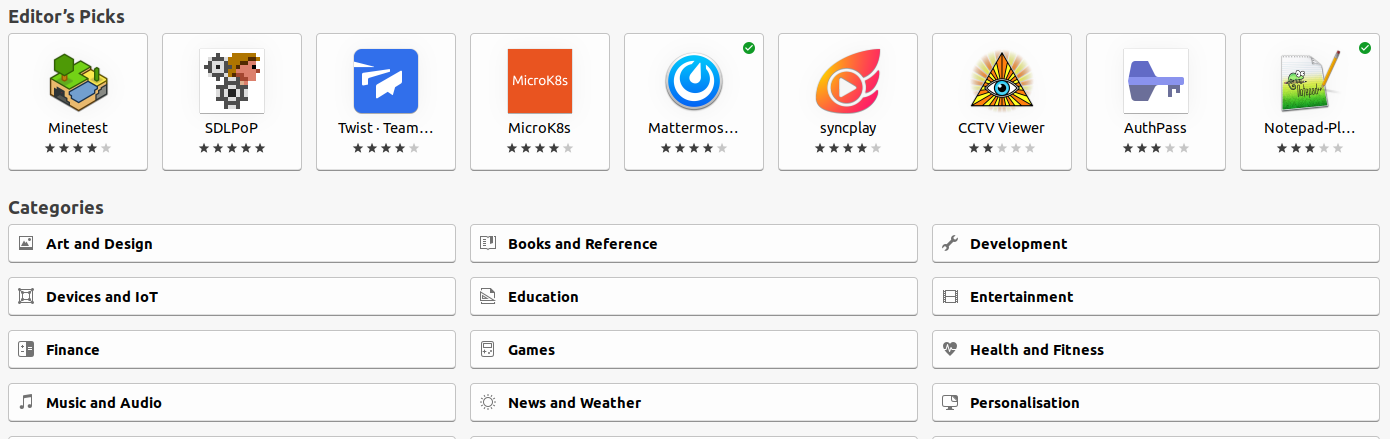
I like it for large standalone apps, less so for command-line utilities. It easily beats untarring some third-party thing to /opt.
Does it strike anyone else as very telling that people looked at the problem of "we can't install more than one version of an application at a time because of how we structure our filesystem and hardcode paths" and decided that the solution was "let's give each application its own filesystem!"?
You can implement that versioned dependency DAG as a database of versioned libraries etc. combined with a version pinning database; or you can simply use disk space, and keep a copy of every dependency and put each in its own subtree, making the version pinning database implicit in the tree construction.
I don't see the latter solution as being intrinsically worse than the former. I don't think there's a real alternative either; the most reliable set of dependencies is the same set as the original binary was built and tested with.
(And of course it's not just libraries, but also configs of various flavours, assets, etc. If you didn't use the subtree approach, you'd need to reimplement it in a shim layer to simulate it, in order to package yesterday's applications today.)
I get that Docker, Snap, Flatpak, etc. are expedient in the here and now. But shouldn't we be trying to rebuild everything on top of nix, and then make nix completely transparent to most users?
While apt can still be used, many packages were replaced by snaps, completely defeating the purpose.
From my understanding there are not many snaps installed by default, and the ones installed by default are Canonical ones not some Solitaire game you found on a piracy website.
The issue with deb is you need to install the package as root. For example I needed a program to inspect a PDF, I found "PDF Master" and it had a .deb installed , but should I trust this program installer? Because I understand how deb works I downloaded the file, unpacked it and run the application without installing it, we need something that allows us Linux users to run random binaries without giving them root and would be cool if we had easy to use sandboxing and firewalls to prevent this apps connecting to who know what.
Automatically updating Snap package with latest security and bug fixes is better than old vulnerable deb package.
Personally, I think Flatpak makes more sense than Snap. Snap's all tied up with Canonical
I think we're on the same page. Thanks for articulating that bit of nuance.
They're mainly useful for applications which either release too fast or too slow compared to regular distributions. The apps contain their own dependencies.
Another advantage is for messy applications. I'd much rather run Wine applications inside of a sandboxed snap than pollute my base system with all the multilib stuff that's required for wine.
For more information; I also wrote a blogpost about why things like Snaps and Flatpaks are useful for Open Source apps: https://merlijn.sebrechts.be/blog/2020-07-06-why-snap-flatpa...
software installed with apt on Debian is fixed until the next release (unless you're on testing/unstable), so that would be the biggest difference.
Flatpak only focuses on Desktop Apps. For more information, see :https://merlijn.sebrechts.be/blog/2020-07-03-snap-vs-flatpak...
Another big difference is that the sandbox of Snap is much more granular. Snap uses AppArmor to mediate the _existing_ Linux api's. This allows you to give an app access to usb-serial devices but deny it access to a USB webcam, for example. Or to give an application access to joysticks and controllers, but deny it access to a webcam.
Both Snap and Flatpak support XDG Desktop Portals to give desktop applications secure access to features such as a webcam, but this is a new API, application need to be ported to the new API before they can use these features.
As a result, most snaps have much less permissions than their Flatpak counterpart because the Flatpak sandbox needs to be largely disabled for the applications to work.
Seems like Canonical is crammjng everything they can into Snap - free software, privacy & security be damned!
For a desktop user, honestly, very little.
For that there is ostree, which is already supported by at least one major embedded systems vendor (https://docs.windriver.com/bundle/Wind_River_Linux_Tutorial_...).
First of all, the fact that you can put a system service in a snap: The OpenPrinting project is working on creating a snap which contains the entire Linux printing stack. This is so users of older distribution releases can still use the latest printers.
Secondly, the Snap sandbox is a lot more granular than the Flatpak sandbox. Flatpak went for portability and Snap went for granularity. Snap uses AppArmor to mediate existing Linux kernel api's. As a example, you can give a Snap access to joysticks and controllers but deny it access to a USB webcam, for example.
XDG Desktop Portals should make it possible to safely use certain host features such as a webcam in a Flatpak, but this requires applications to be rewritten to use the portals api. In the current state, most Flatpaks disable large parts of the sandbox because the applications would otherwise not be able to run in it.
See this for more info: https://forum.snapcraft.io/t/squashfs-performance-effect-on-...
Just a PR bullshit to cover for lack of freedom and need for control. Disregard.
I'm not sure what you are referring to exactly, where do you think I say that?
These are the reasons I talk about in the blog:
* users can easily discover new applications, * developers can easily publish their apps, * and developing Snap itself is easier.
IMO, it is okay for the backend to be propriety as long there is a published, easy to implement protocol for talking to snapd (along with an accessible way for clients to configure snapd). Otherwise, there is lock-in to the service. It's not just the FOSS community that should be concerned, but business users as well. Do you want to internally distribute in-house snaps via Canonical's servers?
> DockerHub and GitHub are insanely popular and they are completely proprietary.
These are arguments against, not for, using these services. And many proprietary SaaS companies sell installations on on-prem air gapped servers.
One of the advantages of Snap over Nix is that snap has security builtin. Snap is built to support a store where anyone can publish any application without curation. Nix Flakes look really cool for third-parties to "publish" applications for Nix, but I wonder how they will do security..
In Snap, the default permissions of an app are stored and distributed out-of-band with the package itself. The package defines what permissions it _can_ use and the declaration defines what permissions it is _allowed_ to use by default. Users can then override the default permissions.
You could get the same level of confinement in a Nix package, but then the package contains both the app and the confinement, so the packager or software provider gets to decide what permissions a package has on your system. Any idea how Nix could address this?
- https://spectrum-os.org/ is a big idea for secure running of applications, which leverages Nix for some things.
- I would like to see some CloudABI/Capsicum experiments, as anything that is not capability based seems baroque, difficult to, ill-fitting the problem at hand, and generally going to end in tears.
- There is currently some wrapping around systemd-nspawn which could be improved.
BTW when I say "The running of them is currently an after-thought" this isn't as bad as it sounds. I would say all the good solutions are not the scope of Nix, but instead the scope of NixOS, Nix home-manager, nix-darwin, etc. Still, a real problem that deserves a solution. Thanks for bringing it up.