40 points · by terracatta · 5y ago · 26 comments
> Because users are encouraged during setup to configure FileVault on new devices it is uncommon to see devices without it
My brand new, personal laptop has FileVault enabled, but my work laptop does not. The article title is a bit misleading regardless since it's enabled by default. Should read "Encryption is trivially bypassed if you disable FileVault"... which seems pretty obvious to most people.
In my experience, it's extremely common to see FileVault disabled on unmanaged workplace Macs.
See the last part of https://support.apple.com/en-us/HT208344
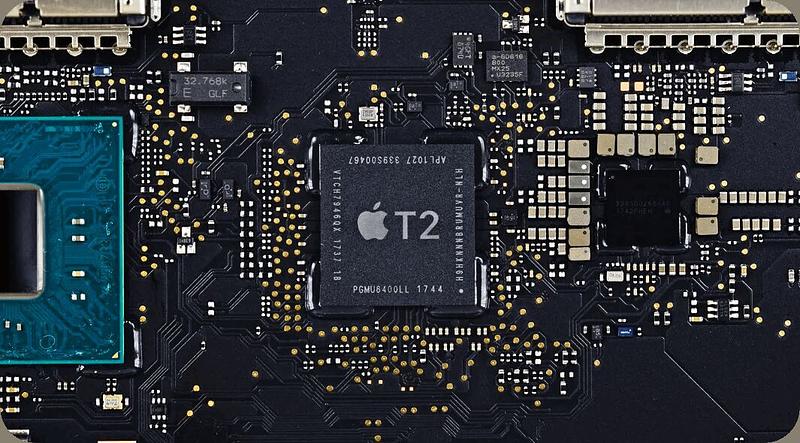
"Though the SSD in computers that have the Apple T2 Security Chip is encrypted, you should turn on FileVault so that your Mac requires a password to decrypt your data."
Edit: I do agree with the article's criticism of using a boolean to represent encryption status, but I don't agree with the dire sounding tone. Since you aren't entering a password, you should be aware that the key is hanging around in plaintext somewhere.
Yes that's technically correct, but not likely what the person querying means.
Another perspective is it's great Apple doesn't force encryption 100% of the time. There are situations where you wouldn't want it -- very niche ones, granted, but I think the choice is a good thing.
A) If they are allowed to connect their personal Apple ID to their work laptop
B) If this will sync personal files to their work laptop (which might be undesirable)
For personal devices, FileVault is now often on, but unmanaged devices specifically for work use? A sizable amount do not have FileVault.
In the past this wasn't a big deal, but now we have tools conveying that these devices are encrypted, when in fact, their data can be trivially accessed.
The Mac has a lot of options you don't have on the iPhone, starting with what operating system you want to run. One of the reasons the iPhone and iPad are popular is because they take away a lot of decisions (aka options) which make computers intimidating.