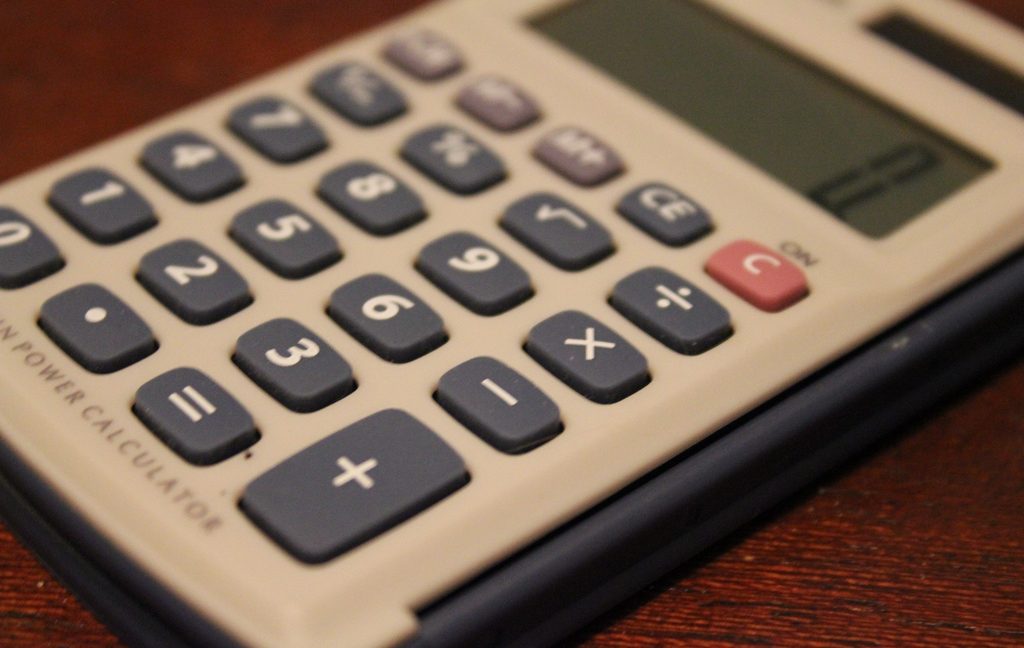
calc.exe is now open source; there’s surprising depth in its ancient code
The actual calculation engine is more than 20 years old.
Ars Technica
245 points · by Tomte · 5y ago · 225 comments
In one of the old Win2k source leaks the code can be found for the far more efficient "classic" one.
Also, title needs (2019). There are some other HN articles from around that time discussing it: https://news.ycombinator.com/item?id=19321217
Sounds like the linux ecosystem moved to client-side-decorations, and Windows moved to a window manager model.
Wait, you only get one of those? As of about a month ago on my computer, launching calc.exe takes 5-6 seconds for anything to happen and I'm then greeted 1-2 seconds of a loading screen after the window appears.
I've taken to just leaving an IDLE shell open at this point.
It's very cool it's open source in the first place though, don't get me wrong. And MS doesn't have to merge fixes if they don't want to of course.
What happened to software...
The user became the product.
Windows collects user behavior and sells ads.
You can still buy whatever they call Windows LTSB this week if you hate this.
IIRC somewhere along the line of all the Win32 windows versions the loading animation got somewhat broken and explorer window was more likely to get simply unresponsive instead of displaying loading animation, but that is another story.
They seem to be going the other direction; notepad.exe is now updated from the App Store in the Dev channel.
Hoping you could point out how to build it or where it is hiding.
This is for the new calculator only.
> Do you really think it is going to make much difference to the final answer?
> Even the algorithms used are probably only accurate to so many significant figures.
Beautiful. (Keep in mind the issue referred to here only requires five decimal digits to show up.)
You're probably better off just using a REPL at that point.
But anyway, for a quick calc, is there anything faster than Spotlight (for mac)/Gnome shell (for linux)/Powertoys Run (for windows)? Instead of app name you are going to launch, just punch in your expression.
Or maybe starting anything on modern windows is slow.
You can try Windows 3.1 here: https://www.pcjs.org/software/pcx86/sys/windows/3.10/
And, indeed, 2.11 - 2.1 = 0.00
But, if you then add 1.0, you get 1.01. So the right value is there somewhere.
These apps really should produce 0 for this and avoid floating point issues. Most of us understand why it wouldn't. To me it's an experience/quality issue.
For what it's worth, the default Android calc app produces 0 (as well as nice RPN apps like Droid48).
https://www.reddit.com/r/mildlyinfuriating/comments/a5r971/t...
Edit: Wider screenshot.
Also older software tended to be documented better because there was no 'fire off an email' or 'ask Bob on Slack' what this code means. The barriers to quick communication where higher, hence reading the code comments would have been the path of least resistance.
In particular, some old video games feature the absolutely most wonderful hacks to achieve what they wanted to with the available hardware, but also often lead to engines having to make particular compromises in possibility of environment design that many players failed to notice.
Many older game engines were actually incapable of stacking walkable planes on top of each other, though the levels were three dimension and one could ascend and descend, there was never any walkable surface directly under another, which was necessary for some optimizations.
Shipping meant producing that gold master build and sending it off to a floppy replication service and then got distributed to the store shelves. That 1.0 version was frozen until you'd ship a new version a year or more later. There was no second chance for that release, code had to be as close to perfect as possible, first time out.
Is it arrogance to say that medicine is far better than it was in the past?
Irrelevant. Medicine and Software Development are not correlated, just because we want them to be. That's the point. Software Development results seem to have devolved (quality metrics such as binary size for equivalent reliability, functionality, and notably time to release), despite improvements in almost every aspect of development tooling.
Also interesting to note, these quality metrics follow along expected curves (accounting for development tooling) when DUPLICATING (sometimes with small improvements) working software. This tells us a great deal about what is a large problem with modern software.
Expecting code from the past to be "worse" is like expecting math from the past to be worse.
It's just improving classical computer science has less practical benefits than machine learning nowdays, so the focus of research changed.
Windows 10 Calculator is now running on WebAssembly, natively on iOS and Android - https://news.ycombinator.com/item?id=20275484 - June 2019 (10 comments)
Fixing a Small Calc.exe Bug - https://news.ycombinator.com/item?id=20210963 - June 2019 (117 comments)
Counting Bugs in Windows Calculator - https://news.ycombinator.com/item?id=19367366 - March 2019 (53 comments)
Open-Sourcing Windows Calculator - https://news.ycombinator.com/item?id=19321217 - March 2019 (174 comments)
Windows Calculator invalid input with 10^x function - https://news.ycombinator.com/item?id=17670644 - Aug 2018 (88 comments)
%*$*#&#* Windows 7 Calculator - https://news.ycombinator.com/item?id=10791667 - Dec 2015 (108 comments)
Why is there not a Square Root button in calc.exe? - https://news.ycombinator.com/item?id=1623381 - Aug 2010 (23 comments)
https://devblogs.microsoft.com/oldnewthing/20040525-00/?p=39...
A few years later they released Vista. Stones and glass houses.
Some previous discussion: https://news.ycombinator.com/item?id=20696695
That seems like thinking it ironic that lawn mowers have a place to put blades for cutting grass.
(This obviously misses the point that we made computers usable by mostly anybody along the way, but it’s still funny)
  - planning a program
  - implementing missing mul and/or shl instructions in your mind
  - managing register pressure for more complex expressions
  - having to start from scratch on a mistake
  - debugging with a multimeter
A modern CPU has got the calculation part covered by itself, but it still needs the UI. Of course there are other kinds of UI for people to do calculations - for example Excel, or programming language REPLs - but desk calculators had pretty good UI for some use cases, so it makes sense to have an option based on them.
The idea that there’s a huge wrapper around the CPUs core functionality is indeed weird because you would expect that functionality to be available without any program at all.
A more apt comparison would be having a 40ft tall Mech that transforms into a jet and flies from neighborhood to neighborhood then crouches down and uses a tiny pair of scissors to cut the grass.
Obviously, a prompt that accepts arbitrarily complicated mathematical expressions and returns a value is a far superior interface than clicking on buttons with a mouse, but skeuomorphisms in design are very common place, in spite of their lesser efficiency.
A more apt analogy in this case would be a car having pedals.
Transposing the metaphor of a desk calculator verbatim is inefficient and unproductive, graphical gimmick exclusively. Unix bc, which predates Windows calculator by a couple decades, is Turing-complete and in fact close to a full-featured modern dynamic language.
Today's equivalent would be a {python|ruby|node|perl} REPL.
Accessibility is everything. I would guess the skeuomorphic calculator apps have 5 orders of magnitude more users than bc, and 4 more than the REPLs (not that the REPLs were even built for this purpose).
I think they will evolve over time away from skeuomorphism, but not into anything resembling a plain REPL.
For a refreshingly modern take on calculator apps, take a look at something like Soulver/Numi/Calca which use a notebook-style interface, or SpeedCrunch which uses a REPL-style interface (and which does have a keypad, but you can turn it off).
If the idea of a calculator app just seems ugly to your brain, PowerShell does floating-point math and is scriptable to boot. I've used it as a calculator in the past, though it means having to put up with some wonky syntax.
How would a non technical person do a square root or exponent? It's not obvious to type sqrt(2) or 3^4 into a text field, and people shouldn't have to read a manual to use a calculator. The default calculator is meant for the average person, and advanced tools are available for the rest.
I'm sure all tools you suggest are great, but as someone who can program, I can just use the REPL of whatever programming language I'm using at the moment. I have no need for a dedicated tool in the first place.
Powershell says 0.2,
calc.exe app and libreoffice calc agree with 0.2,
BC running in CYGWin also 0.2,
Python 2 and 3 answer 0.19999999999999998,
JS in Vivaldi and firefox also answer 0.19999999999999998,
But Portacle (Common Lisp) returns 0.20000002
- if you get 0.2, the code is using rational numbers or a custom implementation
- 0.199999...8 is the double precision IEEE subtraction.
- 0.200000...2 is the single precision IEEE subtraction.
This looks like a typecasting/coercion issue. You can likely get all of the above in C++ or Java by using different explicit casts.
IIRC, there are languages that use IEEE double precision but the way they handle default display presents this as 0.2 (basically, they use a display algorithm that displays the shortest decimal expression that has the same double precision representation.)
    jshell> new BigDecimal("0.3").subtract(new BigDecimal("0.1"))
$8 ==> 0.2 In [1]: from decimal import Decimal as D
In [2]: D('0.3') - D('0.2')
Out[2]: Decimal('0.1')[1] https://medium.com/@raiph_mellor/fixed-point-is-still-an-app...
Floating point implementations can vary not only between languages, but also between different CPUs, if the language relies on the hardware implementation (which is the smart thing to do in most cases).
As a side note: Python's implementation of FP isn't standard-compliant. E.g. when you divide by 5.0 by 0.0, the standard says you should get a +inf. In Python you get an exception.
In scientific mode you can enter the full expression and get 7: https://i.imgur.com/DT6LNKb.png
There's a proposal to change the UI to make this clearer: https://github.com/microsoft/calculator-specs/blob/247bbb50d...
It's a different paradigm to using the buttons to enter a full expression then pressing [=] to evaluate it, but I don't think it's accurate to call it "the wrong thing" - just that the button presses aren't transcribing to the equation you expect (the equation actually displayed by Windows 10 calculator is now accurate).
Feeding it 1 + (2*3) produced 7.
their stack to design native programs is bloated and confusing af, it seems very tedious and incompatible with quick iteration workflows
when you compare to apple with SwiftUI, it's night and day
Somewhat related, HP calculators used floating point BCD internally since the beginning, to avoid this sort of thing. (Custom mostly-4-bit CPU chips with specific hardware for the purpose, etc.)
As I recall, there was quite a bruhaha about Windows calculator solving 2 x 2 as 3.9999999945 or something like that. Pretty sure this rational number library was added in response to bad press.
https://docs.microsoft.com/en-us/windows/win32/controls/edit...
Why calc.exe?
Also being open source do they accept pull requests? Can my code end up being shoved out in a Windows update?
I know that I could obviously just create my own text editor, but I think it would be kind of fun to specifically recreate notepad of all things.
https://superuser.com/questions/26193/why-does-windows-calcu...
Having read the code and lots of other MS code. It is in pretty typical MS style. Though a bit undercommented for the random few modules I looked at. I am sure there are probably a few bits in there that are hairy. But I think I will skip that code review today.
Do not mistake someone else's "style" for "ugly". It is an easy trap to fall into.
https://answers.microsoft.com/en-us/windows/forum/apps_windo...
If you took one of the people who still use old fashioned "standard" calculators and put them on a standard mode that followed PEMDAS, they'd probably be confused, at least initially. I've seen that a lot at cash registers in restaurants, dry cleaners, and other small businesses.
These days for actual physical calculators, and on phone, I've transitioned to RPN which neatly transcends such petty ambiguity problems.
Once the computations get complex enough that you have to write down the formulas, then it makes a lot of sense to treat the computations as algebraic expressions, meaning PEMDAS.