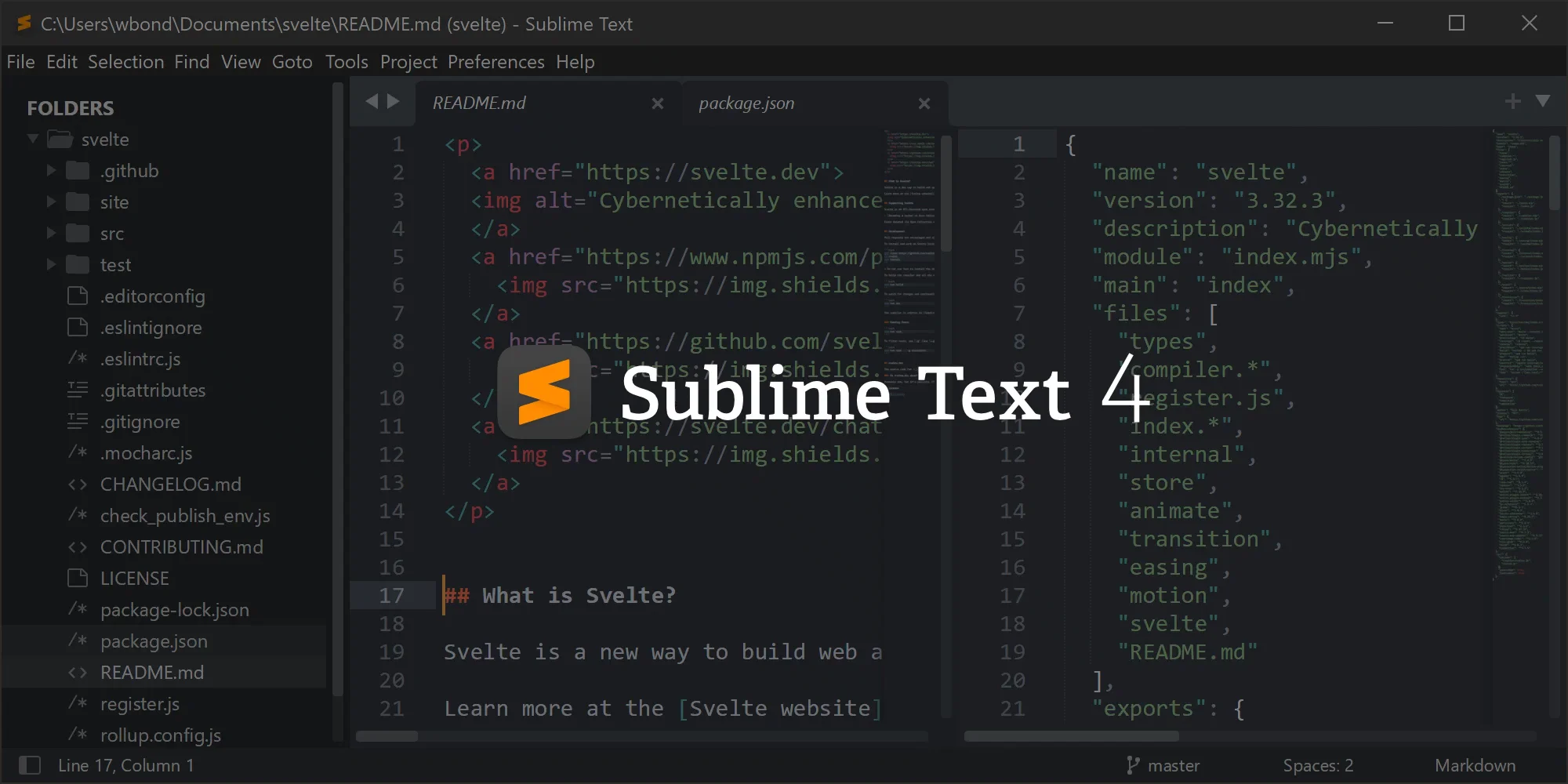
Sublime Text 4
Some of the new features arriving in the next version of Sublime Text
Vimeo
338 points · by dsego · 5y ago · 276 comments
It does big-bang releases with lots of features, followed by frequent bug fix releases that quickly resolve issues, followed then by years of silence even though there are still issues... until there's a major version bump and the cycle starts again.
This then means that the plugin ecosystem is fairly under developed and inactive because there's little incentive to actively develop plugins for software that appears to be dead.
I used Sublime for many years and it was hard to let it go, the speed was great and the SublimeGit plugin was the best Git client I've used, but multi-project development was a pain because the Python/JS/etc plugins didn't have good support for virtualenvs/per-project config/etc, and it was clear that they were out of active development.
I switched to another editor and it's slower, but fast enough. It's not quite as nice in many ways but it's nice enough. Critically though it's got a great plugin for most things.
I actually really like the development cycle, if it allows the devs to keep the same payment model, I'm all for it. Also sublime merge is just awesome, I will pay for and support whatever they build cause they seem to really understand what users want and put out really good quality software.
With ST3 and the available plugins I was at the stage of editing my config every time I switched project to configure the paths, and it still didn't work as expected. Getting plugins to use config from a project directory rather than their own config was often impossible (e.g. black formatting plugin using pyproject.toml instead of the sublime black formatter configuration).
If I was working on projects with no other developers this might not be much of a problem, but working on a team where all canonical config is committed into the repo was essentially impossible.
In the JS ecosystem there are quite a few project specific configs (prettier, eslint, nvm) that seem to be read in by sublime and accounted for fine from project to project (possibly requiring package level config in some cases).
As someone who moved from Sublime to VSCode, my experience was that I didn't exactly 'miss' crucial stuff in the former, but found things to still be better in the latter.
If I wouldn't be using VSCode, I'd probably not miss too much, but using it and its plugin ecosystem, it's hard to go back to Sublime as my main editor.
There haven’t been any significant gaps in our release cadence since before I joined the company in 2016.
That said, the current dev cycle has been a little longer because people do expect more from major version releases. We’ve got a large collection of new features, improvements and bug fixes coming with this release.
We’ve addressed over 600 issues on GitHub in the current release, added some pretty significant changes, and laid the foundation for more to come. IMO, it is by far the most significant release we’ve ever done.
We’ve also got some changes planned to help shorten our release cycles moving forward!
I'm not interested in using a discord server to keep up.
But a monthly blog post with "what's happened in ST this month" might go a long way for letting users understand that it is still alive. The monthly post could even include things happening in the plugin ecosystem, interesting new plugins or popular plugins with new releases. But just 2-3 paragraphs a month would suffice.
As it is, I go to the ST website and it looks like it's stagnated, I see no sign of life. I'm not interested in intensively following dev releases, but I am interested in every once in a while checking out what's been going on that I might want to know about, and seeing evidence that ST is still alive.
I don't know for sure how typical I am, but based on this HN comment thread, I suspect I'm not alone.
I guess the blog could also work, especially if it auto-publishes to social media, but of late that too, like the Twitter feed, has been mostly about Sublime Merge -- whereas I care a lot more about Sublime Text.
I think Sublime is really good and has lots of value even in a world with VS Code, but it's important to ensure people inclined to giving it a go sense that the project is ticking along well.
Back when ST started to get popular, you were up against Notepad++, TextEdit2, Visual Studio perhaps, and others. Now there's Atom and VSCode that are actively maintained and have active communities. I doubt I'll use ST4, but I wish you all the best, but I do think the model is wrong.
I'd much rather pay $50 a year for ~monthly releases than $70 every 2-3 years for one release and a few bug fixes.
I registered my copy of sublime text maybe 8 years ago. Before that I had used Notepad++ for years as well. I love that sublime is a thing that I paid for once and I can trust that it will always fundamentally work without problems for my basic use cases. I never have to think about "oh well I'm not doing so much text editing at the moment, maybe I'll turn it off for now..." like I do with some other subscriptions. I'm not worried it won't work or will degrade because it seems stable as a rock. I primarily used Windows when I bought it, and I've been Mac only for 4 years, and it's still with me.
Sublime text is special and I love what you guys have done! And I appreciate that for my $80 or whatever it was, I can use this thing the way I use it right now and never worry about it again.
Honestly, I think people are being reactionary from how common abandonware is in the open source community (obviously sublime is closed source, but people who use sublime use a lot of open source), as well as the long delay between ST2 and ST3. I remember plugins with docs that said "I have abandoned this project because Sublime Text is dead" when ST3 was still in beta. It is... probably not great that when I check the About window on my copy of SublimeText, it says Copyright 2019 and the changelog on your website says October 2019. It is useful for a customer facing product to not look dead, but this is completely possible without being forced to ship updates or features on a regular basis. Just be mindful of customer perceptions and what the touch points are and be patient and consistent within your bandwidth.
> A license is valid for Sublime Text 3 [...]. Future major versions, such as Sublime Text 4, will be a paid upgrade.
> [...] an upgrade fee will be required for Sublime Text 4.
I'd feel pretty bad if I bought ST3 and the next day you'd decide to release ST4 and now I'd have to pay for an upgrade. Why not just stick to the terms on the buy page:
> Personal licenses are a once off purchase, and come with 3 years of updates. After 3 years, an upgrade will be required to receive further updates.
Why not:
> [...] come with 3 years of updates *regardless of version*.
Then I wouldn't have to worry about a new release being right around the corner.
As it's now I can only feel comfortable buying ST when a new major version comes out, which sucks. I could have bought it years ago.
I understand that providing release dates of future major versions can be hard but could you at least show the cost of the upgrade?
Sublime is great btw, I'll definitely make a purchase once ST4 comes out <3
I really enjoy using Sublime Text for some parts my daily workflow yet that equates for me using like 5% of the actual functionality. I don't actively write code within ST but use it for stuff surrounding my coding workflow.
Nonetheless, thanks for the product. I really enjoy it.
edit: lol downvotes because I'm trying to give someone money
I understand the frustration with subscription pricing, but it's a business model that actually aligns my incentives with the developer's. I want an up-to-date product and they want ongoing revenue for their ongoing work.
Maybe applying only after a N consecutive months with an active subscription, to prevent paying for a single month behaving as a lifetime purchase.
Wonder what's going on there.
Oh wait, will we need to pay to upgrade to ST4? That would explain it -- but unclear, ST3 was offered as a free upgrade to ST2 licenees I think.
At this point, if you had to pay to upgrade to ST4, I wonder how many people will be lost to VS Code instead. I hate learning/setting up new tools, but if i have to pay to upgrade to ST4, I'm gonna consider trying to switch to VS Code instead, which I hear good things about, seems very similar to ST, seems actively maintained, and is free. There is nothing I am aware of that is in ST but missing from VS Code, I've just been using ST since before VS Code existed.
I've had colleagues marvel at the capabilities of my editor, then ask if it is free, then grumble and go back to wasting hours at a task I just showed them how to do in seconds.
These are developers making closer to 200k than 150k, and they will just not buy software!
Blows my mind
Maybe not. Depends how/when you bought it, I think. From https://www.sublimehq.com/store/text:
> Personal licenses are a once off purchase, and come with 3 years of updates. After 3 years, an upgrade will be required to receive further updates. One license key is all you need for all your computers and operating systems.
Edit: the site seems to be a bit inconsistent about pricing info. https://www.sublimetext.com/sales_faq says:
> Licenses purchased for Sublime Text 3 do not expire, however an upgrade fee will be required for Sublime Text 4.
Can anyone please clarify what the correct answer is?
> Any license bought after Sept 2019 warrants three years of updates, including "major" ones, analogous to the Sublime Merge licensing model. A road for upgrading a previously purchased license (potentially recently) has not been decided on yet.
Just tried the LSP plugin before reading your comment. Wanted to use it for Go development, but it can't even do basic autocomplete or suggestions. Actually, I can't even tell if it's running. The VSCode PLS gets stuck sometimes, but 99+% of the time it works great.
Even so, damn, Sublime Text is fast. I really do wish they catch up in other aspects.
Even if I could find it, distributing releases via a chat room feels a bit 90s. I'd expect to just get auto-updates through the auto-update mechanism in Sublime Text.
I never understand the desire to switch. An editor is a tool, and I keep multiple tools. I use VSCode, Sublime and various JetBrains products and often have all 3 going at the same time. They all have strengths and weaknesses.
.....although apparently at some point VSCode finally added Shift+Alt+drag, so now I have no idea what reasons I'd have for opening Sublime.
To be fair, ST isn't an IDE. Handling virtualenvs and configs can be automated outside your text editor. I just use batch files and automate the sh*t out of setup including starting the project on ST.
We should do more simple automations rather than expect an already souped up, beefed up text editor to do everything and bake the cake.
But I do hear your point.
Was about to describe them but turns out to be quite long to do so didn't. :)
Edit: mostly write C, js/python, makefiles and similar things. Going to buy this again, perhaps twice just because they are def worth it.
Sounds like a band that releases a great album, does a bit of touring, and then breaks up because they hate each other.... and reunite a few years later and repeat the cycle. I've heard the comparison between musicians and developers made over the years, but this is a different spin on it!
from the release of version 3 to the upcoming version 4, they actually release a lot of beta enhancement, new features, bug fixes. the beta link is in their Discord forum, and can only be accessed if you have the license.
even though they dub the frequent releases as "beta", I never feel them as beta software because they are stable, very low occurrence of bug, and many major improvements.
I'm all for using "bleeding edge" (although I don't with VSCode because I don't need to in order to have a working dev environment), but I've had a really good look in all the places I'd expect to see this and am thoroughly convinced that I'm using the very latest version of ST and that it is therefore out of development.
I understand that this thread saying something different, but if I've had a good look _knowing there is a later version_ and can't find it, then how would a customer know? A sufficiently hidden development process is indistinguishable from a project being dead.
Edit: really keen to use a later version if one is available, can anyone point me towards a download link? I own a licence for ST3.
I agree it’s not straightforward to know it exists but that’s probably the point. Once you do know I literally just googled ‘Sublime Text Discord’ and it was the first result. Look in the #announcement channel there. Been using v4 builds for months. Love it so much I’m recording a course on it!
(For those with the patience to master them, Vim or Emacs may be both objectively and subjectively better. But I've never had that patience. Emacs has a hell of a steep learning curve.)
You can't knock Sublime for not having the features of an IDE, because that's not what it is. If we keep pushing for Sublime to be as "full featured" as an IDE, we're gonna kill what makes it great.
VSC seems to be trying to be both, and by all appearances, those who like it, like it a lot. I'm not in that group, but I admit that there may be something(s) outstanding about it that I just haven't yet appreciated.
my 4k setup: https://i.imgur.com/yRShjn9.png
While doing a lot of Clojure at Farmlogs I genuinely tried to become an Emacs user, but I have always struggled with the sheer number of key commands. That being said, I love ctrl-e, ctrl-a etc... for day to day on macOS and admire that from Emacs.
Vim is my goto for every cli based editing interaction.
One thing I have never loved about vim/emacs is the fact that there are so many different ways to deal with plugins and configuration that I have never known 'the right way' to do things.
Full blown IDEs have always felt brutal and cumbersome, plus I tend to obsess over the details and prefer applications who use native rendering tools versus things like Java/GTK/Qt/etc...
Sublime has hardly any chrome, so I like that element as well. It has always felt the fastest, too. It will open massive files and scroll them no problem where other editors will struggle.
First, in service.api.api:43-49 you do:
    filename = (file.filename if file else None) or request.form.get("filename")
    [...]
    try:
        stored_metadata = storage.store(filename, file)
Second, in service.api.api:54-55 you have:
    except storage.FileTooBigException as e:
        raise FileTooBig(str(e))
    except storage.FileTooBigException as e:
        raise FileTooBig(str(e)) from e
Note that in the screenshot there are yellow boxes around the `raise` keyword - this is a complaint from the linter to do exactly as you suggest.
raise FileTooBig(str(e)) from e
This looks pretty neat.
FWIW I have an HP Z27 display which I adore. It uses a single usb-c umbilical cord to deliver power to my Macbook Pro ('18 touchbar model) and simultaneously video to the display.
The light that indicates whether the display is on or not is also incredibly small, the same size and intensity of the green 'webcam active' light on a Macbook, but in a white color.
Then over time computers for faster, VSCode got more efficient, and plug-in developers started paying less attention to Sublime Text because we all assumed development had stopped.
I started using VSCode because I needed a specific plugin that wasn’t available in Sublime Text. From there I got comfortable with VSCode and slowly stopped using Sublime Text. I think an active plug-in ecosystem and IDE-like features are necessary for text editors to stay relevant in 2021. Sublime Text’s long development hiatus may have stalled that process. Hopefully they can spring back.
IF we consider Sublime to be a text editor and not an IDE, then all I really want from the Sublime dev team is to fix problems if/when they arise. If there are no problems, then push feature development into the plugin ecosystem, but leave out-of-the-box Sublime mostly alone.
When I look at that preview video, I see a team that shares my values in a text editor. They've made updates to keep with changes to operating systems, a few features that would be universally useful in a text editor, but not much else.
For me and my idea of a text editor, that's perfect. It's stable. It's dependable. It's fast. I never have to worry whether the dev team is about to destroy the editor that I love, nor do I have to worry about it becoming obsolete.
Some people may feel it's already obsolete, but every complaint seems to be for IDE-like features, not for a better text editor. If that's what you want, then by all appearances, VS Code is the way to go.
That being said, I hear what you're saying about the plugin ecosystem. If plugin developers have interpreted the relatively quiet and deliberate release cycle of Sublime as "this is no longer being actively developed", then of course they won't develop their plugins for it. But if that's anyone's interpretation, I think they're wrong.
To put it another way, I think of Sublime's approach like Google's approach to their homepage (at least when Marissa Mayer was running things): Job #1 is to say no to scope creep. Keep it simple. Keep it focused. If you can make it better at the focused list of things it's meant to do, then great, do that. But don't add, don't clutter.
Development continues, and having a stable API for plugins can be considered a feature.
Let's see what will they do in the future. Both ST developers and plugin developers.
All of the editors I've used are great and I don't knock them at all. About two years ago, however, I realized how much I love Vim. It is also easily customizable but most importantly, I just plain feel really productive with it.
But I think the facts speak for themselves now...
- their site is now little more than a vanilla bootstrap theme
- their News section hasn't been updated since 2014
- the blog appears to be miscellaneous developer notes that may or may not even be related to TextMate
...I'd agree with the sentiment that development appears to be dead.
That said, I think Sublime is as worthy a spiritual successor as any. (It also may be the biggest reason for TextMate's demise.)
In VSCode all it typically takes to get started with a new language is to install one or two extensions, click one to three buttons, followed by a restart. Now you got syntax highlighting, auto-completion, go to definition, find all references, build system integration, test runners, debugging support, etc.
You can also get these features in Vim or Emacs, but from my experience it takes a lot longer to setup and integrate properly.
If anyone is looking for a side-hustle, I'd be your first customer
Editing code in Vim is probably faster, but that speedup is neglectable if you are missing precise go-to-definition or auto-completion instead.
For me, to complete as best text editor, disk-based editing is a must. For that reason alone, Ultraedit remains the best text editor and has done for many, many years.
(In case any of that sounded sarcastic, it's not. I'm in genuine awe.)
I think it’s going to be hard for ST to compete with VSC, their major offering seems to be native over electron, which is great but will it be enough?
The way I've seen VSC used in the wild is as a highly customizable IDE. Yes, it can be used as a minimal text editor. But it seems to want to be more than that. I've yet to see anyone using it that weren't also using it as a terminal and a bug checker and git manager and and and...
By contrast, most ST users (again, based on personal experience, I could be statistically way off) use it as a pure text/code editor, with plugins to help with code completion and such. ST can be extended, but it doesn't much care whether you choose to extend it or not. Using VSC without plugins just feels... weird, somehow? Like I'm missing the point of it?
As for whether ST can compete with VSC, I don't think it should compete. They're each appropriate for different situations. They do overlap more than any other ST "competitor", granted, but I think there are situations where VSC is the better choice, some where ST is better, and some where a full-blown IDE is the best way to go.
When the situation calls for a really great text editor, ST is, in my experience, the fastest and most productive way to go.
I think the shift from ST to VSC is due to the fact that many (most?) developers actually want an IDE, but just don't like the other ones on the market.
I realized this is what I was doing with VSCode -- adding more and more extensions, and spending an increasing amount of time configuring them or troubleshooting them when they broke. I realized I was happier and more productive using a "dumber" tool like Sublime Text. I still use plugins with ST, but try to keep them to an absolute minimum. If there is a CLI for what I want to do, I prefer to just use that instead of an extension that obfuscates it. Also, ST is significantly snappier than VSCode, an Electron app.
I've been using ST4 for over a week now, and it's been a breath of fresh air.
All the configuration knobs on an IDE don't make a lick of sense if your goal is being useful to those paying for your services. Each and every one (with the exceptions of autocomplete, goto and syntax highlighting) are better implemented as separate tools. But that mentality got lost long, long ago.
First it was with competitive gaming. In tournaments, competition machines have their configs reset after each match. You have a limited amount of time to setup before game time because admins also have to check your config. I learned to have a fairly simple config (i.e. close to defaults) so I wouldn't run out of time.
Second time round it was with vim and Ruby. I spent nearly 2 months trying to get the right combination of plugins to get something close to a decent IDE experience. I ended up packing it in for RubyMine which gave me what I wanted right out the box.
Also no mention of the feature that changed the face of the ecosystem — Intellisense or the language server protocol.
Could we please call it "autocompletion" instead? The feature did not originate from Microsoft IDEs, and while they are free to call it whatever when talking about their editors, the rest of the world (well, that 2m^2 part centered on me, at least) would appreciate if we used more general terminology.
The distinction seems important as I personally wouldn't go back from VSCode to an editor that merely provides autocompletion but can't reason about the language beyond basic syntax highlighting.
I caught myself using "Google" as a verb when talking about searching on Amazon the other day and "Xerox" has become synonymous with "copying" for an entire generation, so I wouldn't judge too harshly on people using "Intellisense" as a generic phrase even if it can harm communication ("But does this editor have Intellisense?").
> I personally wouldn't go back from VSCode to an editor that merely provides autocompletion
Autocompletion can draw from multiple sources. By default, before LSP hooks have a chance to add themselseves to the list, I have following sources configured:
      '(ac-source-symbols
        ac-source-variables
        ac-source-functions
        ac-source-features
        ac-source-filename
        ac-source-abbrev
        ac-source-dictionary
        ac-source-words-in-same-mode-buffers
        ac-source-semantic
        ac-source-yasnippet
        ac-source-files-in-current-dir)
It's good to have a way to specify when you're talking about the former meaning and I do not know another term for this than "intellisense".
I don't use Microsoft IDEs often, but have had experience with them many times over the past 15 years. And every single time, intellisense would freeze, get confused, or just stop working completely. Not once in 15 years have I had a passable experience with it, so nowadays when I'm in Microsoft land I always immediately disable intellisense before I start working.
The community is actively maintaining an LSP package, and we've added a number of features in ST4 that the protocol requires, such as UTF-16 diffs.
The open source model makes sense since it will need to have tweaks and fixes to support various language servers. That combined with a very small development team (six engineers across our two products), would probably lead to slower development, and it would be tied to the release cadence of the main product.
It’s also my go to for wrangling weird txt.
I use it to open often giant .csv and .txt very very fast. I use it to quickly edit SQL because the select-lines command (ctrl+alt+up/down) makes batch edits of indented code a breeze. I use it to sometimes format and arrange weirdly formatted C#. I use it often for its lightning fast search and replace function.
It has grown on me over NP++ which is still a very very nice text editor.
To each their own, I guess, but given how much of my day editing text, it's hard to want to use a text editor that has noticeable lag. (Cue the usual rants about latency in 2021 on multi-GHz machines)
For dev work though, my daily driver is VSC at this point.
I still use Sublime for notes as well, but that's more so I don't have to think about how closing/opening half a dozen workspaces in VSC affects which notes are open.
I wouldn't mind the core ST app being so bare bones if the plugin API was more powerful, but unfortunately it is pretty limited in what you can do.
That said, we are definitely focused on being first and foremost a really fast text editor that makes it easy to read, navigate and write code. Trying to implement a browser or be an IDE are outside of our area of focus.
It's also fantastically bloated. There's so much stuff I have to disable to make it barely usable. And most of the supposedly helpful lightbulbs suggest changes that make absolutely no sense.
I can absolutely believe that IntelliJ has its fans because it has a ton of features, but for me it's just unusable.
16GB is the bare minimum for a dev machine in 2021 IMO. Anything higher than that is 'nice to have' unless you're doing heavy stuff like data analysis, machine learning/AI, games development etc.
I've been using ST3 as my exclusive development tool for the past ~5 years, and I've been very happy with it. It's extremely fast, stable, and customizable. I even have a bunch of custom plugins I've written to integrate with custom tools and workflows on different projects.
But my biggest complaint is that the pace of development is glacial. The chances of them adding a feature you want/need is basically zero, so you shouldn't even bother asking.
IMO, they should consider releasing it as open source software (at least partially), and accepting donations via a Patreon page or something similar.
None of these changes could actually be implemented as plugins - they all are much deeper architecturally than you may be aware, and the implementations open up a number of features for packages along the way.
In terms of our development pace, we did large releases in 2017, 2018, 2019 and have put out over 50 builds in the past year leading up to ST4. We have addressed over 600 issues on the GitHub tracker during the current dev cycle.
We do work differently than open source software, but we've got some upcoming changes with ST4 that will shorten our release cycles moving forward.
Open sourcing Sublime Text isn't a rational thing, as there is no massive tech company who would be donating the primary engineering resources for the project.
> Open sourcing Sublime Text isn't a rational thing, as there is no massive tech company who would be donating the primary engineering resources for the project.
Just sayin, there are porn video games making $20,000 per month on Patreon. I think something as popular and beloved as ST could make a lot more than that. I'd personally pay at least $5/mo to support a full-time development staff for my most important development tool (by far), and that's way more than the $80 I paid once for ST3 back in ~2016.
I can see porn fans paying for their goods. But as a developer I found them remarkably ungenerous about paying for their tools. It is good that you like to pay but you are in very small minority of devs who pay for good tool when free alternatives exist.
Is that $20,000/month rolling in from businesses? I don't know anything about ST's financials, but I'd expect that to be the source of most of their revenue. Businesses have a habit of not paying for things unless they have to.
I also would back it and spend more than the ~$200 or so I paid for ST2, ST3 and Sublime Merge 2. They are 2 of my absolute favorite tools.
I wonder how much SQLite makes. Could be a model to emulate.
That being said, definitely not something to rush into. If this is only a little risky for them now, I expect it won't be risky at all in a year or two, given trends in new business models for creators.
Addendum: It dawns on me that building the Microsoft Word of anything is probably not a bad goal, considering it's the dominant word processor. It's not what I would want in a text editor, but it may very well be what most people want most of the time.
I'm not knocking this functionality. It's probably super helpful, useful, or downright required in the work you do. It sucks that the plugin was broken.
However, the fact that the plugin was broken tells me there's a problem with the plugin ecosystem, not with the editor.
For Eclipse there was (is?) something called MyEclipse which was paid software and contained a curated set of plugins.
Simply put, the idea would be to define a set of plugins needed (or recommended) for certain types of development. So you'd install Sublime, and then have a handy popup asking if you want to install any of the suggested Grouped Packages. There might be a dozen or so that are commonly useful for a Rails developer, another group that's useful for C, or for Wordpress, or whatever.
That would allow for a minimal text editor, the infinite possibilities of plugins, and also easy onboarding for new users. It would also be useful for advanced users who are getting started in a new field.
The Sublime Text 4 dev builds pulled me enthusiastically back to Sublime full-time, and I'm excited that it's close to release. It's been carefully modernized and is a joy to use. In particular, writing Go in Sublime with LSP (gopls) and Sublime's Go Build System plugin essentially makes it an IDE for me, but still as snappy as, well, Sublime. That's a hard combination to beat. I suspect Sublime's approach of "do one thing well" (text editing) is especially well-suited for a language like Go, which has such an excellent selection of first-party tools. Sublime's approach lets those tools shine rather than hiding them away.
It's hard to name all of the features that feel fast. Some are little, like scrolling; many are bigger, like starting up the editor, switching projects, and searching for symbols, all of which are instantaneous. Even the dev builds have been remarkably stable; the result of the care taken is that the whole application feels crafted. It's a quality that HN (rightly!) laments is lacking in much modern software.
There are caveats; in particular, to get gopls to work, I recall having to search around a plugin's GitHub issues to find a solution for some problem with my $PATH. Not everyone will want this upfront learning investment. For me, the tradeoff was worth it. Having gotten familiar with the Sublime console and just a bit of how its plugin system works, there are no longer any parts of my editor I'm scared of and consider a black box.
Finally, I am happy that I paid for Sublime; I own my copy. The VSCode community seems vibrant and sustainable, but when trying it, I couldn't shake the feeling that I was living in Microsoft's world. They've shepherded it well so far, and it would seem they have incentive to continue. But despite being OSS, I never felt it was mine. One modicum of validation to that feeling: Microsoft recently (last year?) switched to a closed-source model for the Python language server that made the VSCode python experience so great for me. So overall, the transaction with Sublime HQ felt clearer to me. I paid them money for a great editor, rather than using an editor for free in exchange for goodwill or developer mindshare. That is a transaction I'd make again.
My biggest feature request now is color support in the build output window. And maybe some quality of life stuff around adding/editing build systems and iterating on build output regexes which is clunky right now and could be much easier.
I'm not a huge fan of the code indexing stuff. It bogs down on large projects, and fuzzy search is never good enough for me. I want precise completions that can only come from LSP. Built in LSP support would be better. Actually, with good LSP support the build output window becomes less important because you can fix all your errors before building, so maybe do that instead of working on build systems.
Do y'all really tab back and forth between the code and a shell? Maybe I'm just lazy.
I use VSCode very happily after using Gedit for many years, and it's just the layout I'm attached to, I suppose.
The important thing is to set the desktops to be static (disable the “smart” rearranging) and set the windows to always open in the same desktop.
This makes my experience on a 16” screen so great that I have a hard time adjusting to using two monitors.
That's a hacky solution since it requires a server app running in the terminal listening for commands from ST3. There's also some logic in there to make sure nothing happens unless all files have been saved, to avoid some impossible to debug situations. As far as I know there's no better way to accomplish something like this in ST. I've seen some plugins that use a text buffer/tab as a command line output, but that's terrible.
On the bright side, this does allow me to use whichever terminal app I want instead of being forced to use whichever built-in terminal the ST devs might include.
The other thing I use it for is multi-file search (and replace). As far as I know the only way to get VS Code to do this is to open the directory as a project. With Sublime I can enter any path I want. It's more ergonomic than grep and sed for this. When I search I can just pick a result from the list to jump to that location in a file. And when I replace I have the option to check over the modifications before saving (though usually I just make sure the number of replacements and files seems about right).
https://download.sublimetext.com/sublime_text_build_4409_arm...
Then I upgraded to 16 core 3700 amd with 64MB Ram...
Electron apps don't leave a dent in my performance anymore, so it's a non-issue and vscode has a lot bigger community, support, plugins, etc...
Really, I don't think any other thing out there can compare except maybe vim/emacs but the learning curve to make it useful takes awhile and I keep giving up on that.
The LSP integration rocks, basically "just works".
Now, a decade is a long time and there will be inevitably be comparisons to VSCode and Jetbrains, and ST4 is _not_ an IDE, so it's not clear how it will fare, but it's definitely still the fastest :-)
New system? `apm stars --install` done. I can't do that out of the box with VSCode. I can't do it out of the box with Sublime Text and Package Control. But I have to get off Atom, it's just a disgrace. I can't multiline find and replace all project-wide on it. Can you believe that? Incredible.
And no, I don't want to put my config in a gist or put it on Dropbox. It's 2021. Please, for the love of editors, put these configurations in places where iCloud and OneDrive can pick them up automatically or give us a cli to pull down packages from our accounts.
Am I missing something? Is there an editor out there that takes care of automatically syncing packages for me besides Atom? No, I don't want a package to sync my packages.
I can't go to vim or neovim. I don't have all day to get my plugins and configurations just right. I want to be productive, now.
I had a similar goal, and with Atom, I’ve solved it with a hacked-together script that automatically backed up the installed packages and replayed the apm install when I called the script.
When switching to VSCode more than 2 years ago, there was a popular plugin to sync (https://marketplace.visualstudio.com/items?itemName=Shan.cod...). And as a sibling comment mentions, there’s now a built-in sync.
I’ve used it since the beginning and it works flawlessly. I’ve even used it between macOS (primary device), Windows and Linux (popOS) machines and it works great. VSCode does a great job in keeping platform-specific settings so you don’t break it for the other device.
It’s much better than the approach I’ve used with Atom because I do not have to think about it, it just happens in the background. The only thing you need to do is to enable the sync and then let it do its job.
https://github.com/sublimehq/sublime_text/issues/101#issueco...
One thing I found annoying about this page is the pop-up at the bottom of the screen that says "Upload, livestream, and create your own videos, all in HD" actually hides the video player controls. I initially thought Vimeo got rid of them until I dismissed the pop-up. Seems like a poorly thought out design.
Several years ago I switched development to Cloud9 and haven't looked back, but for text manipulation, I still rely on sublime text.
I do still prefer Sublime for the specific use-case of opening a random text file. Its startup time is far faster than any other editor.
VS Code is cognitively stressful for me to use, there is too much stuff going on in the interface.
  {
    "workbench.editor.showTabs": false,
    "workbench.statusBar.visible": false,
    "workbench.activityBar.visible": false,
    "editor.minimap.enabled": false,
    "breadcrumbs.enabled": false
}(View > Appearance > Zen Mode, or shortcut Cmd+K Z)
That seriously put me off Sublime (and anything that follows a similar strategy). I really don't like tools that intentionally become barely usable for years at a time, repeatedly.
I really hope they'll keep plugins compatible across this version jump.
I hope there will sometimes a feature to load the actual selection into irb (and irb should be inside Sublime). That would be great! Dr. Racket is very cool for this, well for Racket. Repls for the win!
coding : vscode , jetbrains
pim : emacs org-mode
I think sublime text is somewhere between quick editing and coding, but there are better options for both
Upon closing it persist even unsaved tabs, and those tabs are named after the first line of text. I find this incredibly helpful when juggling multiple snippets of code/logs, without having to think about saving or worrying about accidentally closing the window. Intellij Idea and Zim offer something similar, but they are clunky in comparison.
Anyone know another text editor that offers this functionality and run on Linux?
I've had 2 unsaved tabs in VSCode for like 6 months. Close VSCode / Open again, they show up...
For anything else, vscode or jetbrains
Need to find some reference or search whole folder: Sublime
IDEs are too fat, the only time I pull one out is when I need to design a WPF desktop app or sth.
F12 opens a file in Notepad2 in Directory Opus and `e FILE` does the same from Bash or PS, can't think of a time where I'd need someone more than Notepad2 but less than Sublime Text, or VS Code today. I've installed Notepad++ several times over the years and just never wanted to have to use it.
I switched back to ST3 once I could get Language Server to work. Go and Typescript work great there, and are so fast fast fast.
Pity it's not free software (as in freedom), and that it would lose all its superpowers in a CLI environment.
If only I could replicate its functions in vanilla vim
/personal preference.
How do you guys use ST for Go development?
C++... with a python enabled extensions.. is why it will prove itself better than vscode.
If you can't code without a feature-rich text-editor, you might then ask: how good are you really at coding, and how much skill are you off-loading to the editor? Because if you can't code with Windows' notepad.exe you need to re-evaluate your perceived skill and your /reliance/ on an editor.
If I hired a carpenter and they showed up with a pair of pliers and nothing else, I wouldn’t let them start. Even if they were competent and motivated, I’d know they were going to get sucked into completely avoidable problems and they’d be way less time-efficient than a less competent peer who actually uses the appropriate tools.
If I were interviewing a software engineer and they didn’t use at least some programming editor (I don’t really care which: Sublime, Emacs, VS Code, PyCharm, anything), I’d assume they were either not very good at this or that they’re so idiosyncratic their coworkers would wish harm on them.
It’s not my job to tell a carpenter which hammer to use. But if they see a nail and reach for a spirit level, I’m sending them home.
I opened each one of those tools and had absolutely no clue how to use that! Looking at them now, they seems quite easy and similar, but that is only because I know how to program now.
Think about MS Access. It could be said that you don't know how to use relational DBs is you can't write perfect SQL on a napkin, but MS Access is certainly a skill and just because it can make it easier to view/manipulate data doesn't invalidate the need of skill to use the tool.
If you can code in a notepad, good for you, but if an IDE or something like VSC or Sublime increase your productivity then that's more valuable then remembering the exact names of methods or imports