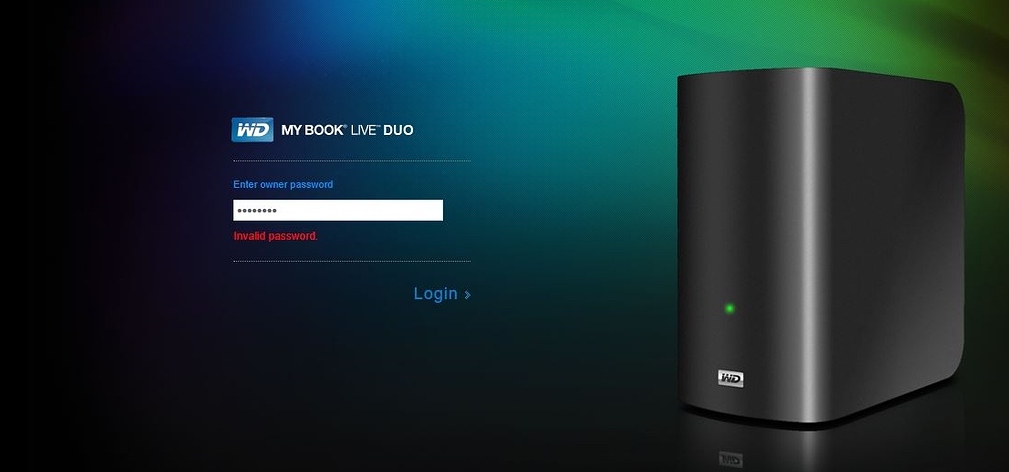
“I’m totally screwed.” WD My Book Live users wake up to find their data deleted
Storage-device maker advises customers to unplug My Book Lives from the Internet ASAP.
Ars Technica
1279 points · by bjelkeman-again · 5y ago · 672 comments
Help All data in WD mybook live gone and owner password unknown - https://news.ycombinator.com/item?id=27625925 - June 2021 (66 comments)
There's "we don't support end-of-life devices" and then there's "we refuse to fix absolutely critical, crippling security vulnerabilities in devices just a few years old." This is well over the line.
I smell (but have no idea of the merits of) a class action lawsuit.
[1] https://www.westerndigital.com/support/productsecurity/wdc-2...
If Windows isn't supported on my laptop, I can nearly always replace it with Linux and still keep it alive. With stuff like this, they can decide to never update it again or just turn off some critical service and render a device unusable. It's not just a thing about owning what you purchase and having the freedom to do what you want with it, it's also about the environment. Forcing things to become dangerous for use or just having the power to kill it remotely out of business interests means more electronic trash.
https://publiccode.eu/ goes in the right direction on a similar topic, but this should also start getting a bit of the limelight.
Okay. Stallman was right. I know it's cliche, I know he's weird. But I learned a LONG TIME AGO never to bet against the man's predictions and ideas on software. He called all of this, and quite a few people (especially HERE) would do well to get back to fundamentals and work on fixing it.
Great link, thanks. Very encouraging.
I've been saying "citizen-owned software".
FWIW, I ran for office on an election integrity platform. Demanding that we own and operate our own elections. While "open source software" worked well enough (10+ years ago), everyone immediately understood "citizen-owned software". Transforms that bullet point into 90/10 (pro/con) issue.
Edit: I should clarify something. FOSS isn't sufficient. Citizen-owned software means we control the repo, builds, distros, etc. Microsoft, RedHat, whomever can fork or whatever, for resale or whatever. But we always control the root.
Who is "we"? That's the point of FOSS: "we", as "we control the repo, builds, distros, etc" is defined basically as anyone who wants to do it. The idea of forking is an incredibly important part of that, but it sounds like you're suggesting that "we" would be limited to a specific group and centralized control.
I was thinking of getting one for myself, but I think I'll stick to USB-connected JBODs.
Convenience and resilience at the same time.
Also, you need at least two different USB drives, that you back up to in A/B fashion. I prefer to own two separate brands.
A very, very, very select few with the necessary skills could have. This is a mass-market device, if 1 in 10 000 buyers is able to do this, that'd be a lot, and then those would have a Linux machine on an ancient SoC with none of the original functionality.
So it isn't completely trash, the drives were still usable even though they were done using it as a MyBookLive device.
Market experimentation is necessary for innovation. Now we've learned never to buy a product from WD (in case you forgot that last year they intentionally sold unfit SMR hard drives and lied about it).
Also, always have backups (not just syncs!).
In this case, "we" is probably a very small group of people. For starters, it's limited to folks who hear about this in the first place. Ars Technica isn't exactly a huge news site, and, while it might be mentioned on TV news, I doubt they'll be talking about it all day long, so only a subset of their viewers would hear about it. Then, beyond that, it's limited to the subset of those who believe that the appropriate response is to not buy WD products anymore. Which isn't everyone on HN, and might not even be half of them.
So maybe we're looking at 1% of the general population? Their opinion isn't going to make a big enough dent in WD's revenues to justify the cost of supporting a product like this past its commercial end of life.
I think that there is a free market answer to this, but it in no way involves successfully pressuring companies like Western Digital to support discontinued products in perpetuity. It's just good old-fashioned "caveat emptor", pure and simple.
Granted, we're talking about consumer tech, so the vast majority of emptors don't have the background knowledge to be able to successfully caveat for themselves. So that approach is sort of acknowledging that a bunch of people will be screwed.
Which might be the best you can get. This is an area with no perfect solutions. More consumer product regulation might curtail events like this, but at the cost of more regulatory costs, possibly stifling innovation, and the risk that the legislative body (few of whom really understand these issues themselves) will just deliver us the latest heinously misdesigned law in a long series of heinously misdesigned law. Leaving things as they are might avoid all of that, but would guarantee that things like this keep happening more-or-less unchecked. Which kind of solution someone prefers is perhaps more a matter of political leaning than any practical consideration.
Markets can only behave reactively, but some harms need to be mitigated proactively.
Hard drives are a particularly bad example too because the risk of failure goes up as the device ages, so people probably should replace them after a few years of heavy use regardless of software support.
We live in a rich society, electronics are relatively cheap, and people like having shiny new things. We will inevitably continue having more and more electronic waste. Right to repair type laws are great for consumers for many other reasons, but I don’t think they’ll make any kind of meaningful dent in the reduction of electronic waste.
As a result, I've bought a new NAS-type device which does have supported software and which I can put on a live network with only minimal worry. (I still take backups of course, but not as thoroughly as I should.)
That's a direct waste impact of the device being out of support. I like the form factor. I like the capacity. I wish I could just run Openwrt or something on it. (It's a Marvell SOC inside, so that's the likely target if I had porting skills.)
I suspect there will be litigation, but I am not a lawyer. I will be interested to see it though, what is the responsibility for using things post end-of-life? What we might see is a new “your on your own” mode built into this sort of appliance that once EOL hits it asks you to affirmatively indicate that you know it is no longer supported and any further use comes at your own risk.
It is also another great case study for open source NAS devices, like the TrueNAS line, that you can patch even if iXSystems goes away.
I own/use exactly 4 “IoT technologies”.
I have smart radiator thermostats that turn on/off the heat based on family presence, as well as “predict” the heating needs based on weather forecast, sunshine hours, etc.
I have a heat pump in my vacation house that is remote controlled by the internet. Not strictly needed, but very convenient in the winter.
To keep an eye on my vacation house I also have a camera that uses HomeKit Secure Video. Requires no infrastructure on my end except network.
And finally, like a lot of people I have Hue.
I control it all through HomeKit. I also keep everything on a couple of IoT VLANs, one for “trusted” devices (AirPlay, media, PlayStation, etc), and one for “everything else” with client isolation, filtered dns, IDS/IPS. No upnp/nat-pmp, no tunneling (if detectable), and no other dns servers but mine (until dns over https becomes a thing with IoT)
In the future however it might become more or less impossible to avoid. Our neighbors recently purchased a new oven, which of course comes with internet connectivity. Their new washing machine also has internet connectivity.
In the very near future everything will be connected under the pretense of providing useful feature, when in reality it’s all about pushing adds and gathering telemetry data.
People who are not rich enough to buy everything single purpose will have to pick and choose.
I refuse to buy any appliance that requires a connection to the internet. I look for things that are straightforward to repair and maintain.
This whole, "ah sorry we decided to end-of-life that because we couldn't make any more money off it" is so many levels of bullshit.
It's also part of a broader attitude on not repairing anything. Battery dead in your activity tracker? throw it out and buy a new one. Worse still, the band has degraded but the electronics are all fine? still throw it out (or put it in a drawer to never come back out).
Closely aligned to a recent story where Amazon is/was destroying masses of products that hadn't been sold. The waste is just extraordinary.
This is my takeaway from the whole Peloton fiasco. If you spend thousands of dollars on a product, and after the purchase the company bricks the product, the company should legally owe you a full refund.
The drives themselves and their function as a NAS on a LAN is still fine.
When "Live" EOLed, they should have turned off the servers and disabled the function. If they weren't going to service/support it anymore, then they should have been honest about it.
Of course, their consumers would have screamed, so they did the worst possible thing, kept the service running as-is and didn't make it clear that people were leaving themselves open to attack.
Typical business life of a computer is 5 years. Typical service/support agreement is 1-3 years.
Try getting Apple to address a failed hard drive that's 12 years old. They'd laugh in your face.
Any situation where "you are on your own" should include the dropping of protections preventing you from actually fixing the device. If the manufacturer refuses to produce updates, that should NOT mean there is no way to update the software on the device.
But really as pointed out above, any IoT device will eventually have a security flaw discovered if updates are stopped.
As a consumer the best bet is to switch to a supported device or disconnect the device from the internet.
This really shouldn't have to be a consumer issue, it's wasteful to have to replace something like a router after the short EoL and inevitable vulnerabilities are found.
Perhaps we need more modularity, so core components can be swapped out to upgrade them.
It's fun to control around from our phones but after 2 years it won't be much fun someone else controlling around
(Although potentially something that in hindsight WD would have wanted to patch anyway - assuming end users patch things).
And maybe highlights that support lifecycles for IoT devices should be longer.
Correction: End-of-Support appears to be last manufacture date (2015) + 3 years, so assuming 2018.
Four-year support for a device that is connected to the Internet is ridiculous. I bought a Synology device in late 2012 and it's still getting major release updates.
You can release patches 6 years after your device is EoL but there will forever be more security issues and people using your ancient product (think how long it takes some versions of Windows to truly reach less than 100k active machines. Hell I wonder if Windows 3.1 has really reached that number or not. The long tail is going to be loooong). Not to mention you've created a precedent that the device is still getting patches and can be used by users, only making the lifecycle issue worse.
You can release a version which severely limits the capability of the product or effectively disables it but this is just a guaranteed way of getting bad press and even more customers will be mad at you for killing a device early.
You can turn the device over to the community (if you can managed to get it through legal and 3rd party agreements) but that isn't actually going to solve anything as it's not a product for extremely tech savvy users, at best it buys deflection in the news report in exchange for the effort of doing this (if you can at all).
You can claim the lifecycle is over and years later and be technically correct but still get the bad press and user feedback anyways.
.
Retrospective in this particular case it would have been really great for them to fix this particular issue but that's an extremely hard thing to accurately judge unless you're from the future. I mean what percentage of devices that are many years EoL you've heard get this bad of a publicity hit? I'm sure there are many individual cases to point to but it's nothing against the absolute deluge of devices that have been discontinued over the years quietly without issue.
I had noticed shortly after purchase that it was basically a Debian install, on MIPS if I recall correctly. While WD had essentially washed their hands of the device ages previous, it wasn't going to have a current Linux to put on either. Maybe one of the BSDs could be an option.
Instead of worrying too much about it, I have the remote access feature turned off, and have other backup options in case this goes belly up. I will be looking closely at what vulns come to light as being exploited though.
Newer WD NAS devices are much harder to tweak, none should buy them anyway.
[1] https://www.olimex.com/Products/OLinuXino/BOXES/BOX-MICRO-B/
I'm leaning toward one of these as a basic NAS replacement: https://ameridroid.com/collections/single-board-computer/pro... Based on the Odroid XU4, it's a fairly speedy little SBC that runs Armbian, and has a heat sink that doubles as mounting for your hard drive of choice.
That means they were still 0.2 away from the worst possible vulnerability score.
So, on the one hand, Could be worse! On the other hand, there could be a software dev sitting out there thinking "I screwed up big time & didn't even get a perfect score on it. Oh well, better luck next time."
You can't just expect to get a perfect score by accident, you need to work for it.
curl -kX GET -d ‘bim=param`whoami`’ https:///panel/rest/configuration
How does one get to resolve /panel/rest/configuration?
curl --resolve 'panel:443:192.168.10.5' -k -X GET https://panel/rest/configuration
Hostname can be set to * in recent versions of curl, it's even more handy:
curl --resolve '*:443:192.168.10.5' -k -X GET https://panel/rest/configuration
Insane that this has been known since 2018, and not patched - these devices are from ~2011-2015, far from ancient. I’ll personally never, ever buy anything from Western Digital again.
If I build a machine and the third-party screws I use break my customers come to me.
If I use bad quality npm modules as dependencies it's my bad.
If I use an embedded system with flaws it's my issue.
Class action lawsuits don't seem to help anyone except lawyers. I'm not being cynical; they really seem to benefit only lawyers. I've gotten caught up in plenty of class action payouts over things like this, and invariably I lose more on the time wasted reading the letter or email about it than I gain from being part of the class. Things like checks for $1.90 or a month of "free" service from something I haven't used in years. I want companies to be punished for egregious failures (not sure this one qualifies), but I'd honestly rather have the money go 100% to the government and be used to fund more enforcement and prosecutions. It's adding insult to injury when they make token reimbursements to us peasants.
Imagine how many people are walking around right now with Android phones that are more than 2 years old and no longer receiving updates.
It’s such a sizable portion of the population that at some point an attack like this on Android will become a national security and economic issue.
I just used it for continuous laptop backups over my LAN, so unless one of them crashes tonight, I should be good. But, this will certainly give me pause when considering WD products, and this type of product in particular.
This is very bad, WD! Are your other products also vulnerable in this way? Why should anyone ever again trust your company to keep their data safe?
Because if you need a hard drive, your options are pretty much Western Digital, Seagate, and Toshiba, and they've all had their own problems.
The affected product is not a drive but a NAS solution. In terms of being a reasonable consumer my thought process is to evaluate distinctive products differently.
NAS is a cheap computer with attached drives. It’s going to have computer-like failure modes.
But I might be reading too literally. And personally, I do intend to continue purchasing Western Digital hard drives, just nothing internet connected, because I agree they're different products with different risks.
The difference is the protocol that goes over the link. In a NAS, it's SMB/NFS access to files over ethernet/wifi, and for a SATA drive it is the SATA command set accessing blocks. The difference is small.
This is the third such major scandal from WD in as many years. First, selling SMR drives as CMR. Second, selling 7200RPM drives as 5400RPM. Now this. They've lost a lot of credibility, and I don't see any of the other manufacturers having issues rivaling WD.
I suppose you mean the other way around? Otherwise, what's the problem with selling a higher RPM device as a lower one? Isn't higher RPM better? (Genuine question, I don't know much about HDD).
There are quite a few other brands offering NAS devices e.g. Synology, QNAP, Thecus, Pegasus and more.
Aha! It was $600k in dogecoin in 2014
https://www.pcworld.com/article/2364120/hacked-synology-nas-...
That’s worth around $125m today (assuming straight hodling).
Edit: To be clear, it was my mistake, my post made no sense before I fixed it. The parent doesn't deserve the downvotes.
(Not that I would put anything like this past them; Japanese companies are notorious for leaving ancient buggy software at EoL)
Using 500GB SSD for many years as an external backup.
[1]: https://blocksandfiles.com/2020/04/14/wd-red-nas-drives-shin...
Seagate is the other big consumer brand and they also have their own set of issues. Anecdotally, I've had multiple Seagate drives die within a year or 2 whereas WD ones have kept going for years longer.
I'd hope it gives you some pause when considering "cloud" products as well, that was the reason I avoided this.
Backblaze does a survey every quarter, here is the latest one https://www.backblaze.com/blog/backblaze-hard-drive-stats-q1...
They are all in the same ballpark, with Seagate a bit worse than the others but not terrible like it was a few years ago. WD tends to be consistently in the middle of the pack.
The latest fail from WD (as a hard drive manufacturer) was when they sneaked inadequate SMR technology into "red" consumer-grade NAS drives. But others did more or less the same. Now, all manufacturers are transparent about the technology used and newer "red plus" drives from WD are CMR.
So I'd say, for now, I'd say WD is as good (or as bad) as any other and I would let price decide. For reliability, that's what RAID is for. And in any case, RAID or not, and no matter how reliable your disks are, if your data is precious, you need backups too.
Needless to say, I never ran any of the Live code. Several of these sorts of things have come up in the industry that always made me recall how happy I was to not have those drives with their backdoors on my network.
I presume you mean shouldn't rather than should.
The drive happens to be Toshiba, but that is just a medium
I run a FreeNAS setup at home on an HP MicroServer. From time to time, I lament the amount of time I’ve spent over the years maintaining it, and after a recent drive failure (and wishing for more performance), I started considering consumer options like Synology/QNAP.
Articles like this always give me pause, and remind me why I invest the time I do to maintain my own thing. I’d rather fuck something up myself than fall victim to an issue like this, and the time spent setting it up likely pales in comparison to dealing with data recovery.
I really hope these users can get their data back.
It ultimately turned out to be a backdoor account[2]. Backdoors really upset me. Every reasonable "you can't blame people for mistakes" goes out the window when it's not a mistake.
Following the ransomware, they released an auto-installing malware remover. A Python script that detected one particular piece of code associated with this recent attacker. That malware remover was a python script full of vulnerable exec calls introducing multiple new RCEs.
[0] https://www.qnap.com/en/security-advisory/qsa-21-11 [1] https://www.qnap.com/de-de/security-advisory/qsa-21-05 [2] https://www.bleepingcomputer.com/news/security/qnap-confirms... [3] https://www.qnap.com/en/security-advisory/qsa-21-16
Would you happen to have a write up/article about this series of events that isn’t a sanitized series of security bulletins? Sounds like it’d make for good reading.
On the first part, there was a period of time when the project was going through some upheaval (quite a few years ago now) and I had some issues with upgrades.
This goes hand in hand with the 2nd thing - I was trying all sorts of plugins and using it as a BT and newsgroup client. These did not upgrade well.
I suspect that a fresh vanilla build (TrueNAS now) would probable be zero maintenance. I need to upgrade my drives (a bunch of 1TB drives from the era I built it), and I’ll probably use this opportunity to start fresh.
The only fiddly bit to setup for me was LetsEncrypt auto-renewals, but once I had it automated I never needed to touch it again.
The article says:
>Multiple users reported that the data loss coincided with a factory reset that was performed on their devices. One person posted a log that showed unexplained behavior occurring on Wednesday:
I'm leaning more towards 0day than "software bug", mainly because I can't really think of a reason why a bug would cause the factory reset to get triggered, but I can think of plenty of ways an internet connected NAS can be exploited.
I am guessing this is normal? My data backups are offline. The idea of making my backups read/write on the internet seems insane.
It's a NAS. Backup isn't the only thing you can do with it. A personal cloud (aka dropbox) is also a valid use case, and requires internet access to work.
Hardware is fine but it's much more expensive than just building it yourself.
You’re wise to not trust it with anything important.
Of all things, it has a weird boot-up bug where it fails to boot to Ubuntu during about a half-hour period (around :15 and :45) each hour and lands on a kernel panic within a second after grub. I have no idea where to start. Firmware is latest.
Getting the exact panic would unfortunately mean to have to get it down from the shelf where it lives, and plugging it into a monitor to replicate. It doesn’t make it out of low-res text mode when it does.
Most of the time, I’m usually in a rush to get it back up as my family wants lights and Plex to work normally.
I do my best not to reboot to keep the peace!
I can’t imagine a scenario where I’d rely on an 8-10 year old device that hadn’t received a security update in 6+ years…
That said, relying on the same credentials for a long time is more problematic. My bet is on credentials being bruteforced, especially if many people have left them at their default or used easily guessable ones.
I'm typing this on a 10 y.o. laptop. It still works. Sure, the manufacturer and browser vendor released updates, but it wouldn't be too out of the ordinary if it didn't.
That being said, I think its predecessor would still work (for posting a comment to HN at least)
A unpatched in 6 years linux device directly connected to the internet? What could possibly go wrong?
"There is no IoT, there is only the internet of unpatched linux boxes."
So, yes, essentially you end up with a bunch of devices running vendor-specific unmaintained Linux distros on the wide open Internet. The “unmaintained” part of that sentence is the problem, not the “Linux” part.
Shouldn't we design systems that are hard to break by default? Shouldn't the OS assume that terrible things are going to happen anyway, and provide protection from bad faith actors in case the OS is indeed left unpatched for 10 years while being fully exposed to the internet? Is it even possible to design a system that provides this level of security so that we can get away with near-zero additional security expertise from product designers who build on top of it?
I think that, first of all, it's Western Digital's responsibility that things went south here. But shouldn't we build systems that provide bomb-proof security for the many companies that build on top of it? Is it even possible? And if so, how? In the end we would be doing ourselves (as consumers) a favor.
[1] https://cve.mitre.org/cgi-bin/cvekey.cgi?keyword=OpenSSH
For this particular attack (assuming c2 server compromise?) that might not matter, but ultimately there is a massive difference in attack surface when comparing “direct” with “NATed”
Turns out at the start of COVID I re-did my home networking and the gateway addresses on all the My Books were incorrect, so they haven't had internet connectivity for over a year... (quickly adds extra firewall rules to prevent them for bonus safety).
Unfortunately this needs to become regulated. Either commit to "lifetime" updates (at least 10 years) or be forced to put a massive warning on the label advising the secure period for which the product can be used. Just like food has expiry dates, so too do these devices need them.
I am pretty sure no security update are being provided to iPhone 4s.
You go on-prem for the same reason you work does. Because the software licensing plus the amortized cost of hardware is less than the subscription.
I keep hard drives around for data I don't care about like games and movies but my personal data like photos is all in the cloud and it costs me next to nothing to store it.
I'll say again: backup drives must have a physical write enable switch on them. To all the people who argue against this - just you wait till it happens to you!
Not having multiple backups is also a very bad idea. One day my 8T drive slipped out of my hand and smacked on the floor. That was the end of it. But I wasn't out my data, just out the cost of another drive.
Cloud backup is a stupid idea. At any moment it could go dark, for any reason, and you have no recourse. Might as well bare your throat and hand some random stranger a razor.
I really disagree - physical storage in your home is the common alternative for a lot of consumer users - and that physical storage will involve maybe unplugging your external hard drive between backups - but otherwise never checking for the consistency and accuracy of the data nor the hardware. If you're working in a data center then it's your job to do these things and it doesn't take very much time... for normal folks cloud backups are likely going to be more reliable.
I've seen enough HackerNews articles:
1. My account got deleted and I can't find a human to talk to and all my pictures going back 20 years are gone!
2. A hacker guessed my password and deleted my online presence! It's all gone!
3. My storage provider went bust and all my stuff is gone!
This very story is just that - people had their own hard drive and it wasn't maintained for security so it got erased. At least this article needs to be added to your mental list of failures of local storage to balance your news-driven bias.
If my backup harddrive is in the same house as my main storage and my house burns down, I'm fucked.
If I'm fancy, I may have multiple backend storage providers, too. Lot easier to do that then to have multiple houses. I wanted to use a safe deposit box in the past, but last time I called banks near me, they didn't even have safe deposit boxes available to rent! I can ask some friends, but then will be limited in frequency of updates, still.
If you care about your backups, a single cloud vendor/account vanishing isn't going to be a problem, in exactly the same way that if you care about your backups,m a single drive failure will not be a problem. They are both predictable and mitigable risks.
Obviously customer support is a finite resource.
That's why companies need to start paid/premium customer support: when you lost access to your account, you should be able to pay 10, 100, 1000 of money to talk to a real person who understand how the system works and where there a mistake was made.
Like a hacker stole your account and you cannot take it back? A special person will to do a background check (e.g. call your employer) to verify that you is actually you.
Robot erroneously blocked your account because of misclassified spam-like activity? Your account is restored, and you are fully refunded.
4. My crypto exchange disappeared/went bankrupt/was a scam and now my crypto is all gone.
I swear, some people never learn.
EDIT: According to Wikipedia, ZFS, Btrfs and ReFS offer strategies to deal with various forms of data degradation, although it appears as if ZFS is still king.
I also use it for music files, in the past too many mp3s got broken.
It's not stupid but redundancy is important, don't rely on cloud only.
My own anecdata: I lost a couple TBs with Streamload[0] ~2007 when they switched over to MediaMax. They wouldn't admit it was their fault and I never got any kind of compensation - even though I had just renewed my yearly subscription a couple months prior. Thankfully I had offline backups on CD/DVD but that was definitely no fun. More recently CrashPlan decided to no longer offer unlimited backup for non-enterprise users i.e. I would have to pay a LOT more money to back up multiple TBs. At least they offered me a partial refund for the remaining months in my yearly subscription. I really really hope Backblaze keeps their unlimited plan.
As for physical backups, my 8-drive RAID-5 GPT partition got somehow nuked when I was trying out a new Windows 8 installation (one of the first official builds). I never found out what actually caused it, but I immediately went back to Windows 7 and waited for 10 to be out for a couple years before finally switching over. I'm still paranoid and keep my backup server separate and off the network except to make diff backups.
Bit-rot is also becoming a serious issue. I hope to finally build a home ZFS server (with ECC RAM of course) to deal with this, as I've noticed non-streaming encoded videos sometimes just stop working after 15+ years. I'm not sure if it's actually bit-rot but I can't think of anything else that would cause this to happen.
In any case, keep multiple backups: offline and online!
Hard disk drives go on sale regularly. I replace mine usually once a year or so. They're not expensive relative to the loss of the data. I just bought a 500G SSD drive on sale for $60.
Cloud backup is perfectly fine as long as it's one of those copies -- I cloud backup my desktop and it saved me from a lot of loss.
But not as a backup strategy.
Nonsense. Any robust backup strategy has multiple copies, and multiple locations. Cloud is a sensible component to this.
My house could burn down tomorrow, but I'd still have my cloud backups. My cloud backups could roast in a fire tomorrow, but I'd still have my local backups. And probably several other cloud backups.
If you put all your eggs in one backup, sooner or later, you're going to get screwed.
(Data transfer charges not included)
As opposed to what? I think you've got too much faith in your method.
WHAT!? How the heck did you get that conclusion from this story? These are literally your people, who backed up to a local device and essentially chose their own local NAS rather then the cloud. Which unfortunately for them came from a company with bad support that dropped it 6 years ago and likely did a shitty job even before that. But not everyone can be a tech person! Even tech people can't be that knowledgeable about more than a fraction of information technology, the field is crazy vast [0].
The failure modes here are exactly why "cloud" makes so much sense for so many. Keeping stuff up to date, or migrating if the company drops it (even noticing that support has stopped). Securing access. Verifying integrity. Amortizing the cost of different media cold storage fallbacks with things like tape robot facilities. And on and on. You wanna opine a bit on the relative probability that Amazon, Apple, Backblaze, Dropbox, Google, Microsoft, rsync.net, or a host of others just "at any moment going dark, for any reason" vs Western fucking Digital My Dropped-in-2015-Book dying? Think carefully.
I mean shit, I actually have a custom Epyc-based TrueNAS Core (not FreeNAS anymore! gotta keep up!) system with tens of terabytes as my main backing store, and replication to a remote site, with more usage of network segmentation, wireguard, ZFS user privileges so compromise of the replication credentials can't delete old stuff, then I'd expect nearly anyone to have any idea about. I still have it going to Backblaze B2 as well, and I pay to have them hang onto it for a year rather then 30 days. And the only reason I can swing it all is that I can amortize a lot of it professionally, get other usage from it, and draw upon a bunch of both knowledge and metaknowledge that my particular life path happens to have granted me.
For 99% of the people in my life "turn on iCloud/Backblaze/whatever" is the right advice. Backups are very risky without heavy automation and regular attention on top.
----
0: One thing working at various levels has given me a deep appreciation for is what broad shoulders I stand upon, many layers deep, and how valuable and deep the knowledge of so many other tradespeople I interact with in life is. The mechanics, electricians, plumbers, general contractors, structural engineers, medical folks, researchers and so on I work with or have worked with all possess skills and knowledge that I never will. That's why we're social animals. I've traded on my skills helping someone improve their network for a hand with skilled carpentry or electrical work or the like. I don't see any shame in that.
Fact: if these people had been running to a decent cloud service, they'd probably still have their data. Really "don't connect backup to the internet" is like, fractally stupid. The more one digs the more stupid angles turn up recursively similar to higher level stupid. "Don't connect backup to the internet" means what to you? What about the computer itself making the backup? If that is connected it could get infected as well, now what? Everyone is just supposed to give up on all networks entirely because "hurr durr nothing on a network is secure"? Which is wrong anyway since security an economic equation, not some ethereal absolute. I hope you never give this advice to anyone IRL.
If you are aware of the issue, and get kicked off AWS, or whatever, you move the backup. It is only a problem if your data catxhes fire and you get removed from cloud at the same time
“It’s not a backup until you restore it.”
How would you do automated backups with a physical switch? Are you proposing nobody does automated daily or more frequent backups?
Just remember that ransomware will encrypt any drive you hook up to it, including your backup drives. A physical write-enable will prevent that, and it should be disabled anytime you are restoring from backup.
I want a write-enable switch even for simple tasks like copying one drive to another, just so I don't mistakenly copy the wrong direction.
What I was alluding to but didn't make clear was that physical switches are easily defeated by human laziness or mistakes. Why have a physical switch on drives you're copying if you might accidentally switch the wrong one or eventually stop bothering? This already happens with warning popups in Windows when you try to run an untrusted program, for instance. People get trained to bypass the security because it's just a tedious obstacle.
You personally might be careful enough to forever set the switch correctly, but people who didn't even know their hard drive was years-un-patched and internet connected yet left it there to get hacked also wouldn't reliably set the switches every time either.
Regarding accidentally copying in the wrong direction, I think a safer way than a physical switch is to show some details of what will get deleted. Maybe previews of images, tiny snippets of text from the files, a graphical view of the space they occupy, etc. Make it more visceral, like throwing away an actual book where you can see how many pages it has and what the picture on the cover is.
Yep, I once reformatted the wrong drive. I plugged in a firewire drive into a friend's Mac and didn't realize he had an internal drive that apparently also showed up with a firewire icon. Whoops!
I wrote something about it [1] just a few days ago. And I have been banging on about it for years if not a whole decade.
>What we need is something like iOS TimeCapsule. Let the Phone do the Photo Management on Devices, and have an on site ( Home ) DataBackup as well as offsite ( iCloud ) Data Backup. Apple could even make iCloud Backup subscription a requirement for TimeCapsule to function.
We need both. In a simple, safe, easy to use fashion.
I don't know what you mean by "cloud", but an off-site backup is essential. Your home can be burglarized, or burnt down, or flooded. Basically anything you insurance covers for your home you should cover regarding your data.
> At any moment it could go dark, for any reason, and you have no recourse.
There is no difference between your backup going dark or your main data source going dark. The whole point is that the data is duplicated and the odds of both of them going dark at the same time is low. This only means that you should check your backup regularly.
Reminds me of the little sliders on memory cards. Though I think those were software driven. It didn’t actually lock it out from writing.
Are there any portable USB style disks that have a hardware enforced read only switch?
Home backup is a stupid idea. Any any moment your place could catch fire, and you no recourse.
I suspect your drive is more likely to die in its own that AWS to fail.
I also don't care to have the internet snooping on my data. Yes, I know about encryption. Enough to know it cannot be trusted.
I would agree if it's non-EoL products. This, not so much.
Don't get me wrong, I'm not trying to say since it's EoL WD don't need to do anything. Just that the degree of seriousness of this incident changes with that.
A company should not be permitted to just declare something “EoL” if it is still in widespread usage. They made it, they support it as long as any customer still has it.
Accumulation of benefits, shifting of responsibilities, the American way.
There's a good middle ground. Perhaps, like the 10 years for cars, it needs to be legislated. Perhaps this is what we consumers have decided to accept, that once the warranty runs out, that's it.
I am sure there are Windows NT machines still in service. I think my Dad has one in his basement. Should Windows forever support NT?
If the product in question doesn't have an available extended warranty, then pick another product.
Telling every hardware maker "you have to support every device you make forever" is ludicrous.
I have some 15-year-old netbooks in storage that still power on, should eeePC have to "support" them now? Should they have to maintain a repair depot with replacement parts forever? Should they have to just release their own version of Linux forever to support each model of hardware?
[EDIT: widespread, very public data loss with a remote cause, as a result of a firmware vulnerability in a product whose job is to store data]
My data is much more important than a 50$ rebate on a storage device.
I'm assuming the My Books phone home in some way to facilitate file access over the internet. If so, that WD system got cracked. That seems more likely since-- at least for my ISP and I'm guessing most home ISPs-- don't expose individual device ports to the world unless the user sets NAT for that.
Anyone know if NAT configs are required to use the feature that let's you access files from anywhere? If so, someone simply cracked bad security 6 years out of date and scanned for devices.
Given typical IoT security, it might only have been using the default user & password.
If so, someone simply cracked bad security 6 years out of date and scanned for devices.
Maybe the majority of them aren't so much an "exploit" as they are "easily guessed credentials". The fact that anyone else, anywhere else on the Internet can also use those same credentials to access their data is something that probably few people realise when they set one of these things up.
I doubt it. The specs list UPnP support. DLNA on some versions too. No consumer device is going to expect the average punter to mess with NAT.
Edit: Found the manual[1]
"Changing a User’s Password: When viewing details about a user, the Administrator can change the user’s password (no password is the default setting)."
Oof.
[1] https://media.flixcar.com/f360cdn/Western_Digital-905161691-...
There have been times when web crawlers have found pages with delete icons on them that are pointing to GET requests and, after dutifully following them to index the data, resulted in a server being wiped.
Mine are on UPnP and shitty firmware web server
Bought one of these for my dad few years ago without noticing the difference. Cheap, hobbled and bricked itself more than once. Even without this incident, would not recommend.
I found a user manual for a My Book Live model that suggests that it supports SMB, NFS, FTP, and AFP [1].
[1] https://media.flixcar.com/f360cdn/Western_Digital-905161691-... (page 6)
Dropbox costs $120/year for 2TB. WD live looks to be a one time purchase price for however many terabytes you want.
Turns out that if you wanted your data to actually be safe, you had buy a new device every time Western Digital dropped support and stopped releasing security updates (3-4 years after launch), copy your data across and throw out the old device.
I should note, however, that it seems the drive is built in and not easily user replaceable/swappable, so it's not really "however many terabytes you want".
* My Book: An external HDD that's attached to your computer through USB.
* My Cloud: A NAS that's connected to your network through Ethernet, support SMB, FTP, NFS.
There's also My Cloud Home, which is also a NAS, but you can only access your data through WD proprietary app, not SMB.
> The MyBook is a more normal NAS
is totally wrong. MyBook is just an external HDD.
This is your daily reminder that anything that's connected is not a backup.
Yes, that includes the hard drive in your machine. For that matter, RAID is not a backup solution.
Yes, that includes cloud sync (Dropbox/OneDrive/GDrive/etc) that propagates changes automatically. That's not backup.
And that includes WD My Book, as it (unsurprisingly) turns out.
Take this as a PSA.
If you want to be more enlightened: http://www.taobackup.com/
Diversity and risk analysis are what's important here.
Yes, a building with tapes can burn down. But whether it does so or not is not correlated with the state of the system that the original data lives on.
Redundancy is a great step to prevent data loss. But redundancy won't do what a backup would: keep your data safe even if your system is fucked.
Cloud sync is a double-edged sword, because you make Dropbox a part of your system; their failures are not decoupled from yours anymore. Say, someone hacks into your Dropbox account, encrypts/deletes all data, and then downgrades/cancels your plan so that their backups go poof.
Then you'll find yourself with no data - and no backup.
Compare that to the tape burning down. You just make another tape. The chances of both your system going down, and the tape building having a fire at the same time are astronomically low, because these events are independent.
TL;DR: backups are decoupled, which is why you need them.
Everything else is secondary and can be covered by both. The chance of your redundant data center burning down at the same time as your primary is also low. If one burns down, you just bring up another. Likewise for smaller-scale users, where the chance of your cloud provider being down when your house burns down is also incredibly low.
So it's really the versioning or snapshot nature that's the key aspect of backups as opposed to simple redundancy.
Dropbox allows you to roll back changes and undelete files
https://www.dropbox.com/features/cloud-storage/file-recovery...
What you are saying, is that Dropbox allows you to purchase a backup service from them (without any guarantees, at that).
Cloud sync isn't backup. If someone performs backups on the either side of the cloud, that's great, but that's an extra, which is what I'm saying to begin with :)
That's to say, Dropbox is not a backup.
Telling people that any redundant copy that isn't 100% reliable (i.e., everything) isn't a backup is not a good way to get people to take backups.
The law is complicated and the details are extremely important - but intent is a pretty big factor.
Also - I'd strongly advise someone who is deciding between buying an external hard drive or using a third party for backup to use the third party. There are definitely risks that remain, but their SLA is likely going to end up being a lot stronger than your hard drive's reliability.
I had to explain, at length, to supposedly smart people that there are no time machines.
I've had people state with a straight face that they'll deploy the backup system if they lose some data. As in: afterwards.
There are a lot of ways to introduce redundancy in the system that would make backups needed much less frequently (if ever).
But what a backup does is it allows you to have your data in case your system and accounts are compromised, whether through a misuse, failure, or an attack vector.
An on-site backup is A backup, but it shouldn't be the ONLY backup. Typically you want a hierarchy of backups, one of which is on-site and on-line but a different machine, another of which is off-site but on-line, and possibly one or more offline backups. But on-line backups are fine, IF (and only if) they're copy-on-write/append-only.
Of course if the data can be deleted or overwritten too soon (even tape drive backup systems have some period over which they start re-using tapes) it's worthless. But that's an entirely separate concern from whether it's always-on or internet-connected or on the same national power grid segment as the original.
Take it to the extreme and everything is connected somehow at some point, thereby making a True Backup by your definition physically impossible, even off-site. The point where the backup is made could have a zero-day propagate to the tape machine, killing it and the tape by spinning up the motors. A blueray drive could have the firmware pwned.
If not even incremental snapshots synced to a remote count as backups, you are probably the only one to harbor this interpretation of the word and it arguably loses its usefulness as a word.
To find out if something is a backup or not, ask a simple question: does the availability of the data on it correlate with what's happening to the system it's backing up?
If the answer is no, then it's not a backup.
Whether your tape storage gets nuked or not does not, in any way, correlate with whether your system gets hacked into, or whether someone who has a grudge against you messes with your system.
Then P(data loss) = P(system is fucked) x P(backup is fucked).
If your backup is not decoupled from the system, then P(data loss) = P(system is fucked) -- which is a far larger.
You don't need to take your tapes to Everest. You just need to decouple them from the source.
TL;DR: if you can destroy a backup from the system it's backing up, it's not a backup :)
I back up to Dropbox and an external hard drive next to my machine. I've used both to restore my data on hard drive death.
I can't imagine the amount of time and/or money it would take to do what you want. It certainly doesn't seem like it is something most computer users would do.
I can set anyone up with a (for example) iCloud + time machine backup with very little work, and it will keep ticking over, backing up. What's your suggestion exactly?
I have never had a significant data loss, and I back up my data.
The weaknesses of cloud are obvious, and alone it's not enough, but leaving it on the table is dumb unless you have some other way of practically and reliably maintaining a far-offsite copy. Most people don't, and even fewer people have a good reason to bother when they're employing offsite backups as part of a broader strategy like 3-2-1.
Planning to go down this route except incremental instead of propagated
I'm using a WD My Cloud for non-essential data. I was wondering if my unit would be affected as well. As far as I can tell, the latest firmware update completed January 01, 2020. I'm safe for now but I better build something more robust.
I don't know if they still do this, but there was a time their NAS would refuse to allow access to MP3 files over a network. To fight piracy.
https://www.theregister.com/2007/12/07/western_digital_drm_c...
(Was www.wired.com/2007/12/western-digital)
But I have no idea if they would've even had to pay that in the first place on these devices.
https://en.wikipedia.org/wiki/Private_copying_levy#Regulatio...
> It doesn't matter what the files are: If you try to share these formats over a network, Western Digital assumes not just that you're a criminal, but that it is its job to police users. You see, MP3, DivX, AVI, WMV and Quicktime files are copy-protected formats.
> The list of banned filetypes includes more than thirty extensions. Some of them are bizarre: .IT files are banned — these are Amiga-style music modules composed with Impulse Tracker, a particularly well-loved tracking sequencer that hasn't been updated in almost a decade. I composed with IT myself, back in the day, and still have all my shitty compositions, none of which Western Digital would have me share. (Try MOD vs. Speak&Spell masterpiece Eddie Dreams of Women, if you dare: IT, MP3)
> Isn't it cute how the only data it views as worthy of policing are music and movies? These are the only copyrights that matter under corporate monkey law.
> It's the most astonishing example of crippled equipment I've ever seen. A DRM'd hard drive! Whatever next? Dreaming meat?
> *UPDATE: The manual's appendix and online support site provide setup instructions for SAMBA, allowing access over IP instead of with the DRM-infested and poorly-reviewed client app, elsewhere claimed to be "required." *
> *MOAR! Samba not enough? Gut the firmware and install made-to-measure Linux: An entire community of folks is here to help you hack your MyBook: mybookworld.wikidot.com.
Internal formatting was stripped in the copy-and-paste process. I could add it back, but that would detract from the purity of the approach. ;D
Better link? https://www.theregister.com/2007/12/07/western_digital_drm_c...
That means even if no password was set, if you didn't use it with the WD controller board, you couldn't access your data.
I threw the case away, sold the controller board and formatted the encrypted 2 TB drive with ext4. I'm still using it for backups. I have a restic script that also backups the data to Backblaze.
Just wow though... Hopefully its not actually doing something like overwriting the data with random bits and just deleting the pointers to the file in the MFT. If the latter case, the data can be easily recovered
I had the MBL Duo. It ran on an 800MHz Applied Micro APM821XX PowerPC processor with 256MB RAM. The stock firmware was a customized version of Debian. I couldn't remember exactly which version of Debian but it's definitely older than Debian 9. Maybe 6 or 7? Anyway, you can enable SSH access via web UI and directly login to the device and see everything running there.
IIRC WD used OpenVPN to establish a connection to their servers to allow remote access to these devices behind NAT and firewalls. I had always been wondering what if their servers were hacked and then hackers could theoretically access the NAS via that VPN connection and by extension my LAN behind firewalls so I disabled the remote access feature.
A couple of years back I finally got tired of the ancient Debian, and since WD had already deprecated the device without further updates/patches, I was looking for alternatives. There were people on WD forums trying to compile and install newer versions of Debian. But since the device does not have video out or console port, it was very easy to mess up and got bricked.
Eventually I found OpenWRT (yes, the linux-based router OS) had official support for both MBL models (https://openwrt.org/toh/western_digital/mybooklive) and the installation seems pretty safe (especially for the Duo with replaceable disks). So I went with OpenWRT and never looked back.
My MBL Duo now sits at my parents-in-law's place running OpenWRT. I had setup WireGuard to connect it to my LAN in another city and used it as a remote backup destination in case of either place catching fire or whatever other disasters.
And now I feel pretty lucky for my decision to ditch the original firmware. Good riddance!
I have a home server with samba, etc where I'm pushing Time Machine backups, but I'd prefer something standalone that doesn't require much setup. What are others using for this?
Apple's exit from the router business came at precisely the wrong time: they could sell an integrated smart home / mesh network / router / local+cloud backup that also provided macOS/iOS/tvOS software update caching / content caching. My guess is they didn't do it because they felt they could make more money charging for cloud-only services (they love their services revenue) rather than selling networking devices.
You're all worried that the data is gone, maybe you should be worried that someone might have taken it.
Just use standard hardware, a standard Linux distribution, and learn how to configure it.
Convenience is always bought with security.
1. Install ubuntu
2. sudo apt install nfs-kernel-server
3. zpool create foo /dev/disk1 ... /dev/diskX
4. vi /etc/exports
https://i.reddit.com/r/techsupport/comments/o71ls4/comment/h...
Oh that’s not going to be good.
It makes me feel like these things could eventually go full-circle and companies will value owning their own datacenters. It may also make more financial sense for companies that have recently realized a lot of savings in office space leasing that they could pivot into infrastructure.
that references a NIST vulnerability report https://nvd.nist.gov/vuln/detail/CVE-2018-18472 ..that references the original bug report that WD refused to address due to warranty stuff etc. https://www.wizcase.com/blog/hack-2018/
wow.
Even though I enjoy building my own systems, it's a crying shame that I have to build my own whether I want to or not, and even Micro Center doesn't carry server motherboards with IPMI and a BMC.
As of May 15, 2021 the Seagate Access feature of Seagate NAS products will be discontinued. Specifically, the Seagate Access service, Seagate Access through Seagate Sdrive, Seagate Access through Seagate Media App, and Seagate MyNAS will no longer be available after May 15, 2021 at midnight Central European Time. Additionally, customer support for the Seagate Access service will also be discontinued. The removal of this service means that access to all Seagate NAS devices via the Seagate Access web portal, Seagate Sdrive, Seagate Media App, and Seagate MyNAS will no longer function. However, you will not lose remote access to the files on your Seagate NAS since it can be configured and accessed using the FTP/SFTP service. Similarly, your Seagate NAS will not change for standard network access within the home or office network using common network protocols on macOS and Windows. Please know that we remain grateful for your purchase of a Seagate NAS and hope you continue to enjoy it despite this change to remote access via Seagate Access, Sdrive, Seagate Media App and MyNAS. For questions, please contact https://www.seagate.com/contacts/. Cordially, The Seagate NAS Team
If it's an old school quick format, some types of data can be recovered. A tool like "photorec" can scan the drive and recover pictures, MP3 files and so on, mind you without original metadata like file names and dates. May be better than a total loss.
I mean, with a disk wipe, you can still try to recover some data using data forensics tools. If they key is done, you can have the best forensics team in the world, you can't decrypt the garbled data.
The dual RAID hard drive just started clicking one day, and no data could be read after that. Apparently using only one drive was not possible on hard drive failure or the controller failed. (I did not physically try to remove the other drive as the drives were somehow coupled, maybe mirrored RAID mode was not even possible)
This was about ten years ago. I would not touch another Western Digital product after that.
I mean theoretically a vulnerable device on your network that doesn't actively seek out connections is risky but it shouldnt see this kind of total across the world compromise.
Now consider the coming IoT flood that will also undeniably include medical devices, some of which will directly keep individuals alive AND be connected. In time this will redefine the phrase "End of Life".
Uncle Bob 1990-2042 Uncle Bob was a great human, had a great family and did great things in his community. Uncle Bob however failed to maintain his personal security practices and his medical device was compromised as a result therefore leading to his EOL. RIP U Bob.
Certainly unfunny dark humor derived from what is certain to come. The real problems are just 'warming" up.
Schrödinger storage: data is both lost and found.
Edit: This isn’t the Live version. I think its going to be in pieces Real Soon.
I'm not really fond of insurance companies, but as long as there are no solid and MANDATORY security standards and practices put in place, nothing will change. Maybe government should just inspect and validate the sale of software if it's secure enough. Of course the process will involve more work, but it's not like the silicon valley cannot pay for this.
It's like we're at an age when the seatbelt and speed limits are not even made into laws, and we're still somehow surprised of accidents.
But thinking again, this kind of approach wouldn't be applicable to typical ordinary people. Then I guess the next better thing would be to force NAS devices to stop accepting Internet-facing connections after their support period ends. Every device has a defined lifespan which dictates how long it can work without sacrificing quality. As a device dealing with important data, NASs should be given higher restrictions.
These devices have no way to read from them via USB (which is why I never liked the thing), so the only way to peek in and see if my stuff is still there would be to plug it into the router and power it on. I presume doing that would get it wiped today.
Should I just leave it in its current superposition of wiped and not wiped until a fix comes out?
Suspect there was a remote backdoor most likely for tech support.
Western Digital WD My Book Live and WD My Book Live Duo (all versions) have a root Remote Command Execution bug via shell metacharacters in the /api/1.0/rest/language_configuration language parameter. It can be triggered by anyone who knows the IP address of the affected device, as exploited in the wild in June 2021 for factory reset commands.
But use ext4 instead of HFS+, and use Samba instead of Netatalk. With HFS+, the bundle would get corrupt after a few days. With Netatalk, a sudden power outage would corrupt the whole thing.
Don't listen to 99% of blog posts on this. They all tell you to use HFS+/Netatalk. None of those authors have actually used that backup solution for any extended period of time, because if they did, they'd find that it's unusable. Use this one instead:
https://mudge.name/2019/11/12/using-a-raspberry-pi-for-time-...
Samba. Ext4.
We knew 20 years ago how vulnerabilities turn up.
So we've also known that designing something to withstand the hostile internet many years into the future would require an entirely different approach to software engineering than taking commodity software and flashing them in with some integration of custom bits. But nobody stopped the vendors and it was cheaper than the competent alternatives.
However, that doesn't fix the actual vulnerability itself. Anybody else affected have a suggestion for how to e.g. upgrade the relevant packages to make this secure?
If so I am not sure what people complain about.
If my understanding is incorrect then WD behaviour is to blame (at least people should get money as compensation for the lack of due diligence from WD).
Now, if someone's life depends on the data, having it in one place only is crazy.
I have cloud accessible storage that is backed up on two separate 2TB USB drives, in A/B fashion. For me, 2TB is enough to cover my irreplaceable data (mostly digital photos).
Nearly had a heart attack when I saw this.
Though mine is the WD MyCloud device. I have a MyBook one too, but it's offline. Is the MyCloud device included in the issue?
I find it hard to believe that even a critical unpatched vulnerability in the client device could be mass exploited like this.
I suspect the "cloud services" are somehow at fault...
Routers used to have reset pins/buttons which had to be held down for a while to make them factory reset. That should be the _only_ option to factory reset a device that wipes user data along with it.
Not even their cloud is doing well for its self then. Exactly why I kept on pushing for self-hosted systems; in this case a local NAS.
There was one update where log files filled the root partition preventing the device from booting.
I had to remove the drive from the enclosure, and connect to a computer to recover the device.
They did refund it and not asked me to return it, but it wasn't encouraging.
1) you (inside your walls) are fully NIST 800 series compliant (good luck)
2) you trust Google, Apple and other blue chip companies whose entire brand depends on protecting their user data
3) just accept being a chump
At least I remain in control of the OS and can ensure it is patched.
Hmm..
Use Hardware and Smile.
When these are destroyed, it feels like a part of me is gone.
Your data is not secure unless you have 3 copies. 1. working copy 2. backup 3. archive
END PSA
You drag and drop to the SFTP destination[1] which covers "History"[2] with immutable ZFS snapshots and "Integrity"[3] with ZFS itself and "Security"[4] by running nothing but OpenSSH.
If you're going to set your parents up with something, you could do worse than that ...
[1] https://www.rsync.net/products/sftp.html
[2] http://taobackup.com/history.html
Are you forgetting the recent post about how kids these days don't even have any concept of files? You're over-estimating most people in their technical competence and the required level of understanding and patience needed to do anything with SFTP. You say "drag and drop" and I think of the hours of troubleshooting and explaining (and re-explaining) I'd have to do if I were to try to implement this with family.
The thing is... I can't help but worry someone's going to compromise my NAS and DBAN the drives and then extract the Azure storage key and use that to delete all my backup blobs...
(Yes, the backup client needs read, write, and delete permissions, unfortunately - and Azure doesn't offer a Blockchain-style "append-only" mode for blob storage, unfortunately - still, better than nothing).
UPDATE: Apparently Azure Blob Storage does support strict append-only blobs that cannot be mutated or deleted, only appended - so I wonder if Hyper-Backup can use that…
Is there anyone out there with $$$$ who will stop at nothing to part you, a rando, from your old data? Probably not. Are there sophisticated attackers who will burn a couple 0-days to build a botnet for the sole purpose of randsoming NASes AND attached cloud accounts AND the origin systems, accounting for tons of possible configurations? Still pretty unlikely — this is NotPetya level stuff with small payoff.
If you find yourself in the crosshairs of a sophisticated, dedicated attacker (perhaps one in possession of a 0-day), you’re pretty much done. Offline write-only backups stored offsite are the only defense.
However, is there a bug lurking in Hyper-backup that might accidentally wipe stuff from Azure storage, and the bug hits a month before your house gets struck by lightning? Maybe…