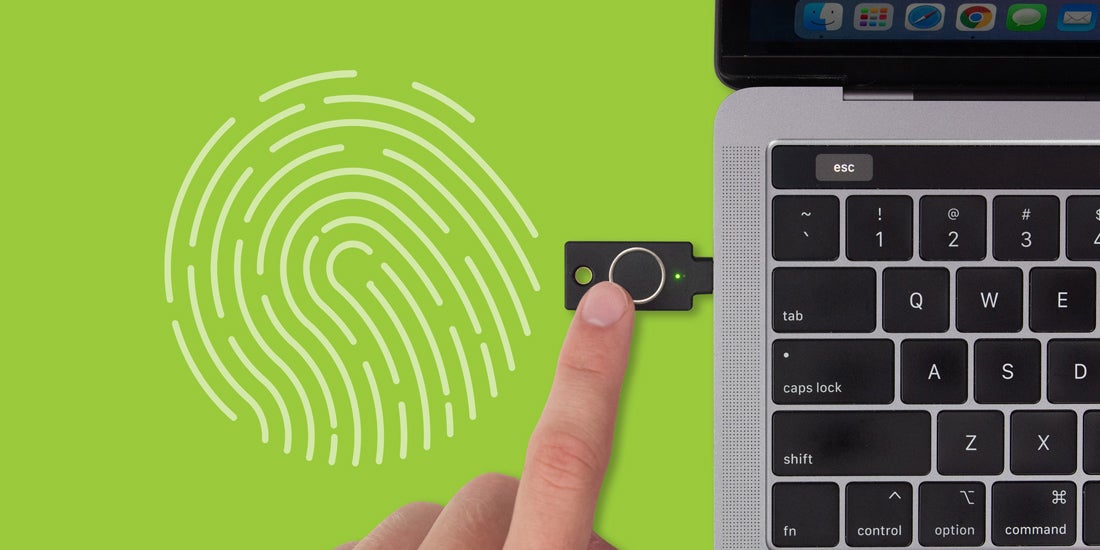
Put Your Finger on the Pulse of What’s New with the YubiKey Bio Series
The YubiKey Bio Series delivers secure second factor and passwordless logins for desktop-based FIDO-supported services and applications.
Yubico
146 points · by chris_overseas · 5y ago · 133 comments
I feel I am 10,000x more likely to be attacked from inside my computer by a digital intruder than from any other vector. I lock my Yubikeys with a PIN but I’m not convinced it really protects me against anything that might actually happen to me. Jason Bourne, I am not.
If you, on the other hand, face targeted physical threats on the daily then you have my sympathies. Stay safe.
(Ps: any recommendations for an HSM with a more exciting presence check? I’d like to shoot a hoop / shoot a tin can / shoot a shot of wheatgrass every time I log in, rather than just press an ambiguously hello/green blinky light.)
If you want to implement your own novel test of user presence, you could get an F-Secure USB armory device (https://www.f-secure.com/en/consulting/foundry/usb-armory) and tap into the GPIO.
Isn’t that enough for your use case?
Trezor does not make use of a secure element https://blog.trezor.io/is-banking-grade-security-good-enough...
A good smartcard should generate its own keys, on device, and only divulge them when persuaded to do so by an electron microscope.
I don't think this gets around either of those points, but I am curious if this somehow makes it much more difficult to either compromise the fingerprint hash (fingerprint fingerprint?) or makes the resultant hash less useful once compromised.
From the perspective of a U2F token, which uses a regular button, this is an increase in security for most users -- if their token is lost or stolen, or left in their device, someone cannot use their token by tapping the button.
This doesn't address the inherent problem of irrevocability/unchangeability of biometrics, but it presents an interesting usability trade-off that could help non-technical users to keep their systems more secure.
If you capture the wire signal between the fingerprint reader sensor and the module, it is likely that you could replay a valid authentication. If not, you could delve deeper into the sensor until eventually you are able to inject capacitive data from the sensing surface itself, and do this.
In this case, by combining the use of a biometric with strong cryptographic authentication through the token, you require both to compromise the user -- no biometrics are shared with a server, it's all local. However if you lose either the token, or the ability to use that fingerprint (i.e. scratch or damage), you will lose access to the key the Yubikey has protected, absent some kind of backup password. For many users, that backup password will be the weak link, but a Yubikey should at least be able to rate limit attempts and erase its internal state if there are too many attempts.
As a user, it also makes sense (particularly if you know you're a real target, e.g. a political journalist, politician, activist) to just own more than one.
> Yubikey should at least be able to rate limit attempts and erase its internal state if there are too many attempts.
On the previous generation with a PIN as second factor, if you guess the PIN wrong repeatedly it locks you out.
Yubikey has proposed a webauthn extension to support this usecase[0]. Unfortunately it requires both changes to both hardware and server side webauthn libraries, so it will likely be years before this would actually be a viable solution.
[0]: https://www.yubico.com/blog/yubico-proposes-webauthn-protoco...
I presume (but haven't reviewed in detail) that these bio keys will have a backup PIN in the same way previous models had the PIN available for management and WebAuthn modes of operation - there are some real-world failure modes where wet hands or a bandaged finger may be an issue, but the user still wants to keep using it. I do agree the best solution is to get several tokens, enrol them all for each service, and just keep them as safe as you realistically can.
Google's Advanced Protection Program enforces two keys, since they also make recovery much stricter.
It remains to be seen if that's a meaningful difference, but it seems reasonable that in some situations it could make the attack much more costly.
I could see myself using this when traveling.
I'm a bit more worried about Russian ransomware operators getting my passwords than my fingerprint.
Biometrics are terrible security tokens.
also, fingerprint is not the only security, you still need physical access to the yubikey to use it, something a russian hacker also will have a hard time having..
eh, that is not well known nor is it true. It is very much use case dependent.
For example, a fingerprint is a great replacement for a password to unlock your phone, for most uses of such.
I meet a lot of people who bought yubikey nanos and leave them plugged in all the time. Defeats the purpose. There should be a kiosk where you can exchange people’s unattended yubikeys for a cookie or some other treat. That would take care of that problem.
something you know with something you have.
I'd say this covers the 99% of how credentials are being misappropriated.
(Aside: I have a story for another time about how I soft-bricked my first while finally getting around to setting up a second; that I've not yet quite recovered enough to properly tell...)
1. They get repeated.
2. They get phished.
Even just as a single factor, even without a fingerprint reader, a yubikey is far superior to a password. Adding a biometric on top of that is wayyyy better than a password.
Most of what MFA has done for us is actually just provide slightly better "A's". It's not the quantity that counts, it's the quality.
Previously to reach a good quality we'd need multiple factors. We've reached a point now where we have standards for authentication that are strong, often "strong enough", even with a single factor. A password then becomes a bit of a bonus.
I finally found a link from just googling around that took me directly to a page where you could add a security key. But the catch was that I had to have an active session if I wanted to add a key. If you weren't already logged in in another tab, it will redirect you to the BofA dashboard after you log in. From all the time I spent, there is no way to get to that page from the BofA web dashboard. Very frustrating and annoying experience. But atleast it is out of the way now.
FYI you can only have a max of 2 yubikeys.
At least it is mentioned here: https://www.foerde-sparkasse.de/de/home/service/fido-token-m...
However, this is a website I'd say my mother to not go to
I love them when they work, but my fingers are very often unreadable due to dirt, cuts, paint, oil, swimming or bath wrinkles, etcetera. I’ve had the problem with multiple devices (e.g. iPad, Nokia phone).
Because I have to use the secondary authentication so much of the time, I find little merit in using a fingerprint for security.
For what it's worth I used to have a job that involved frequent use of an optical fingerprint reader (the type that's a camera behind a glass platen) and did not have these types of problems with it. I think it's a weakness of the capacitative type of reader that all devices are using now, or possibly just less sophisticated matching software.
I think the only advantage of FIDO over OpenPGP is that some web services support it. Are there other advantages?
And it only supports FIDO/Webauthn/U2F -- so you cannot use this with the Yubikey authenticator app to store TOTP tokens.
Now these, which the site suggests can only do U2F/Webauthn with fingerprint, are $80. I think it's cool to have a portable fingerprint-secured webauthn token, but it's disappointing to see them so expensive. I wonder if this is the long-term price, or if they are more expensive temporarily due to supply chain issues or something like that. Or, maybe they are substantially cheaper in bulk.
If there's more traction I would expect future models to include more features.
OTOH in my specific use case, I only use the NFC with my phone, the USB-C version should take care of that
But would of course depend on the sensor. Zwipe uses a sensor from the Swedish company FPC
Too bad it's just a fingerpirnt sensor.
Because if YubiKeys could be used, this seems much better than the typical cheap USB fingerprint readers that are for sale.
Then, I won’t downgrade!
It’s worth mentioning, it doesn’t seem to be FIPS validated. It therefore doesn’t meet US government requirements (see NSA guidelines). I don’t know how much this is important in practice.
If I tap the device while a malicious process is attempting to access another machine in the background, what good does this device do?
From a threat model perspective, biometrics are far from perfect. This setup avoids disclosing the biometric to the host system though - the yubikey itself validates the biometric and signs (or doesn't sign) a response with an internal protected private key. If you had a sensor built into a laptop or workstation, you are trusting that sensor. Some old ones used to expose raw fingerprint data to the operating system, which is clearly bad.
If the user brings their own reader, you don't need to expose any biometric information beyond the yubikey itself (which is issued per user), so a host compromise or a rogue system won't be able to compromise someone's biometrics. Admittedly in this case a lot of the threat models that make sense would involve shared computers etc, and those have their own security issues.
Lose your hands and you won't be able to use your house key.
Lose your house key and you'll have nothing to use.
Lose your mind and you won't know how to use a key.
- Something you know (password)
- Something you have (hardware token)
Now with the Bio it's also:
- Something you Are