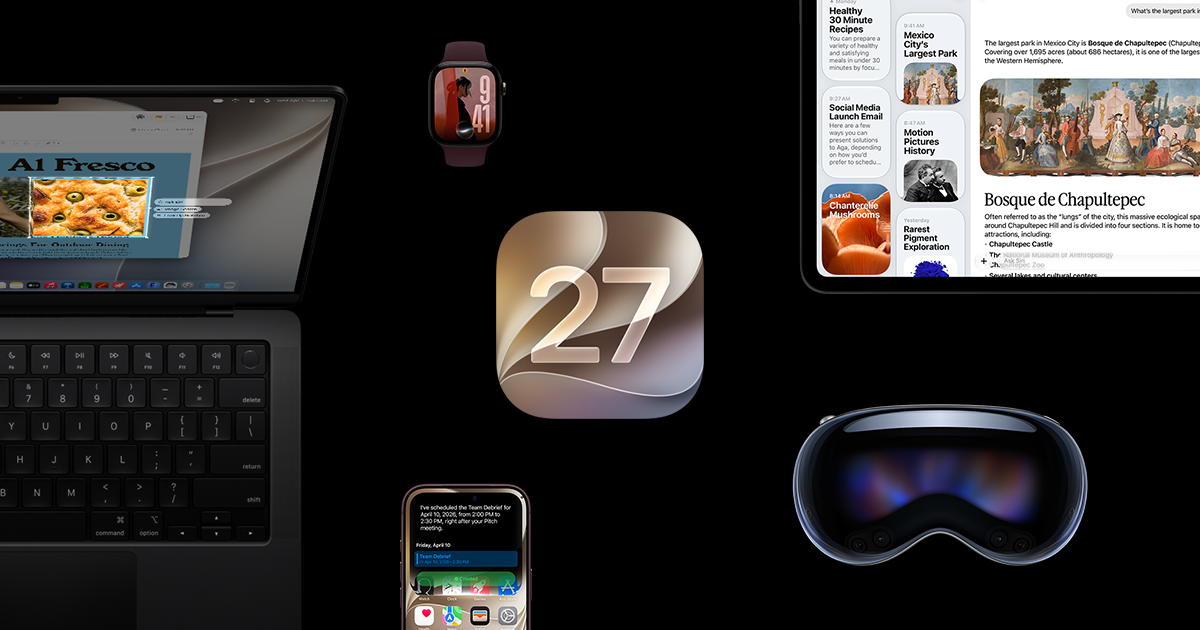
OS - macOS 27 Golden Gate
macOS 27 Golden Gate with all-new Siri AI powered by Apple Intelligence and new features for a more responsive, delightful experience.
Apple
440 points · by fossislife · 5y ago · 628 comments
After panicking, the 3rd Apple Support Representative and I endeavoured to try and reset the System Management Controller (SMC) [1] once again. At this point I had realised that the first few times that I tried this with a previous support representative would not have worked, as I was holding shift on the left-hand side of the keyboard (the previous support representative did not specify) and not the right-hand side as outlined in the support article for Macs with the T2 chip.
Good luck!
Upgrading to a new OS on release day without a prior backup. You like to live dangerously, do you?
And no, my experience on general user behaviour is to expect no backup, but this isn't Auntie Ednas crocheting Facebook group, but Hacker News :)
Also used Macbooks at work for 10 years, and I'm far more wary of apple upgrades.
New tabs in Safari 15 are premium too. Look nice but totally unusable.
Rightly so, I’d say.
As someone who has used and managed all types of Apple products all the way back to Mac OS 7, it is not just my direct experience here but also countless discussions with peers: Every major update has teething pains.
It feels like Apple engineers test only on fresh machines from the factory. The first week is the “release client” test. New OS’, new products, new components (eg: butterfly keyboard), etc. Nothing is immune.
Yes, the marketing says that every detail of every Apple product is flawless however the core DNA of Apple drives them to innovate and you cannot innovate without breaking things. Their white glove motto is “bring it in, we’ll replace it”.
While Apple's hardware and product interop is still top notch, I feel way less safe about their grip on low-level and OS technology. For me, the (lack of) handling of their bug bounty program speaks volumes towards their priorities and I'm actively looking for the next platform that I can trust my data to that works out of the box and I don't have to babysit or debug.
A multi-trillion dollar company releases an upgrade to its flagship operating system and "anyone who knows anything" smiles and nods because we understand that actually USING the upgrade runs a high enough chance to brick your device that doing so without a backup is a rube cliche.
I get it. But my question stands.
Actually I never upgraded to Catalina and waited until Big Sur seemed stable enough to upgrade to and it upgraded from Mojave without a hitch. I had been following the beta releases of Monterey and it seemed pretty solid, so I figured what the heck, let’s live dangerously baby!
As for not having a recent backup it’s just something that always gets put the back burner. That’s my failing. But to be honest, I wouldn’t have really lost anything of worth, everything important is in version control. Maybe I would have lost a few dot files, some configs, some PoCs, the grooves in my couch. Those grooves that I’ve cultivated wouldn’t cost me much time and honestly sometimes it’s good to get a fresh couch and re-evaluate the grooves of the past.
With all of that said, despite the inconvenience of the upgrade, I would love to give a shout out to Apple support. It’s these moments that you get to appreciate the fact that you can pick up the phone and talk to someone who has some outstanding fault finding and problem solving abilities, leagues ahead of any other provider I have ever had experience with.
Thanks everyone that ever owned Intel Macs with T2 chips. I am so glad I never owned anything from that generation, and I appreciate your sacrifice. <3
As the T2 chip was the primary thing controlling the computer, effectively they were M1 machines, up until the point where the full x86 OS was being loaded.
So for a problem like this - with the SMC, ports, etc. - there's no distinction between the T2 Macs and the M1 Macs, they're the same thing and run the same fundamental software (which does get updated)
I thank you and other early adopters (AKA QA testers) for your service.
Not saying that there aren’t sometimes bugs in initial version released and it’s perfectly rational to wait to hear about any fire alarms going off, but the example given is not really a case in point.
Is there any application forced sandboxing feature yet?
Something users can control to forcibly stop bad behavior from certain “must have” apps. Chrome, for example, has been caught doing entire drive scans on Windows, and I’m not sure I entirely trust Zoom either. So I’d like to lock down what they can access in terms of files, paths, devices and so on and be fully confident that even if my employer demands I run some software installer provided by their “partners” that it hasn’t installed some creepy daemon and configured launchd to keep it running after I kill the app or even kill -9 the process.
Yes we can use VMs for this, but Mac laptops aren’t generally beefy machines, so that’s not an optimal solution.
There used to be sandbox_exec, but I’ve heard they removed it entirely from this version. We’re now supposed to get things from the (cr)App Store, which guarantees the app will only have entitlements that Apple approves. But vendors are abandoning the App Store in droves for many good reasons, and after recent events I don’t totally trust Apple to prevent malicious use piggybacking on top of a legit entitlement.
I've been eagerly awaiting a new Macbook to completely rid myself of Adobe software.
Over the past decade I've considered installing Adobe software but always held back because of how intrusive and shady the software is (I checked on friends' computers). I've been able to work around having to edit PDFs and used Figma in place of Photoshop for my very basic graphical needs.
Well a few months ago I needed to fill out customs form 5106. This form uses some kind of proprietary Adobe PDF form creation software thing. In order to do anything with it I need Adobe Acrobat. At least that's how far my research took me before I buckled and purchased Adobe Acrobat. I was extremely busy that week and didn't have time to figure out a hacky alternative.
After having installed Creative Cloud all I can say is... it's straight up malware. I doubt I'd be able to get rid of all the junk it installs even if I wanted to. And what's worse is the products are extremely buggy. It's just a mess!
I just checked and Adobe has TWENTY EIGHT processes running in the background. A lot of them are running as root. And of course two of them are NodeJS servers.
These processes are constantly phoning home at such a ridiculous rate that it's impossible to know what to block and what not to. Looking at Little Snitch right now, there are 13 distinct Adobe applications that have been making HTTP requests since I booted my laptop 30 minutes ago. I haven't used a single Adobe product since boot.
I wasn't surprised when, after installing Creative Cloud and restarting my computer, next time I launched Chrome I got a popup telling me that Adobe installed an extension. THANK YOU GOOGLE for taking the time to alert me about this. At no point during the installation process was it clear to me that Adobe would be hijacking my browser too.
I was going to do a fresh wipe to get rid of this junk for good but I wanted to wait until the Macbook was released. Once that laptop arrives I'm never touching Adobe software ever again unless there's a way to completely sandbox it.
PSA in case anyone doesn't know this: the built-in Preview app on MacOS can be used to fill in any PDF form. You can type into text boxes on some forms. But even if they're not there, you can add text anywhere on a pdf. You just have to drag your own text boxes to wherever you want to type. It also supports signatures and various shapes.
The options are sort of hidden - View -> "Show Annotation Toolbar" or Tools -> Annotate -> Text.
You shouldn't ever need adobe acrobat.
Further, PDF is a monstrous format which includes its own variant of ECMA script built in. I think its pretty unrealistic to expect Apple to cleanroom the whole "standard" so I'm not too upset. They've got probably 90% of the way there, but it's unfortunately not every form.
For Canadians, PPT-054 is a good example [1] - notice $Form$054 and so on in the upper right corner. I can't remember which off hand but either the US I-131 or I-765 has one, too. Unfortunately I-131 isn't even loading in Safari for me at the moment.
[1] https://www.canada.ca/content/dam/ircc/migration/ircc/englis...
I have seen weird pdfs that only display “help” messages when opened in preview… you have to follow a link and then open it in actual acrobat.
If a PDF is meant to be printed, who cares, but if you're sending it to someone, make sure to open it in Acrobat and check if it's formatted correctly; ideally, make it in Acrobat.
The way I got around this problem was to:
1. Download a Windows 10 virtual machine. It's free.
2. Download Acrobat Pro 2020 Trial for Windows. It has a full installation kit.
3. Install the virtual machine. But don't give it an internet connection.
4. Copy the Acrobat kit to the virtual machine and install it.
5. Make a snapshot of the virtual machine. When the trial expires restore the virtual machine.
It will cost you 30GB of space and 1 hour or so, but Adobe will be contained at least.
But yes, Creative Cloud is seriously completely fucking nuts. It's shit I do not and will not ever need or want for any reason and exists just to burn through my electric bill and contribute to climate change. Trying to find ways to disable it gives you cheeky employees who post marketing fluff about how it enables consumer whatever BS, but nobody can explain what those 8 dozen background tasks are doing or why we can't disable it.
I resorted to just deleting parts of the software package one by one. Most background tasks are gone. I made the mistake of updating one (1) time and the number of background tasks doubled. Absolute insanity. Nearly gigabytes of memory swallowed and CPU cycles wasted doing nothing. For all I know, it's nothing but crypto mining processes--and honestly, it probably is since Adobe has shown themselves to be money hungry and absolutely nobody can or will say what those processes are.
I see this "I've tried one solution and I'm all out of ideas" approach a lot. I used Photoshop for many years. Pixelmator is hands down better than Photoshop in every regard and much cheaper.
For what it’s worth, a few artist friends of mine are using Krita for drawing, to good effect. (Those not on tablets..)
There seems to be a recurring praise for ProCreate. At least every time Photoshop comes up ProCreate is mentioned. ( I even have to search they are not coming from the same user )
I guess I will have to add it to list of research topics.
I’ve been a designer for +20 years and sans-Adobe for five, I absolutely recommend any young designers to avoid the Adobe workflow. You don’t need it.
Photoshop = Pixelmator (Kitura is also very good) Illustrator/Indesign = Affinity Designer
Highly precise vectors I draw in Glyphs/Fontlab.
Gravit Designer is quite good for small vector projects, though it is a subscription.
Adobe Lightroom (the new one) and possibly more can be installed from the App Store without all the Creative Cloud bloat.
Because we are on this topic - what is a great alternative to Photoshop that uses mostly similar concepts?
I’ve tried Affinity Photo but simply doing some photo cropping worked completely differently than PS and took me a long time to figure out.
My main use case is having a photo, doing a selection overlay and running „cut via copy“, then deleting the underlying layer, nothing too complicated :)
Here is one way to work around it:
- Create a new partition, install macOS and have each bootable partition have its own different FileVault password for encryption. - You can have a Adobe + other nononsencial software partition, and you can bail from typing your real partition encryption key, so your main data is secured from Adobe
I am not a security expert, but I did this for a while and it works well. It is annoying, but I felt my privacy was not at risk while I was booted on the "dirty partition".
Edit: I did it to use Premiere. PDF might be doable without that hassle as others pointed out.
At this point I’m going to recommend a virtual machine.
Eventually I could get it to work but I'm so upset with Adobe that I'm straight up boycotting their software.
I'm ashamed of this but I've fantasized about berating Adobe executives/engineers to their face if I ever met them in real life. Of course I'd never ever do that but even fantasizing about berating someone felt dirty. That's how much time and sense of security this company has sucked from my life.
I still haven't had to go through the process of cancelling my Creative Cloud subscription. I'm sooo hoping they didn't throw in a bunch of dark patterns in there as well but I have feeling they will.
But decision is made, I'm upgrading to a new macbook pro soon and will change my design tools. At least I'll try hard before installing creative cloud.
If the ipad versions of illustrator and photoshop have the features you need that's the only way you can avoid all the nagware. I only need to do the occasional edit to a logo or photo so the ipad pro versions are enough and I prefer the pen to a mouse. I've stopped using them on desktop and use https://smallpdf.com for editing and signing pdfs.
I was editing pdf drafts from a publisher and just couldn't stand another minute of dealing with Acrobat. Found this, removed all vestiges of Adobe, and haven't looked back.
I've used Preview a lot, but it just isn't reliable (for me). Apple seems to muck around with the code every couple of versions and break things. Odd.
1. Create snapshot 2. Install obtrusive SW, finish task 3. Restore snapshot.
Any sources for this kinds of workflow?
At least they're not Java Spring servers. That's the software I had to install to fill my tax form in my country.
I suggest you to use virtual machines for those kinds of tasks. That's what I'm doing.
https://mybyways.com/blog/creating-a-macos-sandbox-to-run-ko...
Yes it's been there for a while. But like flatpak and all other attempts to sandbox applications they tend to ask for coarse permissions like Home Directory and once you give that, it can read everything important.
The "sandboxing" model of flatpack and the like is completely backwards. I'd even say it's user-hostile.
The newest ones with M1/M1 Pro are actually pretty beefy, and even the Macbook Air has benchmarks that beat literally everything else in the Apple lineup except the iMac Pros and the new-model Mac Pros.
This doesn't help much with current equipment, but it should make future planning easier.
Strict file-level-granularity sandboxing breaks all kinds of multi-file formats [1], because users will want to simply open the respective main file just as usual (especially if launching the file from the desktop or a file explorer window) and then expect that the program of course should be able to access not just that particular file itself, but any associated files, too.
The OS however cannot be expected to know the peculiarities of each and every file format, so how is this supposed to work without either degrading the user experience or else weakening the sandbox up to a point where it is possibly almost pointless?
Plus it also makes editing file paths in programs more annoying, because you can no longer directly edit a path (or paste it in from elsewhere) if it's displayed in a text input and instead always have to spend a few additional clicks because you must go through the OS file picker. (Though admittedly this latter issue might be more of a power user problem)
[1] Multi-part archives, multi-part video files, playlists, videos with separate subtitle files, HTML documents containing links to other local HTML documents or referencing various sub-resources (images/videos/audio/style sheets/scripts/...), Audacity projects, images with metadata in external sidecar files, ditto for georeferenced images, QGIS projects, ...
So, regression to several systems ago? Maybe System 7, or MacOS 8, or 9? If so, we'll need a new thing like Super Boomerang…except with all the modern security, it'd practic'ly have to come from Apple as some kind of option. )*:
OS perms should do the rest. I don't know if OSX has a firejail equivalent but that would be nice too.
I just upgraded to Monterey and OneDrive asked for permissions to a bunch of folders it didn’t need. I denied them. I doubt it’s bad behavior, probably just lazy permissions requests, but I’m glad I had the option.
On Linux you can use flatpak where you can manually limit the permissions on a per application basis.
Also, Safari has a bug that ignores your setting to not reopen non-private windows, and reopens them anyway, so if that's important to you, you may want to temporarily switch to another browser.
And yes, it still has the "occasionally laggy trackpad cursor" bug on M1 for me.
But other than that, it seems quite a bit faster than Big Sur, and so far (past 2 weeks), very stable on the core stuff.
I play my music though an Airport Express at home. It has always been a bit flaky at times, but most of the time, it worked fine. With my M1 mac, though, it pretty much stopped working. If I try, the airplay icon in the Music app turns from blue to black with some sort of error indicator on it. I have gotten it to work a few times, but mostly after a reboot of both the mac and the airport express. And, ironically, once when I wanted to listen to music through headphones, and it played on the airport express instead.
My current solution is to play music from an old iphone 6s, sharing music from the Mac. But it often loses its authorization to share music from the mac, so I have to restart the app and reconnect. This takes time, as it seems to need to download all the metadata from my music library each time. Also, sometimes the volume drops to zero and cannot be moved. This is cured by switching output to the iphone speakers and back to airplay. Not at all a great experience. So now I am looking for a non-apple way to play music at home. Most likely a raspberry pi or something like that.
Please consider filing a bug report with Apple via Feedback Assistant referencing my feedback FB9723470. Maybe they can figure something out from the logs.
But what I ran into that I LOVE is making EVERY app full-screen, pretending there is no desktop or window management, and just swiping right/left among them.
I wish there was a way to smooth out the UX so that this feels first-class and I stop accidentally breaking this illusion at times.
I recently got one to use as a secondary display just for Slack /Discord/etc, but after connecting a trackpad & keyboard I totally fell in love. It's a very simplistic environment, but it's actually quite nice as an alternative to the full-blown macOS.
It feels like the Disney moment where a company thriving from an abundant shared resource turns around to poison the well to keep their lead.
I love my iPad but really wish that’s not the future waiting for us.
[0]: https://ish.app [1]: https://blink.sh
I still prefer local, but I was blown awat
Not really. The best dev experience I have with the iPad is using Blink to mosh into (the mobility mosh offers over SSH is key for me) a server, which lets me run whatever I want on it. But if you're developing GUI applications, it's not really that great.
You can use something like Working Copy for git and Textastic for editing programs on the iPad, but it's not really a proper IDE (even a light IDE) just a syntax aware editor. If I'm not using emacs on the server, I use those for my code editing purposes.
Most of the time a workspace only has a single app in it and when I want a terminal side-by-side it's just one button press away.
Split is kind of useless with an ultrawide monitor though, I wish it was 3 columns
It uses a messaging passing API to interface with a local service, so it's completely programmable and can be integrated with something like skhd [2]
1: https://github.com/koekeishiya/yabai
2: https://github.com/koekeishiya/skhd
My skhdrc setup: https://pastebin.com/5GT8yiGK
instant put off
seriously why is this a thing? Who looks at their messy desktop and think to themselves: "man it would be nice to have all of this organized... with binary partitioning algorithm"?
I tried amethyst as well as i3 on linux, gave up on tilling. I prefer to do it myself according to the need at the time. Just need hot keys.
Your config is a great starting point
* which I use almost exclusively as open/close new tabs in Safari and Finder with the top right and left corners of the trackpad respectively; plus three-finger-swipe left/right gestures to move between tabs
This is probably not what you meant by "smooth out the UX", but I like to enable "reduce motion" under System Preferences -> Accessibility -> Display. It means when you move between apps, the sideways pan is replaced by a fade, which is nice if you do this a lot.
I find it way easier to do CMD + TAB to switch between apps, than having to switch between spaces until I get to where I want to be.
No official package manager.
The Macbook cases ground through the user when they're on an insulated surface (there is no ground pin on the Macbook power adapters).
Audio crackles when the machine grounds through the user. Makes speakers hum.
I guess some of these are hardware issues.
That's a watchdog kernel panic (maybe). Shouldn't be seeing that unless you have misbehaving NFS mounts or something.
Usually, I was able to get it to complete whatever it was trying to do and log me in by holding it directly in front of my air conditioning unit (this was as ridiculous as it sounds), but a few weeks ago even that didn’t work. I had to completely wipe the machine and reinstall macOS. It’s been fine so far.
Oooh, I had fun with this one on an airplane. Kept getting shocks to my funny bone.
That's the app store. It just needs to be extended to deliver a wider range of things like CLIs or system extensions.
It was exactly this issue that made me finally dump Gnome.
Finder -> Preferences -> Advanced -> When performing search: Search the current folder
Hold down Command (or maybe Option), and it shows you the full file path in the bottom of the preview pane.
View > Show Status Bar
You can click on any of the folders to go there.
In spotlight, cmd click on the file to show it in the finder.
I've been dealing with `kernel_task` hitting 900% CPU usage and the entire window server running at 2 FPS when using external monitors since I got the mbp 16" a year ago. Good riddance.
[1]: https://forums.macrumors.com/threads/16-is-hot-noisy-with-an...
[0] https://forums.macrumors.com/threads/16-is-hot-noisy-with-an...
I still to this day can’t believe it was never brought up in any reviews of that machine. Connecting to any external monitor causes the slightest stress to have the fans absolutely screaming.
I had a computer shop clean the inside of my laptop in August and haven't seen kernel_task ever since.
Big Sur on M1 was fine ( if not great ), mostly because M1 is extremely fast. But Big Sir on x86 was slow, really slow. I am in the group that reported Big Sur was slower than Catalina, and Catalina was slower than Mojave. That is with both the OS itself and Safari. So Big Sur was not a smooth experience for me.
Monterey so far brings back the speed / snappiness of Mojave. Safari feels so much more responsive under normal use and under heavy tab usage. Lots micro-pause ( Jank ) and lag are gone. As if they put back all the optimisation for x86 previously left out.
Far less Kernel_Task CPU usage and stupid disk write for whatever reason. My guess this is mostly a Safari problem given they have implemented Tab Groups they have at least taken into account of heavy tab usage in mind. This is also apparent when they fix the long standing Tab Overview bug, where it will load ( and reload ) every single Tabs you have trying to generate thumbnail. Imagine you accidentally press the Tab Overview button in the tool bar, or three finger swap in Safari when you have hundreds of tabs. You will instantly get a few hundreds GB of Disk Write paging trying load everything. It is literally a feature that kills your SSD. I have reported this bug for over three years, it is finally fixed. Cloudd and Bookmark / History / Tab Sync pause / Jank is still not fix though. That is 3 years+ and counting.
Still wish they do a list of tabs like Chrome instead of Thumbnails when it is over certain Tabs Number. It is easier to track when you have lots of Tabs. Easier to do Manual Garbage Collection of Tabs.
Bug that causes IINA to crash when viewing video in portrait mode is gone. One of the biggest complain when updating to Big Sur.
WindowsServer also uses far less CPU. It used to hover over 30% for no apparent reason. Now it is back to a normal 5-15% in most cases.
Safari "classic" tabs are back. Along with a very long list of webkit improvement. Far from perfect but at least things are moving.
I am also feeling Apps that are using Swift and SwiftUI are snappier than before and uses less memory. An observation mostly from using Stocks App.
Many other minor details, may be worth reading Ars' review [1]. It is solid release, which along with M1 MacBook Pro sadly dampens my motivation to move away from Apple.
[1] https://arstechnica.com/gadgets/2021/10/macos-12-monterey-th...
i have a MacBook Pro with Intel as well
Big Sur feels sluggish, it's not that it's slow, but it feels slow. I don't remember what OS my MacBook came with, but every update made it slower, especially Mail.app, which takes good 10 seconds to launch. Downloading Monterey now, hopefully will see improvements!
edit: but my biggest macOS complaint yet has to be the space used by "Other", which at the moment is about 50GB and 70GB at times
It may also be an APFS snapshot, which is _not_ purgeable (indeed macOS boots of signed snapshots now)
This typically means the machine is thermally throttled, not that the kernel is actually using the CPU.
You can download the Mojave image from here afterwards: https://support.apple.com/en-us/HT211683
Backup your data before doing a clean install.
Prior to that BT devices would just drop the connection, AFAICT.
Bi-directional file transfer has never worked properly.
And that's only BT…
IDK what's actually that bad about the BT menu UI though? The recent UX changes on notifications have been bad, though. Especially where sometimes clicking the X doesn't dismiss the notification. (There's some bait&switch b/c there's like multiple notifications stacked up… or something.) And that (for a while now) Calendar hasn't reliably notified me, which has been great, as it results in lateness to meetings, since there's no longer an office mate to say "hey, it's time".
I use BT a lot, half a dozen devices I use every single day, and I have issues with every single peripheral on at least 1 (usually 2) of the 3 OSes I use.
BT itself seems like such a simple thing to get right too... not sure what I'm missing about it that makes it so technically hard to just work as expected.
> BT itself seems like such a simple thing to get right too...
good hn thread from 2017:
I got a calendar notification of a cancelled event. The notification itself had no buttons to interact with. A hover where the close button would be (top left of the nmotification) causes it to appear and also causes a "delete" button to appear in the bottom right. But if I move my mouse off the "close" button to click "delete" both the close and delete buttons disappear. The only way to delete it is to click it (opening the calendar) wait for the calendar to open (5-10s on a 2019 i7 MBP) then open the event itself to delete it.
Shoving everything into a sub-menu made device statuses invisible and involved extra clicks to interact with them. It's user-hostile design.
https://www.macrumors.com/how-to/reset-mac-bluetooth-module/
That no longer exists on Monterey.
They might be referencing Control Center, though.
Unless they removed it entirely in a later beta and I'm simply unaware.
I'm sitting on catalina for as long as possible on my non-work laptop
For me at least it's much better than the implementation Chrome has gone for which tries to shoehorn groups into an already overburdened tab bar.
I often find myself clicking links from apps (e.g. Slack), then keep working and loading project related sites. After a while I suddenly have 12 tabs open in the default tab group that all should have been in the project tab group.
It’s not very visible which group you’re currently in. When it switches group from under your feet I often miss that and keep thinking I’m in the old group.
Edit: Apparently some features are indeed M1 only. Those features are
- portrait mode in FaceTime
- apparently the new Apple Maps design
- the interactive globe
Seems like the most important features (for me it's livetext) are available on both architectures.
Have there been expert opinions about how private this is? I understand they built a Tor-light, by hopping through one Apple server, then one external server, with some sort of anonymisation between the two?
In my experience so far, Private Relay just turns off and back on randomly. There’s no safari indicator that private relay is off, just push notifications to inform you of the status. Private relay and mail privacy protection also completely disable when using another VPN. That said I’m very happy to get private relay with iCloud+ as it means phone is approaching the point where carrier can’t associate me with browsing history for to sell to whatever creepy business offers them money.
That’s the thing. Apple doesn’t want a feature to look like a hack, and they also have to consider how every feature plays with everything else in their OS and ecosystem.
Tell that to the Messages team.
That means they care about their reputation more than actually helping user. I don't think feedback is valued (more than their designers' opinions), so no reason to ship fast.
I feel like this needs to be strongly emphasized for the agile crowd that knows what speed is but sometimes forgets what quality is.
Not saying it's like this in every case. Just something to consider.
Ironically I just upgraded to Big Sur yesterday from Catalina. I think I'll probably wait again to let 3rd-party apps catch up.
So far I was fine with it though of course sometimes it's annoying to get the latest XCode (and iOS sdk) version for development, so I have to resort to a VM from time to time.
Helpful website: https://xcodereleases.com/
In the beginning it was awful for her. A lot of failures. However, after a couple of months it became quite stable, and she stopped complaining. The only thing that was kind of a nightmare was Xcode.
I'm updating it, and if I were you, I'd update right away too. There are many improvements.
Safari is also slightly better, although she dislikes the new way it organizes tabs.
That said, the thing she told me she liked the most, feature-wise related to her daily workflow, is the new Shortcuts app.
EDIT: I did not install it until the RC.
I intended to do the same this morning and literally witnessed the "Upgrade Now" change from Big Sur to Monterey as I was about to click it. Took me a while to find the appropriate link for Big Sur in the Mac App Store.
Other than those two things, it's been pretty solid lately.
Other than that, it seems more stable and faster than Big Sur, and that's without a clean install. Notes used to take 4 bounces to open on M1, now opens instantly. Haven't seen any crashing. No broken features that aren't brand new. I've only found one bug: Safari reopens private windows even if you turn that off. But no problem if you don't use Safari.
I’m running out of ideas on how to fix this.
Edit: It looks like shortcuts won't be able to set (or clear) focus modes, so that'll have to wait. Bummer.
When i turn on my Bluetooth speaker in the shower room it goes into a focus mode that diverts all calls for 15 mins and resumes my podcasts. I thought the experience on macos was supposed to be a superset of the ios one. Really poor decision by apple then.
With the recent years push to store "everything in the cloud", macOS sorely needs a way to backup cloud content. Currently the only way to do so, is to create a "server" machine that pulls everything from the cloud and stores it locally, which you can then backup.
Since most modern computers are sold with harddrives size equivalent of a USB Stick, and cloud storage is typically 2-10 times larger, this means you need to add even more hardware just to hold the data you just want to backup.
Considering that Apple is pretty vague with regards to exactly how protected your iCloud data is, and they themselves strongly recommend that you backup your iCloud data, i find it an odd omision that the only way to do it is part manual process, part synchronize stuff locally before backing it up.
All it would take (on the UI end) was an option in Time Machine to include "mac optimized storage". Third party support gets a bit more complicated. Where Microsoft OneDrive, Google Drive and Dropbox all use placeholder files, iCloud placeholders apparently only exists inside "Finder", so most third party backup software won't be able to see these files.
> This is a sophisticated boot loader used to inject and patch data in memory, instead of on disk.
I suppose that works because old MacBooks didn't have signed bootloaders?
In the next major update (High Sierra), Apple switched to APFS, which has issues with Fusion drives.
It often shows as having no empty space, even with 40% empty.
Much, much worse, it stops writing to disk without giving any indication (the non written items show in finder, etc.) - for some ten hours or more - and then suddenly crashes and you find that the entire days worth of work is completely gone. Not on disk, not on external backup, not in Time Machine.
This happens EVERY DAY, at least once a day, when using heavy programs such as Photoshop.
There are many threads about the issue, and the only solution is to get a new non-Fusion drive and copy over everything. Much easier said than done.
I cannot even begin to describe how much aggravation Apple has caused, and how little faith I have in them testing their upgrades.
And of course, the whole play with searching my hard drive for something their algorithm thinks goes against my local government [which plays for keeps, thank you] - doesn't help.
I 100% agree though, as someone who supports a wide range of macs, APFS can absolutely cripple anything with a fusion drive / hard drive, and it's particularly infuriating because Apple sold models with JUST spinning rust for wayyyyy too long.
But what does it have to do with the topic at hand: the new version of macOS?
I'm not really sure what this says about macOS product management decisions, but I don't think it's a good thing.
https://www.jwz.org/blog/2021/10/fucking-apple-4/
https://www.jwz.org/blog/2021/10/can-light-gray-text-on-ligh...
Point Reyes is my bet.
Has Anyone found a solution yet?
1) Downloaded Monterey update. In the end appeared error message that some package with strange name can't be unpacked
2) Downloaded Big Sur 1.16.1 update, because information about Monterey disappeared and there were not any button to install new OS.
3) System was automatically rebooted after 2), started update screen in few minutes and macbook completely turned off with no signs of power.
Resseting SMC, NVRAM didn't help. Battery was 73% when started updates.
That's been making me crazy for the last few macOS releases.
(this is roughly $28K by the way)
It causes a minority of people eyestrain, vertigo and migraines. See LEDstrain.org.
So that's a big improvement in my book.
Yes, it was deprecated ages ago in favor of Metal, but Apple still shipped an OpenGL implementation. However, I read some rumors that in Monterey they have finally ripped it out.
Can anyone confirm or deny?
With the advances in AI and the ridiculous compute power of modern CPUs, we should be able to have OSs that are Digital Assistants.
Just one example:
- file management: Why even? Why expose most regular users to this metaphor in the first place. Mobile OSs have been rather successful in getting rid of this implementation detail. If I write a lot of documents and need to come up with names for them, I expect that to be sufficient. My Assistant will sort/group/maintain them for me and if I want to open the "status report to vendor X from last week", then that should be enough. Make sure my documents are safely stored, encrypted and all that jazz. Don't make me pick between "iCloud" or "OneDrive" or "C:\" or "Document" or "Desktop". Index all the content I'm producing semantically. Just DoWhatIMean? (tm) Have this be consistent throughout the applications I'm using - including web apps. (And why even make that distinction. Who here doesn't have relatives who have trouble understanding the differences between locally installed applications, apps on their phone and web apps in the browser?)
Regular users are consistently struggling with low-level concepts like 'files' and similar remnants of trying to emulate desktop metaphors from the workplaces of the 80ies.
"Do you want to change the extension to .doc or change it to .txt"? What?!? "Do you want to overwrite file "xyz.xls"? Overwriting sounds bad, what happens if I say no though?
That is just the tip of the iceberg where we are somehow tied to ideas of HCI that are rooted in the 70s/80s.
I do appreciate being able to tell my phone "Set a timer for 10 minutes", but where is "Plan a trip to Dallas for next week Friday" - and the Digital Assistant knowing exactly what to do (since that ain't its first rodeo)?
This is revisionist computing history of a sort that is becoming more common these days as certain people retire.
The concept of files predates the concept of "a desktop" by decades. There is a much deeper metaphor to "files" than there is to "files on a desktop", and one that is hard to dispense with even if you have extraordinarily smart search available.
> Mobile OSs have been rather successful in getting rid of this implementation detail.
Almost entirely by shrinking the scope of what can be done to a point that would be useless for what is currently understod as a desktop computer. You want that model? Get a big, powerful tablet.
I don't want an OS that "doesn't make me pick between iCloud or ~/Documents". That just means turning macOS into ChromeOS. An OS with just a search bar would break a ridiculous amount of uses, from shared computers or cloud drives where everyone knows to put the files in the right folder, but your colleagues have weird naming conventions, so you can't search by name, but if the files were side-by-side it would be common sense which one you want; to the dangers of ambiguity between cloud and local storage; to the reality that many use personal computers for work and would get fired if certain personal files/media showed up in a File Search for work documents. You imply that iOS-style file management is easier for average users, but at a previous workplace, there was a central Mac that had important text files with .odt extensions, all organised on the desktop, that opened in TextEdit since LibreOffice/OpenOffice was for some reason never installed. How would TextEdit show those files if all you had was the Mac OS X 10.8 Mountain Lion-esque TextEdit iCloud open box? The documents wouldn't show up, since it would only show TextEdit documents, i.e. rich text files (.rtd). If it makes sense to keep multiple types of files together, like text files and spreadsheets, you'd have to put them in a folder, not app-specific storage. But that sounds identical to what we have now. How would I open any random local text file in Google Docs? Wouldn't that be a huge privacy flaw, that Apple would never build into Safari anyway? You'd just end up with silos within each app, with no idea how to move things around, since I think the iOS metaphor is actually less intuitive than putting folders on your desktop with things inside them.
Everyone likes imagining better ways to manage files, but no one has been able to come up with one that's intuitive, not even Apple with iOS. The only reason they get away with it, is very few people actually ever interact with files on iOS. Instagram, Snapchat, Reminders, Clock, Safari don't involve documents, and for many people, that's what they use their phone for, period. Google Docs are in the app; how would they open in any other app anyway? As for iPad users, people might create something in ProCreate, and then export it. I don't think iPads are used as file storage devices, just as inputs to bring somewhere else.
For working on computers, "getting rid of the concept of files" is just not a realistic idea whatsoever. It's no surprise the metaphor has worked for 50+ years.
I like your comment, and I would LOVE a source on the quote!
Dear God, the lack of proper file management on mobile is absolutely awful and makes so many things harder than they need to be. I really hope desktop OSes don't go down that path.
Please don't touch my OS.
>Regular users are consistently struggling with low-level concepts like 'files' and similar remnants of trying to emulate desktop metaphors from the workplaces of the 80ies.
I'm going to make argument that regular users are struggling with directory structures because of how OSes are increasingly "helpful". In DOS 2.0, it was simple: each physical disk has filesystem with tree structure, no shortcuts, no symlinks. I doubt anybody was confused by that. But let's pretend I don't know about usual quirks and see how that goes in Windows: where the hell is "Desktop"? Does everything is contained inside it? After all, "My Computer" icon is there, and clicking "dir up" in My Computer goes back to Desktop! But then, Desktop itself is contained in My Computer, so hmm... And why on Desktop there are shortcuts there that.. doesn't seem to be in Desktop directory? Ah, because they are in some magic place "C:/Users/Public/Desktop". And by the way, why it is usually called "Pulpit" (localized name in my language), but when in path it's not localized and just "Desktop"? Where my browser stores browsing history? Surely it must be in some file? Right, probably in user directory... wait, how do I open user directory? Documents folder surely must be stored inside it, so let's click "dir up" there. Uh, it went back to dreaded My Computer. Fine, I will go there manually through C:/Users/. So the browser files will be in AppData.. but it isn't here.. ah right, it is hidden for some reason. But there's still something fishy about the Documents, it doesn't behave like a normal directory. Let's see in Properties dialog, there's Location tab, so it looks like it works like shortcut to it, simple enough. Uh.. actually no, because it is part of "Libraries" mechanism, and is actually configured in AppData/Roaming/Microsoft/Windows/Libraries. Documents (and other libraries) might be actually configured to squash multiple directories in their virtual view. Now, why OneDrive is another special directory, and even worse, MS Office seems to have special relationship with it? And so on and so on...
Really, it's no wonder that most regular people are confused about it.
On not having files, you may not remember that iOS did go that route until ~2018, and it was terrible. Tying documents to a single app, proprietary formats and awkward sharing facilities made for a very poor experience. I’m glad they returned to sanity and introduced the Files app.
As others have mentioned, a lot of these concepts predate modern OSes and are tied to universal HCI principles. Some of the best work in the area was done in the 60s.
Regular computers have to maintain some backward compatibility and it's nice for power users to still be allowed to fiddle with file extensions and system internals.
The latest MacBook gives me hope that post-Ive Apple is serious about giving their customers what they want. I would love to see an iPadOS for people who do actual work one day.
Note: I'm trying to make a distinction between iPadOS and the apps on an iPad. Plenty of apps are useful for actual work. However the OS itself is very much a hinderance.
Desktops have been slowly edging in that direction, but I don't think it helps. I guess it depends on what kind of brain you have, but I can't do this. I need something spatial, a quite rigid structure. I use shallow hierarchies (folders!).
- Business: there isn't a strong business need to re-think the desktop UI. There are needs on mobile and the web, but improving the classic desktop doesn't give a competitive advantage (unless you can combine it with the web and mobile, which is exactly what Apple, Google, and MS are trying to do).
- Developers: you need to attract developers to your platform too. Devs will ignore your unique features if they are not attractive enough to justify the change, and they are not cross-platform. Examples:
  - Smalltalk envs are like an extremely hackable Desktop OS (eg. Squeak or Pharo). They don't use the files as the storage unit, and the technology to scale the object image existed for a long time (eg. GemStone/St). The first complaint that you'll hear about St is: "where are my files and version control?". There is no interest in the dev community to make files go away because it breaks the tools that you use every day.

  - macOS has features to support version history, or conveniently handle files (eg. auto-save, rename in place, cloud support). But, those features are not cross-platform, and they are ignored by the cross-platform "pro" software: VSCode, JetBrains IDEs, Adobe Products, Figma.
Maybe the next generation "desktop" is not a classic desktop but an evolution of the web browser. The sad part is that all the new environments (iOS, iPadOS, Android, ChromeOS, SaaS apps) are extremely closed and hostile to tinker with the system.
More like "Where's the program?"
Early '80s Smalltalk did use change-sets in files.
p462 "Smalltalk-80 The Interactive Programming Environment"
https://rmod-files.lille.inria.fr/FreeBooks/TheInteractivePr...
----
You're right, Smalltalk is about "modifying objects that represent classes and methods" rather than editing files.
So versioning means fine-grained "classes and methods" rather than versioning files.
https://www.google.com/books/edition/Mastering_ENVY_Develope...
----
You're right, we know what we like - we like what we know.
So (Pharo) "Manage Your Code with Git and Iceberg"
https://books.pharo.org/booklet-ManageCode/pdf/2020-05-12-Ma...
My comment was about how difficult is to innovate in areas like the file system.
Pharo had to use git because is popular, not because is the best way to handle object versioning (eg Envy was much better at handling the history of your classes)
Is none at Apple actually using FaceTime? I remember seeing group FaceTime for the first time approx a year ago. It looked like a 90' screen saver. I was completely astonished. Like 10 years ago was late for this kind of update.
They've been released pretty close to every 11-13 months since 10.7, which was nearly 2 years after 10.6. That happened a decade ago now, so it's not something that's changed recently.
Their OS releases have been yearly for about the past decade I think.
Is this a hardware or software limitation?
If you have a dock with say, HDMI and DisplayPort and have both plugged in, with a mac you can't use a single dock for multiple displays in this way. You'd have to use DisplayLink.
They’ve got it completely backwards.
But some of us do want certain messages to breach while we're working.
Allowing for one-time customizations doesn't add to my ongoing "useless information to process" queue.
And since they are targeting younger people for Facetime maybe not surprising they didn't choose the most expensive, flagship phone.
Taste is subjective. Anyone arguing that the MBP is objectively better than, say, https://icdn.digitaltrends.com/image/digitaltrends/dell-xps-...
is just expressing their preferences. And I say that as someone who is waiting on delivery of the 14" MBP.
https://www.anandtech.com/show/17024/apple-m1-max-performanc...
So taste maybe subjective. But there is simply no argument that if you care about performance or battery life then the MacBook Pro is objectively better.
Reminds me of how hugely offended some people were that the icon for a Windows PC in Mac OS X’s network browser was a blue screened monitor.
Ironically, during my research I also found this marvelous few years old MacBook Air https://fr.shopping.rakuten.com/offer/buy/2076960204/portabl... , which is not too far.
So I'm not really convinced that attempt of an excuse makes any sense...
And the notch gives them room for a future FaceID sensor stack.
If that's really the reason, why not just delay putting the notch on until they're actually doing that?
And Dell supports Windows Hello 3D face recognition without a notch.
It's not quite as unbalanced as you imply.
Compare the top bezel in a pre-notch mac book and you will see that the camera is basically on the same place as before, but the bezel is now smaller.
As to what notifications have been helpful: I ended up making Reading and Listening focuses to make personal stuff like reading and podcasting more enjoyable. Then for work I separated out Communicating (email, slack, asana, collaborative docs) from Coding (everything off) as it seemed those had quite different notification needs.
edit: nvm, it just shows a generic status message for all people. it does not display the exact status to that person.
I'm not really sure what I'd want out of a new MacOS, though. It's been stable and (for my purposes) feature-complete for many years now. I don't remember the last time a MacOS upgrade added a feature I wanted but didn't yet have, nor the last time they added a feature I didn't realize I wanted because I'd never imagined it. The latter used to be what made Apple products stand out to me.
A relatively low-key, under-the-hood Mac release? "Man I miss when the Mac was innovative. These releases are a snooze fest."
A big release, packed with features? "Man I miss when Apple cared about their OS stability. We need a new zero features snooze fest like 10.6. Take me back to Snow Leopard :("
Only HN can pull off such astounding mood swings. I know this site isn't a monolith of opinions, but come on.
I was in a line for some food at a Puppet (the config management tool) conference and two guys in front of me were chatting about their Puppet runs.
One turned to the other and said, "My Puppet runs are really slow. It takes 10-15 minutes for it to run and apply state to all 15,000 servers."
I couldn't believe it. The guy was complaining about having to wait 15 minutes to apply state to 15,000 operating systems.
What is wrong with people? You haven't got to go back far to take all of this innovation away and still people aren't pleased.
And bugs linger for years and never get fixed.
I think it's very reasonable to complain.
If we're talking about other recent releases, ARM (/iOS app interoperability) support was definitely a huge change :)
The abomination that would get me off of Big Sur is the ridiculously low contrast difference for titlebars between foreground and background apps. Turning on the contrast accessibility option looks horrible. However, it's looking like thanks to HazeOver, this is a wait-for-EOL cycle.
Universal Control has potential to be valuable.
Pretty sure this is illegal.
Read the info here: https://developer.apple.com/design/human-interface-guideline...
I'll quote a few things:
> While sharing media during a FaceTime call, each participant views the content within your app running on their device
> if people must log in, download content, or make a payment before they can participate, display views that help them perform these tasks before showing the activity UI
> providing a free trial or special offer lets people sample your content during a group activity
As you can see, it requires everyone to own the content, and it also requires the other apps (like the netflix, youtube, HBO, or whatever app) to opt in to supporting it. I don't see any way this could be illegal.
Notably, Netflix doesn't allow it, but Disney+, Huly and HBO Max do.
it has native unix environment, is fast and efficient
If you insist, we can do a 2 min review after the show. During the show, you stay quiet. Don't ask questions, I didn't see the show either. You're allowed a laugh, a silent tear or a brief "wow", keep deeper reflections on how the footage makes you feel to yourself.
When you watch, you pay full attention, or leave the room.
It would be factually incorrect to say "I must be fun at parties" due to a lack of data.
I have no interest in using your locked down operating systems. On the other hand, your M1 based hardware is excellent. Please open up your drivers so I can run Linux on it at full performance (instead of using reverse engineered drivers which will probably never reach the performance levels of the proprietary drivers).
Thank You