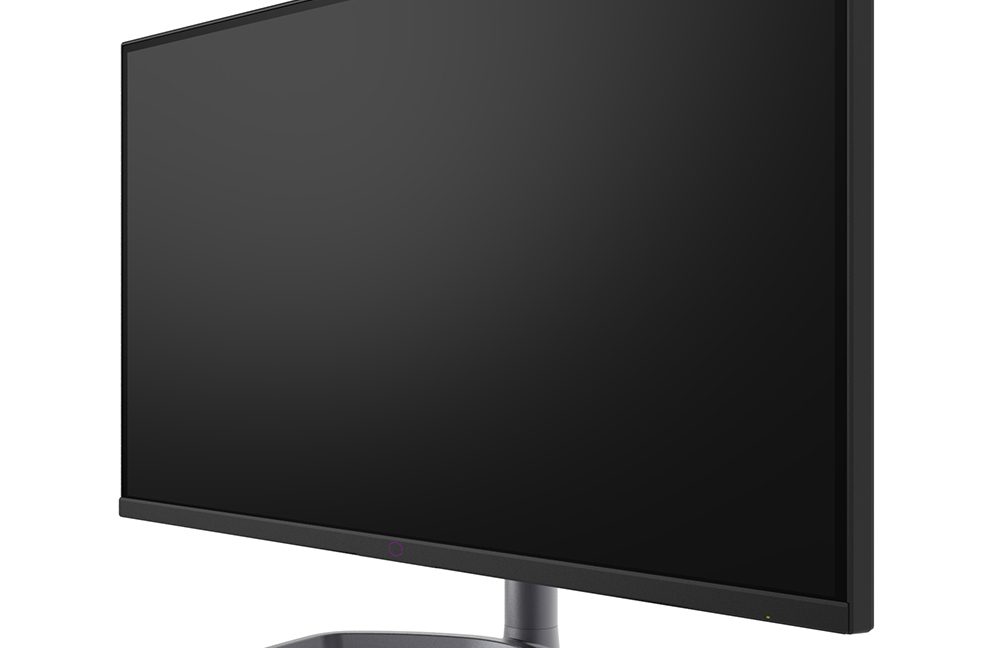
The next best thing to OLED is getting cheaper
Cooler Master GP27-FQS gaming monitor will lower the cost of entry.
Ars Technica
125 points · by rbanffy · 4y ago · 161 comments
I'm hopeful that QD-OLED will make that a less jarring transition. Mini-LEDs may help modernize the market, but I don't see them making a significant dent in my disappointment.
Step 1: Go to panelook.com (or directly https://www.panelook.com/modelsearch.php?op=resolution if you have a resolution in mind)
Step 2: Find the model number of your desired monitor and put it into your desired search engine (Google works)
Step 3: Buy the monitor WITH THE DRIVER* from AliExpress/Alibaba/TaoBao/eBay/wherever you get Google search results from
Step 4: Wait (???)
Step 5: Design a 3d model and print it, or use acrylic and cut it by hand, or whatever you want. Profit!
* - the display connects to the display driver. The driver is the one with an HDMI/DP/USB-C port.
I’ll just add “Message several sellers and ask for a datasheet and 1pc price+shipping from each one” to Step 3.
Regarding the former, the website does have quite a few filters (though the navigation isn't the best but it works).
For the latter, yes quality can be quite a hit-and-miss when purchasing but prices are very reasonable. There may be a ~10-15% markup compared to a large-scale razor-thin margin monitor being sold at nearly a loss on Amazon, but most products are quite reasonably priced.
Re: the quality, if you're talking about advanced features you may be able to contact the distributors/manufacturers on the website selling them and ask them to make a custom order with more features (eg an extra port) for a slight price, though this varies.
I have no idea how to go about making a custom monitor but if it's feasible to solve my problem, I'm willing to learn.
So let's say I want to buy the LM270QQ1-SDA2, should I order that panel from an e-commerce website? Or should I find a monitor with that specific panel? Why is 3d printing needed here? Any article or detailed guide you can point me to?
You don’t need a 3D printer if you have another way to hold the panel (I glued it to a thin laptop stand)
Prioritized in that order.
For me, I want real estate. At this point I'm looking forward to 8k in a 50-55" TV, good DPI, and 60Hz. Not a twitch gamer, I'm a developer. I use TVs.
Gamers want response time/Hz, decent appearance. They are the prime target of "Monitors"
Then there's the professional editors and the like. They used to be high-end monitors, but I think high-end 8k TVs will serve them as well.
What else is there?
There are no panels that fulfil that at the moment. The nearest option woulb be getting a 4K OLED and then just not using part of the panel but that is hardly ideal.
[0] https://www.lg.com/us/monitors/lg-38gn950-b-gaming-monitor
Going back to 60hz is painful. You’ll see the cursor moving in a rotating square pattern when you’re moving your mouse in a circle. The lag is palpable.
> What else is there?
Well HDR is nice to have.
Things that do stand out to me are input lag (again, usually only from TV-as-monitor with bad settings), bad colour space, and occasionally bad grey-to-grey time. I would take a 60Hz monitor over a 144Hz one if it meant avoiding any one of these issues. In a heartbeat.
I just got an RGB OLED laptop with a gamut significantly wider than Display P3. It's just glorious. UHD content like 4K movies just pop in a way that you have to see in person. It's especially noticeable on military uniforms, where the various shades of dark green are much more distinct than on a typical monitor.
I’ve used one for 4 years. The only compromise is I have to power it on/off by remote.
OLEDs under 40" aren't TVs and almost all OLED monitors target revenue generating use-cases and are priced to match.
I just mounted mine to the wall, and the back of the desk is about a foot off the wall.
When a curved 42"-50" 16:9 OLED comes out, I'll be the first in line.
The real story in monitors this week was the alienware QD-OLED 32" ultrawide (ugh) curved (ugh) for only $1300.
That Alienware monitor is clearly targeted for gaming. Regular 4k is already difficult enough to achieve in AAA games, expanding that to an ultrawide aspect ratio would only make getting acceptable performance harder.
That has since become “micro LED”. Samsung makes a micro LED TV, but it costs six figures, and is only available in something like 80” and above.
When it’s finally affordable it will almost certainly unseat OLED as quality king though. All the upsides with no burn in or peak brightness issues.
It never did. Not on any reputable rumours site and as far I am aware not even on non-reputable ones like wccfTech.
>Afaict it is a rebranding of FALD. We have nearly the same number of dimming zones as we did 5 years ago.
You will need to find me a 500 local dimming zone in a 27" Monitor 5 years ago. I can assure you there is none.
I thought that was microled? Which does all that and seems like a strict upgrade over oled. However, there are currently just about 4 models on the market and starting prices are at 100k.
I ended up with the LG 32UL500-W (https://www.rtings.com/monitor/reviews/lg/32ul500-w), for about $300 US.
My conclusion was that trying to get a higher refresh rate 4k monitor, or even higher resolution, or OLED or anything else, made it 2-6x more expensive. Prices for these features still have a _ways_ to go before they're affordable.
Which reviews almost identically apparently. Great for dev work, fine for games. There still doesn't seem to be anything massively better than these two in a 32" 4k screen, without spending multiples of the price
I do find that the intersection of size, resolution, and brightness is nearly empty. I have a pair of U2720Qs, but would love something more in the 500-600 nits range or even 1000 that isn't the Apple XDR. LG has promised a new 40wp95c for over a year now (and amusingly reannounced it at CES this year, since they didn't ship at all in 2021) which maybe works but at $2000 for a monitor, it's not for everyone (and it came in at a much lower brightness than people expected).
Doesn't blasting more nits at your eyeballs cause more strain? I'm asking this out of ignorance, I have no real idea, a display that's too dim seems likely to cause this as well.
I can definitely see more brightness being great for gaming and media consumption/creation. But for coding? Not sure I'm there, and I'm certainly not looking to spend $2k on a screen, when that can buy a pretty good, much larger TV!
- https://www.lg.com/us/monitors/lg-32ep950-b-oled-monitor
- https://smile.amazon.com/dp/B07XTZ45T2 (this one is more of a laptop screen than a monitor)
I’m simplifying here, but essentially no one has figured out how to make OLED panels affordable at a reasonable form factor for monitors yet. The type of panels used in phones (and tablets/laptops) are very different from those used in TVs. LG is making inroads with their 42 C2s, but those will also have a high price and is still way too big for normal monitor use cases.
Smartphone OLED by Samsung or BOE or other maker are too expensive to scale to Computer monitor size.
And burn in. OLED just isn't well suited for computer monitor usage. ( Apart from QD-OLED )
But my wants are probably a bit different than everyone else's: ideally a touch (w/ pen input), high resolution (integer scaling), matte monitor that uses DC dimming.
I've lost hope on such a thing existing (closest thing I have seen is the latest thinkpad yoga x1, gen6 I think, I'd be into buying just the screen, but not really possible). Instead I'm hoping for better e-ink panels which will be even better by eliminating backlight completely.
I suspect others are just sensitive to it (sans concussion) and prefer DC dimming.
Of course the wires have resistance so it would technically “work” as an RC filtered PWM until it overheats.
PWM dimming means turning the LEDs on and off without any smoothing.
But the article is about Mini LED LCD?
I don't know much, to know if mini LEDs dimming in different sections mean PWM, but I suppose they might since it would be probably easier to change the speed of the rapid on&offs of some LEDs rather than the current to dim part of the screen.
For TV, I don't replace it frequently so I hope it lasts a decade.
I'd do anything for 5K, 120Hz, Mini-LED or Micro-LED displays with 10-bit color and HDR. I don't want 4K: 5K has over 77% more logical area.
They don't have to be cheap. I'll pay well. I just want them to exist. I've been waiting over a decade at this point!
but with a 4K screen, you have three options: 1. no scaling and tiny fonts (ugh), 2. fractional scaling (ugh), or 3. 2x scaling and settle for 1080p real estate (ugh)
IMO 5K > 1440p > 4K > 1080p
The products basically don't exist.
I can get some rather fantastic 1440p displays -- HDR, 165Hz, DCI-P3 color gamut, and excellent color reproduction (especially when calibrated) for as cheap as $260 on sale. Best thing imaginable? No, but amazing for the price, and objectively better in every measure than the 1440p displays that were $1000+ in 2010.
I'd pay $2000 -- perhaps even $2500 -- each (and I'd buy THREE), for a 5K display that met my requirements.
-- -----
Hardware Unboxed recently made a video complaining that the display market is too heavily driven by gamers wanting a specific, narrow feature set for a rock bottom price.
Display makers have delivered that. However they don't really make much of anything else as a result.
It's a nasty, difficult, low-margin business where almost no one is making money, hence why it's huge volumes of largely the same thing with no major shifts forward.
Unfortunately 200+PPI are extremely expensive. So 5K panel at 27"+ are partially speaking an Apple only SKUs.
Can you elaborate?
5/4 = 1.25
Since they are both the same aspect ratio (16:9) you can also take the ratio of one linear dimension and square it to get the area ratio.
So:
(5120/3840)^2 = (2880/2160)^2 = 1.777
4k is 4096 x 2160, 5k is 5120 x 2880
There's also a really helpful diagram on that page
(5120 × 2880) / (4096 × 2160) = 1.6666
The way I'm running 4k 27" on Mac is setting scaling to 2x ("looks like 1080p) - which gives the crispest UI, and set scaling appropriately in a small set of applications so that they are not too huge. Just running the browser at 90% default scaling makes things pretty decent. And then maybe reducing the font size by 1pt on one or two text editors.
Wayland does not have those issues and is very nice in my experience although I hear that screen sharing is still a work in progress.
I mean apps that talk directly to the Wayland protocol without XWayland in between, which includes Firefox, Chrome, graphical Emacs, all the Gnome apps.
https://bjango.com/articles/macexternaldisplays/
TLDR: use monitors that are around 110 or 220 PPI. The 27" 4K is right in the middle at 163 PPI.
I'd gladly take a monitor like this at 2× the resolution of course (so 5K), but again, if I could choose, not at 27" but at 30".
At least when i upscale older (or very demanding) games from 640x480 or 1280x720 they look crisp enough instead of the blurry mess that was before a few years when this became possible outside of emulation.
But i bought it because of the VA panel, 165Hz refresh rate and flat surface since i couldn't find any smaller monitor with those characteristics. So if that next-best-thing-to-OLED tech is actually good, i'll most likely get one since i doubt i'll see a real OLED PC monitor in not-gargantuan sizes.
It's even faster if you let it manage its own pixels and only update parts of the screen that need to be redrawn. Can't play videos like that but scrolling a spreadsheet becomes much faster.
Have you actually tried? Do you have a video of this? Because as far as I know, and I actually work with electrophoretics, physics limits the speed of the ink. I hope you're not confusing something like A2 mode with actual display updates.
I don't understand what you mean by "poor gamut". Gamut of grayscale?
Even Samsung QNED is at leat 3-4 years out. MicroLED is definitely further out than QNED.