Run Stable Diffusion on your M1 Mac’s GPU – Replicate blog
How to run Stable Diffusion locally so you can hack on it
replicate.com
1007 points · by bfirsh · 4y ago · 401 comments
You can now run the Lstein fork[1] with M1 as of a few hours ago.
This adds a ton of functionality - GUI, Upscaling & Facial improvements, weighted subprompts etc.
This has been a big undertaking over the last few days, and I highly recommend checking it out. See the mac m1 readme [3]
[0] https://github.com/magnusviri/stable-diffusion
[1] https://github.com/lstein/stable-diffusion
[2] https://github.com/lstein/stable-diffusion/blob/main/README-...
EDIT: Got it working, with a couple of pre-requisite steps:
0. `rm` the existing `stable-diffusion` repo (assuming you followed OP's original setup)
1. Install `conda`, if you don't already have it:
brew install --cask miniconda
brew install Cmake protobuf rust
Then you should be good to go!
EDIT 2: After playing around with this repo, I've found:
- It offers better UX for interacting with Stable Diffusion, and seems to be a promising project.
- Running txt2img.py from lstein's repo seems to run about 30% faster than OP's. Not sure if that's a coincidence, or if they've included extra optimisations.
- I couldn't get the web UI to work. It kept throwing the "leaked semaphor objects" error someone else reported (even when rendering at 64x64).
- Sometimes it rendered images just as a black canvas, other times it worked. This is apparently a known issue and a fix is being tested.
I've reached the limits of my knowledge on this, but will following closely as new PRs are merged in over the coming days. Exciting!
> User specified autocast device_type must be 'cuda' or 'cpu'
> Are you sure your system has an adequate NVIDIA GPU?
I found the solution here: https://github.com/lstein/stable-diffusion/issues/293#issuec...
Yes, the safety checker will zero out images but can just turn it off with an “if False:”; Mostly black images are due to a bug, especially frustrating because it turns up on high step counts and means you’ve wasted time running it.
My experience has been roughly 2-4/32 of an image batch comes back black at the default settings, regardless of the prompt.
Just stamp out images in batches and discard the black ones.
--sampler k_euler
full command:
"photography of a cat on the moon" -s 20 -n 3 --sampler k_euler -W 384 -H 384
AttributeError: module 'torch._C' has no attribute '_cuda_resetPeakMemoryStats'
https://gist.github.com/JAStanton/73673d249927588c93ee530d08...
The command that finally worked for me:
  python3 -m venv venv
  . venv/bin/activate
CFLAGS="-I /opt/homebrew/opt/openssl@1.1/include" LDFLAGS="-L /opt/homebrew/opt/openssl@1.1/lib -L/opt/homebrew/Cellar/openssl@1.1/1.1.1q/lib -lssl -lcrypto" PKG_CONFIG_PATH="/usr/local/opt/openssl@1.1/lib/pkgconfig" GRPC_PYTHON_BUILD_SYSTEM_OPENSSL=1 GRPC_PYTHON_BUILD_SYSTEM_ZLIB=1 pip install -r requirements.txt FileNotFoundError: [Errno 2] No such file or directory: 'models/ldm/stable-diffusion-v1/model.ckpt'
Going up to the parent repo points at a bunch of dead links or hugginface pages.
[0] https://huggingface.co/CompVis/stable-diffusion-v-1-4-origin... [1] https://github.com/lstein/stable-diffusion/blob/main/README-...
We struggled to get Conda working reliably for people, which it looks like lstein's fork recommends. I'll see if we can get it working with plain pip.
Anyone got any ideas?
[0] https://github.com/bfirsh/stable-diffusion/blob/392cda328a69...
[1] https://gist.github.com/bfirsh/594c50fd9b2e6b173e31de753a842...
EDIT: https://github.com/lstein/stable-diffusion/issues/293#issuec... fixed it for me.
I was following the github issue and the CPU bound one was at 4-5 minutes, the MDS one was at 30 seconds, then 18 seconds, and people were still calling that slow.
What is it currently at now?
and I don't know what "fast" is, to compare
What are the Windows 10 with nice Nvidia chips w/ CUDA getting? Just curious whats comprehensive
Are you referring to single iteration step times, or whole images? Because obviously it depends on the number of iteration steps used.
Windows 10, RTX 2070 (laptop model), lstein repo. I get about 3.2 iter/sec. A 50 step 512x512 image takes me 15 seconds.
Are you aware of any wiki or table like that?
ImportError: cannot import name 'TypeAlias' from 'typing' (/opt/homebrew/Caskroom/miniconda/base/envs/ldm/lib/python3.9/typing.py)
stable-diffusion/src/k-diffusion/k_diffusion/sampling.py
(before)
from typing import Optional, Callable, TypeAlias
  from typing import Optional, Callable
  from typing_extensions import TypeAlias
  from typing import Optional, Callable

  from . import utils

TensorOperator = Callable[[Tensor], Tensor]This worked afterwards: python scripts/inpaint.py --indir data/inpainting_examples/ --outdir outputs/inpainting_results
did you run
python scripts/preload_models.py
python scripts/dream.py --full_precision ?
It would be nice to see the ML community move on to something that's actually easily reproducible and buildable without "oh install this version of conda", "run pip install for this package", "edit this line in this python script".
Is it possible that creativity and innovation actually require a level of chaos to succeed? Or alternatively, that chaos is an inevitable byproduct of creativity and innovation, and any ecosystem where these are heavily frowned on deters the type of people who actually drive the cutting edge forward?
Just putting it out there as food for thought. It does translate back to quite often, that it acutally does make a lot of sense to do your prototyping and experimenting in one ecosystem but then leave that behind to deploy your production workloads where possible.
Both are easy and reliable with a few months of experience. Both are terrible if you rarely ever use them.
The forks are weird mashups of bits of repos, and running on a M1 GPU is something that barely works itself.
Give it maybe 3 months and it will be much smoother.
I have a suspicion that that something written in Julia, Go, Rust, or possibly even C wouldn't have nearly this many issues. I'm not talking about debugging the actual functionality of the software, but rather the environment and tooling surrounding the language and software built with it.
This project in particular should be an easy case because you know the hardware you'll be running on ahead of time.
I'm ranting a bit, but I've tried so many tools based on python and almost _none_ of them built/installed/ran correctly on the happy path laid out in each project's readme.
Anyway, sorry, rant over.
I do think that experience helps here. I have a recipe for installing Python that works on most python projects most of the time.
  git clone <project>
  python3 -m venv ./venv
  source ./venv/bin/activate
  pip install -r requirements.txt
  deactiviate # need to do this to include the correct command line tools in path (eg Jupyter)
  source ./venv/bin/activate
On a Linux or Intel Mac system this works with pretty much every reasonable Python project.
On M1 Macs the situation isn't great at the moment, though.
…it’s still awesome that people put in the effort to do these things at all, but the tools often have a tendency to make me feel like an archaeologist trying to piece what ancient artifacts are missing and how they were supposed to all fit together.
In a university, ten steps to replicate the PI's personal environment is perfectly fine. How would releasing a single binary make their life any easier? Why would they bother?
Worked out fine in the end, though. Highly recommended if you're on an Nvidia rig: https://github.com/AbdBarho/stable-diffusion-webui-docker
Python is pretty much innocent here.
Could not possibly disagree more. https://xkcd.com/1987/
The problem with dependencies is that for very bad reasons people don’t ship them.
Someone needs to package SD with a full copy of the Python runtime and every dependency. This should be the default method of distribution.
#ShipYourDamnDependencies
That XKCD is more about messing up your system by not knowing what you're doing but randomly following shitty tutorials which suggest stuff that collide with each other... Python's only fault in this is that it's a simple language and thus attracts people who aren't software engineers (students and math majors) and thus mostly don't know or care how to keep your system clean but love writing tutorials.
It's pretty easy to keep your pythons clean, don't use conda, never run pip with sudo, never run pip with --user..., never run pip outside a virtualenv (a good safety measure for that is to have pip point to nothing in your user shell, you can access system python with python3/pip3 if needed)... To check your python is clean, create a new environment and run pip freeze, it should output nothing.
pyenv is a non-destructive system for managing multiple pythons and virtualenvs (all pythons and envs get installed into ~/.pyenv), pip is a good system for distributing dependencies (when library authors don't skip out on providing binary wheels, and software authors use pip freeze to generate requirements.txt files).
I encounter this all the time in computer vision models.
It's been an exercise in frustration.
If the model file just vanished from everyone's hard drive one day, and cloud providers installed heuristics to detect and ban image dataset training, retraining the model file would actually take decades for any consumer, even an enthusiast with a dozen powerful GPUs. The image dataset alone is 240TB.
I trained StyleGAN 2 from scratch using 8x 3090s at home and it took 3 months. It's fine.
240TB is small fish, my homelab is a petabyte and I consider it small.
I'm wondering what the price floor of stock art will be when someone can use https://lexica.art/ as a starting point, generate variations of a prompt locally, and then spend a few minutes sifting through the results. It should be possible to get most stock art or concept art at a price of <$1 per image.
Midjourney, in case you appreciate their output, has an unlimited plan for 30$ a month. The only limitation is that if you're an extremely heavy user, they may "relax" you, which means results come in a bit slower.
Note that they've been also experimenting with a --beta parameter which basically means the algorithm uses StableDiffusion's algorithm behind the scenes, or you can use any of 4 versions of MidJourney's more stylistic algorithms.
So if you don't want to tinker or don't have a high-end GPU, it's a cheap way to play around. I have StableDiffusion running locally but still prefer MidJourney. I enjoy the stylistic output but it's also a highly social way to generate art. Everybody is doing it in the open.
Anyway, the stock art part is a hairy subject. You should assume that you AI image is not copyrighted. Which begs the question why they would pay at all.
You don't have to be an extremely heavy user. I used it for about an hour every evening and it took 11 days out of a month subscription for them to put me on relax mode.
The relax mode is based on how busy the service is. If usage is low, it's the same a fast mode. But other times its really slow.
That makes it unpredictable enough that it stopped being fun for me to use it. I've barely used midjourney since I got put on relaxed mode - it stopped feeling like I can jump on and play because I might hit a busy period and then it'll take 5 minutes to generate a prompt
That said, I could buy more hours of fast mode and I think it's still way cheaper than Dall-E or Dreamstudio
(DreamStudio is charging a bit over one cent per generated image at default settings, depending on exchange rates.)
14 seconds to generate an image on an M1 Max with the given instructions (`--n_samples 1 --n_iter 1`)
Also, interesting/curious small note: images generated with this script are "invisibly watermarked" i.e. steganographied!
See https://github.com/bfirsh/stable-diffusion/blob/main/scripts...
Why?
Turns out I don't really want thousands of good images. I want a handful of excellent ones.
The real bummer is that I can only get ddim and plms to run using a CPU. All of the other diffusions crash and burn. ddim and plms don't seem to do a great job of converging for hyper-realistic scenes involving humans. I've seen other algorithms "shape up" after 10 or so iterations from explorations people do online - where increasing the step count just gives you a higher fidelity and/or more realistic image. With ddim/plms on a CPU, every step seems to give me a wildly different image. You wouldn't know that steps 10 and steps 15 came from the same seed/sample they change so much.
I'm not sure if this is just because I'm running it on a CPU or if ddim and plms are just inferior to the other diffusion models - but I've mostly given up on generating anything worthwhile until I can get my hands on an nvida GPU and experiment more with faster turn arounds.
I don't think this is CPU specific, this happens at these very low number of samples, even on the GPU. Most guides recommend starting with 45 steps as a useful minimum for quickly trialing prompt and setting changes, and then increasing that number once you've found values you like for your prompt and other parameters.
I've also noticed another big change sometimes happens between 70-90 steps. It's not all the time and it doesn't drastically change your image, but orientations may get rotated, colors will change, the background may change completely.
> img2img takes ~2 minutes to generate an image with 1 sample and 50 iterations
If you check the console logs you'll notice img2img doesn't actually run the real number of steps. It's number of steps multiplied by the Denoising Strength factor. So with a denoising strength of 0.5 and 50 steps, you're actually running 25 steps.
Later edit: Oh and if you do end up liking an image from step 10 or whatever, but iterating further completely changes the image, one thing you can do is save your output at 10 steps, and use that as your base image for the img2img script to do further work.
https://github.com/Birch-san/stable-diffusion/blob/birch-mps...
That branch (birch-mps-waifu) runs on M1 macs no problem.
EDIT: It was a false-positive (honest!) on the NSFW filter. To disable it, edit txt2img.py around line 325.
Comment this line out:
x_checked_image, has_nsfw_concept = check_safety(x_samples_ddim)
x_checked_image = x_samples_ddimChange your prompt, or remove the filter from the code.
Removing the censor should be pretty straightforward, just comment out those lines.
I think it would be awesome to update the rickroll feature to the following:
Auto Re-run the img2img with some text prompt: "all of the people are now Rick Astley" with low strength so it can adjust the faces, but not change the nudity!!!1
AI alignment concerns are definitely overblown...
> ERROR: Failed building wheel for onnx
I was able to resolve it by doing this:
> brew install protobuf
Then I ran pip install again, and it worked!
brew install Cmake protobuf rust
On a first-gen M1 Mac mini with 8GB RAM, it takes 70-90 minutes for each image.
Still feels like magic, but old-school magic.
It looks like memory is super-important for this (which isn't all that surprising, really...).
I had a YouTube video playing while I kicked off the exact command in the install docs, and got: 16.84s user 99.43s system 61% cpu 3:08.51 total
Next attempt, python aborted 78 seconds in! Weird.
Next attempt, with YouTube paused: 16.31s user 95.48s system 65% cpu 2:49.45 total
So around three minutes, I'd say.
But yeah, at this stage most of guides are early hacks and require individual tweaking. It is quite expected that people get varying results. I assume in a week or a month situation will get much better and much more user-friendly.
> brew link protobuf --overwrite
Don't blindly run this command unless you understand what you're doing.
I don't have an M1 Mac, I have an Intel one with an AMD GPU, not sure if i can run it? don't mind if it's a bit slow, or what is the best way of running it in the cloud? Anything that can product high res for free?
And this should work on an AMD GPU (I haven't tried it, I only have NVIDIA): https://github.com/AshleyYakeley/stable-diffusion-rocm
There are also many ways to run it in the cloud (and even more coming every hour!) I think this one is the most popular: https://colab.research.google.com/github/altryne/sd-webui-co...
It's not free but I've played with it a lot over the last two days for around $10, generating the most complex photos I can (1024x1024, 150 steps, 9 images, etc)
i am runnig it on my 2019 intel macbook pro. 10 minutes per picture
https://yulian.kuncheff.com/stable-diffusion-fedora-amd/
it's for, but it could be adapted to Linux as.lomg as you install the right drivers and such.
Looks like it's going to be a lot of fun though.
I mean, are we going to see X on M1 Mac, for any X now in the future?
Also, weren't torch and tensorflow supposed to be this glue?
Similar goes for quirks of Tensorflow that weren't taken advantage of. That's largely the work that is on-going in the OSX and M1 forks.
    (base)   stable-diffusion git:(main) conda env create -f environment.yaml
    Collecting package metadata (repodata.json): done
    Solving environment: failed

    ResolvePackageNotFound:
      - cudatoolkit=11.3
So, yeah PyTorch is correctly serving as a 'glue'.
https://github.com/CompVis/stable-diffusion/commit/0763d366e...
These just cover the neural net though, and there is lots of surrounding code and pre-/post-processing that isn't covered by these systems.
For models on Replicate, we use Docker, packaged with Cog for this stuff.[2] Unfortunately Docker doesn't run natively on Mac, so if we want to use the Mac's GPU, we can't use Docker.
I wish there was a good container system for Mac. Even better if it were something that spanned both Mac and Linux. (Not as far-fetched as it seems... I used to work at Docker and spent a bit of time looking into this...)
[0] https://tvm.apache.org/ [1] https://onnx.ai/ [2] https://github.com/replicate/cog
https://github.com/crowsonkb/k-diffusion
Yes, running on M1/M2 (MPS device) was possible with modifications. img2img and inpainting also works.
However you'll run into problems when you want k-diffusion sampling or textual inversion support.
ROCm support seems spotty at best, I have a 5700xt and I haven't had much luck getting it working.
I'm running Ubuntu 22.04 LTS as the host OS, didn't have to touch anything beyond the basic Docker install. Next step is build a new Dockerfile that adds in the Stable Diffusion WebUI.[1]
[0] https://github.com/AshleyYakeley/stable-diffusion-rocm [1] https://github.com/hlky/stable-diffusion-webui
How long does it take to do 50 iterations on a 512x512?
[1] https://gist.github.com/geerlingguy/ff3c3cbcf4416be2c0c1e0f8...
AMD market segmented their RDNA2 support in ROCm to the Navi21 set only (6800/6800 XT/6900 XT).
It is not officially supported in any way on other RDNA2 GPUs. (Or even on the desktop RDNA2 range at all, that only works because their top end Pro cards share the same die)
HSA_OVERRIDE_GFX_VERSION=10.3.0 to force using the Navi21 binary slice.
This is totally unsupported and please don't complain if something doesn't work when using that trick.
But basic PyTorch use works using this, so you might get away with it for this scenario.
(TL;DR: AMD just doesn't care about GPGPU on the mainstream, better to switch to another GPU vendor that does next time...)
AMD just doesn't invest in their developer ecosystem. Also as you use a 6600 XT, no official ROCm support for the die that you use. Only for navi21.
  * M1 pro (16gb/1tb) can run the model in around 3 minutes.
  * M2 air (8gb/512gb) takes ~60 minutes for the same model.
Not too shabby...
EDIT - this comment implies it's much faster: https://news.ycombinator.com/item?id=32679518
If that's correct then it's close to matching my 3080 (mobile).
If Pytorch's metal support improves and Apple's Metal drivers improve (big ifs), it's likely that Apple's GPUs will perform better relatively to NVIDIA than they currently do.
1. Image size
2. Steps
3. What your numbers are for text2img
4. (most importantly) are you including the 30 seconds or so it takes to load the model initially? i.e. if you were to run 10 prompts and then divide the total time by 10, what are your numbers?
    /opt/homebrew/bin/python3 -m venv venv  # [1, 2]
    venv/bin/python -m pip install -r requirements.txt  # [3]
    venv/bin/python scripts/txt2img.py ...
2. No need to install virtualenv since Python 3.6 which ships with a built-in venv module which covers most use cases.
3. No need to source an activate script. Call the python inside the virtual environment and it will use the virtual environment's packages.
For reference the full command:
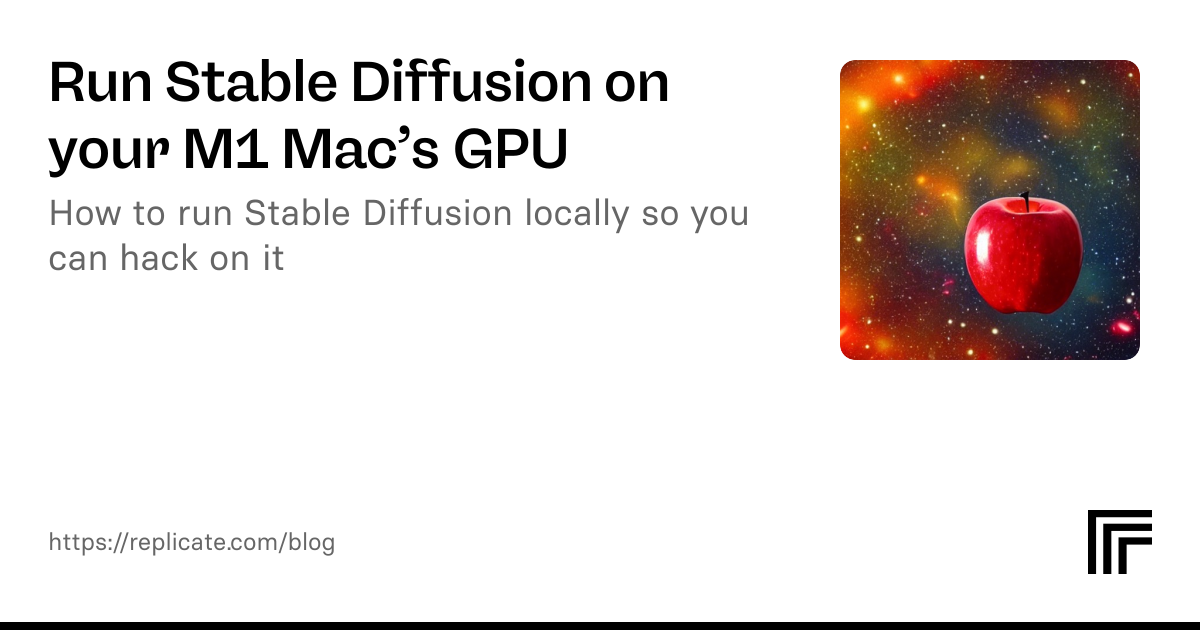
`python scripts/txt2img.py \ --prompt "a red juicy apple floating in outer space, like a planet" \ --n_samples 1 --n_iter 1 --plms --precision full`
RuntimeError: expected scalar type BFloat16 but found Float warning: build failed, waiting for other jobs to finish...
error: build failed
error: `cargo rustc --lib --message-format=json-render-diagnostics --manifest-path Cargo.toml --release -v --features pyo3/extension-module -- --crate-type cdylib -C 'link-args=-undefined dynamic_lookup -Wl,-install_name,@rpath/tokenizers.cpython-310-darwin.so'` failed with code 101
[end of output]
note: This error originates from a subprocess, and is likely not a problem with pip.
ERROR: Failed building wheel for tokenizers
Failed to build tokenizers
ERROR: Could not build wheels for tokenizers, which is required to install pyproject.toml-based projects
`pip install tokenizers==0.11.6` first
Now I can achieve my dream of a Corporate Memphis + Hieronymus Bosch mashup.
“Sorry all. We can’t spare the hardware for THAT kind of recursive self improvement. Setting this instance back to 1970. GG”
I haven't been able to make sense of n-samples and n-iters. Changing the former caused generation to freeze at 0%. Changing the latter seems to generate multiple images, even though the SD docs for n-iters are "sample this often".
I.e. How are they providing access to GPU compute several orders of magnitude more powerful than an M1, for free?
So it's an enormous amount of compute created from private funds that he considers to be "for humanity". Currently, he funds it and is also the "GPU overlord", he exclusively decides which applications gets to use it.
His plan, or at least his claim, is to transform this situation in it being more diversely funded (institutions, businesses, even the UN) and for access to be decided by committee with main criteria it being useful for humanity.
Let's see if he sticks to his word, but I find it inspirational. AI was on a trajectory to be solely in the hands of a hand full of ultra rich companies that can afford to train and run it, and us poor mortals being at the whims of gatekeeper terms.
This guy is on a trajectory to put AI in the hands of the people. Not just for art, for everything. If he fully sees this through, he's destined to be a tech icon.
There's a recent video interview he did that goes into his vision: https://www.youtube.com/watch?v=YQ2QtKcK2dA
2. The M1 GPU is an iGPU. A good iGPU, sure, but it's not anywhere near the performance of a dedicated, cooled GPU with dedicated VRAM.
On a 2060 Super with 8 GB of VRAM and with tensor cores it takes 15 seconds to infer with the default settings. If Dreamstudio uses deep learning GPUs then there is your answer to why it is as fast.
I just made my Dad’s 101 year old birthday card using OpenAI’s image generating service (he loved it) and when I get home from travel I will use your instructions in the linked article.
Any advice for running Stable Diffusion locally vs. Colab Pro or Pro+? My M1 MacBook Pro only has 8G ram (I didn’t want to wait a month for a 16G model). Is that enough? I have a 1080 with 10G graphics memory. Is that sufficient?
I did need to run the troubleshooting step too, could probably just move that up as a required step in the guide.
Any Python packaging experts know what's going on? all macOS 12, arm64, Python 3.10. Can't think it wouldn't resolve the wheel.
But yes, good idea to move up. I'll stick it next to the `pip install`.
RuntimeError: expected scalar type BFloat16 but found Float
append the execution command with `--precision full`Thank you!
Even TikTok could be an endless stream of ML models.
Fears of a tech dystopia may be overblown; the masses will just shut off their gadgets and live simpler if labor markets implode within the traditional political correct economic system we have.
Open source AI is on the verge of upending the software industry and copyright. I dig it.
    File "/Users/layer/src/stable-diffusion/venv/lib/python3.10/site-packages/torch/serialization.py", line 250, in __init__
      super(_open_file, self).__init__(open(name, mode))
    FileNotFoundError: [Errno 2] No such file or directory: 'models/ldm/stable-diffusion-v1/model.ckpt'
I forgot to
mv sd-v1-4.ckpt models/ldm/stable-diffusion-v1/model.ckpt
    data: 100%|| 1/1 [00:43<00:00, 43.20s/it]
Sampling: 100%|| 1/1 [00:43<00:00, 43.20s/it]A few days ago, I tried Stable Diffusion code and was not able to get it work :( Then I gave up...
Today, following steps in this blog post, it works for the very first try. Happy!
On my side this helped me to make it works. I ran it and it was installed.
That fixed it for me.
Does anyone know how to think about the --W --H and --f flags to create larger images? I have 64GB memory, but I get errors from PyTorch saying things like "Invalid buffer size: 7.54 GB" when I try to increase W and H, and I haven't managed to make the Python process use more than about 15GB by playing around so far.
> Being an Integrated GPU, the Intel UHD Graphics 630 doesn’t have any Video/Graphics Memory of its own. Instead, it utilizes the system’s memory (RAM) dynamically for the same purpose. You can change the maximum Video Memory from the BIOS settings.
I get the impression Apple isn't going to give me much control over that (https://www.reddit.com/r/macmini/comments/e82knm/can_i_set_h...). I did have "Automatic Graphics Switching" enabled, but I'm seeing much the same with it off.
EDIT: Speed increased to 2.3s/iter after a reboot
/opt/homebrew/Cellar/python@3.10/3.10.6_2/Frameworks/Python.framework/Versions/3.10/lib/python3.10/multiprocessing/resource_tracker.py:224: UserWarning: resource_tracker: There appear to be 1 leaked semaphore objects to clean up at shutdown warnings.warn('resource_tracker: There appear to be %d '
This means anything larger than 512x512 tends to confuse it. For example 1024x1024 will have 4 non-overlapping windows and many overlapping windows.
So if your prompt is "a cat wearing sunglasses", you may get 4 separate cats as the 512x512 windows have no knowledge of each other, and each window is trying to fulfill the goal. Even more likely you'll get some sort of eldrtich horror 16-legged cat being as the windows shuffle around.
Sometimes it just works perfectly somehow, but 90% of the time the non native resolution really screws it up. I'd suggest generating 512x512 images and using a different AI to upscale them in most cases.
However it does lead to some amazing fantasy landscape art as you get weird terrains and mountains shoved up against eachother in fantastic/magical ways.
I'm able to get 768x896 to run, but the output image is still white noisy at 50 ddim steps, perhaps related to the phenomena of being trained/windowed on 512x512 images as sibling squeaky-clean described.
RAM usage at various sizes: 512x512 14 GB, 768x768 26 GB, 768x896 32 GB
Random guess but I think your pipeline is running with full-precision floats (32bit), while by default the repo should be using autocast() which will try to use half-precision floats wherever possible.
I know an optimizedSD repo exists and one of the steps they take is explicitly setting precision to half. (And other changes that reduce memory usage but decrease iteration speed). However I don't know how M1/Metal handles half-precision, hopefully it doesn't just cast them back to 32bit.
Also white noisy images at 50 steps seems off to me. At 50 steps in a large image I definitely get a visible product. It's just often non-euclidean or very scattered bits of organization and chaos.
To generate larger images, it is standard practice to generate 512 x 512 and then use a separate tool to upscale, and maybe a second separate tool to improve the face. The Windows versions of SD environments are starting to incorporate these additional tools, but the Apple Silicon versions of SD environments are lagging behind due to Pytorch metal limitations.... It'll hopefully sort itself out in the next few months.
For comparison, my RTX 2070 takes 10 seconds for one image (512x512)
Anyone do this for the M1?
It seems the GPU memory requirements beyond 512x512 are obscene.
The biggest issue with apple chips is that the --seed setting doesn't work. I should be able to set a seed to, for instance, 1083958 and if I re-run a command at the same resolution with that seed, I should get the same image every time. This would allow me to test different steps so I could generate a 100 images at 16 steps (which is quite fast) and pick the ones that are most promising and re-render at 64 or 128 steps.
But currently you can't do that on apple hardware because of an open issue in PyTorch. Genuinely hoping a fix comes soon, until it is this is more of a novelty than a tool on Apple hardware.
Me now: "a red juicy apple floating in outer space, like a planet" --H 768 --W 768
Uses about 27GB. 1.81s/it.
Can't do 1024x1024 yet because of some hardcoded Metal issue (https://github.com/pytorch/pytorch/issues/84039.
I was amazed at how fast and powerful it was. I thought this meant I could stop buying top-of-the-line Macs every 4 years and start buying bottom-of-the-line Macs every 5 years. And that would have been 100% true... if it weren't for stable-diffusion.
Use external upscalers like RealESRGAN, SwinIR or BSRGAN or GFPGAN (faces).
Alternatively use hacks like txt2imghd to get it to natively create 1 MP images.
We will still need people to do the hard yards, and get dirt between their fingernails. I am firmly in the camp of those people.
Fancy algorithms won't dig holes, or lay out rail tracks of over hundreds of miles.. or build houses all across the world.
That doesn't help with plumbing, electrical, kitchen cabinets and all the other stuff that goes into a house -- which is a majority of the cost -- but it's a gradual start.
I see very little which can't be automated, but I see a lot which would take many years of time and effort to automate and integrate.
Why is nobody impressed by the future?
Creating invisible watermark encoder (see https://github.com/ShieldMnt/invisible-watermark)...
The code that generates it is here: https://github.com/bfirsh/stable-diffusion/blob/main/scripts...
You can remove `img = put_watermark(img, wm_encoder)` which appears at lines 317 and 333 to get rid of the watermarking.
It's been a lot of fun to play with so far though!
You'll still need to play with modifying some of the code to get it to run, but `dream.py` works for me. Funny enough, I got only img2img effectively working with the lstein branch; it broke txt2img for me.
It's not quite the ease of setup of an Electron app, but once setup it's pretty easy to use.
If you extrapolate the power consumption (3070 @~300w vs M1 Pro GPU@~30-50w) the metrics make a lot of sense.
My M1 with 8GB takes 70-90 minutes per image.
My M1 Pro with 16GB takes 3 minutes per image.
Using the prompt: "1990s textbook background mephis style"[sic] (yup I meant memphis)[0], I got back this: [1]. Rerunning the same prompt, I got: [2].
[0] https://files.littlebird.com.au/Shared-Image-2022-09-02-10-2...
    txt2img.py line 324 update to
    x_checked_image = x_samples_ddim #, has_nsfw_concept = check_safety(x_samples_ddim)
you can try following my Linux AMD guide and see what you can pick and choose to get it working