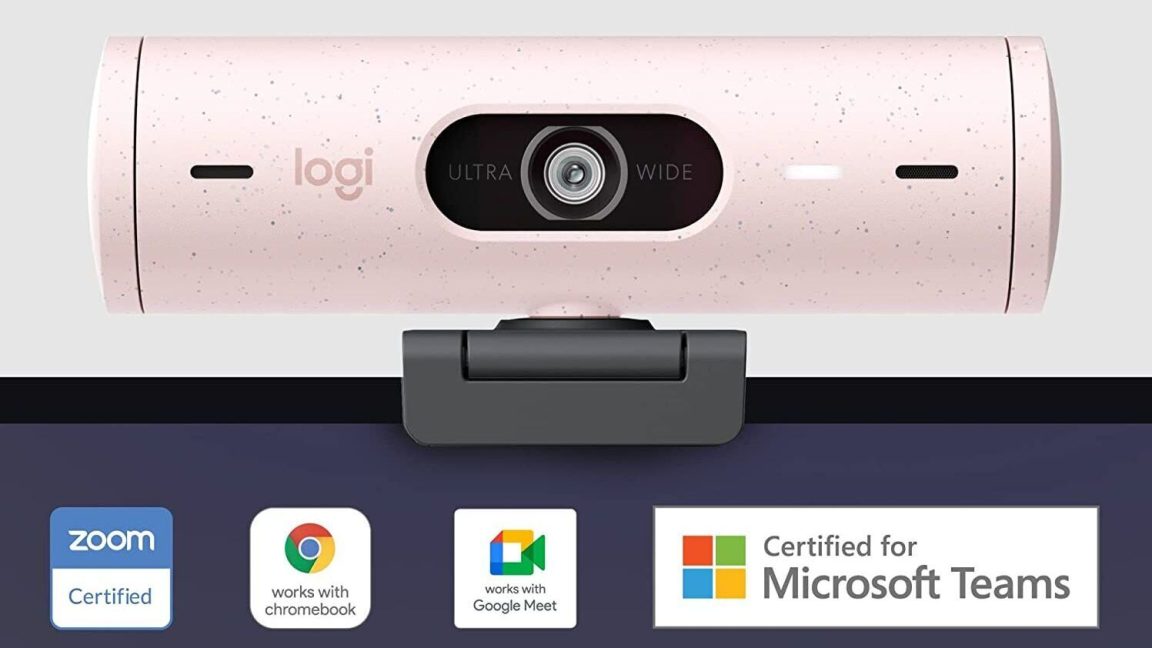
Why it does and doesn’t matter if Google, Microsoft, or Zoom certify your webcam
PC accessory stamps should emphasize features, not compatibility/marketing.
Ars Technica
73 points · by redbell · 3y ago · 57 comments
We lost a lot of business because the people specing projects would require certification. It was a no brainer for them because then you would not need to worry about compatibility. Execs of course got on the Teams bandwagon and wanted it for the same reason. I feel this kind of walled garden stunts innovation and prevents smaller manufacturers from entering markets which will lead to a handful of companies controlling exactly what happens in tech behind meetings. Not the end of the world when good enough rains supreme. I just personally enjoyed when meeting USB specs were the only hurdle we had to worry about.
Out of the business now. But figured I would share since I was on the receiving end of this anticompetitive marketing nonsense.
A $30 webcam is a miracle of manufacturing efficiency and one shouldn't expect much out of it. But I'm in the "Shut up and take my money" segment to get a quality webcam (since I use it at least 4hrs a day, every day), but it just doesn't seem to exist (I did run a proper camera with a f/1.8 85mm lens for the first year of Covid, but as great as the results were, that was just a logistical pain and overkill).
I could go on but this thing isn't worth $50 let alone $300. The only reason I still use it is because the picture is decent (not great) and I don't want to just trash a $300 camera.
Bit much for a casual meeting cam, no?
Plus he’ll probably have to shell out another €100 for additional accessories
And in the end it all takes up a lot of space as well
I always wondered if this was something for a Raspberry Pi and one of those Pro cameras they got. Is that something that can be done easily?
edit: Quick googling revealed that it is not that easy. The RPi can provide a video stream but that needs (more) software on the computer than just a USB webcam.
I wouldn't put it that way. I'm perfectly willing to fork out for high quality audio or video, integration, and so forth - but the most important feature for any conferencing hardware is that it be seamless. I love that my headset has excellent audio quality, but I love just as much that I don't have to faff around with it; the user experience is nearly comparable to picking up the telephone.
What the hell. What about keeping hardware I/O thin, and handling "quality, reliability, and interoperability" at driver level?
Why do we keep adding more and more independent software stacks that require updates to our list of worries, and not less.
I'm infinitely happier to have standardized USB protocols for all common peripheral types instead.
Isolating software updates to firmware is much safer, because the USB protocol can limit what the peripheral can do to my computer.
You wouldn't be typing that comment if it weren't for drivers responding to interrupts and polling pressed key codes.
The reason your OS updates is often to update those very same drivers.
Three things have special drivers (on Windows) in my current setup: The various USB controllers (inside the laptop and the Thunderbolt dock), the USB Ethernet controller in the Thunderbolt dock and the Bluetooth controller. That’s it. Keyboard, mouse, webcam, audio, even my wireless headset: All generic drivers.
This all means the devices themselves must implement the appropriate abstraction on top of their specific hardware.
And yes, there is a driver, but there is a difference between a generic PnP driver and the kitchen sink drivers that companies like NVIDIA ship.
Frankly, I wish as many devices as possible worked this way. Operating Systems would be so much more secure and easier to port if we didn’t have to worry so much about those darned drivers.
That tactic is not a new one; the reason most computer keyboards still have a "Windows logo" key is because, many years ago, Microsoft mandated the presence of that key, with that trademarked logo, in its certification standards.
Apropos of nothing - save for this comment - is there a reason why Microsoft hasn't switched the primary modifier for keyboard shortcuts to the Windows key? Apple created the Command key to get around having to use Control, long before NeXT and its UNIX roots were even a consideration.
Is the only reason a switch hasn't happened down to 40+ years of inertia?
What you call "inertia" others would call "compatibility". We have 30+ years of muscle memory and working software to keep in mind. The same shortcuts which worked in Windows 3.x should mostly still work on Windows 1x. Apple created the Command key early in their ecosystem's lifetime, so they didn't have as much backwards compatibility to worry about.
And even back when the "Windows logo" key was introduced, there were already reasons to not do the change you propose: first, we already had a large amount of Windows 3.x software and users to consider, and second and most importantly, Windows 9x could be used with keyboards without the "Windows logo" key (and they were very common back then). Even today, that's still possible: you can still use a keyboard without both the "Windows logo" key and the "Menu" key, and everything still works perfectly fine.
(I do agree that it would better if clipboard shortcuts used something other than Control everywhere, but that ship has long sailed.)
There's a lot of system level shortcuts. Many of which I use all the time.
Win opens the start menu and lets you start typing to search.
Win+Tab is the new task switcher UI. Useful for moving apps between desktops.
Win+L locks the computer, which I use almost every time I get up from my computer.
Win+M/Win+Shift+M minimizes/unminimizes all windows.
Win+Home minimizes all but the currently selected window, pressing it again resets it all.
Win+, shows the desktop until you release the Win key.
Win+E opens a new file explorer window
Win+{0,9} opens/switches to the application pinned to the taskbar at that position.
Win+Arrow Key maximizes or snaps windows to the top or sides
Win+Shift+Arrow moves windows between monitors
Win+R opens the Run dialog
Win+K opens the Connect tool which helps quickly connect to wireless displays, speakers, and headsets.
Win+Shift+S opens the snapshot tool.
Win+V opens clipboard history
Win+P changes presentation modes, useful for projectors
Win+. opens the emoji picker
I'm surprised that Win+P isn't "Print" by now. Sure, when you invoke it, you're telling the application to print the contents of window or the document you're looking at, but to some people any application should be able to print.
The default macOS application project in Xcode still gives you a print menu item by default and I've even heard stories from people who have gotten rejected from the Mac App Store because they hadn't explicitly removed that item from the menu.
Control key is for sending control codes. Command key is for issuing commands. We're still dealing with the legacy of Windows 3.x using Ctrl where Apple realized that a special modifier key was needed from the beginning.
God, the non-Apple ecosystem is primitive and user-hostile.
It is much less important than in the 2010's. At that time, Skype certified cameras to provide h264 encoding in the camera. Those encoded frames would then pass through directly to the network. That kind of encoding is very demanding technically, so certification had plenty of value. Today's MJPEG cameras don't benefit as much.
Certified stuff makes it easy for procurement groups to defend "IT's" purchase choices and easy to distribute across an enterprise when you know it'll mostly work out of the box.
So marketing, but like any product cert, it's a cya for the buyer with the hope of simpler user experience for a distributed workforce. And, of course, an excuse to charge more.
To make matters worse, this means that the camera defaults to the microphone being disabled, and you need to download their proprietary software to enable it. Which is Windows-only. I've got a mac. So I ended up having to install Windows in a VM just to let me enable the microphone on my webcam. (Fortunately the setting is persistent and you only need the VM once)
I think the auto light settings on the camera need the Windows software too, it's a remarkably bad camera. Avoid!
Ew! That also means the light is software controlled rather than inherently tied to the camera being powered on. You want those on the same circuit so it's physically impossible for some malicious software to turn on the camera without the light!
I feel teleported to the stone age everytime I have to switch to my wired earbuds, just to attend my daily. And theres nothing I can do as a user other than buy another pair of earphones.
Back in the OCS/OCS R2 days (2008ish) the market was still pretty impressed with Bluetooth Headsets[1] (and people walking around like they're talking to nobody). Many "computer headsets" were extremely low-end mono-headphones/mic combos with physical mute switches (that often didn't "fully mute"). The sound quality was on-par with a terrible analog POTS call.
Our company made the choice to ditch all IP (Cisco at the time) phones and legacy PBX equipment and replace "everything that was practical to do so with" with computer attached OCS R2 certified headsets.
Here's what you (often) get with certified vs non-certified:
- Assuming the device has a mute/unmute switch/indicator, it will match the mute/unmute state in the client. This was (probably still is, but my devices are certified) a huge problem. Non-certified devices still muted but other participants wouldn't see the mute icon. What's worse than waiting for someone to "unmute"? When they think they're unmuted but their second mute button is muted! My Jabra Speak 410 shows the mute state on the device, it matches what's in the OS and it matches what the client sees/reports. My old Polycom (similar) did the same and short of having to be oriented in a certain manner for Echo cancellation to work properly, it was a similarly trouble-free experience.
- It will always[2] pick the right device for the call and the ringer. If the certified device is attached when you join a call, it will pick that device. If the OS has something different setup for when you're playing games, it still picks right.
- The sound quality exceeds what the client is capable of delivering. I'm using a USB wired "speakerphone" device that I picked up for $150 in late 2012. Nobody can tell I don't have a headset unless I'm on video; it has always cancelled noise/echo and works brilliantly with "just me" or in a small conference room with several participants[3].
- Other features tie into the client correctly. If it's got a "call answer" or "hangup" button, it can be used to join or hang up a conference. Volume indicators match what the OS/Teams indicates.
Can I find a headset, today, which isn't Teams certified that does all that in Windows 11? Probably. I've heard that the microphone tracking the OS does now makes the mute/unmute situation a bit better. BT Headsets and their support in Windows has improved enough that if I've got my high-end Bluetooth headphones connected, I'll use them. But for the last decade, picking a "certified" device (Teams/Lync/etc only -- I can't speak to the others) meant a completely grief-free experience. Aside from "no drivers/no setup/It Just Works(tm)", the headsets are all "at least mid-to-high-end"
[0] I think that covers the naming back to 2005?
[1] I remember my BlueAnt Z9
[2] Yeah, there's no such thing, but it's always worked for me across several devices.
[3] So well, in fact, that when we merged with a competitor and they opted to implement Lync (at the time), they stuck (and later secured) one of these in every conference room instead of purchasing much more expensive devices (opting, instead, to outfit some of the better rooms with very high-end solutions).