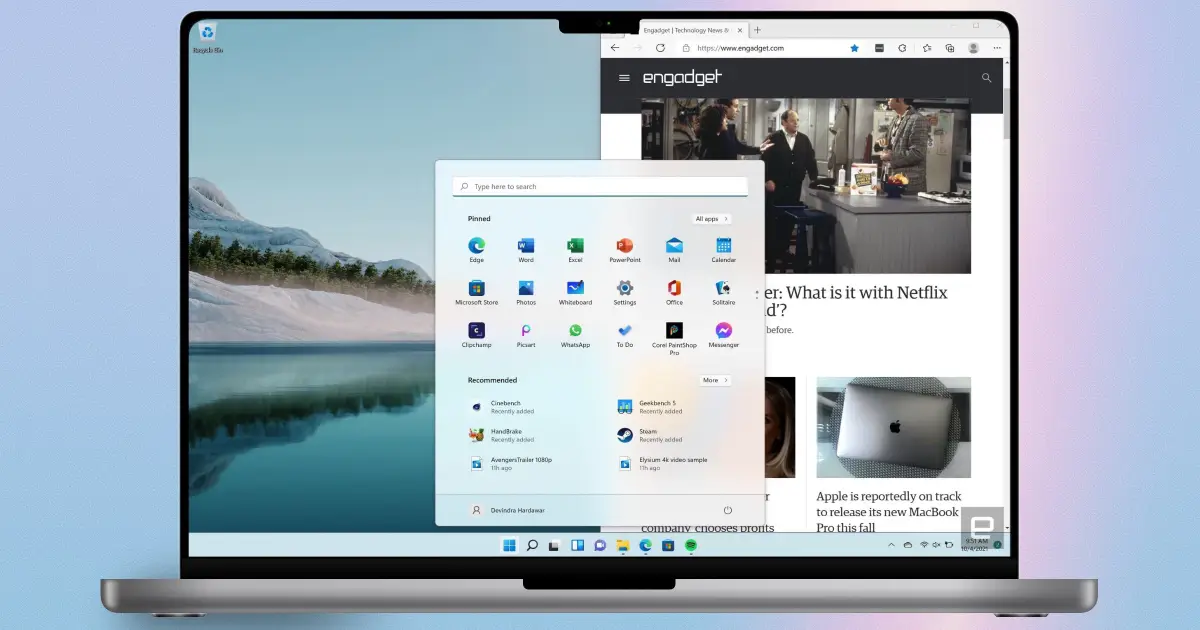
Fullscreen apps above the MacBook notch - Alin Panaitiu
NOTE: This is not a tutorial. If you don
notes.alinpanaitiu.com
75 points · by alin23 · 3y ago · 79 comments
The problem goes away if you mentally reframe: you don’t have a 16.1″ screen with a piece missing, you have a 15.6″-ish screen, the same size as before the notch, and also a horizontal strip above it that’s only good for sensors, the menu bar, and extended backgrounds.
I don't always buy food in bulk to save on cost, or look for the best deals, but whatever I have bought I try my best not to waste. It's irresponsible. Maybe in some ways I feel it's bad for the environment, or sets a bad precedent for how I think people should behave. I don't mind what sort of things you choose to buy or like, but I would prefer you don't waste them.
Resources of all kinds are limited, so making the most of what we have is an important principle, at least for me. Sometimes it's silly -- eg. I really should replace those old socks with holes in them, I can definitely afford new ones, but if something can do a bit more before being thrown away or replaced, I'll try and get that much more out of it.
If Apple made a larger MacBook I'd buy for sure. They don't of course, and those portable screens are no better (on multiple axes).
OTOH I don't care enough to mess with all of this dancing around SIP. Mostly I'd be happy if apps with tabs (e.g. Chrome or iTerm2) had a better official way to integrate into fullscreen by just avoiding the notch like iPhone apps can do.
For me it wasn’t about wanting to use every single pixel. I just really prefer the look of a single app filling the screen completely.
I don’t know why, it just looks good to my eyes and I seek that instead of the large black top bar look.
For me, it's actually satisfaction, of getting every last part out of it that I could. It's the same satisfaction I get when playing something like Factorio; efficiency.
Its saving grace is that the screen is 16:10, and all pixels where the notch lives are bonus pixels, so it's still a net win in usable screen space vs 16:9 laptops.
Still, this is a nice workaround!
Except for once a month or so when you suddenly notice it and it creates an unpleasant unscratchable itch in your brain for a minute, like when you're suddenly aware of your own breathing or how much space your tongue takes up in your mouth.
The keyboard feels great. The past 2 (work) laptops I had to turn in because the battery swelled and messed up the keys. They got rid of the dumb LED bar, and magsafe is back. I'm more of a fan of the (previous) fat left/right arrow keys though.
I finally turned it off because on my (non-notched) external display it was too easy to accidentally activate, which would disable the thing in the toolbar that I actually intended to click on (and then I'd have to sit there and wait a second for it to re-hide before very carefully mousing to almost-but-not-quite the top of the screen to click my intended target).
It's in the Desktop & Dock section.
it is kind of annoying when you have multiple displays, how the dock moves almost randomly between then when you move your mouse close to the bottom of a display. If at least it was not random, but no, sometimes you can hover your mouse pointer for hours in the bottom of a screen and the dock won't move there, other times, just looking at the display will move the Dock.
Surprised more people aren't bothered by not being able to use the space next to the notch... it's not even consistent with the iPhone which does allow rendering apps around the notch.
You can hide the menu bar and have it only appear on mouseover, thus not wasting space. Except on non-notch Macs you can place windows where the menu bar used to be, and on notched Macs you can't
The rest of the apps have app UI on the same row as the Close/Minimize/Zoom buttons which would be hidden by the notch.
But empty toolbars is a good usecase for rendering an app window on the notch. I'm actually surprised how many apps utilize that space!
But definitely, if you like menu-bar autohide where you're coming from makes sense.
Modern videos are so wide that a little extra vertical space barely enlarges the video if at all.
Games usually can't use the space since the notch covers their UI.
For me it's just free space for the menubar.
Maybe you feel that way, but it's not a commonly shared belief. There is a marginal value to having additional screen space, and its silly to block use of it via software gates.
I have a desktop and a Thinkpad T430 if I need to go somewhere. Also have a tablet and such. I definitely do need a "better" laptop but my justification is that I'm not outside the house often enough for me to buy the MBP.
Which, realistically, is true. I'm not.
On the other hand, shiny fast device lol.
The battery on this is incredible - not to mention my limbs no longer get burnt.
Now, my external platter drives make more noise than the laptop.
It's been a phenomenal machine with outstanding battery life. Most definitely happy with my choice.
I can’t imagine most developers work even stressing an M2 unless you are compiling chrome or something.
Best thing as a contractor I don’t even bother to bring a power adapter. I work for 8 hours and leave with 20%-40% remaining every day.
Not to say that I can't see it, it just doesn't affect the way I interact with the machine.
I appreciate the free extra screen real estate actually quite a lot and always use it sized to the max.
And it makes no sense, since the application is taking inputs while the transition is running. You're just stuck looking at the old app fading away while the new one fades in, also flashing you with a bright white screen in the process. Ughh!
Another wrinkle the author does not mention: If the application in question is x86_64, you will need the x86_64 version of frida running through Rosetta.
The author self-promotes his app "Lunar" which apparently does this, but it's paid and closed-source. Anyone know of a FOSS alternative?
Also, Lunar is mostly open-source and many apps borrowed code from it (even competitors). For example here is the Notch button implementation: https://github.com/alin23/Lunar/blob/master/Lunar/Data/Displ...
The Notch disabling function is free and doesn't require paying for a Pro license.