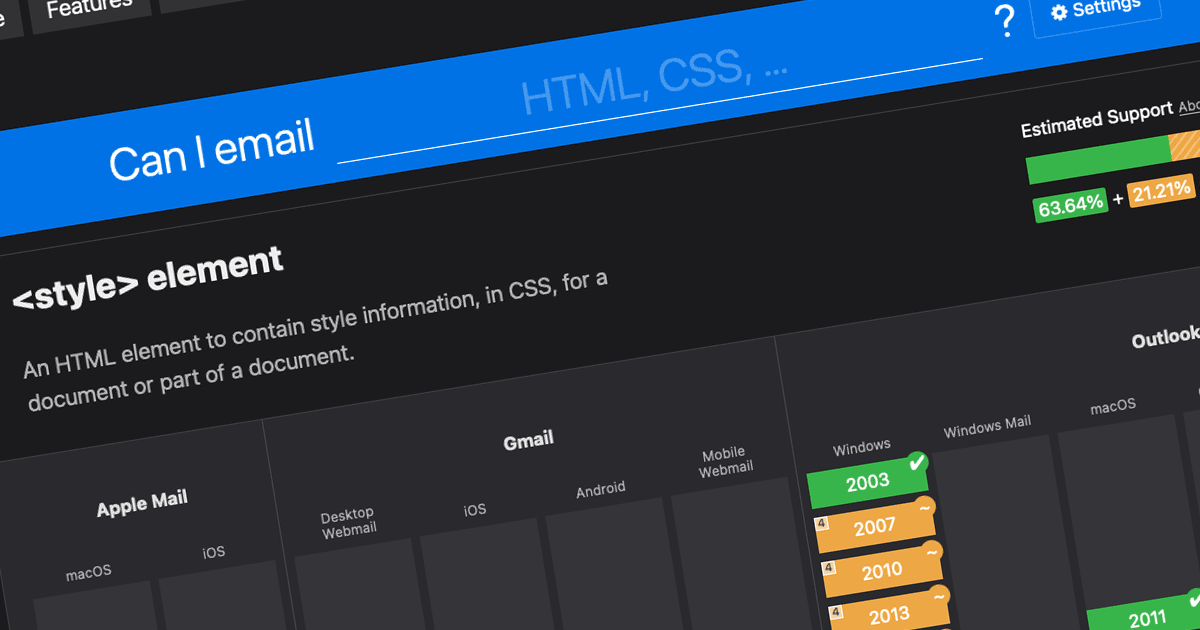
Can I email…
Support tables for HTML and CSS in emails
caniemail.com
755 points · by fagnerbrack · 2y ago · 250 comments
We've tried building email templates for notifications for our apps where I work, and it has typically been a pain. We have since swapped to using mjml (https://mjml.io/) to build the templates, and it's working wonders. The output seems the be the most compatible with all different devices that we've tested on.
The other tool we enjoy using is Litmus (https://litmus.com), which allows you to throw in an email template and see what it looks like on all kinds of apps and devices. Other thread here mentions https://testi.at/ as well, which we've also had success with.
All of these have been really invaluable to designing emails for our apps.
I've been using Foundation for Emails[1] for the very small number of emails that I've worked on which required more than just a list of img tags, and I really appreciate it for existing because HTML emails have been stuck in ie6 web days.
I hope the upcoming EU Accessibility Act will be enough for many organizations to finally make their emails accessible. I disable images by default in my email client, and some emails are pretty much empty without them, without providing any alternative.
Isn’t the whole point of sending emails to get the recipient to read them? If the recipient can’t read them, you wasted that money and captured no value. Possibly negative value because you just reminded the recipient of how annoying your website is. “Oh right, that vendor with the full-page modal that I couldn’t dismiss, or was it the vendor that had a pretty site that turned gray three seconds after loading for not discernible reason and wouldn’t let me click anything after that? I’ll just shop at Amazon next time even though they’re more expensive and vaguely evil.”
We have a html and txt template for each email we send. It's not exactly double the work, but it's appreciated by some of our customers.
In my experience one of the biggest causes of clipping is styled links with lots of tracking, oddly enough.
So outlook today is the internet explorer of mail?
there is money to be made here.
It might seem like I’m criticizing the guy, but the thing is, there is a very real problem where people are looking at this from their own tech-forward perspective when this is a topic that affects many more people.
And parent said "you don't know enough people", not "you don't know any people".
It's 2024. Emailing large file attachments is about as old and busted as FTP. There are so many other services to "share" large files. Attachment to email was such a kludgy hack in the first place just shows it was only the best worst idea waiting for better solutions. We have them now.
I get that y’all don’t like HTML email, but the fact of the matter is, that was a battle lost 25 years ago, and we need to figure out how to keep what we have working for people who don’t even know how to set plaintext email.
That’s what this particular tool is for.
The problem is going overboard on CSS (maybe none should be allowed) or allowing any javascript at all. I can't recall any email security issue ever which is HTML only without any CSS or javascript.
Can I Email? - https://news.ycombinator.com/item?id=27112960 - May 2021 (273 comments)
Can I Email: ‘Can I Use’ for email - https://news.ycombinator.com/item?id=20948826 - Sept 2019 (196 comments)
'Can I Use' for Email - https://news.ycombinator.com/item?id=20934601 - Sept 2019 (1 comment)
It was only after triple whammy of Netscape being unable to further compete, the dotcom crash and the antitrust suit against Microsoft's integration between Windows and IE that IE got deprioritized by MS and slowly turned into the underfeatured mess every developer hated.
It kind of does:
> popular - prevailing among the people generally --- https://www.dictionary.com/browse/popular
I didn't mean to say most preferred.
I get that adtech is interested in using my email as their billboard, but they can fuck right off. Plaintext + attachments or gtfo.
CanIEmail? The answer is generally no.
and select "check all", it'll show you the features that are supported by all the email clients, and separately, which features have mixed support.
These appear to be the few features supported by all clients:
- border-collapse
- font shorthand
- list-style-type
- cm unit
- em unit
- ex unit
- in unit
- mm unit
- pc unit
- % unit
- pt unit
- px unit
- vertical-align
- <del> element
- <div> element
- <h1> to <h6> elements
- <hr> element
- <img> element
- <p> element
- <pre> element
- <span> element
- <strong> element
- <table> element
- valign attribute
- JPG image format
- PNG image format
Basically you have to accept that you must only implement a light mode design and choose colors that will look okay when automatically inverted by all of the shoddy dark mode email client implementations.
Gmail is one of the worst offenders. You have zero recourse for picking your own colors for dark mode.
I think the whole mess could have been averted if Markdown had been invented about twenty years earlier.
You're really rolling a dice on what may work, even if it's valid HTML
The real issue is bespoke rendering engines instead of just using a rule of "everything the current browser can do, but no js".
It's easy and fairly intuitive to write (most of it, anyway).
It's easy to read in different formats and ways (HTML, plain text).
It doesn't add highly complex rendering issues. I've worked on two email clients in the last ten years, and the amount of weird HTML some send is just bonkers. Is <div style="position:fixed"> in emails crazy? Yes. Do you need to deal with it? Also yes.
Images can just be links and it would be a setting on the client to open it or not. Like what the Lagrange gemini browser does: it lets you click on a link to an image to load it.
I would argue that even tables are superfluous, you could put a csv file in a block quote and people's clients could just render it optionnally.
You can’t make elaborate layouts with Markdown. You can’t obfuscate text in images or make hidden links or inject JavaScript.
Just some basic text styling (headers, italics, bold type), and images. Everything necessary to make a well-formatted message — which is what email is supposed to be — instead of mailing a web page, in a medium that hasn’t been refined for quality and safety like modern HTML+CSS has.
That’s when I learned gmail doesn’t support SVG???? That seems like a huge miss.
From what I'm reading, it seems that from inside an SVG script, you can call out to javascript functions of the parent page? That seems kinda surprising, I'm sure there are security policies around it, but it means that there are potential security and performance risks/considerations around hosting and serving SVG files that I didn't realize existed.
However, for a long time browsers were susceptible to denial of service attacks from maliciously crafted XML files, which SVG could exploit. (“Million laughs”). This doesn’t work in current versions but it might be a reason that SVGs are rejected.
When I enter "<a href="https://example.org>Test</a>" it says "No results found. Why not suggest this feature to be added?".
When I enter "<a>" I get "AMP for email", "BIMI", "accent-color" and lots of other CSS attributes starting with "a" as result.
When I enter "a" I get the same as above.
How do I check if I can email the HTML Anchor tag? The input says "HTML, CSS, ..." but it doesn't seem to understand HTML unless I'm doing it wrong?
And emails can totally be sent both as plaintext and HTML, so that the receiver can choose! I just don't understand why so many services only send a text/html version instead of both text/html and text/plain.
It's been A DECADE NOW
https://stackoverflow.com/questions/15136480/how-to-send-htm...
When possible reduce your html code weight to the bare bones minimum. Nothing too fancy. Keep it logical. After a bit of practice it’s actually easy and in my opinion often faster than MJML (For example MailJet. Don’t even get me started on Klaviyo.)
Even with minimal coding/hmtl experience you can run your code through GPT-4/Bard.
Bonus for including custom instructions such as “transactional intent”, Bayesian/heuristic filtering, coded for users with poor digital accessibility, under-served internet users, etc.
Even with the best domain domain/ip reputation without a positive engagement history specific to that user you will often land in promotions/other tab and not the primary tab for new users with a heavily weighted creative.
Remember you want to mimic “an email from Grandma” while maintaining some degree of control of visual design.
Or if that’s too complicated just keep your subject line under three words and all lowercase.
But at this point, it's pretty clear that most non-technical people prefer emails with fancy text and graphics.
Personally, I'm just glad that email is a flexible enough medium to allow that. It's better than the alternative, where people moved to some closed, proprietary protocol behind like 20 patents that allows the same thing.
Is there any other common way we communicate over screens (aside from http) that has had the staying power of email for the general public? I think that's a testament to the sheer flexibility of it. The ugliness that people have contorted email into is a badge of honor IMO
And what percentage of e-mails from people / human beings have those things?
Certainly marketing e-mails have fancy formats, but I've rarely seen any person at a companies I've worked at use any kind of formatting: generally most folks hit reply and start typing with whatever the default is. Hardly any italics or bold, and forget about fixed width (for things like CLI commands in technical discussions).
Heck, even Slack messages these styles are hardly used (on my current team I use them the most since I know that Markdown so it's easy for me to throw in some **, //, or `` in my typing flow, so I can highlight hostnames, CLI commands, etc).
I also generally prefer structured formatting to plain text.
Anecdotally, I only get 2-3 actual human emails per _year_. Rest is transactional spam.
Your first statement might be true (it's debatable). Your second is definitely false.
Lets assume that HTML really was the worst thing that ever happened to email. Plain text content for email is still not the best content.
People want to:
1. Click on a link in the email, not fumble with copy and paste on their phone.
2. See decently formatted paragraphs and content with bold, italics and different font sizes for headings and paragraphs, not a wall of text.
3. See images in the email itself, not have to once again fumble around with copy and paste.
4. Correctly formatted bullet points, including sub-lists.
For all of the above, some sort of format is required. If we exclude HTML as a possibility, you're still going to have to need a format of some type, because the wall-o-text format is not a good UI.
The most contagious/problematic issue is (3) and inlining - as I said, it's possible to attach anything but the location is lost. Probably something simple like anchor (again, markdown linking comes to mind) to indicate placement would be just fine...
(I loath html mails with passion…)
I think this comment displays the problems with plain text. I really couldn't have provided a better example.
As regards the counterpoints:
1. All links are clickable
Yes, and that's a bug. "http://www.example.com" should not be a clickable line. More to the point, it's not plain text anymore if the user gets something that has been interpreted and then rendered by the software.
2. It's not obvious how this should be done, and how it should reflow. You yourself failed to manage this in your reply, which I consider a good argument for why plain text is a poor UI.
3. Who cares whether you need it or not. The reality is that the clear majority of people use it!
4. Once again, if we're talking about a specific format that gets rendered into something readable, then it's not plain text anymore.
I'm arguing against the GPs assertion that plain text is the best format, not that markdown is insufficient.
I'm glad that you never ever received any link to some derivation of st.es.rui.tracking/bzzz/pfrrrrt?campaign=hn that hide the real link, but in the real world, that's how tracking is done. Plain text doesn't prevent anything.
> not sure if needed, besides you can attach images to plain text (though not inlining) or click-able links to external sources (at exact place)
For a Linux user, you can already build such a system yourself quite trivially by getting an FTP account, mounting it locally with curlftpfs, and then using SVN or CVS on the mounted filesystem. From Windows or Mac, this FTP account could be accessed through built-in software.
You want to argue that plain text is better, but your arguments are that plain tex, are better for you. Don't make the mistake to assume that your specific experience is a workable average.
If only. Everyone I know who isn't an IT professional -- and many who are, too! -- sends links like https://www.example.com/something/somepage/?tracker=ASfas142......
If the client is interpreting the content and then displaying its interpretation to the user, then it's not plain text anymore, is it? It's a format; in this case it's a poorly-specified, ad-hoc format and broken format[1] that is worse than simply having a reduced ad-hoc HTML format.
Just like HTML is "plain text" which is interpreted by the client and that interpretation is displayed to the user.
[1] For example, what if the sender types in `You should go to http://ww.example.com, where "example" must be replaced with your company name`? Suddenly `www.example.com` has an unintended DDoS!
Hard disagree. Things like bolding text, adding pictures, changing colors, etc are very important for the emails I send. So some amount of HTML is important to me.
I actually use plain text in FastMail because it's "better" than HTML (usually), but it's not good.
Ability to send text/markdown natively would be pretty brilliant.
HTML is what non-techies want, or rather, they want to insert pictures and videos directly inline. They want to bold and highlight. They want bullet lists and numbered lists. They want to change fonts, make headlines, etc.. And they want it all to reflow for their device.
I do to. I don't want to say in the 70s terminal. I get that lots of techies wish the world was still 80 column monochrome ASCII only but you're the exception.
I think HTML is way too complicated for email, and it would have been much better if they'd standardised on a version of markdown.
That ship has sailed though, so we're stuck between using HTML or plain text.
Mmm... Paradise
Mind-bogglingly stupid and annoying.
Also lack of a signature section, relying on weird -- \n hacks
> Gmail (Android) : 111/284
Interesting corrective to the “Apple is holding back HTML” narrative that appears so often on HN.
Would you be interested in adding RoundCube, FairEmail, and K9 support? Those clients I'm familiar with so I can easily load up some eml files into my IMAP server and try them out, but it's some 144 tests total and a tad much to do all alone for "fun"
> For privacy reasons, the styles that can be modified using this selector are very limited
* Disclaimer: Not affiliated, just a happy customer.
- [1] https://testi.at/
Most if not all also support stuff like deliverability, DMARC testing, Analytics, Accessibility, as well as web-based render testing. I think rendering engine wise, Testi@ has the largest device/platform coverage. Or at least last I checked.
Anyone sending me css garbage will be directed to /dev/null. Thanks.
(Some email clients for humans probably add a bit of html and css to everything, but you get what I mean. It still looks like plain text)
Or even more insane, maybe wanting to add a link in an email?
Or, you ever purchase anything online? It’s kind of nice to have line items in receipts and an image of the thing I bought. But then again, I’m an irrational human who enjoys things like “aesthetic readability.”
As a true purist, do you also exclusively program in Machine code? Because that’s how all software was originally designed to be.
Seems silly to get religious about it.