350 points · by ihuman · 2y ago · 576 comments
I think of iPhones as personal devices, where each person may have their own. But iPads are more likely to be shared for personal use in families. The fact that each person using it cannot have their own user profiles, app data, etc., is a huge drawback. Apple has supported this for a long time (though probably not in the best way) for education, but it’s not available to others. Even tvOS supports switching between user profiles quickly.
Apple enforcing the idea that iPad (with iPadOS) should also be a personal device — one device per person — makes the user experience quite poor.
https://support.apple.com/guide/deployment/shared-ipad-overv...
So basically only schools or businesses can use the feature. It’s really galling that the feature is already implemented but they won’t give it to us because of an obvious attempt at a money grab.
Usually when that's invoked with Apple, it's a misapplication of the general principle of simplicity, used to create a blanket ban against features desired by a superminority.
Even just given TFA, we can see that's not how Apple operates in practice, and in context, TFA describes in detail of how Apple says it wants to flesh out more of these type of features for years on iPad, and it hasn't.
Most damning: _the feature exists_. But obscured. It ain't about simplicity.
Like Apple sole focus in the last 10 years has been on insuring profit growth at all cost, annoying many customers in the process.
You are dangerously naive.
Would some people want it, sure, but features aren’t free to add or maintain.
iPhone mini showed how much vocal Internet commenters (don’t) represent the actual user base. Commenters said they wanted a smaller iPhone. Then it sold poorly. And I say this as I write this on an iPhone 13 mini.
I suspect the multi-user iOS, right along with the people complaining that iOS is underpowered generally, is the same phenomenon at work.
Guided access covers some of that, but I really don't think it's the whole story. Rather than locking everything to a single app, I'd rather something more like a guest session that sees all the apps, just all of them in a logged-out state... no messages, no emails, no calendar, no banking info, no history for Google Maps or open tabs/autocomplete in the browser, none of it.
But perhaps that feature is really just a subset of the broader users/profiles request that is being made here, because then I could have separate users for "primary" and "family" on my phone, and the "family" user would still enjoy continuity from session to session (game progress, previously visited YouTube videos, whatever) but in a separate universe from the continuity of the primary user.
Example: "Hey uncle ping00, can I use your iPad real quick to watch something?" "Sure nephew, <switches profile to Guest ,and hands it over> go nuts"
> Even tvOS supports switching between user profiles quickly.
I wonder if somebody had to justify that in an internal meeting at some point? "Most TVs have multiple HDMI ports, wouldn't it be only fair to expect families to buy one Apple TV per–"...
Apple using "TV" all over the place is like plastering their apps with 3.5" floppy or 120mm optical disks, or prepending anything user-specific with "My ".
Having a piece of hardware called an Apple TV, with a TV app, and a "premium" plus service doesn't strike me as a problem. Except perhaps that the Apple TV isn't a TV, which is kind of funny, but I can't think of a better product name and it's not something of real concern to me.
As an occasional Chromecast (with Google TV) (4K) (running Android TV) user, I think Google wins this round of botched branding.
Edit: Of course it makes sense to clarify the app's name as "Apple TV", similarly to "Apple Podcasts" or "Apple Calendar", but that doesn't mean that's its official name.
Sure, Apple could have named it something memorable and unambigous like "CouchPotato" or "Bingetime" or whatnot, but that sounds more like early 2000s Apple from a branding point of view.
Only because Apple hasn't enabled the use case through their OS. It's not an inherent limitation of the hardware anymore.
Tim Cook has bragged about being able to do most of his work on an iPad, and I believe him, because executives spend most of their time reading and replying to e-mail. The iPad does that well because it inherited the Mail app from iPhones, which was already pretty good and just needed to be blown up to a larger size. And iPads make your organization look futuristic, at least to all the other executives you're talking to.
The only reason why people are complaining about iPadOS' limitations is because Apple made the mistake of making it useful for creative professionals. They wanted to ship the Apple Pencil and wound up making it an iPad accessory rather than its own thing. So now people who want to draw with the Pencil - which is an amazing drawing experience - are saddled with the limitations of an iPad.
Iwatch was a master class in that bullshit. Took long enough but people did eventually realize it’s a shittier smaller phone lol (but we’re talking genuine levels of shittier).
I love my Apple Watch. I can leave my house, make payments be fully contactable, access useful information about weather, stonks, work pager messages etc. while weaving a heavy clunky device at home and no distractions like social media. It’s also a fitness tracker and saved people I know who have heart conditions lives. I have the ultra abs the battery life is wonderful too.
Like, a device that can literally save your life is shit ?
It’s the lightest laptop ever made I could find at the time and a similar form factor and weight to an iPad with keyboard.
If Apple ever released a 12” MacBook again with Apple silicon I’d go pick one up immediately, and likely use it more than my MacBook Pro.
Having a super light full desktop experience without the time required to tap extra gestures was much better.
iPad also was a pretend computer for a long time until it got mouse support, then specifically built in to the keyboard.
That was a very important step forward. Now, it is a pretend computer with mouse support.
Apple's resistance to a mouse continued with the resistance to having a mouse pointer.
A Surface Pro running MacOS would be the real game changer.
Being touch-first is much more inefficient than using a mouse and keyboard.
The pageantry of taps and swipes needed add up to a lot of time, and knowing the difference, it can be difficult to justify the effort. Maybe I'm missing a detail.
Apple is excellent at introducing technology to beginners (just use your finger), it doesn't mean it's the most productive or effective.
He is non-technical and it took some bullying to get him to max out the ram and cpu but he never imagined an 11" wouldn't be availbale in the future and assumed he'd upgrade.
The 11" was excellent. If there was a newer version, the bezels would be much smaller, and maybe a different kind of 12" could fit in it.
There is not much that is interesting after so many new devices, but an 11" or 12" would be something I'd want quickly enough to line up for it.
It's laughably bad, since Photos doesn't even support more than one iCloud photo library per TV, so switching just makes the Photos app not work.
Apple has an API so that third party apps can tie profiles to appletv user ids (iCloud ids) but I haven’t seen a single 3P app that uses it. Apple could make it mandatory at some point I suppose but the UX for connecting the two in each app would likely be tedious.
Also there is no password protection with changing user ids so kids can accidentally screw up your watch history / preferences. And without any passwords you don’t want to connect photos or anything like that to the tv.
It’s pretty much a botch, just like the cases described in this article.
if they made ipad's multiuser capable (it's is perfectly easy to do it technically) ipad sales would tank.
they will never do that to their sales figures.
the single user nature of the ipad is not a deficiency but a feature.
For example, if you log out of a secondary profile and log back in, all your widgets will be gone. I don't have the bug link handy but IIRC, it's been open since 2021.
I'd even argue that children that aren't old enough to have their own device (IMO before high school) don't need a personal profile. And on that tangent, kids shouldn't even use phones/tablets device unless they can responsibly use them.
However, user switching seems to be a features more on lower priced budget devices for world markets where individual people cant afford their own devices. When you are rich enough to live in the western world and buy Apple products, you dont share them!
Mostly I’m annoyed that all the individual streaming apps have profiles, but they don’t have any link to the Apple ID you’re using. If I’m the active user on the AppleTV, I should see the apps I care about and my profile in those apps.
TL;DR stop letting my family ruin my recommendations.
Genuinely curious, how does one come to the necessary conclusions that then lead to making statements like this?
What supports the notion that Apple is struggling to be profitable?
[1] https://www.apple.com/newsroom/pdfs/fy2024-q2/FY24_Q2_Consol...
And the crazy part is: just like this article, everyone overlooks it.
Pay attention, and you'll notice it. (sorry to everyone who had blanked it out). Think about how long it takes/ho many steps it takes to put quotes around a chunk of text; to correct a misspelling; to rearrange some words. It's agonizing once you think about it, and Apple (nor Google, as far as I know) has done zero to fix it in years (a decade?).
(PSA: if the recent change annoys you to no end, as it did me, you can get back the previous editing behavior by turning off spellchecker in OS settings.)
Not counting source code, I type more text on a screen on either iPad or iPhone these days than any other way. If it was not convenient, I wouldn’t be doing it.
> Think about how long it takes/ho many steps it takes to put quotes around a chunk of text; to correct a misspelling; to rearrange some words.
None of those are slow. You know you can:
1) tap anywhere in text to move the cursor?
2) long tap (and drag if desired) to do the same ignoring word boundaries?
3) hold spacebar to move the cursor around the text?
Finally, you know if you type a lot you can connect your favorite mechanical keyboard and it will work just like it does on Mac, with Emacs-like movement combos and all?
Yes, if you like pain and insist on typing on a screen keyboard (I guess I do), certain text adjustments would be marginally slower than with a hardware keyboard, but on the other hand if you normally type English then swipe-typing more than compensates for that.
This behaviour is a mess, IME. iOS makes arbitrary judgements about the word boundary it thinks I'm aiming at and is about 50% wrong. I regularly find words or lines it will refuse to position the cursor into, instead insisting on moving to the line above or below. Line breaks seem to confuse it too. I often have to position the cursor the word before the line break, insert my new text and then reposition to delete the old text.
2) + 3) The rhythm to engage this vs the one to engage selection is completely opaque to me. I still don't know how to engage selection intentionally, successfully. I've owned iPhones since the 3s.
The default UITextInputStringTokenizer prefers to place the caret at word boundaries. I implemented exact placement for my coding app, Codea, and wrote about the text system extensively here: https://sim.coffee/textual-healing/
Exact caret placement is actually surprisingly effective with a reasonable font size. I wish Apple offered it as a preference system-wide
Selection defaults to a double-tap to select at the word granularity. Triple tap will select at the paragraph granularity. This is customisable in your own apps, though the system defaults to the one specific to your current language
For me it's closer to 100% of the time because it is incapable of letting you tap one word over, you have to tap far away then where you want, because it simply will NOT listen when you tap to a neighboring word, it will move the cursor right back to the word it's on.
Yes you would just like a lot of other people do - because the device is truly portable, so you can suffer more inconvenience to use it everywhere to communicate in immediate mode
> Finally, you know if you type a lot you can connect your favorite mechanical keyboard and it will work just like it does on Mac, with Emacs-like movement combos and all?
No it won't, I've changed those bad defaults with macos-only apps
> You know you can
Yes I do, and still agree with the OP that the software support is bad and none of the things you list are properly engineered despite the fact that direct analogue finger input has great potential
If it was as awfully inconvenient as some here claim, I would reply to comments or write emails on my laptop. It simply is not.
Removing complete selection in a single-line input is a weak point of editing experience on iOS (it is easy in a textarea since you have space to just tap away).
Every iPhone super user I'm surrounded by (everyone) never talks about how awful the typing experience is and makes me feel like a luddite for not doing it well. I wasn't sure if they were just used to it or they just know how to use it correctly and I don't.
It's horrible. It's helped me a lot to stop pulling my phone out to use social media/web etc to pass time because if I can't click it, if i have to type in a URL or anything like that, I just don't want to even try.
The state of things is appalling, some cheap Android phones give better experience with typing/keyboard than the most expensive Apple phones (you get a proper number row in the first place, avoiding extremely annoying switching when working with numbers).
And I say that as someone who bought the first iPhone (literally imported it before it was even available in France), when the hardware was so superior to anything else on the market that it didn't matter as much that the software could be lacking in some ways.
Nowadays the hardware is still good (overpriced, at least in France) but the software is bad/annoying/lacking on so many levels it's just insane that Apple keeps getting away with selling so many expensive devices with deeply flawed software.
But there has been a slowdown in sales and their chip leadership doesn't matter as much as it used to (at least in phones), so maybe they will start improving their stuff. One can only hope.
I find typing extremely easy and fast for the most part, except when swipe-typing gets the wrong word.
Spoiler -- the cursor will be before the word "going," after the space. It's possible to select after "is" -- for example, you can select after "going" if you're careful (I'd say you have to tap around the "n")
Of course I know about the long tap -- as I said, I've been doing roughly that since at least the deep press days. Open Safari, go to a typically long Amazon URL, and try to get to the end of the URL to edit something. Depending on the URL length, it requires:
1. Tap quickly so the whole URL isn't selected (otherwise you'll drag it)
Then multiple cycles of:
1. Long tap 2. Drag to the right 3. Reach the end of the screen, but not the URL 4. Back to (1)
The spacebar is the same as the long tap. It's better than nothing, but not sufficient.
And adding a keyboard doesn't fix the fundamental issue that Apple hasn't thought deeply about this.
Swipe-typing is a blessing and a curse. Think about what you have to do if:
1. You want to add an "s" to pluralize something 2. You just need to change the last letter or two 3. You want to add any other character right after the word besides the limited set Apple has deemed worthy of special treatment
And that is:
1. Type space 2. Type backspace 3. Type the actual thing you want to type
That's three actions to do one thing. And that doesn't even begin to cover how swipe typing handles alternatives: backspace and do it over? Really? How about automatically popping up alternatives for selection (and then dismissing if the user keeps swiping)?
I'm happy for you that you're happy. I'm not. Apple: hire me and I'll make this better. :-)
That's optimal for the "insert a word" use case. What would you have it do?
Wouldn't be as big of a problem if the spellchecker was not absolute garbage and handled multi-language text input, or just worked well for a single language. Honestly, I don't think the team working on the keyboard at apple has any linguists or any kind of diversity to pay attention to nothing but the most milktoast of English language use.
You can tap and hold with three fingers to bring up the clipboard bar which has icons for undo, redo, cut, copy, and paste. Assuming that's what you mean by "access the clipboard"?
I copy and pasted this on an iPhone - I tapped the comment box which summoned the keyboard, and I tapped again and it gave me Paste/Autofill as options.
> On Android, I had a keyboard that allowed me to swipe on the space bar to move the cursor, why can't I have that here?
This is out of the box functionality on iOS. I had a samsung device before, and I had no end of issues with the keyboard failing to summon, certain apps refusing to use my preferred keyboard, password managers not working properly, inconsistent selection/focus/edit dialog behaviour. I don't get _any_ of those issues with iOS.
> I often find it impossible to drag a selection to select more or less characters.
Your description reminds me of how it felt after that recent OS update I mentioned, until I realized I can turn off spellchecker to restore the previous typing behaviour. Now the copy/paste popover and drag-selection work every time, but I have to really watch for typos.
Like me, you were used to previous behaviour, and the new one is unfamiliar to the point of broken. I agree that Apple has royally screwed up here by making this the default behavior in iOS 17.
However, it’s a bit disingenuous to say it was always broken if it only started working differently in the latest version.
> why isn't there a keyboard shortcut to access the clipboard
On iPad, if you bring up a large keyboard by pinch-zooming the small one, you get those buttons on screen keyboard. (On an external keyboard, the normal macOS copy-paste key combos work always.)
For me, the iPad is mostly a surface for writing on, general admin tasks and basic image editing. The Apple Pencil is the best input device I find. It's not a complete replacement device - it's complementary. Also my 11" iPad Pro is smaller than any laptop and charges off the same charger as my phone so it goes everywhere with me. I'm about to jump on a plane and it has a week's worth of entertainment, music, textbooks, notepad and Lightroom on it and a pencil stuck on the side. This is just perfect for me. But try and replace a macOS machine with it and you might as well chop your fingers off.
The keyboard case is mostly ok but I just never use it. I should probably bounce it on eBay at some point but I keep it around "just in case".
Edit: most of the people I know who use iPads got them mostly for the Apple Pencil support.
> For me, the iPad is mostly a surface for writing on, general admin tasks and basic image editing.
I think that's pretty much what the business model grew into and is now cultivated and enforced. There is no Macbook convenient for consumption and no tablet convenient for processing. Either one can do both, but it's cumbersome.
Apple knows they can get their target group to buy both products, so they take care to keep those territories isolated.
And that's also revealing the general handicap the iPad Pro has: It is a product designed to close this gap, running on a OS designed to consciously maintain this gap.
I can connect my laptop to enormous monitors and have a lovely movie watching experience. Connect a projector to it, huge speakers, 4k resolution, HDR and whatnot.
What's so much better about content consumption on an iPad that a PC cannot do? The fucking iPad really grinds my gears, it's the most woeful marker of our environmental excesses. Where even a supercomputer smartphone and a hypercomputer computer isn't enough for people. Lamentable.
Had 2 pencils, broke both within 1 week when they rolled of the table…
There's no technical problem for Apple. It's ONLY that they don't want us to use macOS on iPads. There's really no excuse.
I'm not sure where this aesthetic comes from — that somehow traditional desktop/laptops are an outmoded way of computing and that touchy, file-manager-less, terminal-less, tool-less computer use is the way we all ought to be doing things.
People will often talk about the disconnection between the elite and the regular people which can also be found in the relation of manager to worker. And this is exactly a reproduction of that.
When you don't really need to use the tools to make useful stuff there is no way to understand how inadequate they can be. Since they know how much they can profit from iOS with the App Store, they try to push it as much as possible, ignoring the fact that even if everybody wanted/agreed to do that it wouldn't even be technically possible, regardless of profits/prices considerations.
There is no worse leader than one that doesn't periodically put himself in the position of the people he is leading. Tim Cook is unable to do that and he has imposed a feminine way of working: collaboration enforced by a pecking order determined by a social construct that doesn't care much about competence/capabilities and the values of ideas/work on their own merit.
Now Apple will keep making good hardware because they have talents that know what they are doing and they have the means to throw money at basically any problem. But the finer details won't improve anymore, they refuse to properly compete in the open market and they refuse to compete internally because they now work on a model following feminin ideals that is not conductive to improvements.
This is why the state of current Apple offerings is very frustrating: it's not going to improve in a cost matter because they clearly like their profits too much and it's not going to improve in a quality/functionality way because they just don't have the structure to do so anymore.
Things will change, but probably not for the better and if so, it will probably be pure coincidence. Many of their passionate customer are intuitively making this realization which is why even the most diehard fans are starting to be pissed off (new iPads review sentiment is rather grim, even worse than their AVP that didn't do anything new or useful).
The keyboard works decent but deleting, selecting, spellchecking, editing, undo is an exercise in frustration.
Like I can’t believe we’re over a decade into this and the delete key still does the thing were it goes from painfully deleting letter by letter for far too long, the. Jumping to words for a moment the. Suddenly deleting huge blocks and sometimes this can’t be undone
I have reached the point where I believe it is a fundamental flaw in _all_ touch-screen interfaces. I would certainly love to see better alternatives.
1. Bring back deep presses, which isn't very discoverable, but it's memorable once you get used to it, and make it immediately position the cursor. 2. Allow touching with two fingers. If they're next to each other, immediately position the cursor. Spread them and the selection widens. 3. Allow double-tap to select a word. 4. Double-tap and drag to select word by word. 5. Pinch on a selection to cut. 6. Deep press on a selection and drag-swipe in different directions to copy, cut, and formatting options. 7. Deep press on an unselected spot and drag-swipe in different directions to paste and other options.
> Bring back deep presses, which isn't very discoverable, but it's memorable once you get used to it.
Apple does this with many gestures already. Double tap to select a word for example. I think bringing back deep press would be a great move, and agree with everything else you've said here on that.
> 2. Allow touching with two fingers. If they're next to each other, immediately position the cursor.
Long press will put the cursor where your finger is, and will give you a magnified bubble for finer selection (did you really mean to select before or after the hyphen?)
> Spread them and the selection widen ... Pinch on a selection to...
these pinch style gestures would be unusable on a 5" screen I think, and incredibly fiddly even on a 10.1" iPad screen. I work in games, and even though our controllers can handle multiple inputs, we generally tend to avoid chorded inputs because the average person's dexterity is not as good as you would think.
It can be reduced in portrait mode, but should be there in landscape at least. That gives intuitive and ultra precise navigation, standard copy/paste, word by word navigation, fast and precise selection etc.
And it's also super helpful for selection even outside of text fields.
Perhaps, like the dying art of handwriting in cursive or the decline in knowing how to drive manual transmission, this just how things will be?
If this were truly such a fundamental problem, why hasn’t some enterprising Android vendor found success with smartphones using Blackberry-style hardware keyboards?
Fwiw, I used Blackberries back before the 2007 iPhone launch and never found it addicting the way others did.
My older iPad gave up the ghost recently and my old MacBook Pro is pretty heavy by today's standards to travel by air with. I don't really work on trips any longer so when I get home, I'll likely get one of the new iPad Airs with accessories and just traveling with a Macbook. (My lightweight Chromebook also went so far out of support, it doesn't work any longer--about 12 years old.
On iOS/iPadOS, touch-hold the virtual space bar and it becomes a trackpad for fine positioning of the cursor.
Magic Keyboard is a laptop-quality input device where capslock can be remapped to Esc for vim editing in ssh.
"add a keyboard" isn't an answer.
The best keyboard in the history of mobile computing was by Blackberry.
Blackberry (original and clone) physical keyboards are now available for both Android & iPhone, with some effort.
Demo - https://twitter.com/ashconnor/status/1776689029700075749/vid...
I have my own keyboard layout that I use since at least 2011, with drivers for macOS, windows, and Linux. I have no way to make it available on my iPad.
[1] https://qmk.fm/
[2] https://zmk.dev/
Look at the pictures here: https://www.apple.com/shop/product/MWR43LL/A/magic-keyboard-... -- does this device look significantly worse for text input than your typical laptop?
iPhone however? I've given up on the sub-word level. And it's amazing because they could simply copy Androids logic.
I don't know, it always worked fine for me, and I edit text a lot (writing on the iPad, not coding).
>And the crazy part is: just like this article, everyone overlooks it
Given the above, maybe not so crazy? Maybe you're too fussy?
>Think about how long it takes/ho many steps it takes to put quotes around a chunk of text;
Why not put them when as you write it, in which case it's quote text quote? Is that not what one does 90% of the time?
And if you remembered it later, how slow it is to just move the cursor to start and end of segment? With the spacebar cursor-move mode it's almost as fact as having a mouse.
>to correct a misspelling
Tap on squiggly-underlined word, accept correct spelling from suggestions?
>and Apple (nor Google, as far as I know) has done zero to fix it in years (a decade?)
Do what exactly? What fancy UI you have in mind that solves it?
And if you do that much writing, why don't you just hook a bluetooth keyboard? Then with some shortcuts to jump by whole words/start-end of line/etc, you can fly, as you would on a laptop.
Do you genuinely believe your response is helpful? Just like the OC, I too have noticed the atrocious editing and word manipulation in iOS and, just like OC, I have been text editing for my entire life. iOS is objectively bad at it, in many specific ways. The only way to improve it is for us to be honest about how it can be better and go from there. Coping with the issues as if they dont even exist is not a good path forward.
Rather, I'm saying: "it works, period" (on all machines).
The OC said it himself: "everyone overlooks it". Perhaps because it's not really there for them, and you're just more fussy ones?
>Do you genuinely believe your response is helpful?
Do you genuinely believe that any complain is legitimate?
The purpose of my comment wasn't to help with it (since I don't consider it broken): it was to counter the idea that "editing text is horrifically broken".
>iOS is objectively bad at it, in many specific ways.
If it was "objectively bad" I and the other commenter wouldn't be able to refuse it, nor would "everyone overlook it".
You: why no [type correctly in the first place so editing isn't necessary]?
How does that even remotely answer the original objection?
You: With the spacebar cursor-move mode it's almost as fact as having a mouse.
I just did a quick check: with a mouse in this comment I can select insert points about once a second, maybe a bit faster. Before words in iOS I can do better than that: maybe 0.75 of a second? So yay! Then after: works for long words, fails for short words. Then in the words: tap-hold-drag to the spot, maybe once every two seconds. Then there was the time when iOS for no apparent reason selected the word instead of before the word. Then no amount of tapping will fix that until I tap <somewhere else> and then tap back where I want the insertion point. That took 3-4 seconds. Then there was the time when the tap-hold-drag option zoomed several lines above where my finger actually was, and I futzed with it trying to make it right, and eventually managed to not insert the cursor where I wanted. That took over five seconds and then I had to do it again to make it right. The logic of when the little zoom bubble shows up feels arbitrary.
If the misspelling bit worked correctly, that would be great. Sometimes it just wants to select the word.
So yeah, editing is broken.
I agree with the parent. "You're holding it wrong." /s
How would you implement it instead?
> Think about how long it takes/ho many steps it takes to put quotes around a chunk of text
4 taps - beginning of word, quote, end of word quote.
> to correct a misspelling
double tap on word, start typing the correct one. Double tap the word, and use the "replace" dropdown. Or, tap and use spacebar as a cursor to selectively edit a single word. This is certainly no worse than a mouse, but it is sub par to a physical keyboard.
> to rearrange some words
I'm not sure what you mean here, as I can't say that I find myself doing this often, so maybe I'm not your target audience here.
Why can't I select the correct location and just backspace one or two characters instead? Android handles it perfectly fine, and has for more than a decade.
> I'm not sure what you mean here, as I can't say that I find myself doing this often, so maybe I'm not your target audience here.
Copy-paste menu is very finicky. Sometimes it appears, sometimes it doesn't, the selection marks seem to miss the mark occasionally as well.
> Why can't I select the correct location and just backspace one or two characters instead
Press and hold and it will drop the cursor where you want.
Its as if there aren’t real people at Apple actually using and testing what they release (although I know that’s not the case) For now my work around is long pressing the spacebar to get the cursor to where you want. :(
IIRC editing text was barely even possible when the phone first came out. No cut/paste! I think it arrived in the same software release as the app store.
I frequently give up on writing things on my phone, saving them either for when I am at a computer with a real keyboard, or just not at all in many cases.
It’s such a goddamn chore.
Personally, as mentioned in the article, the lack of multiple audio streams (or background audio) is very annoying. If you play any audio from Safari it completely pauses what your doing in other apps like YouTube or Twitch. So when you're done with Safari you have to go back into those apps and resume them.
Stage manager is glitchy on external displays. There are a lot of known shippable bugs in stage manager. Bugs that haven't been fixed in years.
Most unfortunately of all, as a utility, there's no developer tools. When you do software development for an iPad you usually have to put it into developer mode. Why not pull down Xcode, Xcode cli tools, and a terminal emulator as well as enable the developer section of the App Store as part of enabling developer mode? There's no reason for things not to work like this.
I want an iPad that runs one app at a time, no hot corners, no swiping from edges.
https://9to5mac.com/2020/02/17/how-to-turn-off-ipad-multitas...
You can also enable the Assistive Touch on-screen button if the swipe up gesture is difficult
There are three choices now: Off, Split View & Slide Over, or Stage Manager.
The real trick with Settings though is that it has a search bar at the top of the sidebar (with no visual indication that it exists unless you find it by scrolling up past the top), so you can always use that instead of hunting through the many pages of settings.
Parent commenter should probably turn off the 4-finger app switching gesture and the 3-finger undo/redo/copy/paste gestures as well. Doesn't seem like a feature their mom will be learning to use on purpose.
I've tried using Apples devices ever since they dropped the home button, but it always kinda ends up being way more fiddly than it has any right to be. Very often you just accidentally end up closing apps because of the hanging scroll gesture, which on non-gesture devices (read: configured Android and old iOS) just meant "scroll when needed" but on iOS/gesture controlled Android means "close the app". Especially annoying when reading large amounts of text.
Gesture control over buttons is one of those ideas that's neat but should never have been made the only option on iOS.
I, alongside seemingly everyone else, get frustrated that the OS doesn’t have more complex features. But for most of our moms, it’s probably better for them. The rest of us have macOS, Linux, etc.
There's absolutely no reason the iPad can't have both, as in a simple kiosk mode for old people to call someone, and then a "Power-user" toggle in the setting for those who want to enable the more complex features.
My mother in law insists on having the newest iPhone every year. It spends 95% of its time in the bottom of her purse, turned off. 1% of time is phone calls. The other 4% of its time is my MIL complaining about how complex it is while she laboriously dials a number. Realistically, she should just buy a dumb phone[0].
A complex tool like a smart phone or a computer has a duty to provide its user with the capabilities they need, even if providing such capabilities requires a complex UI. You can only make something as user friendly as possible. After a certain point, making something easier to use requires you to remove features.
This is why professional software, like CAD software or DAWs or programming languages, has a leaning curve. It is a tool that you are expected to have to learn to use. If your tool is too complex for your needs, return it and buy a simpler tool. Buying an iPad or iPhone just to make phone calls is like buying a stand mixer with all of the attachments when all you needed was a wooden spoon.
[0] Except that the iPhone is a status symbol now
My parents don't want any of these features, and to be honest I don't really want them either.
I think the gestures are just not a great way to go for the elderly, for a few reasons. First, gestures are not explicit, you have to discover them, be told about them, see them used by someone else. Second (and this one deserves subclassing) is motor control. Finger-tapping speed, for one, declines notably with age. Fine motor control, for the gestures, can also be impaired with age. Third, there's a lack of feedback when using gestures: no haptics, no titles to relay during phone calls, no "you just closed this program by swiping up!"
Maybe my Samsungs had a lot of gestures I wasn't aware of but I feel like most things on the phone were very intuitive. Example, to end an incoming call and not just mute the ringtone you need to hit the power button. I didn't know about this for weeks and would drive around annoyed at a phone call ringing (but muted) in my car because it would stop my music playing.
On Android the buttons are right on the screen, I forget exactly but it's something like swipe left to mute, right to decline, etc.
I had to actually google "how to decline phone call on iphone" awhile back.. push the power button. If Android did that I'm pretty sure there'd be an arrow saying "PUSH THIS TO DECLINE."
And people in this post are talking about doing 3 finger taps. I didn't even know that was a thing..
I'll never forget the first time I accidentally turned on my flashlight at a dark movie theater and panicked because I hadn't learned that you can turn it on/off in the pull down bar yet. I think I had it on some button shortcut that if I hit a few times it'd turn on, and I didn't know what button I'd hit.
(Of course, her solution often is to use a dedicated device for the card game and a dedicated device for Zoom, but this is an expensive solution for something the OS could be designed to handle well, and even if you can afford it it's a mediocre to bad solution.)
You turn on simple mode, then you turn on split screen. All controls optimized to be simple, discoverable, and no hidden controls (as opposed to a normal mode, where all controls should be fast, intuitive, and keep you in a flow).
Swipe home bar up and hold for a second: open app switcher
The home button was one of the best widely-deployed pieces of UI in computing history, and they got rid of it.
iPad has a physical disadvantage relative to iPhones and Macs which leads to a touch experience that never quite feels as assured or 'locked in' as the others.
The reason as I see it is that both Mac and iPhone you have much greater physical device stability, and this device stability allows the software to be more fluid and responsive.
For instance, the iPhone's app switch swipe gesture work really well in a one-handed device, since things are generally in reach and you have your fingers holding on the back of the device to stabilize it. As a result, you can switch apps very quickly.
That same app switching gesture feels awkward and is often mis-fired on iPad. The fluid responsiveness of the home bar and app switcher makes the whole experience feel less solid, because the device itself is less stable in-hand.
I think it may have been a mistake to port the home bar over to iPad, and they should have gone with either a physical button-based solution, or a press and hold then swipe solution. Specifically the bottom of the device that is closest to the user should not have anything trigger actions, that's the worst. Multitasking is also too easy to trigger, but that's not quite as bad. Notification & control center shades aren't that bad.
Either you have a stable device and a twitchy app switcher, or you have an unstable device and a solid app switcher. You can't have both be unstable.
(fwiw I'm a huge iPad fan as well as worked on a new tablet computer myself. I love the form factor but recognize it's fighting an uphill battle touch-wise)
Assistive Access, https://support.apple.com/guide/assistive-access-ipad/set-up...
Assistive Access is a distinctive iPadOS experience that makes it easier for people with cognitive disabilities to use iPad independently. Essential apps and experiences have been optimized for Assistive Access—items onscreen are bigger, features are more focused, and it’s easier to navigate and understand what actions are possible.
For remote management, there is kiosk mode (single app) that can be controlled by SimpleMDM et al, or local Apple Configurator.I'm constantly doing things with my iPad that I have no idea how to undo, other than by hitting the home button and starting over. I can't imagine how elderly and infirm people deal with these things.
For anyone else that wants to find it, just search for 'multi' in the settings app, and the third result will take you to the Multitasking & Gestures settings panel.
What I think would satisfy a lot of users is if an iPad (And even an iPhone!) turned into a full-on Mac with full macOS with a keyboard and pointer attached. No need to create a convoluted hybrid touch+pointer UX that wouldn't be great at either, like Microsoft has proven. I simply want to be able to do more with the hardware I already own, and transfer files between my mobile/content consumption modes and when I'm creating/developing/working on something.
I know Apple just wants to sell more hardware, but what's happened instead is I've lost interest in getting an iPad altogether.
I also don't think you can't bring all this to a device like an iPad and not alienate part of the existing market.
[1] https://9to5mac.com/2024/04/17/app-store-is-profitable-apple....
Let’s take touchscreens for example. Apple doesn’t sell laptops with a touchscreen. Why? You suggested that it was because a touchscreen would threaten iPad sales.
I think that’s wrong and that the answer is simpler than that.
Apple doesn’t sell touchscreens because they want thin and light laptops. Touchscreens are heavy and thick. The math isn’t “adding a touchscreen will threaten iPad sales”. The math is “the market for a touchscreen laptop is smaller than the market for a super thin laptop”. Apple sells more laptops because they are super thin than they ever could if they added a touchscreen.
Why don’t they add a touchscreen as an option, you ask? Because they would need to have a different case to fit the touchscreen. And that would add more cost for not as much benefit.
Apple have multiple iPad lines and could easily limit a desktop class OS to the iPad Pro, a move I can almost guarantuee would alianate noone.
Just imagine if they offered a Mac without a keyboard, just the trackpad and the screen.
I probably wouldn’t replace it if something happened to it. iPad OS feels like a toy compared to a Mac.
The only time I use my iPad over a laptop or something is for reading, watching videos or if I'm simply using it as a glorified ssh/rdp client to work on my other machines, but that's only if I want to consume media or read before I want to do anything else, which isn't often, and I don't generally put away my laptop to switch a tablet if the laptop can already do it.
Little things like the complete lack of multi-user support is why I don't ever hand it over to my kids or anything, they're insistent that it's a personal device and I find that unacceptable when they market it as a general computing replacement device that can't do something that has been available for decades everywhere else, even amongst their own products.. and that's without even going into having the ability to run software without Apple's blessing.. sideloading is not convenient and I've decided I'm no longer interested in buying a tablet or computer for myself that fights me on what software I can run on it.
At some point people on here need to realise that these devices simply aren't designed for them.
And that expecting Apple to dilute the value proposition with unpopular features like DEX is kind of misguided.
And why I'm suggesting they start making what the people want.
They are stagnating because the market is saturated.
The iPad is a "private" device, so there isn't any social pressure to have the latest model. You're not taking it out in public multiple times a day.
The use cases are also more limited, so even when the software support ends, there isn't that much incentive to upgrade. Streaming services still work, browser works and the drawing apps work, no point in getting a new one.
I've owned iPads since the 2nd gen and haven't had a single one's battery die on me. Every time the device physically broke (after being handed down twice) before the battery died.
No it's what you want. The people have spoken. Nobody is buying Dex. Everyone is buying iPads.
There is little to no demand for turning the iPad into some tablet-computer hybrid.
Isn't UTM working on iPad? Looks like it according to UTM web pages. What prevents anyone to run MacOS or any Linux distro as a fullscreen VM on iPadOS like it was a regular laptop?
Things is, there's very few competent tablets: basically two or three makers on the Windows side, the Samsung Ultra tablets, Xiaomi, and the iPad Pro. And right now the future or the Surface Pro line is pretty dicy, so the iPad becoming more competent would be more than welcome.
To your point, there could be more differenciation between the "pro" line and the regular iPads.
The only pro thing that is being complained about here is programming but hey most people are not programmers. Don't let the HN echo chamber mislead you...
I don't like it. My purchasing habits wrt apple products has diminished and is now near zero.
Without their nonsense, I would purchase mac products without thinking as a trusted tool.
Developers need flexibility, e.g. VMs isolated by Apple Silicon nested virtualization.
On iPad? Nope.
There's an exciting story to tell about the iPad Pro being a hybrid tablet, a next gen Mac, the best of both worlds. Or they could do nothing, and let it remain a boring niche product with a really nice screen. We'll see.
That doesn't mean it won't happen this time, I certainly hope it does.
Everyone who is going to have an iPhone or iPad already has one.
Do app sales (multitasking = new apps) generate 30% store fees?
Do device sales correlate with subscription sales?
Last I checked, Apple has:
Apple Pay
Apple Card
AppleCare+
AppleCare Help Desk Support
AppleCare OS Support
AppleCare for Enterprise
Apple Messages for Business (not sure if this one is paid or free)
Fitness+
Apple TV+
MLS Season Pass
iCloud+
Apple News+
Apple Music
Apple Arcade
iPhone Upgrade Program
Apple Developer Program
Apple Developer Enterprise Program
Apple One
...and there are probably a few more I’m missing.
I’m surprised they haven’t figured out a way to charge a monthly fee for iMessage and FaceTime yet (beyond of course the usual nagging you for iCloud storage upgrades to store backups all of the attachments you’ve been iMessaged).
My view is that, fundamentally, a lot of "professional" workflows is just as much about shuffling data around as it is working on said data. Just as data science taught us that data cleaning is 80% of the job, the same applies to video editing, programming, etc. iPadOS is uniquely bad at moving data around due to its onerous requirements around sandboxing and its poor interfaces around inter-app communication, when these are precisely the things that are most needed.
And then there's the multitasking, which remains terrible to this day. Can they improve it? Definitely, but I wouldn't want to be the guy trying to figure out how to do it without ruining the normal user experience.
But, I don't like that ads are in the start menu, that I'm asked to try out Microsoft Edge, or that the built-in search checks the web rather than sticking to my PC.
There's a lot of small points of friction, and it seems that after every major update a new one is added, or my old preferences are ignored. For many of these settings, you need to go into less familiar tools like the group policy editor as opposed to the built-in Settings app.
It feels gross to have paid $200 for a Windows 11 Pro license to then be shoved ads.
I would imagine support might not be 1:1 with all the features as Windows 11 might support, but probably good enough. It'd be a sacrifice I'd be willing to live with.
And then there's booting. You will probably have to monkey with secure boot, which means dual booting can be a pain. Big, popular distros are starting to support secure boot, so it might just work, but it might not. And I'd be kind of shocked if MS didn't take the opportunity to ditch legacy x86 baggage[1] to completely lock down boot and make it impossible to run anything but Windows.
In summary, on older Surface devices, yes you can run Linux but you have to pretend it's 20 years ago and Linux is still a pain to get running. On ARM? Good luck.
[0] basically all input methods. Touchpad, keyboard, touch, and pen.
[1] and the freedoms such baggage still carries
Many pro apps have either plugins and/or interoperability with other apps/extensions on the desktop.
In iPad, even if you have the app (e.g. Logic, Resolve, FCP) it's very hard to create a "real" experience like the desktop with file/plugin interoperability or a true ecosystem. In addition, this is why we don't have any developer tools that'd actually be anything of a daily driver (rather a proof of concept).
If we get true multitasking/background tasks, then I believe many other pro apps will jump onboard.
The hardware is absolutely fantastic, the SoC is more than capable. We just need the software support.
> Apps don’t normally receive any extra execution time after they enter the background. However, UIKit does grant execution time to apps that support any of the following time-sensitive capabilities:
* Audio communication using AirPlay, or Picture in Picture video.
* Location-sensitive services for users.
* Voice over IP.
* Communication with an external accessory.
* Communication with Bluetooth LE accessories, or conversion of the device into a Bluetooth LE accessory.
* Regular updates from a server.
* Support for Apple Push Notification service (APNs).
> Enable the Background Modes capability in Xcode if your app supports background features.
Keeping an SSH session alive is barely outside of the existing use cases. Long-running export jobs and things like that would need a new use case defined, perhaps with QoS definitions.
[1] https://developer.apple.com/documentation/uikit/app_and_envi...
[2] https://developer.apple.com/documentation/uikit/app_and_envi...
The existing ones, while welcome, are not enough for many pro cases. The closest is inter-app audio, which was a good addition but perhaps not extensive enough.
Though for iPad to be truly "Pro", there needs to be adjustments made, perhaps through entitlements or some shared storage between apps (user-chosen apps, not necessarily from the same developer as that already exists) or something similar.
I feel that I actually want a locked down operating system on my phone where the privacy implications are just to high, but on a computer or tablet, I prefer the more open operating system and find the walled garden so limiting. You really can’t run python or code on it and it doesn’t offer the same apps that make the Mac so amazing like raycast, etc.
Example: I have Youtube installed on the i*device. I click on a Youtube link and it opens in a webview, but doesn't know who I am. I'm logged in via the app, and I'm logged in via Safari, but in the protected webview, it doesn't know. Sometimes it's easy to click on the "Open in App" link, and sometimes it doesn't work at all. If I try to login, then the system sends me to login via Google, which will then send me over to Gmail for MFA validation.
This can't be. It doesn't work like this on macOS. The security model is hell.
Rein them in please Apple.
Sometimes I'm logged in (I guess one of those web views got logged into at one point) and then I can watch a few seconds, manually open the app, go into history and restart it proper.
Not fun.
Another gripe I have is lack of keyboard shortcut consistency. MacOS apps are encouraged through the API and defaults to provide keyboard shortcuts for all actions. On iOS most Apps don't implement them at all. Gmail app is the worst example.
Copy paste is clumsy as well.
There are workarounds, e.g. live PiP window used by iPulse.
Apple don't manage pre- digital seniors well. With lots of emerging functional loss if not outright dementia, these devices are confusing.
I would love to talk to Apple UX about some of the inconsistency.
I still use my iPad (and I imagine the author does to) because there are things it does SO much better than a computer — even beyond consumption.
Using the Apple Pencil with apps like Notability, Procreate and Lightroom is IMHO so much better than the equivalent experience on desktop.
Notetaking on computers has been sorely lacking basically forever. Being able to quickly take notes, interspersed with sketches, arrows, and symbols, and layout the page exactly how I want — just how I’d do it in a physical notebook — is awesome.
https://estore.wacom.com/media/Global/Products/accessories/p...
I can use the pro pen 2 all day and not feel issues with my fingers or wrists. The apple pencil requires me to use some goofy silicone addons to make it ergonomically functional if you plan to use it for more than an hour. Plus those add ons get in the way of mounting the pencil magnetically, often get in the way of using the touch buttons, and limit what cases you might use.
This is the silicone add on I use, which ergonomically makes the apple pencil an actual functional tool that doesn't hurt hand/fingers/wrists.
https://www.amazon.ca/gp/product/B0C21XNJJC/
The apple pencil is a pretty 'ok' tool if all you're doing is the occasional sketch. The apple pencil + ipad is a nice drawing platform because its almost always the one you have with you.
It's not so much better than a dedicated drawing platform on computer - a proper wacom drawing display. But thats a dedicated device, and costs as much as an ipad, so you pay more for the better product + the computer.
Also, who is really the market for an ipad pro. The average consumer is going to want a cheap ipad model for media and game consumption on the go. Ipad pro is for creatives or tech enthusiasts with disposable income; in either scenario, owning both ipad and Macbook is fairly likely, and they do work well as complementary devices.
I'm still using a 2018 ipad pro. it has the modern design and modern keyboard and flies through everything. I use it to look at slack sometimes. It's pretty pointless to me as primarily a macbook user and I don't see any reason whatsoever to upgrade it.
I have a perfectly good Mac mini (32gb ram, intel based) but after I’ve updated the iOS on my iPhone the account stopped working on Mac mini. It says I need to upgrade the OS in order to use apple services(I.e iCloud, mail etc) but there is no OS upgrade option for the old Mac mini
Some features that require ARM processors don’t work; for instance, I can’t install or run iOS/iPadOS apps from the App Store, unfortunately, but I don’t really need to do that very badly.
https://dortania.github.io/OpenCore-Legacy-Patcher/
Then you install Windows and figure out an Android phone will offer you the same type of integration, just in a less polished way. And you figure out you will save over 2K euros in a 10-years period and it will be much cooler to take some holidays (or whatever) instead of engrossing Apple shareholders.
Congrats, you found the get out of jail free card...
But like the previous comment said you can use OCLP to install new versions of MacOS on "unsupported hardware". Usually you can go 2-3 versions of newer MacOS without any issue. Beyond that little things will start breaking, but it will still be functional.
I run the newest versions of Sonoma on a 2010 iMac (that I upgraded to a quad core CPU, Metal capable GPU, and 32GB of RAM), a 2012 Mac Pro 5,1 (also upgraded to dual 3.46GHZ CPUs, RX 580, and 64GB RAM), and a 2009 MacBook Pro (SSD, and RAM Upgraded).
There are versions of iOS on iPhone that can't do iCloud-stuff anymore.
All of that can be done on a non-pro device but I got the pro for the screen. Having a 13” screen with a high refresh rate is huge. Last year I asked the school to buy me an iPad because I didn’t like that I was using my personal device for professional use. But they bought a base model with a small 60hz screen. I find it completely unusable and haven’t touched it since I loaded my note taking software on it. Now it’s a glorified timer for exams.
Caring about someone else’s platform - especially when you care about it more than the people who have control over it - is not where you want to be.
iPad has gotten better compared to the early days but still remains a device designed around consuming content. It is great at consuming content, books, movies, comics, reading headlines .. etc.
My two cents.
>First, as I’ve said multiple times, I love my iPad and want the platform to get better. If you care about something or someone, sometimes you have to tell them what’s wrong in order to improve and find a new path forward. I hope this story can serve as a reference for those with the power to steer iPadOS in a different direction in the future.
Then goes on to list a million reasons that it sucks, and has sucked for the last 12 years!
But Apple isn't a dictator and you don't have to stay with them.
If it doesn't do what you want, buy what does.
Or just don't buy a product that you know won't do what you want.
As an aside, both my Android phone from 5 years ago, and my Android tablet, do everything that he complains about his expensive ipad not doing (the only thing I'm not sure about is recording Skype calls).
Waiting for a hardware competitor that can run standard Linux. Hopefully ex-Apple Nuvia/Oryon delivers at Computex next week.
Is it possible that there could be a standard linux (fanless) tablet?
Pricing is an open question, but even if the initial devices are "premium" due to post-IPO Arm licensing tax on Qualcomm, competition between multiple PC vendors and Apple will be good for everyone
In a year or two, hopefully that means Framework Arm devices with power and performance >= early Apple Silicon devices.
All of the Intel based offerings are utter crap for battery life.
Microsoft surface is an excellent piece of hardware that can run linux just fine
Plenty of commercial factors that the community isn't willing to compromise on, hence we only get those products that only kind of work, for tech savy communities.
If you want an iPad, only Apple sells them. If you want a tablet (a different class of device that is nowhere near as useful or high quality as an iPad) then yes, you can buy them from other manufacturers.
Nobody but nobody is making hardware on the level of the current iPhones, iPads, and Macbooks. It’s not even remotely close. I bought a top of the line Dell “ultrabook” not long ago and half of the functionality felt like I had traveled back in time to the 90s.
Horses of all colours are still horses, yet you use this statement to explain why iPads are not tablets?
Lol, the gatekeeping of your post to say the iPad is not a tablet.
All I want in a tablet is a nice screen, fast CPU, and quick switching between apps.
I want those things OP complained about in the article to work (background apps/multitasking/background audio etc).
For me the tablet is a media consumption device. I write notes in Obsidian a tiny bit, but I want a keyboard to do any real work. I can use a bluetooth keyboard if I want.
I have no complaints about my tablet now. It even has a headphone jack.
I can put youtube (revanced, adblocked and sponsorblocked) on a split screen with reddit below.
I can use Firefox with adblock.
I can ssh and vnc to my servers.
I auto-sync files with my own servers using Syncthing.
iPad can't do those things.
What magic features does an iPad have? A pen? The absolute worst input method imaginable.
I had a pen on my OG Samsung Galaxy Note from 2011, and I never used it. Also on the Note 3, also never used that, because Pens suck.
More cameras I won't use? No thanks. I have very good cameras on my phone that is always with me, and a dedicated mirrorless for when I care to take really good photos.
I recognize that I'm obviously not the target market for iPad Pro - I don't want to hold a screen that big while sitting on the couch.
But from reading your post, the market for iPad Pro appears to be people ignorant enough to be deluded that it's so different and somehow "better quality" than any other tablet.
Then you read the actual article to see exactly how deluded they are.
IpadOS sounds like a shit show.
Literally the only thing Apple has that I am somewhat jealous of is battery efficiency of the fanless macbooks.
I want a fanless laptop (am I even permitted to call a macbook a laptop when it's so clearly superior to your Dell laptop? lol), but I won't suffer Apple to get one.
I don't even use my laptop except if I take it when I go away on holidays. But it's not in any way lower quality than macbooks.
Linux/Windows laptops should be fanless soon I hope.
The only quality Apple has over other manufacturers is the quality of their marketing.
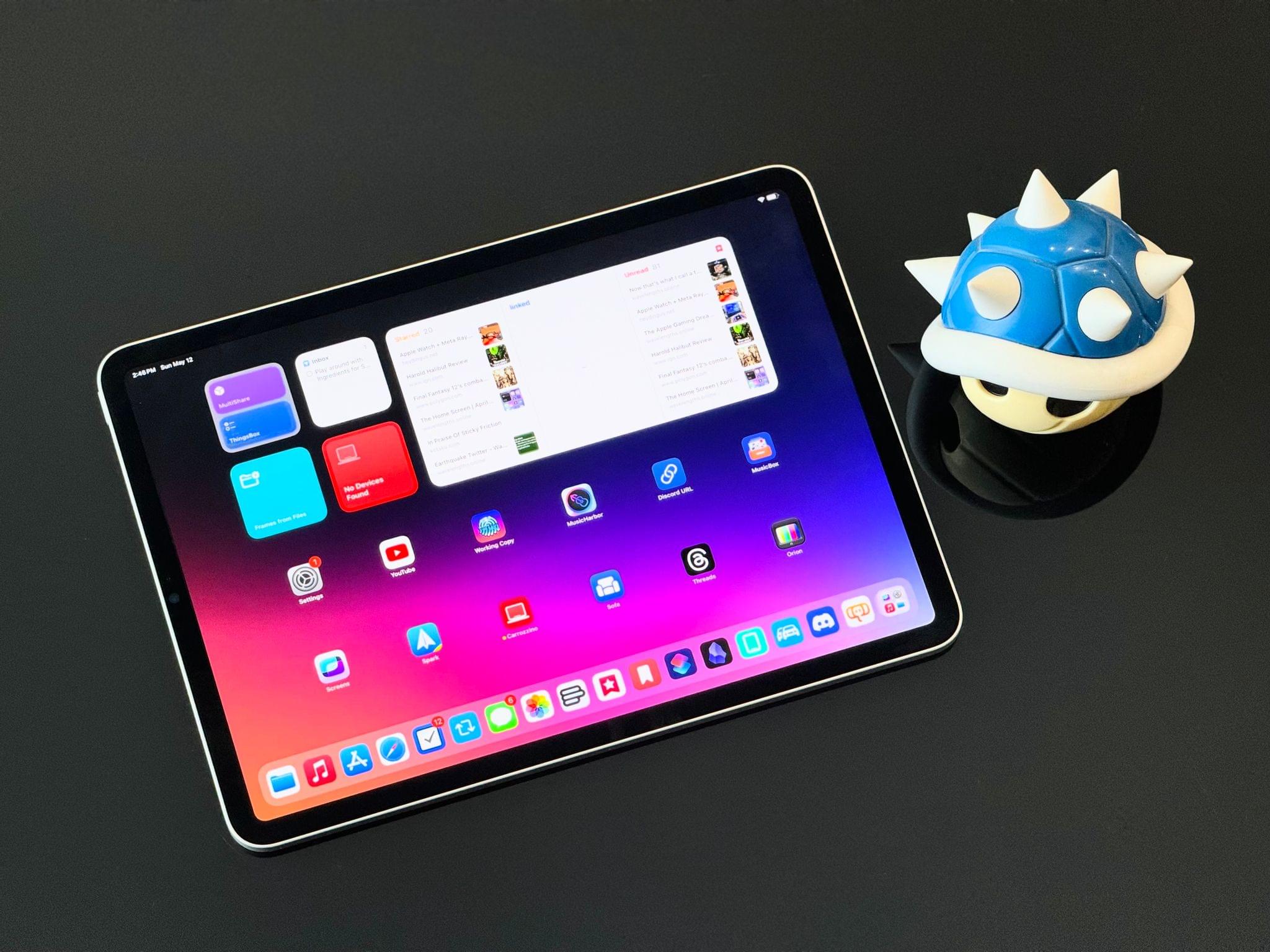
> What magic features does an iPad have?
> I am somewhat jealous of is battery efficiency of the fanless macbooks.
I want good battery efficiency on my tablets as well, and I doubt any Android tablet could match that. It's a tablet for god's sake, the whole point is to not have to tether it to a power outlet for any prolonged duration of work.
Regarding pain, not only do Apple largely ignore the device, but accessory manufacturers seem to follow suit. I've lost count of the number of times I've tried to buy a must-have accessory without success. I'm hoping that Apple won't be killing it off any time soon- I'd hate to have to over to the dark side...
So considering that new phones aren’t always faster than the old ones where it actually counts (the ux), how are these newer gen ipads fairing? Do they actually feel like upgrades?
We can debate origin stories and mythology, but no one (yet?) has the creative power to change the ancient artifact.
Meanwhile, it adorns inadvertent museums.
This is EXACTLY how I feel. WWDC will roll around and Apple will completely drop the ball for yet another year with iPadOS.
I also feel that the iPad Pro is one of the best hardware form factors for a computer — but iPadOS makes it a not great laptop replacement. I can’t help but feel like it would look incredibly foolish for Apple to do their May iPad event announcing M4 iPads — only to find out at WWDC that iPadOS still sucks.
Thankfully, it seems like most people, tech reviewers, etc. are vocal about iPadOS missing the mark. I hope Apple doesn’t continue to ignore the negative feedback.
But I'll probably never buy another. The OS is just too limiting.
Perhaps they'll eventually decide to let them run MacOS? (Seems like a no-brainer, at least when a keyboard case is in-use, but apparently not.)
I've a short list of tasks:
Apple TV: for task "watch Apple TV+"
Safari: for task "surf internet"
Google Maps: for task "surf geography"
Animoog Z: for task "make music"
While for sure I would love ipadOS to be a real OS, as long as it's the best device for even one task that I do regularly, I'll probably keep buying new ipads - but generally only once every four years, as I get my boost for my tasks from new hardware.
They just need to let you run MacOS on it in a VM and all will be right with the world.
But they won't because they are greedy selfish bastards that do not actually have the user at heart.
End of discussion
The ipads now have zero reason not to allow virtual machines beyond greed.
when riding a bus in singapore, or flying short-distance, i feel awkward using my macbook. whereas if i use an ipad, i feel like it's more appropriate. this is just a personal preference though.
another thing i'd love for ipads to have is, allowing its display to be used as an external monitor.
I’d even pay a software unlock for it. It’s the perfect convergence device if only Apple would let it be.
Reinstate the Hypervisor API that was banished in 16.3.1.
But I already gave up on it especially after the recent comments from Apple as they want people to buy both devices to 'complement' each other: https://www.macrumors.com/2024/05/13/apple-vp-mac-ipad-compl...
I own an M1 iPad Pro but 80% of the time I use it as a sidecar due to how limited it is.
I just don't get the obsession some people have for the iPad, jumping through hoops and putting up with so many compromises when most issues are solved using a laptop. Can someone explain this? I have an iPad but I primarily use it for watching films, I wouldn't dream of trying to get any work done on it when I have a Macbook.
[Citation needed]
I don't buy this argument. And I also don't buy that iPadOS is "kneecapped". They're different operating systems for different uses. I'd hate for macOS to gain touch support, since it would ruin it for mouse and keyboard usage, just as happened to Windows, Gnome, and other desktop UIs.
The basic kindergarten math that having your customers need to buy an iPad plus a MacBook to have their needs covered, instead of just an iPad with more power-user features or just a MacBook with a touchscreen, equals more profits for them.
Do you really need a citation that Apple would much rather make more money rather than less?
It wouldn't be able to distinguish between a Close or Minimise action on every single titlebar.
Can you really look at the Final Cut Pro example given in the article and say, yes, this is the smooth user experience that Apple is aiming for?
In some senses, yeah, it’s amazing. But I use the f keys all the time normally. I use esc all the time. The keyboard lacks both. It makes the iPad heavier than my laptop, ruins the pick up and use character; the pencil goes flying if you’re not really careful when carrying it; and you still can’t use it in many circumstances on the couch because of the weight balancing and you have to cradle it.
It stops it from being a tablet and turns it into an un-ergonomic laptop
I'd rather use a Chromebook (though, not the cheapest ones) so that there's guaranteed web app compatibility. And I've still got an App Store to do my taxes (or whatever people use their iPads for, I dunno)
Can this ageist bullshit just die already? Hating on a whole generation is just fucking stupid.
Okay, let's add background task processing, hungrier apps like Xcode, more simultaneous apps. I guess we'll need more memory and compute resources, and so therefore we'll need more battery, too.
So now I have a 2 lb iPad that doesn't have enough internal space to cool itself. Great. Thanks internet.
> You introduce the last processor on a iPad?
It makes sense since iPad is refreshed less often. Other M4 hardware is right around the corner.
Depends pretty much on the region.
Calling a spade a spade is actually a much-needed improvement in today's landscape.