406 points · by skilled · 2y ago · 582 comments
> The ThinkPad T14s Gen 6 is, of course, business-focused. It will have the same Snapdragon chip, storage capacity, and webcam but will support up to 64GB of memory and one of three 14-inch display options: an IPS with up to 400 nits of brightness; an IPS touch display; or an OLED that covers 100 percent of the DCI-P3 color gamut, also with 400 nits of brightness.
>Lenovo expects the Yoga Slim 7x 14 Gen 9 to start at $1,199 and the ThinkPad T14s Gen 6 to start at $1,699. Both will be available in June.
Source: https://www.theverge.com/2024/5/20/24160819/lenovo-qualcomm-...
Also available @ 75% off in 12mos on eBay because the used Lenovo market is a beautiful, beautiful thing.
I just picked up an unused T15 Gen2 11thGen 16Gb/256Gb for $390. In Warr until late 2026.
Bought a thin client today w/ similar specs for $350.
[0] So far it seems this are the devices that have been announced.
Microsoft: Surface Laptop 7, Surface Pro 11
Dell: XPS 13, Inspiron 14 and 14 Plus, Latitude 5455, Latitude 7455
HP: OmniBook X and Elitebook X
Lenovo: Yoga Slim 7 and ThinkPad 14s Gen 6.
Samsung: Galaxy Book4 Edge
Acer: Swift 14
The Surface Laptop is physically a competitor to the actively cooled MacBook Pro (in fact it’s thicker).
Their performance and battery metrics are against the slimmer and passively cooled MacBook Air.
Their performance comparison is between the M3 and the Snapdragon X Elite when the M3 has throttled (their wording is sustained performance)
Their battery comparison is between the M3 and the Snapdragon X Plus.
That they interchange both freely is a strong tell that their devices don’t compete on all fronts like your comment suggests.
The only area where I think the snapdragon X will compete is price, because they’re claiming it’s $200 lower than a comparable M3 MacBook Air (but don’t disclose the exact comparison).
Still, a very strong showing from Qualcomm/Nuvia. However the sleight of hand leaves a bad taste in my mouth.
This is not to say that Microsoft Windows is not an advanced OS, the problem is that it is not laser focus optimized.
All of their claims so far have been both impressive, and very squishy. Microsoft's own messaging around performance and battery life for their Surface devices was also unusually squishy. And I am a huge Surface Pro fan that would love nothing more than a fanless AND fast ARM Surface Pro.
I live in San Diego, and know countless Qualcomm employees, none of them give a shit about anything other than modems really. The rest of the SoC is just something to push 5G. They care as much about CPUs/SoCs as Intel did about 5G modems.
I hope so. I've been a happy Windows for Arm user (via Parallels on Apple Silicon) for a year+ and it's been good. Based on that, I think drivers are going to be the biggest PITA for ARM-based PC users for the first couple years — for example, Google Drive doesn't work for that reason.
Google Drive does ship with Arm64 drivers, and patching the platform check out of the installer gets them installed just fine (40 84 f6 74 08 -> 40 84 f6 90 90).
No idea why they're blocking the install.
> We look forward to expanding through deep partnerships with Intel and AMD, starting with Lunar Lake and Strix. We will bring new Copilot+ PC experiences at a later date.
So it's less Microsoft pivoting to and giving ARM a try again but rather testing the waters and distributing the risks by introducing ARM into a line of laptops and tablets that will still be fundamentally x86. Arguably, the only reason ARM is first to store shelves is because Qualcomm released this generation first before Intel and AMD.
This isn't as significant as Apple throwing Intel out to pasture and converting to ARM wholesale, not yet anyway.
[1]: https://blogs.microsoft.com/blog/2024/05/20/introducing-copi...
I wonder how many people remember all of the hardware platforms that NT 3.51 and NT 4 ran on (Sparc, etc)
Everything that has tried to go or is going against that tide either failed (eg: Itanium, Windows RT) or never had market share to lose in the first place (eg: MacOS, Linux in the consumer space).
Microsoft would be stupid to be "courageous" and drop backwards compatibility, that would even trump Apple's courage abandoning the headphone jack. It also makes business sense to keep your eggs in multiple baskets, assuming those baskets are each commercially viable.
Sadly the headphone jack is definitely dead.
> They have to keep catering to every possible audience
That's not Microsoft's job at this point, they heavily invest and push the envelop where makers don't want to take the risk, but from there it's for Lenovo, Dell, HP, Asus etc. to decide what they want to market and which chip to push. The same way some of them put weight behind AMD while other went full Intel 100% of the time.
Will Windows have the opposite? ARM running on x86?
I continue to wonder how Microsoft expects to work long term. Are they expecting that every developer is just going to keep x86 and ARM based app perpetually or users be stuck always using that emulation layer if they are running ARM?
Microsoft won't be able to 100% transition to ARM like Mac did. At some point all Intel Mac's will be old enough to no longer get the latest version of Mac and for developers to stop targeting and they drop Intel support.
I just don't see many developers bothering with an ARM native Windows version when doing so means they have to support both or risk annoying customers later.
I bought a MacBook Pro just to have 20 hours battery life, even if I don't like macOS too much.
There's a pretty good interpretation of it here: https://chipsandcheese.com/2024/05/15/qualcomms-oryon-llvm-p...
Only when you lived on a remote island, with no access to news. /s
There's the AI code assistant thing that github actually started, there's the horrible chatbot maker GUI demoware, there's AI stuff you might be able to do with your sharepoint (if only you could get hold of the right ms sales rep to take your money), there's an app that does genai things on your personal MS account... And now there's a Surface rebrand?
That org chart meme about Microsoft being little fiefdoms pointing guns at eachother never stops being relevant.
[1] https://www.microsoft.com/en-us/microsoft-copilot/microsoft-...
[2] https://www.microsoft.com/en-us/microsoft-365/blog/2023/05/0...
[3] https://copilot.microsoft.com/
And [4] the meme itself, as you really can't convince me the above is the result of a coherent company-wide strategy https://i.insider.com/51dfec8469bedd5e19000017
The name was sticky enough that they've run with it, misunderstanding or ignoring that fundamental metaphor.
I thought big companies like this would have some sort of internal committee that decides if a new products branding makes it easier for customers to understand what the product is and where it fits in their offerings.
The same with Visual Studio. It is referred to by a year, eg Visual Studio 2019, but then you need to look in the make files for the actual version number of the project, and then look on Wikipedia for a table matching versions to years.
Wikipedia at least has decent docs on versions.
Then there was the "Skype" and "Skype for Business" naming debacle.
That's how you ended up with names like Windows .NET Server 2003.
And not just because they killed it. Even when they introduced it, the "plays for sure" brand meant music that couldn't be played on the ipod or most mobile phones. That it quickly came to mean music that couldn't be played anywhere was just the icing on the cake.
(I think where I was working we pushed back hard enough on this name that it never got launched... www.webaudionet.com was a really, really bad name: https://web.archive.org/web/20020401235841/http://www.webaud... )
It's kind of like those cryptographic keys they use a dictionary for: a nonsense noun phrase representing a number. Perhaps they're just encoding a SKU?
Microsoft can't brand anything cleanly and unambiguously.
"MSN Messenger" / "Windows Messenger" / "Windows Live Messenger" / "Microsoft Lync"
"Internet Explorer" / "Windows Explorer" / "MSN Explorer"
Windows 95 email client "Exchange" / email server platform "Exchange"
"Outlook" / "Outlook Web Access" / "Outlook Web App" / "Outlook.com" / "new Outlook for Windows"
"Microsoft Teams" / "New Microsoft Teams"
"Office Communicator" / "Microsoft Lync" / "Skype for Business" / "Skype" / "Skype for Business Online" / "Skype for Business for Microsoft 365"
The most guffaw-inducing branding, to me, was the recently-announced remote desktop client called "Windows App". That's going to be an easy one for users to search for.
(For guffaw-inducing I suppose there's also the Windows 98-era "Critical Update Notification Tool"[0])
[0] https://en.wikipedia.org/wiki/Windows_Update#Critical_Update...
(Edit: Yikes. I didn't even consider .NET. Windows.NET server. .NET Framework. ASP.NET. .NET Core. Ugh...)
More editing because I can't stop myself:
"Great Plains" / "Navision" / "Solomon" / "Axapta" / "Dynamics AX" / "Dynamics GP" / "Dynamics SL" / "Dynamics NAV" / "Dynamics 365" / "Dynamics 365 for Finance and Operations" / "Dynamics 365 Business Central"
More editing because I was egged-on... >smile<
"Windows Defender" / "Microsoft Defender" / "Windows Defender Antivirus" / "Windows Firewall" / "Windows Defender Firewall" / "Microsoft AntiSpyware" / "Microsoft Security Essentials" / "System Center Endpoint Protection"
Oh, ugh... then there's the whole "Microsoft Proxy" / "Forefront" / "Federated Identity Manager" nightmare.
Then there's "System Management Server" / "System Center" and that whole train of products.
Edit: Forgot SharePoint
"Microsoft FrontPage" / "Site Server" / "Site Server Commerce Edition" / "Office Server" / "SharePoint Portal Server" / "Windows SharePoint Services" / "Microsoft Office SharePoint Server" / "SharePoint Foundation" / "SharePoint Server" / "SharePoint Standard" / "SharePoint Enterprise" / "SharePoint Online" / "SharePoint Designer"
> Universal Windows Platform (UWP) apps (formerly Windows Store apps, Metro-style apps and Modern apps)...
Ironically, that list misses another former name, "Windows App" (different from the "Windows App" you guffawed at). That name was used around 2017 and used extensively in the 7th edition of Windows Internals.
[1] https://en.m.wikipedia.org/wiki/Universal_Windows_Platform_a...
So from oldest to newest it's
- Xbox
- Xbox 360
- Xbox One
- Xbox One S
- Xbox One X
- Xbox Series X and Series S (released simultaneously: S is smaller, X is more powerful)So for a period of time in stores you might see a One S, a One X, a Series S, and a Series X. If you aren't a gamer, it's a complete mystery which is the newest and most powerful. I'm sure some kids got the wrong console for Christmas, as the One X was at times more expensive than a Series S, despite being an older console that would later not support many games that the Series S supports. This would be even more likely to happen if the Series X was out of stock (so the most expensive Xbox console at the store might be a discontinued model that won't support all the new games.)
In contrast, it's pretty obvious that a PlayStation 5 is going to be better than a PlayStation 4. Yes, a quick search will show which is the newest and most powerful Xbox, but if people have to do research to find out which is your best console and they don't have to do that for your competitor, then you have a confusing naming scheme.
While officially the meaning of the "Xbox One" name was something about it being an all-in-one entertainment system, I would put money on it being chosen as some kind of subliminal naming scheme as it sounds like "Xbox Won".
Microsoft Dynamics® CRM 2011 for Microsoft® Office Outlook® with Offline Access
Ugh... and don't even get my started about the pronunciation of "Azure" (or the fact that, somehow, they took a project code-named "Red Dog" and named it after the color blue. Then there's the JEt Red and Jet Blue database engines, one of which was used by Active Directory...)
In 2015, "Visual Studio Online" was renamed to "Visual Studio Team Services".
In 2018, "Visual Studio Team Services" was renamed to "Azure DevOps Services".
To be fair, they have mostly settled on OneDrive after the lawsuit that forced the name change.
Edit: you updated defender, but you missed the depth of the rabbit hole. There's defender for office 365, there's defender for IoT, for Containers, for cloud, for cloud apps, for identity. There's one for gramma too
Then they decided to do a reboot with cross platform support and named that Dotnet Core. This was honestly fine. But then we reach late in the 3.x timeframe and they declare for real and for true that Framework is a dead end, and Dotnet Core will be the one true Dotnet moving forward. And to indicate this, the next version will remove Core from the name, skip 4 because it would be too confusing with Framework, and just call it Dotnet 5.
I wish they'd stuck with the Core name, if no other reason so if they decide in another 15 years to do a major rebuild again they can just come up with another new descriptor the way Core described the transition away from Framework and towards real cross platform support from MS itself.
In the same way, their .NET naming has never bothered anyone they actually care about selling stuff to. It's a tad annoying for developers, but nothing more than that.
I find the way they renamed their Office products every five years much more baffling. Consumers probably don't care beyond "office" but I'd expect them to protect their business clients from their ever changing names for office products at least.
The answer was more of subtly conveying its output needed to be checked
Microsoft Re-Designs the iPod Packaging - https://www.youtube.com/watch?v=EUXnJraKM3k
Cortana's biggest fault was mostly that it wasn't very good, and the things it was good at required the Cloud...but with the new AI chips, some of that can be offloaded and work much faster. It's like when they added Cortana to Xbox and killed the other voice commands. Then it just became a very slow process when the old on-board model was way faster. Even the voice commands became longer "Xbox on" to "Hey Cortana, turn on my Xbox" then having to wait for it to ping a server and come back to your device.
Again the .NET effect, unsearcheable for decades. The COM[1] could be just bad luck.
It’s Watson.
Ha ha, only serious. You’re right. It feels like an umbrella brand they’re just tossing around, because AI — and Copilot in particular — is hot in Redmond.
I find the new Copilot key funny, because it feels like a pantomime of the Windows 95 keys[0], but with Logitech characteristics.
[*] Okay, it’s been 30 years. I haven’t used a Windows computer in almost as long, and so I ask. Do people who use Windows actually use any of those keys? It always seemed weird that you’d need the start menu at a single button press, and the right click menu at a keyboard press felt even weirder. I think I only used the Windows key as a meta under Linux, and I don’t think I ever hit the context menu key out of anything but curiosity.
I also use it extensively for "Windows" (operating system) level shortcuts: Win-R to open a run dialog, Win-E to open Explorer, Win-<left arrow|right arrow> to move/resize windows, etc.)
That being said...I use it in basically the same way on Linux, and use the Command (Apple) key on Macs for essentially the same purposes.
I don't think I've ever used the "right click menu" key for anything, though. Most modern Windows keyboards don't include it, or have it hidden behind a manufacturer-specific function key.
I use it to put focus somewhere safe when mouse action is misbehaving.
Also to show me which one of my 10 RDP windows has focus.
I don't think I've used the menu key... If I want to right click, there's the mouse, or mousekeys... But maybe I just missed out on learning to use it. Mostly everything in the context menu is in other places too that you might get to with the keyboard.
I only use Windows at work, and there, I use the Windows key to lock my screen on demand, and to make cropped screenshots. That's about it.
At home, I never use that key for anything.
Context menu key. XP VMs (for Navision) have no mouse in Hyper-V until Integrated Services are installed.
Well that was an ignorant thing to say given how widely famously Microsoft implemented it's stack ranking system and the toxic culture it produced (as intended). This is exactly the result of that strategy. People who thought it had gone away are mostly parroting Microsoft propaganda. I live here in town with these people. You don't get hired without having "Microsoft morals". It's all a desperate gold rush to find out who is going to get promoted.
Then they named an entire input device line "Surface" as well. When you search for "surface keyboard" you will get results for desktop keyboards and type-covers for tablets.
They will have performance problems. They will have compatibility problems. They will have poor repairability and zero repair network and support. The software will be abandoned and completely useless within 18 months. They will fail very early but just outside a standard 1 year warranty. This will be a lot of e-waste. Regulatory or national bodies will step in and force privacy regulations which make all of this unworkable.
Even if the AI stuff doesn't pan out that doesn't make it e-waste, that just makes it a normal PC that could do everything previous PCs could do anyway.
We should make a club.
Apple hardware seems to be relatively unchanged, or even improved since the keyboards were fixed.
How about current Framework devices, which aspire to be repairable? Hopefully they will offer an Arm-based laptop, tablet or mini-PC.
I can't even get Windows File Explorer to reliably search for a file by name. It frequently freezes or shows no results.
The system firmware will ship with 3 boot modes selectable via the setup interface:
- Windows (this one has the Windows tcblauncher escalated to EL2 through Secure Launch)
- Linux (this one stays at EL1)
- Linux w/ KVM (which jumps to EL2 [at ExitBootServices] before kernel handover)
Mainline Linux support is underway via Linaro/Qualcomm and Dell supports Ubuntu Linux as a first class OS. Linux support won't be perfect in OryonV1, but if enough customers use these devices with Linux, it can only improve. Device trees are likely still needed for Linux. Arm SystemReady SR/ES assumes sane ACPI tables. That's something that Snapdragon X (1st-gen) very much doesn't have. The ACPI tables present there are pretty much only usable for Windows if you want full functionality.. ESXi-Arm is bootable, but a number of patches were required.
April 2024 video & slides: https://eoss24.sched.com/event/1aBEy/enabling-linux-support-...> the upstream kernel was used during the Snapdragon X1 Elite SoC Linux bringup.. demo booting upstream kernel with a Debian/Ubuntu userspace on a Snapdragon X1 Elite QRD (Qualcomm Reference Device).. Boot to console support has already landed on kernel version v6.7 and is on track to have remaining kernel support land by the time the first commercial device with X1 Elite SoC comes out on the market.
It is indeed frustrating that one still cannot search effectively a local device, but it doesn't need AI to solve. It needs a proper search engine, and Microsoft has resisted that, for some mysterious reason, for 30+ years.
There's HoudahSpot [1] for something a little more advanced. Third party launchers like Alfred [2] can also perform file searches.
The idea of an indexing service is good though. KDE's Baloo faces similar issues. It's not that easy to make it a good experience.
Everything (mentioned in this thread) comes closest to being fast, reliable, and usable. It can even index external disks and search them while offline.
How else would they trick you into opening and using Edge, the best web browser in the whole wide world?
/s
But it seems like shooting a mosquito with an elephant gun.
The idea was that you could search this:
> the phone numbers of all persons who live in Acapulco and each have more than 100 appearances in my photo collection and with whom I have had e-mail within last month
They had hyped this up as coming in Project Longhorn (which was eventually split into Vista and salvaged in Windows 7), but the new filesystem was eventually dropped like their other attempts:
-- Bing Chan, from Redmond, Washington.
At least with Apple you have a single vendor who is vertically integrated and makes a huge song and dance about data privacy. Even if you discount their PR and marketing spin, IMHO you are still miles ahead of the likes of Microsoft + (pick one) HP, Asus, Lenovo and the rest of them.
There is no way I would trust any of them not to take advantage of the data gold mine.
I suspect most people aren't putting AI into any purchasing decisions. Most people really actually don't give a shit about it. They just want things to work exactly how they did before without people moving stuff around because they just want to get stuff done.
Most would submit genetic material to 23andme and similar organizations with no restriction on its use. Yes, if could theoretically backfire not just on them, but also on their kids. But unless they see it as a near-term likelihood they will not care enough. My 2c.
(I agree with the point, but it's just not trivial to make people aware of this)
It's abundantly clear that most people don't care about how their data are used. Here "most" means people outside HN.
It seems to me that what you just said is an argument against Windows in general, not against these new features.
In my social bubble, no one runs [desktop] Linux. No one knows Linux. No one cares about Linux.
that's just not my experience. linux is far more convenient for me.
> Even if you discount their PR and marketing spin,
It doesnt seem like you were able to do that.
I still have ads after an update in windows 11 pro.
Not to mention I have file explorer bugs and one note path hijacking annoyances.
Legacy software is why we still use windows. There is nothing better about windows than say, Fedora.
Plenty. To base of your comment and the topic: Everything for file search, DOpus for a file manager are much better than anything any Linux can offer
Except, of course, the legacy software support.
No ads.
One can only pretend that closed source operating systems ate acceptable for so long before one has to address the lack of configurability, in a deep sense.
I found it odd that your comment was greyed out.
I find this disturbing, to be frank.
With "Recall", can law enforcement ask your laptop "Has your user done anything suspicious lately"?
https://blogs.microsoft.com/blog/2024/05/20/introducing-copi...
Are they encrypted? Can Microsoft access them if compelled by law enforcement?
The logging already exists. Whether the interface is AI or a command line tool is not so interesting.
Besides the "suspicious" stuff has other touch points like Google, ISPs, AWS, etc, etc. Those logs have been easy to get a hold of (with legal backing) - historically speaking.
This is a poor take. Law enforcement needs a warrant to seize your computer to get your data normally. Law enforcement only needs a compliant and willing corporate person to willingly give over your data to law enforcement. It's about who owns it and where is it located and the protections around it.
They wouldn't be continuously trying to ban encryption worldwide if that was true. There's plenty of things everyone can do to protect themselves.
And for the law enforcement, I presume if they can log into your account, they can likely extract and view everything if you have the feature enabled.
Considering we seem to be putting safety largely out the window, I can see someone saying "yeah I want to be able to ask my other computer what I did on a different computer" or whatever. Thats valuable! Ignoring the risks that involves.
Also, even if it is run locally that likely means that some sort of additional logging (possibly screenshots given the mention of "photographic memory") on top of what is already in the system logs to achieve this.
Windows 11 LTSC, which will hopefully have these features ripped out, can't come soon enough.
I bought a second computer recently which was the same as my Samsung Galaxy Book 3 Pro 360 --- after setting up Windows I found that it had downloaded _all_ of my files onto the new computer, but the wallpaper wasn't the same --- went to my old one, figured out where the file was and copied it to the desktop. While I was trying to figure out how I'd copy the file over, the file appeared on the desktop of my new computer.
AI/LLMs are great at staying organized over huge amounts of data and this is the perfect application.
disclosure: I am the founder of Perfect Memory AI https://www.perfectmemory.ai/ that does something very similar today.
Jesus, you people never learn.
Were you excited by the Bezos charts explaining Apple Silicon's blow away performance ? or how the Macbooc Pro M3 is the proest macbook you'ever seen, or how delightful the spaceness or midnightness of the metal finish is ?
The machines themselves might actually be pretty good, and have an impact on our daily lives with better battery, better keyboards, clearer screens etc. But expecting the marketing events to honestly assert the incremental improvements is a tall order.
> With a powerful new emulator, Prism, your apps run great, whether native or emulated.
Curious to hear more about what strides they've made there.
UPDATE: Found more details here -> https://arstechnica.com/gadgets/2024/05/microsoft-says-prism...
10-20% faster emulation
I've really wanted to switch fully to linux, but I still use some "power" features in MS Office which apparently don't play nice on linux. Dualbooting Fedora is decent... when I can understand what's happening and don't need to go 4 layers deep every time I have a problem, unfortunately.
you have to disable the specific GPU you want to use for another OS in the kernel command line - this means you need two different spec/brand GPUs, probably. There were some tweaks that i could probably dig out eventually, but most of what i used to troubleshoot were the archlinux wiki and forum posts pointing to blogs. However if you're just needing Office, just installing windows in qemu on literally any GPU will probably be just fine!
you can rsync the qcow to back up the entire windows OS.
for me to run games and audio software in windows my command line was:
qemu-system-x86_64 -enable-kvm -m 1024 -cpu host,kvm=off -smp 4,sockets=1,cores=4,threads=1 -device virtio-scsi-pci,id=scsi -device vfio-pci,host=0d:00.0,x-vga=on -device vfio-pci,host=0d:00.1 -drive if=pflash,format=raw,readonly,file=/mnt/m2bay/ovmf/OVMF_CODE.fd -drive if=pflash,format=raw,file=/mnt/m2bay/ovmf/OVMF_VARS.fd -drive file=/mnt/m2bay/windows10-01.img,id=disk,format=raw,if=none -device scsi-hd,drive=disk -drive file=/mnt/synology/iso/Windows_10-32_64_pro_home.iso,id=isocd,if=none -device scsi-cd,drive=isocd -drive file=/mnt/synology/iso/virtio-win/virtio-win-0.1.171.iso,id=virtiocd,if=none -device ide-cd,bus=ide.1,drive=virtiocd -usb -device usb-host,hostbus=1,vendorid=0x046d,productid=0xc31c -device usb-host,hostbus=5,vendorid=0x1a2c,productid=0x0042 -soundhw hda -vga none -object input-linux,id=kbd,evdev=/dev/input/by-id/usb-Logitech_USB_Receiver-event-kbd,grab_all=y -object input-linux,id=mouse,evdev=/dev/input/by-id/usb-Logitech_USB_Receiver-if01-event-mouse
you press both ctrl buttons to switch back and forth between host and guest, windows gets its own ip. Running office wouldn't require >60% of that stuff
i should note that command line is probably from the first time i got it working, i'd have to boot that machine to get the latest version
I would really like to have a AI companion that runs locally, on my dev laptop, tailored for my developer's needs. Something optimized for the hardware, and yet with tight privacy.
Apple... your turn!
They have had competent arm chips for years and will board the ai hypetrain in time.
Nonetheless, I see this Microsoft initiative as a canary in the AI coal mine. I would hope Apple would learn from it.
It's easiest to use this via software like Lutris or Bottles.
Glad to hear some things never change
At that price, I would expect a Generously Voluminous Pen and a whole lot more...
[0] https://www.theverge.com/2024/5/20/24160707/microsoft-surfac...
Not sure how well that will go given that even the most ardent Apple fans will concede that a keyboard case costing approximately the same as one whole entry-level iPad is a bit much.
https://blogs.microsoft.com/blog/2024/05/20/introducing-copi...
Sure Jan. Maybe Microsoft should start with proving to us they can actually can keep their private keys secure for starters.
Now imagine you actively use it and it has all your memory and history. And then your SSD dies.
They’re going to have to push this to cloud for backup - the entire thing. But they can’t say that part out loud at this stage because people will freak
Same as any other info storage like Evernote and friends. Doesn’t really work if it’s flakey or impermanent
This doesn't mean unencrypted, though. Will have to wait and see how much it exposes and how the key management works.
I'm not optimistic but it does seem rather unlikely they would botch the privacy of a constantly screenshotting daemon, it would be a little on-the-nose even with MS's horrendous privacy record.
Can’t really argue a strong local only stance and do cloud. Encryption sure but that takes us into “it’s not local but trust us it’s all good” territory…from a company known to comply with all sorts of gov info requests.
Wow that's an amazing feature!
To my knowledge, each one of the products in this list is a completely different beast despite naming similarities.
Not to pick too much on Microsoft, Sun had previously done the same thing with Java, sticking Java stickers on anything and everything they could get away with. Arguably, it worked: Java was the buzz of the industry in the late nineties and table stakes for greenfield enterprise development in the early 2000s -- unless you were using .NET.
Before Microsoft pushed ARM as an option for "all day battery power" however, the huuuuuge tradeoff was compatibility with your existing tools and very underwhelming performance.
However, can I just complain for a moment?! Why are these laptops shipping with fixed options at exactly 1TB of storage and only 16 GB of memory with no way to specify different configurations? So with all this cross-company coordination and opportunity for eyeballs on this renewed ARM push, they still felt the timid 16 GB would be more than enough to generate excitement?
Yes, yes, I know, it's fine for a generic office product, but am I the only one who is thinking this is a red flag, and this is going to be just another failed launch and huge missed opportunity at wider ARM adoption?
Don’t get me wrong, I’d love myself a Surface that’s super fast, responsive, has many app and good battery life. But I just can’t get myself to buy one whenever I try it in the store. So MBP+iPad it is, year after year.
Sometimes it feels like the commenters on HN are being kept in suspended animation for 10 years then revived for a couple of days to comment then put back to sleep.
I'd rather have a reliable ARM device, sans Copilot - which MS hasn't proved they're capable of yet.
> Whether these computers can match or outdo Apple’s custom silicon remains to be seen
I would be shocked if this were ever the case.
I'm very curious to see what APIs will be open to developers, because I think "next billion-dollar startup"-style value-generation won't be found in the generative aspect of these models, but rather the promise of automation, synthesis, summarization, agent invocation, and so on.
It clearly will be a catalyst for creating a lot of shareholder value... I'm less sure about the customer facing value of a lot of these products.
I agree, but mostly due to the fact that there are no "products" yet.
They seem desperate to be ahead and they will frighten people away from the usefulness of ai.
Everyone on the bandwagon.
Put out a landing page with AI on it and ride the hype train.
MS are pouring a lot into this - can they sustain it!
* grabs tinfoil hat, considers how it depressingly hasn't worked before, puts it on anyways *
This iteration of Microsoft products gonna really go for the throat.
Having my computer automatically reference some document I was supposed to look at an hour before a meeting scheduled titled "Important Document Review Meeting" even though it's not attached but on some vague share and a deep directory I forgot about would be nice as well. Maybe this would do that.
A calculator has no use case if it might be wrong.
Company like Intel is happy that this is happening, it run on NPU from Intel/AMD. This AI PC buzz is supposed to help sell more x86/Windows.
(Although there are definitely laptops with fans that still throttle within minutes, and they usually have a fruit on the side of them.)
There is extremely little quality loss from dropping to 4-bit for LLMs, and that “extremely little” becomes “virtually unmeasurable” loss when going to 8-bit. No one should be running these models on local devices at fp16 outside of research, since fp16 makes them half as fast as q8_0 and requires twice as much RAM for no benefit.
If a model is inadequate for a task at 4-bit, then there's virtually no chance it's going to be adequate at fp16.
Microsoft has also been doing a lot of research into smaller models with the Phi series, and I would be surprised if Phi3 (or a hypothetical Phi4) doesn’t show up at some point under the hood.
Here's the exact quote for the 7B:
"Even running a 7B will take 14GB if it's fp16."
Since they called out a specific amount of memory that is entirely irrelevant to anyone actually running 7B models, I was responding to that.
I'm certain that no one at Microsoft is talking about running 70B models on consumer devices. 7B models are actually a practical consideration for the hardware that exists today.
7 Days to Die, BeamNG.drive, Borderlands 3, Control, Dark Souls III, Dying Light, The Forest, God of War, Resident Evil 2, Shadow of the Tomb Raider, Skyrim SE, Sons of the Forest, Totally Accurate Battle Simulator, Unturned, Warframe, and The Witcher 3
But you will get much better experience and longer battery life with using something like Geforce Now
- All gaming PCs are x86 - PS5 and Xbox are x86 - Handheld PCs (Steam Deck, Legion, etc) are x86
This is the market people are talking about when they say "gaming" and you know it.
If anyone wants to refer to PC gamers, refer as such. "Gamers" with no additional descriptors by definition is anyone who games, and that includes gamers who play on mobile and consoles.
Enterprise/high end use vs front end or SSH. I don't see why you'd ever need more than 4-8GB for a Macbook.
It's certainly early but as a consumer I feel the AI hype is just that.
EU DMA regulators could intervene on data portability, https://blog.google/around-the-globe/google-europe/an-update...
You have to love it. Shrewd as hell.
I wonder how this will fare for the future of x86. Maybe Intel will focus on the server market.
At the very least they seem to have decent x86 emulation performance this time.
With Intel stock taking a dive recently, I can't help but feel that the processor landscape is changing.
https://www.pcgamesn.com/intel/qualcomm-snapdragon-x-elite-b...
I remember not too long ago the only computer you would see is a “wintel” with a few esoteric graphic designers in Mac.
I guess it’s now “warm”?
>We look forward to expanding through deep partnerships with Intel and AMD, starting with Lunar Lake and Strix. We will bring new Copilot+ PC experiences at a later date.
I'm not blaming Microsoft for skipping Meteor Lake, it's been an awkward generation to say the least. Of course, if Lunar Lake sees delays then Intel really has shat the mattress.
That's actually not bad, I'm gonna toss a 4TB M2 in one of these.
I doubt it'll actually clear 18 hours of battery life, but I'd be happy with 10.
Not buying or requesting another Windows pc ever again.
Its full of adware and spyware at this point. even though I do like Satya's MSFT better than Balmer's.
Looks like the circle to "humanizing" the computer interface is complete. The GUI is going to become the new terminal.
I hope System76 has ARMs up their sleeve.
if they are real, can they bother trickling that in the x86 builds, pretty please?
i feel they are at the crossroads for supporting legacy, decade-old stuff with an architecture switch. i wonder if they are compromising on all that for the ARM variant.
on device OCR and photoshop filters using onboard NPU cores
CNBC talking about AI PC: https://www.youtube.com/watch?v=iEoStisYAVo
Remember Scroogled? https://www.youtube.com/watch?v=-y2mqoDjQXI
I suspect thst Microsoft will implement brilliantly on a bad idea, but that it still won't gain much traction, as Co-pilot is not the code assistant we need.
But since hammers are in fashion, expect attempts to shoehorn the world into nails.
I hope ar least some laptop vendors will use PCIe cards for their TPUs so that there's an upgrade path of sorts, and reusing older cards for simpler models remains possible.
This is a good thing. Using system fonts means less bandwidth consumed, more privacy (presumably), faster rendering, and better consistency with the rest of the user's environment.
The only failure could be not serving a web font as a failsafe, but I'm not going to count that against them because I hate the idea of web fonts.
Edit: Actually, nevermind all that. Microsoft is serving Segoe UI as a web font in addition to referring to the system copy.[1] If that's not rendering properly, either Microsoft got the URL wrong or something is fubar on the browsers concerned.
[1]: https://blogs.microsoft.com/wp-content/themes/ms-blogs/style...
Microsoft is shifting away from Intel chips, favoring Qualcomm's latest Snapdragon X Elite processors. The new Qualcomm chips boast better performance, power efficiency, and battery life, aiming to compete with Apple Silicon. Microsoft is launching Copilot Plus PCs, featuring built-in AI hardware for enhanced performance.
Surface AI Announcements:
Major updates to the Surface lineup. Introduction of a new era of AI-driven PCs.
Asus Vivobook S 15 (S5507):
Powered by Qualcomm's Snapdragon X-series processors. Features 45 TOPS of neural processing power for AI-driven programs. Thinner chassis and display bezels compared to previous models.
DaVinci Resolve AI Features:
Uses Copilot Plus PCs’ neural processing unit for AI color corrections. CPU and GPU offload tasks to the NPU.
Acer Swift 14 AI:
Powered by Qualcomm Snapdragon processors. Supports new AI features in Windows 11. Configurable with up to 32GB of memory and 1TB of SSD storage.
HP Laptop Lineup:
Streamlining of product lines to OmniBook (consumer-focused), EliteBook, and ProBook (corporate-oriented).
Dell Qualcomm Laptops:
Announcing five Qualcomm Snapdragon laptops, including XPS 13 (9345), Inspiron 14, and Latitude models. Offers multiple display options and up to 64GB of memory.
Lenovo Laptops:
Introducing Yoga Slim 7x 14 Gen 9 and a new ThinkPad with Snapdragon processors. Features include up to 32GB of memory, 1TB SSD storage, and a 14.5-inch OLED touch display.
Adobe Creative Cloud on Arm64:
Full Creative Cloud suite available for new Copilot Plus laptops. Native Arm64 versions of Photoshop, Lightroom, Firefly, and Express.
Microsoft Real-time Translation:
New translation feature available across any video calling or entertainment app. Demonstrated real-time translation capabilities.
New Surface Pro:
First Surface Pro with an OLED display. Capable of producing perfect blacks and HDR output. Powered by Qualcomm Snapdragon X processors, up to 90% faster than previous models.
Surface Laptop:
Arm-based Surface Laptop with Qualcomm’s Snapdragon X Elite or Plus chip. Configurable with up to 64GB of RAM and 1TB SSD storage. Available in multiple colors.
Copilot Plus PCs:
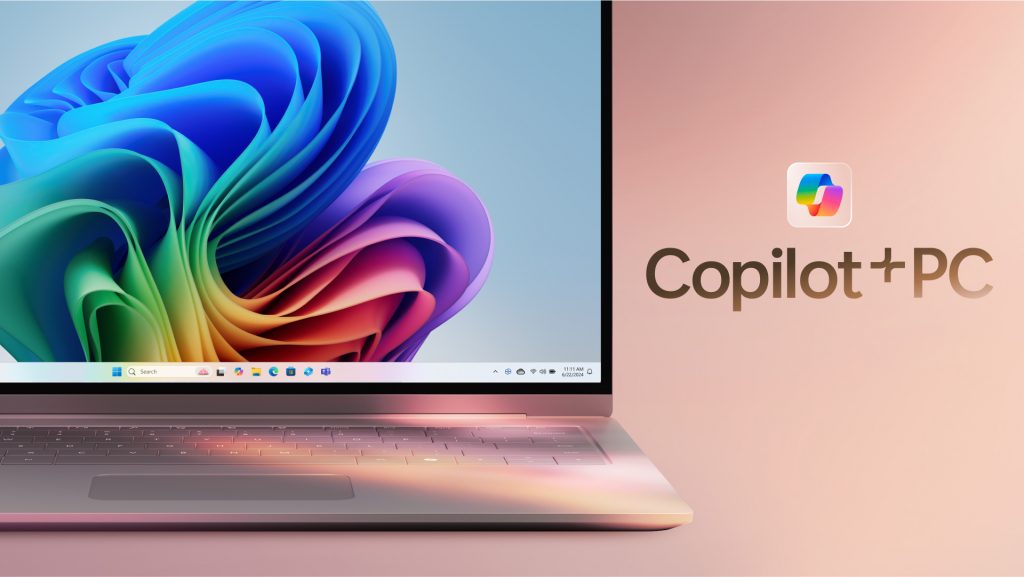
New branding highlighting built-in AI hardware and support for AI features across Windows. Supported by major laptop manufacturers including Dell, Lenovo, Samsung, HP, Acer, and Asus.
Copilot Assistant:
Upgraded to GPT-4o. Demonstrated guiding a player through Minecraft using GPT-4o for real-time interaction.
Recall Tool:
AI-powered tool that logs and retrieves everything you see and do on your PC. Can track activities in apps, meetings, and web research.
Opera Browser for Windows on Arm:
Native version for Snapdragon-powered Windows devices. Promises over double the speeds of emulated versions.
Dell's Future XPS Plans:
Confidential document leak reveals detailed specs and future plans for XPS 13 variants. Includes multiple display options and Snapdragon X Elite chips.
Qualcomm Snapdragon X Plus Processor:
Entry-level laptop chip with 10 cores and 45 TOPS NPU for AI applications. Competes with Apple, Intel, and AMD on speed.
From my experience running 'AI' locally I would have expected 32GB to be the minimum spec machine. Assuming memory unification if they try to compete with Apple.