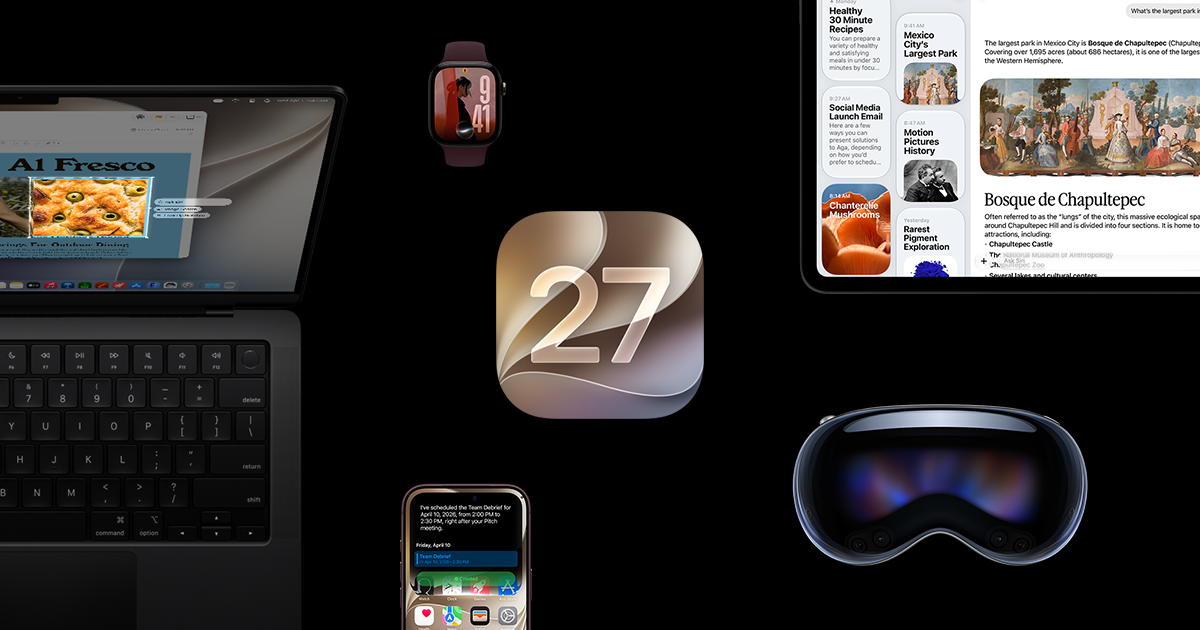
OS - macOS 27 Golden Gate
macOS 27 Golden Gate with all-new Siri AI powered by Apple Intelligence and new features for a more responsive, delightful experience.
Apple
338 points · by davidbarker · 2y ago · 345 comments
Are there situations that make more sense to use a tiling manager like on larger (where all the tiles are usable) or smaller screens (where full expansion makes sense)?
1. focus follows mouse, the window you are pointing at gets the focus. This feels very strange at first. but pulls a surprising amount of friction out of working with multiple apps. However you have to pair this with.
2. don't raise on focus. this let you work on a lower window. to raise you click on a specific part of the window, usually the title bar. if you don't have this focus follows mouse is terrible. this lets you have the main window(usually the documentation or reference) open on top while you type away on the lower window.
3. At this point I heard of i3 and it made perfect sense to me. I have never said "boy I sure am glad this window is half covered up" I ether want one app full screen, two apps side by side(reference and work) or many small apps(terminals). why not just have the window manager enforce this instead of me fiddling with windows. these days I use mainly use spectrwm because it fills that perfect middle ground between too sparse(dwm) and too featured(i3).
That said, for my day to day operations(I sys-admin, so lots of terminals) it works great. however there are many apps that do not play well. for example, I recently set up a linux box for steam games and steam was not happy with i3(all menus were separate windows) this is probably fixable but I just went with a normal wm. And when I do actual work on it I am reminded why I like tiling wm's as I find myself shuffling windows all the time.
Closing thoughts, an example of a tiling wm internal to an app is blender, even before I started using tiling wm's I thought blender had a very good ui for getting work done, much better than the mdi type apps that were common at the time. so just imagine your whole desktop working that way. And tabs, really tabbed interfaces should be a function of your window manager not the app, but that ship has sailed and I don't think there is any way to fix it now.
An overlapped/stacked interface is fine a lot of the time, but the flexibility is important.
What really drives me crazy is the 100% tiled-interface. I feel like something important is just below the tiles, but I can't see it.
I have a 49" ultrawide so it's super useful to have precise control over where a window goes. I also use 3 desktops (as Apple calls them) and have different windows sizes depending on what I'm doing. Having overlapping windows would just be super annoying now!
Fiddling with the mouse to resize windows manually or having windows overlapping and covering up information on each other is not really a great way to interface with them. Maybe it's helpful to locate the windows and bring them into focus, but once they're in focus and in use, I want to be maximizing their screen real estate and making sure they're 100% readable.
And, really, it's something the OS should have had at the very least as an optional feature for over a decade now. Windows introduced this feature in Windows 7. It's been a sore spot of a missing feature and it's especially detracting for the Windows users that Apple wants to have switch over to the Mac platform.
Compared to peek and switch it provides more usable space since windows can be maximized without leaving space for another window to peek out, less manual arrangement since Windows need not be carefully arranged. Also I normally switch because I want to do another task or in resource to a notification.
That said however we choose to analyze it it's in part subjective matter of taste. There is no singular correct answer.
Now so just need a clipboard history manager, a way to make cmd+tab behave like Windows alt+tab, a way to mute the mic in the status bar, and a different setting for the trackpad/mouse wheel direction, and I won’t need to install random apps for basic features anymore.
I believe the new control center API is intended to push seldom used icons into the control center
> searching through open windows by typing
The new Siri is context aware once the developers include their data through new APIs. The Microsoft version which was snooping through private browsing, secure apps, and logging passwords in open databases was not the right way to go.
Cmd+Tab: AltTab (https://alt-tab-macos.netlify.app/)
Different setting for the trackpad/mouse wheel: Mac Mouse Fix (https://macmousefix.com) or LinearMouse (https://linearmouse.app/) or Mos (https://mos.caldis.me/)
I really hope there is a "automatic tiling" option, otherwise this is just mouse support for the current "Move Window"/"Tile Window" options already available on the OS (and easily bindable via custom shortcuts).
https://wayland.freedesktop.org/libinput/doc/latest/pointer-...
A 3840x2160 monitor run at 1x means a framebuffer of 3840x2160.
At 2x, the effective resolution is 1920x1080, and this also uses a framebuffer of 3840x2160.
At 1.5x, the effective resolution is 2560x1440. This is implemented by rendering at 4x (5160x2880) and then downscaling that.
At 1.25x, the effective resolution is 3072x1728. This is also implemented by rendering at 4x (6144x3456) and downscaling that.
The difference between all of these is quite noticeable.
Edit: Apparently Apple has been shipping its laptops with non-integer scaling for a while, which is interesting.
It took them a decade to release a "Send Later" feature? How's that for innovation? Snobs!
Stage Manager was the most interesting and useful thing to happen to window management in over a decade, and I was really hoping we'd see Apple do more with it. Its dynamic nature (windows don't always live in just a single context!) solved a lot of problems inherent in Spaces, and yet there's still plenty of room to build on its foundation.
I was hoping we'd at least see the window snapping behavior ported over from iPadOS. It's a really well-thought-out way to simplify window resizing and overlapping, and it would go a long way on MacOS (perhaps with a toggle in Control Center for those edge cases where you actually want pixel precision). Maybe in MacOS 16...
… really? I’ve tried to use it a few times but it’s just… not good. Not very intuitive, full of idiosyncrasies, and it doesn’t solve the basic "I want to snap 2 windows side by side" problem. Maybe it’s more interesting on iPad?
I’m glad they finally bring window snapping to Mac.
I tried it with my studio display for a day and it was like wrestling a raccoon all fucking day.
I've personally been infuriated by the absence of Send Later feature. I can't fathom that I could do it with a "stupid/inferior" Windows Phone that wasn't obscenely priced like an iPhone.
They lost their technological leadership since Steve Jobs. End of Story.
I bet I'm gonna keep Rectangle as well.
Ever since I've been using a Mac since Nov. 2023 that's been one of the things that I've battled with, and I've assigned a heck tons of shortcuts to make that happen.
On macOS, the moment I fullscreen an app, it's taken out of that flow. So for so many years, I've had my terminal full screen on workspace 2. Meta+2 it in my muscle memory for "go to terminal".
My heart dropped for a second when I saw Sequoia only supports iMacs from 2019, until I saw it supports iMac Pros from 2017. I wonder how much longer I have before Apple stops releasing updates, and corp IT decides the iMac Pro is now e-waste.
It's really unfortunate that they don't do Target Display Mode anymore. These iMacs have panels that are still top-of-the-line 6 years later. (A Studio Display is basically an iMac Pro with Apple Silicon in Target Display Mode.) I wonder if there will be a Linux distribution to convert these things into monitors when they go obsolete.
A few different people have figured out how to convert these panels into stand-alone displays. It's a pity that it would be impractical to make a small business out of this.
- https://ohmypizza.com/2023/04/converting-a-5k-imac-into-an-e... - https://mschmitt.org/blog/convert-5k-27-imac-external-displa...
Wild that a hobby project I've never heard of has a whole outfit in China supporting it: http://chiyakeji.com/
I wonder if I'll be able to expense one of those when/if Apple finally deprecates the iMac Pro on my desk.
Hell, I have an O.G. iPad 1 that still works perfectly as it did the day I bought it, but most of the built-in software no longer works, and the App Store is basically empty. What a sad state of affairs.
One thing I can tell you though is that Intel has EOL’ed the chip in the iMac Pro. Meaning no more security support for the chip.
So I’m not sure the iMac Pro will get the next update. Though possible Apple has found a way to mitigate any security issues.
This is the best article I found on the topic. Note also that once the iMac Pro is out of support, it’s os will still get security updates for two years past that.
So with this announcement today we are guaranteed security support until Oct 2027 or so.
I own an iMac Pro and was pleasantly surprised today. Had been concerned the Intel EOL might end things.
https://arstechnica.com/gadgets/2023/07/with-macos-sonoma-in...
5-6 years of fully functioning hardware with official OS updates is much better than the Android phones I had before it.
https://www.androidauthority.com/iphone-software-support-com...
In the Apple ecosystem, app developers are much more aggressive about dropping support for older versions of iOS.
Also you dates are wrong, measure from the last device sale, not the first
Very weird and very annoying. Especially since they are used by millions of people every hour.
Well worth checking out.
I'm stealing this marketing line
If this is a better AirDrop I'm all here for it. AirDrop was already leaps and bounds better than email my android phone to my PC.
And SolidExplorer is a good app to transfer data from/to Android.
I'm a long time Mac user, but I really dislike Apple's walled garden on the iPhone and thus switched to Android some years ago.
Apple, however, in their infinite wisdom made MacOS pop open iTunes when you connect an iPhone as a USB device. You can "import" them into Photos (another Apple walled garden), but they don't show up as a filesystem, and you can't use normal filesystem operations or terminal commands to move them over.
It fails completely for my use case, which is that every 6 months or so, I want to back up the 2000 or so pictures I've taken to a Samba share on a home server that I control. The closest equivalent would be iCloud, but I refuse to mortgage my family memories to vendor lock-in for a monthly fee.
You're saying that if i select AirDrop I can send photos from my phone directly to my mac's file system?
No Photos app or iCloud drive shenanigans?
It also has a Quick Transfer feature so you just drag and drop a file to your target device, and iMazing gives you a choice of apps to send the file to. It's similar to AirDrop but also works for Windows and seems a bit faster and more stable.
What’s the point of this qualifier?
Why not use the current, up-to-date default app for photo import that has been there since 2002 to literally serve this purpose? Yes it has a lot of extra functionality, but that doesn’t mean you have to use it. You can get originals from Photos and be done with it…
I suspect it will only be useful for emergencies as latency will be terrible, though.
Based on what? AirPlay mirroring is great today, and this is that with data in the other direction. Current Wifi is perfectly capable of bidirectional voice and video. Adding touch/key events is incremental.
I really wish Apple would just force companies to enable their iPhone/iPad apps on Apple Silicon. But if I could display a video from my phone onto my 15" laptop screen, that would be a nearly as nice.
I use AirPlay to my Mac (and external monitors) even at home since I can watch the 4K feed from apps, which isn't available for some services if you use the web browser (cough HBO cough),
Also I will use this often to approve okta 2factor requests.
https://support.apple.com/en-us/109365
Interestingly, you can remotely control a Mac using the Screen Sharing utility (which is a standalone utility, not part of FaceTime).
> I suspect it will only be useful for emergencies as latency will be terrible, though.
If they can make the macOS display feature in visionOS usable, I imagine they can make this work too.
And of course, there are all those MFA apps which I need for work...
(Also, I miss the old widget Dashboard from old versions of macOS. Wish they'd bring that back with the new widgets tech).
Maybe I’m misunderstanding you, but did you know you can pin widgets to your desktop in Sonoma? They don’t have to be tucked away in the Notification Center anymore; the entire bottom half of my second monitor is a big widget dashboard.
However, it still doesn't sound as good as the old Dashboard, where widgets effectively got their own desktop (available for quick access at any time with a single keypress or touchpad gesture). This would also be more consistent with iOS, where you can just swipe to the left-most home screen to see a dashboard of widgets.
I like to maintain a "clean desktop" look so not sure if I love the idea of cluttering it up with widgets, but I'll give it a try!
Depending on the implementation, I am however looking forward to this. I need to use some systems that only provide 2FA via a mobile app (i.e. Push OTP), and having to reach for my phone during work hours is pretty bad for my productivity and flow.
(I really prefer TOTP, which I can just let 1Password handle…)
"Chrome isn't just an App, it's a password provider. We're not throwing that away for Apple."
I don't think that was anyone's intention. Just to support filling passwords from other sources. But he locked into a single use case that was a straw man. "I can understand how some users might want that. That's not a priority for us."
I keep family members' social security numbers, security questions and answers, passport numbers, etc in there, and I don't want to split that data between a passwords app & secure notes.
https://chromewebstore.google.com/detail/icloud-passwords/pe...
> The iCloud Passwords extension is compatible with macOS Sonoma and Windows versions supported by the iCloud for Windows app. To enable the extension on a PC, download the iCloud for Windows app from the Microsoft Store and enable iCloud Passwords.
So AIUI no Linux? (vested interest as that would be my use case)
> However, it’s a bit annoying since you need to authenticate each new browser session with MFA
Well I'd be annoyed if iCloud-stored passwords weren't protected by MFA.
Tangent: I wish the EU would crack down on behemoths that borderline on being utility providers to publish protocol docs on grounds of:
a) auditability
b) interoperability
One can dream...
The screenshots had no indication of it, and it doesn't seem to have a web counterpart.
One of the major PITA for keychain was the association with your logged in AppleID. If it 's still that way, I don't see a real appeal for people who already went their way to pay for a full-fledge product.
Imagine killing your phone and asking a nearby friend to borrow theirs to quickly cancel an appointment to give you time to deal with it. That's the kind of situation that should be gracefully handled by a password manager service.
> Watson became very popular, and stayed that way right until Apple released Mac OS X 10.2 with Sherlock 3. In that release, Apple added just about everything Watson could do to Sherlock's own interface.
But now...
- Windows is full of AI/Adware bloat with more getting added every few months
- Linux's gaming/nvivia support has come such a long way that in some games it's beating Windows in some benchmarks now
- Apple's app store policies over the last 10 years have caused so many issues that our company is switching everything to webapps.
So I'll probably be switching from Windows+MacOS+Linux this year to just Linux next year.
Thinking of using the KDE or Cosmic desktop environments for personal computer and NixOS for development computer (just so I can test/rollback changes, and if the computer ever dies I can be up and running again in under an hour if I need to meet a deadline).
Windows 11 is behaving more and more like the viruses and adwares I spent so many years defending against.
Everything I want/need including games via steam run perfectly on it now. I can't see a reason to return to MS or got to Apple.
I'm really looking forward to this – big fan of Apple Pay, but I'm not switching to Safari and rebuilding my shopping cart for non-logged-in purchases, and that's where it's arguably most useful.
Word is that it'll work via QR code scanning from an iPhone anyway, in all browsers! Very clunky, but much better than Webkit only.
That one really makes me happy.
1Password was a bliss until they went all in on subscriptions, and Bitwarden, for all its benefits is, I gotta say, rather abysmal when it comes to GUI and UX of their native app.
The Passwords app looks like the best of both worlds in terms of UX and functionality.
> apple sherlocked 1Password today, so i'd like to remind you that your Apple ID is only as secure as your carrier. if you have 2FA on and get SIM swapped, attackers can lock you out of it PERMANENTLY. last month it happened to me. make sure it doesn't happen to you
I mean, I get the sentiment, macOS releases have gotten a bit more exciting since I got an iPad and an iPhone, but macOS is a perfectly good OS even without the iDevices.
EDIT: I'd like to add the following, in case any Safari team members come across this in the wake of today's keynote. I remain utterly disgusted by things like:
- hiding the full url by default
- force hiding the full url on certain ($) search engine sites
- force injecting 'client=safari' into my urls for ($)
- {google, yahoo, bing, duckduckgo, ecosia}
- inability to specify custom search engines and their urls
- removal of RSS reader (still salty)
https://github.com/uBlockOrigin/uBlock-issues/issues/1123#is...
And for watching Safari status ongoing:
"... if ever there is a port to Safari, that will be MV3 uBO Lite, not uBO, which requires MV2." --gorhill
I want Safari for the OS integrations and cleanliness. I need Firefox for manifest v2 and UI customization.
https://bugs.webkit.org/show_bug.cgi?id=191053#c31
https://github.com/WebKit/WebKit/pull/9489#issuecomment-1519...
Even as an Apple fanboy, this is my least favorite part of the ecosystem. It’s so blatantly anticompetitive and obvious that this is a list of search engines that pay Apple money. (Actually, it’s just Google + 4 re-skinned Bing engines).
This needs to be customizable to include any website with a ?q= parameter, like Firefox does with custom search engines.
It should honestly be an anti-trust issue that this is not possible now.
I hold Snow Leopard to high esteem still because it made everything faster and smoother.
I hold Snow Leopard to high esteem still because it made everything faster and smoother.
As long as the focus is on whiz bang bullshit I can't imagine Sequoia will be any good.
I suspect quality will be worse on a typical Mac FaceTime camera.
You can even switch between them with a triple swipe on a magic trackpad...
e.g. in Mission Control right now I have "Desktop 1", "Desktop 2", and full-screened iTerm2 on my external monitor, plus "Desktop 3" and about 6 other fullscreen apps on my laptop.
I have somewhat semantic meaning for what each of those three numbered desktops are, but it'd be nice to _name_ them.
Oh, and I get more notifications on my other laptop which has some similar calendars.
And my phone, too.
I was hoping for improvements to iPhone's notifications, not have them expand to other devices.
I'm quite happy with all the social media notifications being confined to a single device; I can pick it up and check it when I want to, or put it away and ignore for a while. I know Apple wants me to set some sort of focus / do not disturb, but managing that seems too complex when the analog "put the phone away" works.
Many people use their phone as a second authentication factor these days via TOTPs etc., the assumption there being that somebody with access to your computer can't get to it.
This kind of invalidates that, which could be a problem when screen sharing to tech support scammers.
One thing not clear in the presentation (or maybe I missed it) was how this feature works when apps ask for FaceID, e.g. finance apps. Presumably either they fail, or fallback to some other authentication means e.g. passcode.
The current stable release of macOS (10.14 Sonoma) supports all Macs introduced in 2017 and later.
If you're unfamiliar with the term, "Sherlocking" is the act of Apple introducing some 3rd-party's App features as a core component of the operating system, essentially obviating the app and the developers that created it.
An incomplete list of "Sherlocked" things:
- Watson - a tool for finding stuff on your Mac. Replicated by Apple's "Sherlock", hence the name of the phenomenon.
- Growl - Popover notifications Replicated by Apple's "Notifications"
- Konfabulator - provided a layer of widgets that could do various things, sort of like the old desk accessories applets. Replicated by Apple's "Dashboard"
- Camo - Allowed you to use your iPhone as a webcam. Replicated by Apple's "Continuity Camera"
The list goes on and on.
I don’t use a password manager. I refuse to pay a subscription for one. Yet, I’ve been wanting Apple to convert Keychain into a real password manager for a long time. They actually did it and I’m happy.
- this reduces the incentive to develop better solutions, and
- Apple's version of power user utilities will 99% of the time be worse, so your expanded user base will come at the expense of a loss of functionality for the power users (since backwards compatibility is poor, so eventually those more powerful single apps break)
Also bitwarden is free, no subscription.
Just because a 3rd party developer came up with a password manager first, doesn't mean that Apple/Microsoft/Google can't make one themselves and give it to everyone for free.
Something like window snapping has been out since Windows Vista or 7, I forgot. If you make an app to do this on macOS, you would have had nearly 20 years to make sales.
To me, these apps don't have any moat anyway. Developers for this category of apps should already understand that if it's essential, Apple or Google or Microsoft will integrate it into their OS eventually.
iPhone Mirroring and Notification. No longer do I have to find my phone when I am at home sitting in front of my Mac just to check on notification. I could also enjoy most of my iPhone Apps and even some gaming without leaving my Mac. Making the Mac an extension of my iPhone. Very handy and useful. Something I wanted a very long time but thought Apple wouldn't do it.
Seamless drag and drop between devices - Probably need more testing, but AirDrop isn't reliable for doing massive amount of Files between iPhone and Mac. And again transferring files from Mac to an iPhone Apps no longer requires 5+ tedious steps.
Control over web video - Semi-Full Screen Video and the important thing here is "system playback controls". Some of the online video controls are just awful.
Notes - It does 90% of what I need from Soulver. I guess unit conversion won't be as good. And the Collapsible sections meant another note taking app of mine wont be needed.
Unfortunately Safari doesn't seems to get much update. It is still the worst browser for Tab Heavy Users. And their world fastest browser tagline for so many years is annoying because it is clearly very specific to limited cases. Both Chrome and Recent Firefox are simply faster.
Apart from Safari, my current major annoyance, unless there are some new problems from Sequoia, I am not even sure what is missing from macOS. At least right now it does seems macOS, in my view is 99% complete.
The only Apps [1] I will need installing as I wrote a few months ago are;
IINA - Media Player
QuickLook Video - Adds non-quicktime supported Video to Finder Preview.
Unarchiver or Keka - RAR or Zip files.
Little Snitch Mini - Network Monitoring
Transmission - Bit torrent
Apple Numbers, Pages - Alternative to M$ Office if you dont need all the features.
Text Editor - VS Code or Sublime,
And that is it. Other than the Apps above and Default Apps by Apple like Stocks and Notes, 99% of my time are inside Browser.
> Express yourself in more ways than ever.
This is quite an overselling of "allowing emojis as answers".
Wow, those are a lot of features being added (even if it's largely userland).
I can't even imagine the amount of tech debt for an OS that's 23-years old (and older if you count NextStep).