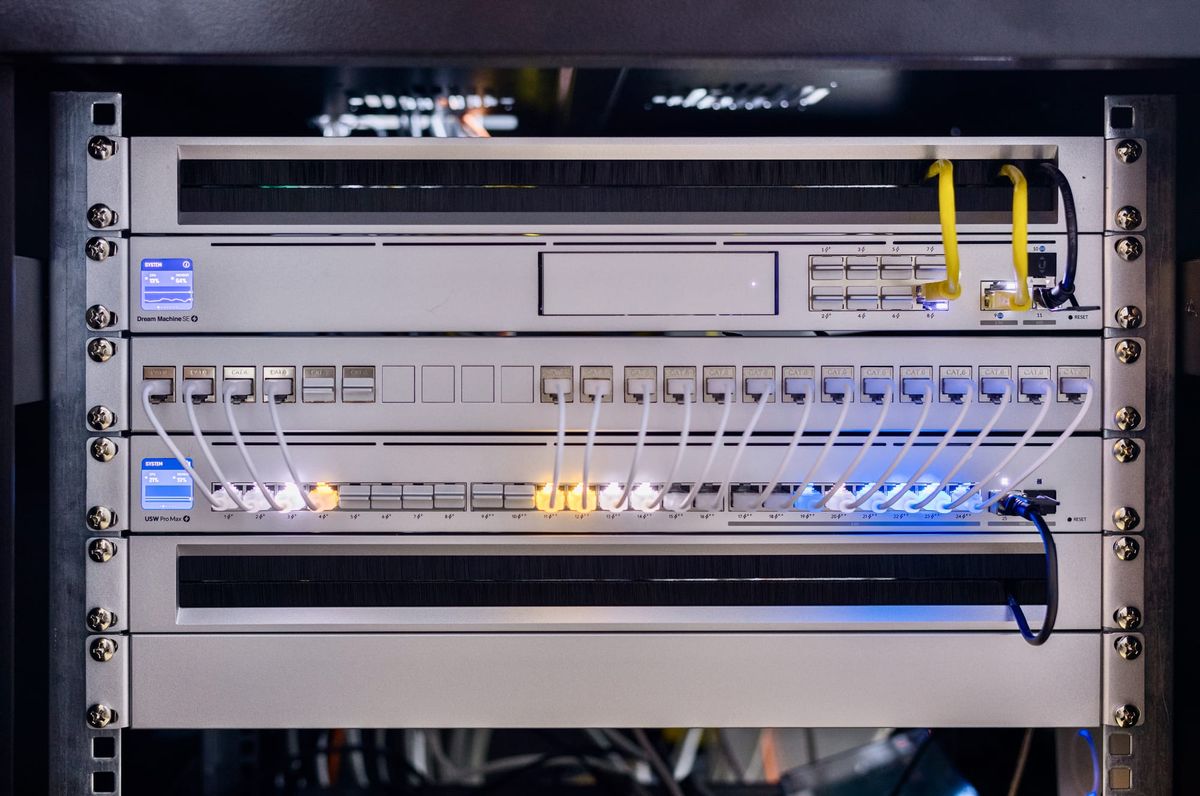
My Homelab Setup
I replaced my existing Homelab setup from the ground up with Unifi's latest Gateways, Switches APs, and Cameras. Here is what I did and how it ended up.
Fatih Arslan
72 points · by ingve · 2y ago · 51 comments
I wonder how many people this is applicable to... We have a similar setup but for a co-living house with 24 people.
It can read like an Ad for Unifi but, in our experience no other brand comes close in terms of hardware+software quality, reliability and no leaking data.
Ubiquity collects MAC addresses (https://help.ui.com/hc/en-us/articles/360042384093-Analytics...) and have had data breaches in the past (https://www.twingate.com/blog/tips/ubiquiti-data-breach)
Thought that link made me curious, why did UI have peoples social security numbers? (I'm not American)
Sometimes people do really ridiculous stuff with their homelabs, like this guy: https://youtu.be/-b3t37SIyBs?si=t_h49fv594dChYf9
Tongue-in-cheek on that of course. ;)
It's clear you are just sharing your experience of using the Unifi products/ecosystem and setting up an impressive home-lab. I was taken aback that an individual would spend almost $6k on their private home network. But you're clearly not short of a penny so why not spend it on having a kickass network? ;-)
I'm sure other successful software engineers have similar setups / investments; they just don't share them in public.
I can haz a Unifi VM that works just fine running under VMware ESXi 7 (old) for free, along with a Samba and NFS NAS, Plex, PlexAmp, Transmission (with Deluge as a backup), RustDesk (on Docker), Docker and K8s boxes, and whatever else I want to throw at it. Those all run on a 512 GiB 96 thread box attached to a SAS 3 4U JBOD with 45 HDDs with PCIe passthrough to the NAS VM. 2 UPSes with 2 2U expander battery packs each; I probably should move to some sort of LiFePO4 UPS at some point.
Router is 10 GbE DECISO 740 OPNsense with Wireguard and IPv4/6 dual stack everywhere. Fast, configurable, and works.
Also have 2 dedicated 7950X3D boxes with 2x 100 GbE each for network load testing and development. 400 GbE maybe soon.
Optical isolation isn't the only way to protect equipment.
Your internet is only 50 mbit/s any way.
Traffic to the internet is not everything. What about self hosting, sharing files between devices, or simply pushing documents to the printer...?
I have a small flat, but it has an L shape, reinforced concrete on many walls, an elevator right next to one of them, and so on. With typical setup here ("router next to tv") I would have no WiFi signal in one room at all. Regardless if it's 2.4/5/6. And it's just "a few meters". So two AP's with low signal strength are infinitely better.
One sad thing about ubiquity cameras is that they don't support mjpeg streams.Which means if you want to do vision object detection tasks you need to waste valuable compute resources to convert the stream to stills. For me that's a killer. Plus I'm not a fan of having to have an app to configure things. like the simple web interfaces on the device.
From a strictly subjective and non-technical point of view, aesthetics is one of Ubiquiti's merits.
Second, my cameras were dying, I had to replace it, and I had to make a choice. A friend of my who use Unifi cameras was very happy, so I thought that's a good reason to start using Unifi.
Anyway, both of these, I wrote in my blog post.
Bit confused about what ubiquity is doing with those APs though. Radios capable of 5.7 but they ship with 2.5 eth?