Little Snitch
Protects your privacy and prevents your private data from being sent out to the Internet without your knowledge.
Objective Development
188 points · by stefankuehnel · 1y ago · 110 comments
Is it? I'm interested in hearing why. I've been using macOS for ~15 years, so very familiar with Little Snitch. I think I owned a version many years ago but haven't for a long time. I don't really see what I'd use it for. I don't run dodgy software, I don't want to partially break the software I do run by nit picking what connections it can make as that wouldn't improve my experience and would most likely cause issues. I also mostly trust Apple's anti-malware efforts to protect me from other software I don't want to run, but if I didn't I'd run better anti-malware software before a firewall.
Also, Apple. Their junk phones home just about everything you do. 50+ services constantly pinging Cupertino.
I was confident I didn't either, but Little Snitch has proven otherwise. The amount of 'instrumentation' in modern JS and Python libraries is insane.
It quickly tapers down to alerting about rare new connections, which is when it becomes hugely useful. RandomTool.app normally connects to cloud.randomtool.xyz. Why is it suddenly asking to connect to exfiltrate.ru?
Yes! I perhaps didn't make this as clear as I should have. Little Snitch is fantastic software, no question. I'm just not sure that most people need it, I think a custom local firewall was always a bit of a power user tool, and nowadays with security being so much better than 20+ years ago, firewalls on personal machines just feel like an outdated concept to me.
Thanks.
This kind of angered me, I don’t want yahoo getting my ip anywhere I am in the world any time I turn on my computer. I think I found like 4-5 things that are baked into a clean Mac install these days that I took exception to and forbade.
Then Microsoft office and adobe are evil and constantly evading it and getting smacked down too.
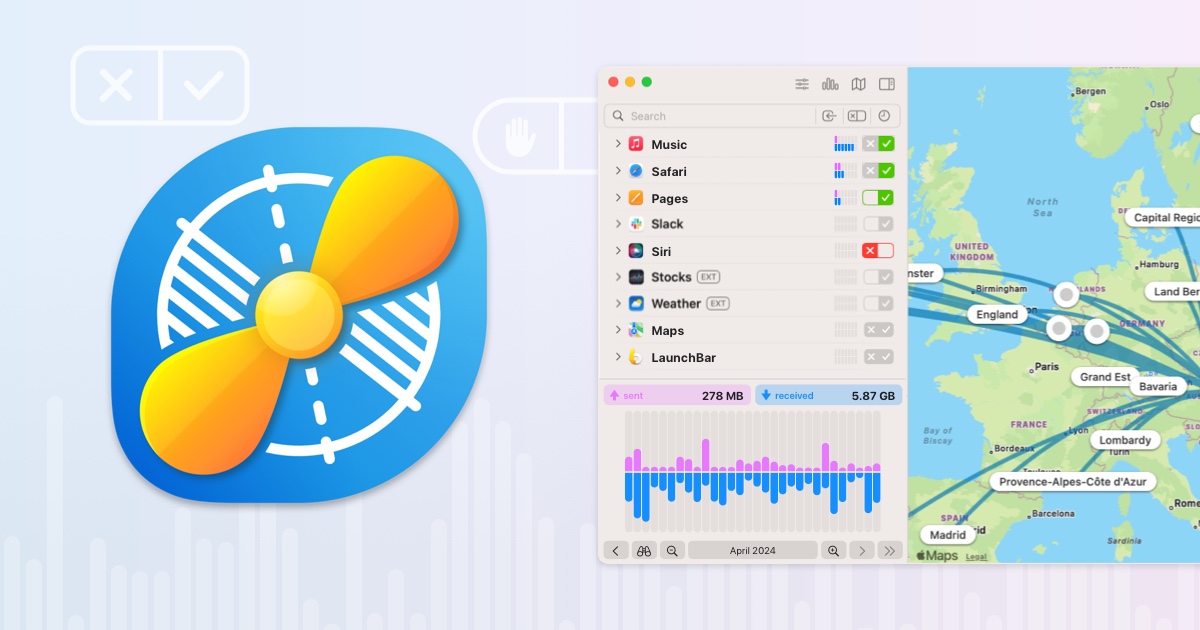
You can quickly spot anomalous connections to countries/servers, and locate the specific process doing this.
I found a daemon left over from an uninstalled app which was attempting to connect to its mother ship in China. Very strange.
A bad actor can conceal whatever they want by renting a server anywhere they like. Meanwhile, there are many legit reasons why software might connect to China – maybe the company hosts services on Alibaba Cloud, maybe the software is from a Chinese producer and they chose local hosting.
To me, the map is mostly fear-mongering.
Partially breaking web pages by blocking all connections to ad servers does wonders for my experience.
I wouldn’t mind like to correct myself and say “essential for me”. So many times I caught up software going to places where it should not go. On top of that I often do local development without containers (guilty) and any random npm package can be compromised any time.
I'm sad that that's the case, but in almost all circumstances, the relatively minor tracking of my email signing up for a service going into some advertising ROI calculation is outweighed by the fact I get to use that service.
I feel like I’ve done many one-time payments to get the new version of Little Snitch through the years.
I’m not currently using it, but for a long time it was on my list of Mac apps that I feared having to pay to upgrade with every new macOS release.
Well technically it's like a "subscription with indeterminate renewal cycle". Every few years they release a new major version and sometimes you have to pay to upgrade.
Of course you can choose to not upgrade... but then you don't get the new features, and it's unclear if the old version will support all newer macOS releases.
What a novel idea. You mean once upon a time you didn’t have to pay a monthly racket for a piece of software you wanted..?
When there’s a new mandatory paid upgrade every couple years then it’s not far from a subscription service.
The situation seems worse on Mac where software has much shorter lifespans without new releases. On Windows I’m still using some engineering software I bought over a decade ago and it’s like nothing ever changed.
In many cases, when a new macOS comes out, you must pay for the next major version if you want to continue running Little Snitch.
Not a gripe, just a clarification.
Nicety: If you buy a single user license, you can use it on multiple devices.
You can’t do that outside of the device.
If you regularly clone git repos and run code you didn’t write or run unsigned apps from untrusted developers, it’s probably a good idea to scrutinize the connections that code is making.
but even relatively established apps show connections to weird places.
Syncthing of all apps has made connections to 107 places.
AKA IAP subscription cancer
For years you could buy 1Password and then store your vault on your own syncing service like Dropbox. You owned the software and controlled your data. Then they switched to subscription-only and forced you to use their cloud. Really changed the nature of their software for many of us.
It’s just a link to the main page of their website: nothing specific to warrant discussion.
See discussion:
https://news.ycombinator.com/item?id=25109724
https://news.ycombinator.com/item?id=37500237
If you want to monitor your own network I’ve heard good things about the pi-hole project
https://pi-hole.net/blog/2017/02/22/what-really-happens-on-y...
LS can easily block all Apple phone-home. (Some must be unblocked, specifically gs.apple.com, for UpdateBrainService, for OS updates to work.)
I have a few macs that don’t communicate with Apple at all except during system updates.
I'm pretty sure the only reason it works on macos at all was that it got in early. I believe Apple periodically tries to hobble it but there is pushback.
mostly good for monitoring for malware though. doesn't replace good inbound firewall rules.
My experience is US/West Coast/Tech companies, for reference.
At the places I’ve been, systems got “wiped” or “re-imaged” most commonly. I suspect this terminology is hyper local.
Firewalling applications is relatively easy on a general purpose computer. Where it becomes excessivelky difficult is on a so-called "smartphone".
https://www.obdev.at/support/littlesnitch/bm3q8
"Will Little Snitch be available for iOS, tvOS and watchOS?
Unfortunately Apple's regulations and submission guidelines do not allow applications like Little Snitch that operate on the system level on the iOS (iPhone, iPad, iPod touch), tvOS (Apple TV), or watchOS (Apple Watch) platforms."
It appears Apple's "regulations" prohibit owner control and increased transparency. No such thing as an option for "experts only" when it comes to Apple computer owners; one size fits all. Apple are the only experts and the only ones entitled to control and transparency, over and into _other peoples'_ computers. Remarkable.
Can it ask you on new connection by a specific app whether to allow it like little snitch does?
They didn’t like that it exposed all their sneakware.
Work machines and personal software/data and vice versa don’t mix well in many jobs.
I didn’t argue with them, but kept using it on my personal kit.
I think it’s less useful, these days, as Apple is really battening down their I/O hatches. I know that Charles Proxy can miss stuff.
It would miss anything not using macOS high-level HTTP or socket APIs, right?
If you're concerned about apps surreptitiously phoning home, I wouldn't count on them using those, or otherwise respecting the system proxy settings.
What would be really cool is the LS UI but tied into something like pfsense for the actual filtering.
Rei Key - identify keyloggers: https://objective-see.org/products/reikey.html
Block Block - get an alert before an auto-start program gets registered: https://objective-see.org/products/blockblock.html
Oversight - identify when the mic or camera is active on your mac - https://objective-see.org/products/oversight.html
Ransomwhere - detect and block ransomware: https://objective-see.org/products/ransomwhere.html