143 points · by sama · 14y ago · 76 comments
Great potential, anyway.
0: https://play.google.com/store/apps/details?id=com.sevenknowl...
1: http://i.imgur.com/rfHTu.png
2: https://play.google.com/store/apps/details?id=com.sevenknowl...
If you're interested in good Android apps for Japanese, I would also urge you to check out Aedict[0] and DroidWing[1]. The latter, when combined with EPWING-format dictionaries obtained from a 3rd party source, is (IMO) just as good as any 電子辞書 (which themselves use EPWING-format dictionaries). I personally use the 研究社 新和英大辞典 第5版 and 研究社 新英和大辞典第6版 (they are, surprisingly enough, more than sufficient for classical Japanese and for kanbun), though you can also get J-J dictionaries and domain-specific ones, such as for IT or medicine.
0: https://play.google.com/store/apps/details?id=sk.baka.aedict...
1: https://play.google.com/store/apps/details?id=com.aokabi.and...
Sakura in kanji: 桜
Sakura in hiragana: さくら
Sakura in katakana: サクラ
And even if you do have it written, it may be easier for the user, but it's harder for the computer. The order and direction of strokes is standardized, and getting this information as the user writes it is tremendously valuable.
I've played with handwriting recognition algorithms for kanji before, and if you assume the stroke order and direction are correct, you can make a surprisingly good algorithm with very little code. Detecting a character from an image is much harder.
The iOS handwriting recognition, for one, takes this into account. iOS officially only has hanzi (Chinese) handwriting recognition, but it usually works OK for Japanese, too, as long as it's a character that both languages have. But when you run into one of the characters where Chinese and Japanese have standardized on a different stroke order, like 王, it'll never recognize it when written using the Japanese stroke order, no matter how nicely you write it.
My guess is you read Steven Levy's book (or at least an excerpt).
I read it so I get what you're talking about.
https://support.google.com/drive/bin/answer.py?hl=en&ans... https://support.google.com/drive/bin/answer.py?hl=en&ans...
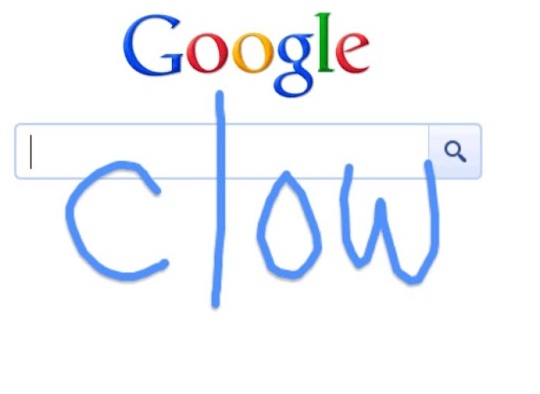
- Using an on-screen keyboard is such a pain for people that Google changed their HOMEPAGE to accommodate this.
Why does this irritate me?
1) None of the latest generation of smartphones are coming out with a hardware keyboard. The best are always keyboardless.
2) Stylus-based input, which is the other extremely fast form of text entry, has all but died out (I know some products still exist - but it was essentially dead when capacitive screens won out).
Hence, we've gone backwards from 10 years ago. It was faster for me to send a text/email from my phone 10 years ago then it is today. That is hugely disappointing.
I wrote about some of my views on this at: http://www.disruptiveconversations.com/2012/07/google-now-le...
I actually see a great value to it for times when I'm walking around a conference with my iPad and want to do a quick Google search. I can't really use voice (i.e. Siri) and I can't use two hands to type. This handwriting could be an interesting option.
The reason I'm asking is because I'd like to buy say a Nexus tablet to use with a stylus, but want the same level of accuracy as Samsung's S-pen or better, without having to buy Samsung's Galaxy Note devices. Do those need a special panel as well to have that kind of accuracy, do they only require that Android has the necessary API's and the support for those styluses?
Input remains the weak point to many or most of these devices.
(Putting it that way, it speaks to serious dysfunction at Microsoft if it's not them, and indeed, there's a good chance that it may not be them.)
http://apps.microsoft.com/webpdp/en-US/app/onenote-mx/f02238...
http://www.winsupersite.com/article/office-2013-beta2/office...
However, from a usability point of view this is probably awful. I've had an app on my phone for a while now that doesn't do handwriting recognition but just stores the handwritten stuff as images. Using that without a proper pen-like stylus is a pain. Writing with your fingers just doesn't really work. Fingertips are just not accurate enough for this kind of movement, which is precisely why we guide a pen with multiple fingers instead of just one.
Additionally it's much slower than just typing it out, even on the sucky on-screen-keyboard that you're provided with these days.
So it's slow and surprisingly hard to use. And frankly, I don't see styluses making their big comeback next year. People are just too addicted to touching things with their fingers.
Can't seem to find the voice search from there :(
I'm still waiting for the day I can telepathically control all my devices.
Eyeball tracking combined with speech or handwriting translation could be quite powerful. The eyeball tracking could provide a lot of contextual information to make speech/handwriting recognition more accurate.
Do you have a link to more information about this? That's really impressive.
Edit: I forgot to mention, the test will be carried out by a 62-year-old Egyptian grandmother.