83 points · by bookofjoe · 1y ago · 84 comments
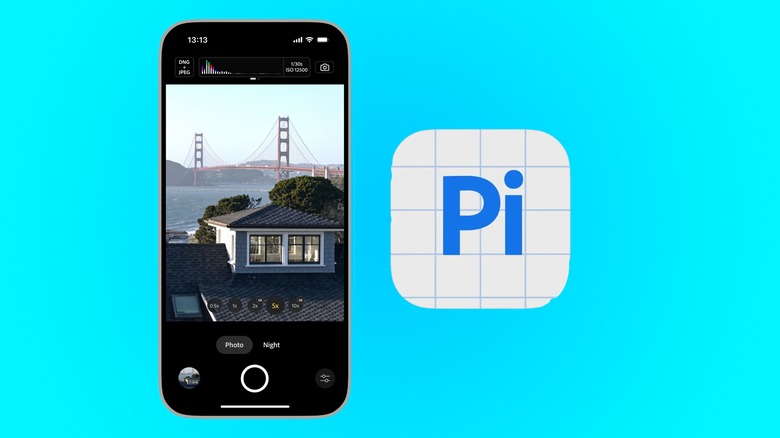
The app is so heavy that the phone is overheating after the first photo. it consumes so much resources that’s the music was playing in the background stopped because my AirPods connection dropped. For the very first time on this phone I felt like I need an upgrade, it felt like the last days of my iPhone 6s. I didn’t know you can do that to an iPhone.
The photo quality is supperb though, obviously not DSLR replacement but it really gives you that feel. Apple’s own processing has become too boring, sometimes I use Halide just to have unprocessed raws.
On the other hand night photos seem like garbage - there’s a bit more stuff visible than on default 3sec night mode but the colors are nonsensical and details nonexistent, certainly nothing even remotely close to what adobe promises on their webpage.
All in all I’m not sure what use it is with the terrible performance, outside of long-range photos that you really want to shoot at 6x zoom and keep as much detail as possible.
The built in iOS camera app can do something sort of similar - you can set it to shoot in adobe raw (12mpx scaled down from the 48mpx sensor). Often the phone will shoot HDR by combining multiple photos. And in night mode (either manually activated or auto) it will stack (combine) multiple exposures for long exposure noise reduction and (maybe) exposure stacking. Setting it to a longer amount (max is 7 seconds I think) should thereotically combine more photos.
The adobe raw format can store this info (it's actually quite underrated - I first switched to iOS with the 15 pro and immediately tried to find a way to shoot a true "normal" raw like a .DNG). I'm very into photography and used to be a professional film editor and one my favourite hobbies is astrophotography (with a real camera and tripod).
The cool thing about adobe raw specifically is that the HDR stack is not baked into the file. If you open one in Lightroom mobile, for example, there is a slider under the far right "profiles" editing section. The slider defaults to the middle (50) which is basically the default stacked HDR look from Apple. Moving the slider all the way left will have it use a single exposure (normal raw - no HDR no stack). Anywhere in between will be a blend of the two. If you don't see the slider then you haven't properly opened the adobe raw file in Lightroom mobile (you may have opened a jpeg preview or accidently shot in .heif)
It's quite counterintuitive because "profiles" when editing a non adobe raw is a totally different function (more like adding preset looks). If the file was not taken in HDR then the slide will do nothing. I'm not exactly sure what moving the slider to the right does (it seems to increase the amount of HDR or something - I never use it).
I've noticed that when editing adobe raw on iOS messing with this slider seems to be by far the most CPU intensive aspect. Sometimes the image preview updates immediately and sometimes it takes awhile and the phone heats up. Sometimes the app just crashes. It might be using a similar algorithm to what the Adobe Indigo app is using here for image capture.
Editing raw files also kills my battery life faster than anything else I've done (which makes sense) considering that it's a fairly intensive process. This was also true on previous Android phones so it's not limited to iOS. I usually stop any music playing at the same time and make sure the phone is out of direct sun and it seems to handle heat buildup well when doing this. If it does heat up I remove the case and put it in front of my car AC vent or some other ventilated area and it cools relatively quick.
I have the same phone and no overheating errors here.
Do you mean the phone got slightly warm? That’s not overheating, it’s just what happens when you use an app that leverage the CPU for anything non-trivial. It’s not overheating.
EDIT: The screenshot below clarifies that the heat warning is a message in the app, not the actual iOS overheating protection as ( https://support.apple.com/en-us/118431 ). Regardless, I still can’t trigger the in-app temperature warning on my phone.
It will dim the screen soon, so much that it's unusable outdoors. I wasn't able to capture a photo outdoors yesterday using this app because of this. The first photo slowly finished processing but the app crashed, lost the photo. Then the device was overheating, the screen dimmed to unusable and the FPS dropped, the app become unresponsive and the music went away, the AirPods re-connected. Couldn't even try to capture a second one.
It wasn't even that hot, just 28C.
I bet this a software bug of some sort - like they’re using the cpu where it should be using Metal or something. Hopefully they can sort it out.
Apple got caught purposely slowing down older model iPhones.
https://www.npr.org/2020/11/18/936268845/apple-agrees-to-pay...
>"In March, Apple agreed to pay up to $500 million to settle claims of intentionally slowing down older phones."
They got slapped on the wrist. This resulted in them making the batteries slightly easier to replace, but their batteries are still impossible to replace by the average iPhone owner.
Now the reason is valid and should have been a toggle from the get go but they still told us they were not doing it when they were.
https://leica-camera.com/en-SG/photography/leica-apps/leica-...
When using a DSLR I almost always shoot in (A)perture mode, it helps you control how much you separate the subject from the background and it's the thing I miss the most on phone. The portrait mode isn't quite the same.
It's the first app that I came across to have an aperture mode, cool.
PS: Apparently it lets you capture in all modes, but to edit the parameters after taking the picture it requires the pro mode.
Basically you want to make sure probably to use real focal lengths (disable digital zoom). This applies to all iPhones and androids.
Usually the main (normal) focal length camera will have the largest sensor and best aperture. Have the phone focus on something close and find the closest distance the phone can manage. This will create the biggest background blur.
On phones with longer length telephoto this will often also work if you find the closest focus point and do the same process. Depending on the actual focal length to sensor size ratio (and aperture) of the telephoto lens it may either have more or less blur than the main camera.
The Ultrawide will usually never have much background blur ability but that is generally true for a real DSLR as well
I recently used the B/W preset by Greg Williams during my trip to Iceland, and the results were fantastic. The grainy texture it added to my photos was exactly what I was looking for and really enhanced the dramatic Icelandic landscapes.
But I hate subscription apps. And the rest of the UI seems quite clumsy.
Lightroom mobile also actually might require a subscription to edit raw files however (then again it can do a lot more for the price). It also has a free version and you might have good results shooting in a high quality .heif
Only knock so far is it runs hot: never seen an overheating warning ever on my iPhone 14pro. Now i get one every ten or fifteen minutes when using Indigo.
I do wonder what makes older phones incompatible, though. Others are complaining about the performance, so it could be that the low amounts of RAM Apple puts in their phones is starting to catch up, or it could be as simple as them not having trained their AI models for some older phones yet.
Unfortunately Apple restricts some control of the hardware only to the official iOS camera app so in some cases you are actually best off tweaking the built in app as much as possible. I believe Camera M actually has some details about this on their support page and FAQ.
One time fee - often updated - no subscription. The UI isn't fancy but it does everything well and I've found their email support responds quickly and enthusiastically.
The end result is almost the same as the pictures the normal camera app takes. I think I must be missing something because this looks like a worse re-implementation of the normal camera app to me. Maybe I need to take the app out at dusk to take some pictures in more challenging conditions?
I still prefer the photos from my Pixel over the photos from my work iPhone.
It's interesting as when I last looked a couple years ago only Fujifilm had a mirrorless digital camera (with cropped sensor) that supported this on-device.
Obviously, it’s not the end of the world. Employees of famous companies, occasionally even reputable and knowledgeable people are not immune to using wrong or mistaken spelling. This is explained by a simple fact that there are plenty of professionals who are dyslexic and/or careless about spelling, while still being experts in their subject areas. There is nothing wrong about that, but evidence of their misuse of written language is not grounds for an argument that the wrong spelling is correct. Researching what the word actually stands for takes less than a minute, and it should clear any doubt and avoid unnecessary arguments.
[0] Now that you know…
You can find millions of instances of any given literacy-impaired error. "Would of" and "your not going to find this" are wrong... but they're out there by the boatload. No need to propagate them further.
Last time I sent iPhone photos into my print shop they kicked them back.
There's just no way to replace the massive 35mm sensor of a larger DSLR / mirrorless camera. The amount of light gathered can only be simulated by capturing many frames. True depth of field can only be emulated by imperfectly blurring estimated background area via software, leading to goofy blurred hairs. Even the reported megapixels of a smartphone contain a quarter or less the equivalent DSLR resolution detail (a 24MP smartphone photo is roughly equivalent to the detail of a 6MP DSLR photo).
It shouldn’t be surprising. Real depth of field is physically impossible with a small lens. And cameras have teeny tiny lenses and sensors. It’s impressive how good the photos are given the hardware, but the hardware is very very bad in comparison to a dedicated camera with replaceable lenses.
(There's an old camera influencer named Ken Rockwell who constantly pushes this; he has every possible opinion at once and is trolling most of the time, but he's right about this.)
The smallness of a phone means it can take pictures larger cameras can't because you have it with you when the picture is happening. And that's what really matters.
> They just look wrong in comparison to a real camera with real lenses and real lights.
You can use real lights with a phone camera all you want!
It's not that the application can't bring value to the platform, but they need to better convey what it is. "Making images that look like they're from an SLR" smacks of fakery.
Not yet — but not never...
Not interested.
And I have a Q2, a 5D4 and a 645Z, this little app is really great, and colour me surprised.
>As between you and Adobe, you (as a Business User or a Personal User, as applicable) retain all rights and ownership of your Content. We do not claim any ownership rights to your Content.
https://www.youtube.com/watch?v=hxg5LzFw-_g&t=33s
https://blog.adobe.com/en/publish/2024/06/06/clarification-a...