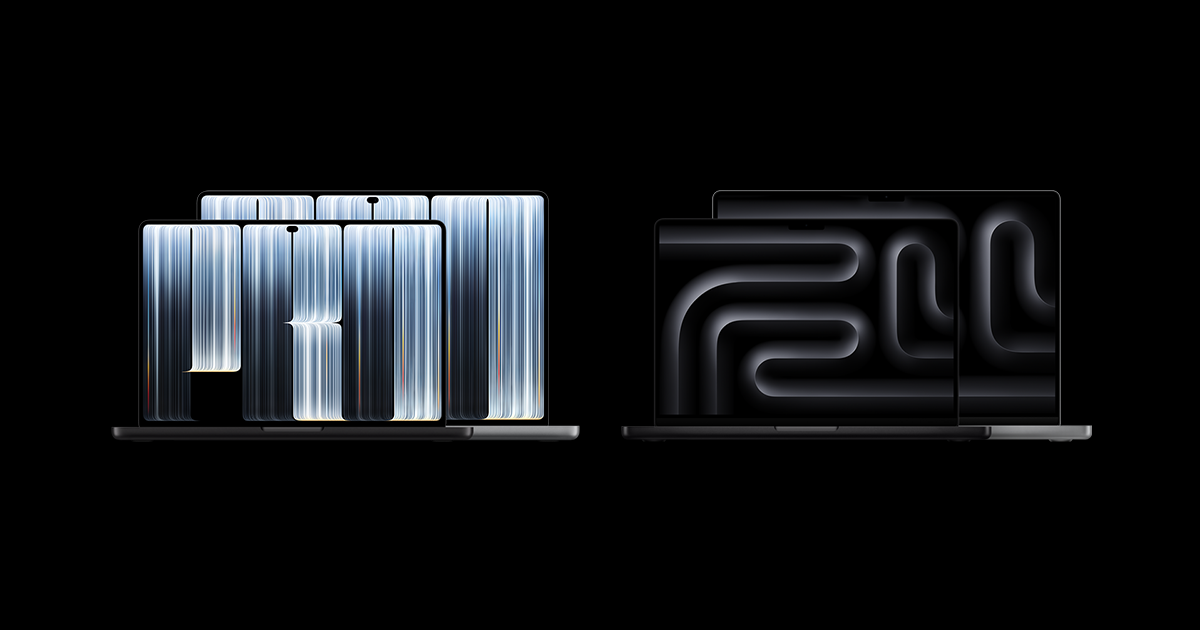
MacBook Pro
Compare MacBook Pro and MacBook Pro with PROLED XDR Display side by side. Find the right one for you.
Apple
370 points · by tambourine_man · 1y ago · 564 comments
Edit: okay, that garnered more attention than I expected, I guess I owe a qualification.
1. Everything is just slightly different. I had to split all my dot files into common/Linux/Mac specific sections. Don't expect to be able to clone and build any random C++ project unless someone in the project is specifically targeting Mac.
2. Not everything is supported natively on arm64. I had an idea and wanted to spin up a project using DynamoRIO, but wasn't supported. Others have mentioned the docker quirks.
3. The window manager. I'm not a fan of all the animations and needing to gester between screens (and yes, I've been down the hotkeys rabbit hole). To install a 3rd party window manager you need to disable some security setting because appearantly they work by injecting into the display manager and calling private APIs.
So my person takeaway was that I took the openness of the Linux ecosystem for granted (I've always had a local checkout of the kernel so I can grep an error message if needed). Losing that for me felt like wearing a straightjacket. Ironically I have a MBP at work, but spend my day ssh'd into a Linux box. It's a great machine for running a web browser and terminal emulator.
Sounds more like a you problem, probably due to unfamiliarity. There are endless options for local dev on a Mac, and a huge share of devs using one.
Yes, I know about Yabai and the other things that modify the existing window manager. The problem is the window manager itself.
Outside of the windowing system, running native Linux if you're deploying to Linux beats using an amalgamation of old BSD utils + stuff from Homebrew and hoping it works between platforms, or using VMs. The dev tools that are native to Linux are also nice.
When it comes to multiple monitors, I want a dock on each monitor. I can do that in Plasma, but I can't in macOS, unless I use some weird 3rd party software apparently.
Then you switch to macOS or Windows or even (not your) linux setup and hate it. When I manage to contain myself entirely to the terminal it's okay, but the moment I have to interact with GUI I start to miss those "just right" things.
I can relate. macOS hilariously sucks on certain GUI and terminal aspects. Not much you can do about GUI, just have to adapt to the way macOS wants to be used. For terminal, I use home-manager to manage my $HOME. It not space efficient and public caches are sub-par, but it's better than searching "sed in-place repace macos and linux cross-platform" for the 9000th time.
That just sounds like being accustomed to one way of switching tasks, honestly. If I want previews, I use Expose (three-finger swipe up/down or ctrl-up/down). But mostly I just use cmd-tab and haven't really needed to see previews there. Because macOS switches between applications, not windows, often there isn't single window to preview, and I'm not sure showing all the windows would work well either. For Expose it works well because the it can use the entire screen to show previews.
The newest Macbooks have insanely powerful hardware (I have an M4 Macbook Max). Yet they do not feel as speedy or instant on my machines with i3. There's always a perceivable milliseconds of latency, with response time from the keyboard to the screen. As someone who has tons of key bindings, I find this tolerable, but it can get a bit grating compared to just how instantaneous everything is on my Linux.
It was a bit of a struggle to get used to it, coming from windows.
The only thing I really miss now is alt-tab working as expected. (It's a massive pain to move between two windows of the same program)
Or otherwise you can enable the app exposé feature to swipe down with three fingers and it will show you only windows of the same app.
https://karabiner-elements.pqrs.org/
https://ke-complex-modifications.pqrs.org/?q=windows#windows...
Really wish someone could have figured out something a bit better in that space in particular. Docker compose is a "least worst" option for setting up a project with devs when many are uncomfortable with other solutions, but it really takes the oxygen out of anything that might "work"
I don't. I'm constantly shifting between my Linux desktop and a Mac for work. I also picked up a personal MBP with as much RAM as Apple allowed (still far overpriced and limited options) about a year and a half ago. While I don't regret it, it's still not my first choice.
If there's "endless options for local dev on a Mac" then I don't know how to describe the flexibility that a decent laptop running Linux gives you, comparatively. Honestly I think the Mac only excels in one area still today and that is: the breath of their paid for software library. The polish of Mac used to be the draw, but OS X has degraded over the years as Apple shifts to unify IOS and OS X. And don't get me started on the garbage that iCloud is that Apple continues to force feed harder and harder having, clearly, taken cues from the Windows team in Redmond.
I'm really hopeful we start to see more ARM options in non-Mac laptop formats soon. Because, while trivial, it is nice to be able to run small models for a variety of reasons.
It is interesting though that I see a "huge share of devs" using a Mac to write code targeting Linux environments when they could actually simplify their development environment by ditching Mac. To each their own.
> Sounds more like a you problem
The biggest problem with Linux is poor interfaces[0] but the biggest problem with Apple is handcuffs. And honestly, I do not find Apple interfaces intuitive. Linux interfaces and structure, I get, even if the barrier to entry is a big higher, there's lots of documentation. Apple less so. But also with Apple there's just things that are needlessly complex, buried under multiple different locations, and inconsistent.
But I said the biggest problem is handcuffs. So let me give a very dumb example. How do you merge identical contacts? Here's the official answer[1]
  Either:
  1) Card > Look for Duplicates
  2) Select the duplicate cards, then Card > Merge Selected Cards.
So yeah, maybe a lot of this is due to unfamiliarity, but it's not like they are making it easy. With Apple, it is "Do things the Apple way, or not at all". But with Linux it is "sure whatever you say ¯\_(ツ)_/¯". If my Android phone is not displaying/silencing calls people go "weird, have you tried adjusting X settings?" But if my iPhone is not displaying/silencing calls an Apple person goes "well my watch tells me when someone is calling" and they do not understand how infuriating such an answer is. Yet, it is the norm.
I really do want to love Apple. They make beautiful machines. But it is really hard to love something that is constantly punching you in the face. Linux will laugh when you fall on your face, but it doesn't actively try to take a swing or put up roadblocks. There's a big difference.
[0] But there's been a big push the last few years to fix this and things have come a long way. It definitely helps that Microsoft and Apple are deteriorating, so thanks for lowering the bar :)
[1] https://support.apple.com/guide/contacts/merge-contact-cards...
[2] Except it actually doesn't
1) The vast majority of users have only one contact-sync account, so it’s not an issue for them, merge works fine
2) For users that have multiple contact-sync accounts, they almost never want a feature to silently choose one account’s contact and delete the other account’s contact. So linking is really what these users want if the contacts live in different accounts.
It’s interesting feedback that a combined “link or merge” command would be what you’d expect. That’s a reasonable request; in my day we generally steered clear of combining destructive operations (merging) with non-destructive (linking).
I was more focused on the fact that the macOS implementation of “look for duplicates” is pretty broken; there’s a decent iOS implementation we never got around to migrating to macOS.
Well kinda, you don't have to use all that much Apple software on macs though. If you can live with the window manager / desktop environment then you can use whichever apps you choose for pretty anything else.
The hardware was great, but life on a Mac always felt a bit convoluted. Updating the OS was especially frustrating as a software developer because of all the interdependent bits (xcode, brew, etc) that often ended up breaking my dev environment in some way. It also always amazed me at the stuff that was missing. Like, how isn't the default terminal app fully functional after all these years? On the plus side, over the time I used it they did add tiling and the ability to hide the notch.
Finally at the start of the year I moved back to Linux and couldn't be happier. Had forgotten just how nice it is to have everything I need out of the box. The big thing I miss is Affinity Photo, though that looks like it's in the middle of dying right now.
* Finder - this is my most hated piece of software. It doesn't display the full file path and no easy way to copy it
* I still haven't figured out how to do cut/paste - CMD + X didn't work for me
* No Virtualbox support for Apple Silicon (last checked 1 year ago)
* Weird bugs when running Rancher Desktop + Docker on Apple Silicon
But still Apple hardware is unbeatable. My 2015 Macbook pro lasted 10 years and the M1 is also working well even after 4 years.
View -> Show Path Bar to display the full path of a file.
When a file is selected, press Option-Cmd-C to copy the full file path. Or just drag the file anywhere that expects a string (like the Terminal, or here). That strikes me as quite easy.
Cmd-X, -C, -V work as expected, what exactly is the problem? (Note that macOS, unlike Windows, doesn't allow to cut & paste files to avoid loss of the file in case the operation isn't completed. However, you can copy (Cmd-C), then use Option-Cmd-V to paste & move.)
Now, that might not be completely easy to discover (though, when you press Option the items in the Edit menu change to reveal both "tricks" described above, and contain the keyboard shortcut).
At any rate: when switching OS, is it too much to ask to spend a few minutes online to find out how common operations are achieved on the new OS?
There's also a couple of open source VM utilities. UTM, tart, QEMU, Colima, probably others.
It has improved a bit over the years and is generally fine if you just need to knock out a few commands. But I don't find it to be a very pleasurable experience compared to the alternatives. It feels very much like Apple implemented "just enough" and no more.
But really, I just don't use that many desktop apps (or at least, not generic ones) so I don't have much of an issue on MacOS.
These days I am also now working from home full time, so it kinda hit me. "Why the hell am I trying to work from this MacBook when I have my really great gaming desktop that runs Linux now?" Moved my work over and have been incredibly happy.
I'll have to give the Fedora Asahi Remix a go on my MacBook Pro though. That's a great idea!
Specifically for this, there's Aerospace (https://github.com/nikitabobko/AeroSpace) which does not require disabling SIP, intentionally by the dev.
For using the vanilla macOS workspaces though, if you avoid using full screen apps (since those go to their on ephemeral workspace that you can't keybind for some stupid reason), if you create a fixed amount of workspaces you can bind keyboard shortcuts to switch to them. I have 5 set up, and use Ctrl+1/2/3/4/5 to switch between isntead of using gestures.
Apart from that, I use Raycast to set keybindings for opening specific applications. You can also bind apple shortcuts that you make.
Still not my favorite OS over Linux, but I've managed to make it work because I love the hardware, and outside of $dayjob I do professional photography and the adobe suite runs better here than even my insanely overspeced gaming machine on Windows.
It will be interesting to see how this evolves as local LLMs become mainstream and support for local hardware matures. Perhaps, the energy efficiency of the Apple Neural Engine will widen the moat, or perhaps NPUs like those in Ryzen chips will close the gap.
Some of this is probably brew not being as useful as apt, and some more of it is probably me not being as familiar with the Mac stuff, but it's definitely something I noticed when I switched.
The overall (graphical) UI is much fluider and more convenient than Linux though.
My 2012 MPB still lives on running debian (not ideal because some driver quirks, but miles better in terms of responsiveness and doing actual work on it than whatever OSX i could put on it)
I honestly agree with the parent. I'd love a macbook M because the hardware is simply fantastic, but if i can't put debian on it, then i'll pass
I had been a Linux notebook user for many years and have praised it on this board years ago. But today the Linux desktop has regressed into a piece of trash even for basic command line usage while providing zero exclusive apps worth using. It's really sad since it's unforced and brought upon Linux users by overzealous developers alone.
Mac OS trounces Linux in absolutely every way on the desktop it's not even funny: performance, battery life, apps, usability, innovation. Available PC notebook HW is a laughable value compared to even an entry level Apple MacBook Air. Anecdata but I have no less than five "pro" notebooks (Dell Lattitude, XPS, and Lenovo Thinkpad) come and go with basic battery problems, mechanical touchpad problems, touchpad driver issues, WLAN driver issues, power management issues, gross design issues, and all kind of crap come and go in the last five years so I'm pretty sure I know what I'm talking about.
The one thing Mac isn't great for is games, and I think SteamOS/Proton/wine comes along nicely and timely as Windows is finally turning to the dark side entirely.
performance - I don't agree battery life - absolutely apps - absolutely usability - I don't agree innovation - I don't agree
One significant annoyance associated with Linux on a laptop is that configuring suspend-then-hibernate is an arduous task, whereas it just works on a Macbook.
But, the main thing is commercial application support.
With HN, Linux user comments are voted-up so often that they're worthy of a bingo square.
Unfortunately I do a lot of C++… I hate the hoops you have to go through to not use the Apple Clang compiler.
Now with Swift, and the whole security legistation ongoing issues across several countries, Apple seems to only care to the extent it needs for their uses of LLVM, Metal Shading Language (C++14 dialect), and IO / Driver Kit frameworks.
They aren't contributing to clang as they once were, Google also not after the whole ABI break discussion.
On Windows land, it isn't much better, it appears that after getting first place reaching C++20 compliance, Microsoft decided to invest their programming language budgets on .NET, Rust and Go, asking the community what features that actually care about in newer standards.
https://developercommunity.visualstudio.com/t/Implement-C23-...
https://developercommunity.visualstudio.com/t/Implement-C26-...
So it is going to be hard going forward, expecting the very latest features on the three major compilers, when the contributions get reduced.
Here's my repository: https://github.com/lkdm/dotfiles
I use Linux at work and for gaming, and Mac OS for personal stuff. They both build from the same dotfiles repository.
Some things I've learned is:
- Manually set Mac's XDG paths to be equal to your Linux ones. It's much less hassle than using the default system ones.
- See my .profile as an example on how I do this: https://github.com/lkdm/dotfiles/blob/main/dot_profile.tmpl
- Add Mac OS specific $PATH locations /bin, /usr/sbin, /sbin
- Do NOT use Docker Desktop. It's terrible. Use the CLI version, or use the OrbStack GUI application if you must.
- If you use iCloud, make a Zsh alias for the iCloud Drive base directory
- Mac OS ships with outdated bash and git. If you use bash scripts with `#!/usr/bin/env bash`, you should install a newer version of bash with brew, and make sure Homebrew's opt path comes before the system one, so the new bash is prioritised.
I hope this is helpful to you, so feel free to ask me anything about how I set up my dotfiles.
My work got me a similar M4 MacBook Pro early this year, and I find the friction high enough that I rarely use it. It is, at best, an annoying SSH over VPN client that runs the endpoint-management tools my IT group wants. Otherwise, it is a paperweight since it adds nothing for me.
The rest of the time, I continue to use Fedora on my last gen Thinkpad P14s (AMD Ryzen 7 PRO 7840U). Or even my 5+ year old Thinkpad T495 (AMD Ryzen 7 PRO 3700U), though I can only use it for scratch stuff since it has a sporadic "fan error" that will prevent boot when it happens.
But, I'm not doing any local work that is really GPU dependent. If I were, I'd be torn between chasing the latest AMD iGPU that can use large (but lower bandwidth) system RAM versus rekindling my old workstation habit to host a full size graphics card. It would depend on the details of what I needed to run. I don't really like the NVIDIA driver experience on Linux, but have worked with it in the past (when I had a current gen Titan X) but also did OpenCL on several vendors.
Highly recommend doing nix + nix-darwin + home-manager to make this declarative. Easier to futz around with.
Though if you don't like Nixlang it will of course be a chore to learn/etc. It was for me.
I've poked around articles and other posts about this, but I'm not sure I quite get it.
If I just need to install packages, would brew just work for me?
I have a collection of bash scripts in my dotfiles for setting things up, and I've been meaning to adapt them for my linux laptop. It seems like Nix may be helpful here!
I'm often envious of these Macbook announcements, as the battery life on my XPS is poor (~2ish hours) when running Ubuntu. (No idea if it's also bad on Windows - as I haven't run it in years).
Thanks for the heads-up.
MacOS is great for development. Tons of high profile devs, from Python and ML, to JS, Java, Go, Rust and more use it - the very people who headline major projects for those languages.
2ish hours battery life is crazy. It's 8+ hours with the average Macbook.
Did I get a dud? I rarely get over 2.5
I much prefer a framework and the repairability aspect. However, if it's going to sound like a jet engine and have half the battery life of a new m series Mac. Then I feel like there's really no option if I want solid battery life and good performance.
Mac has done a great job here. Kudos to you, Mac team!
https://asahilinux.org/docs/platform/feature-support/overvie...
For your dotfiles there's not too many differences just make a separate entry point for zsh that only includes the zsh + macOS things (a few system calls are different in macOS) and then set your .zshrc to load the zsh + macOS version instead of the Linux or "universal" one. This is trivial if you've split your dotfiles into multiple separate files to import individually from a central master file per OS.
For window management you want to use CMD + ` to switch windows in the same app and CMD + Tab to switch apps. You also want to utilize the touch gestures for App Expose and Mission Control.
The only thing that's still wonky is the touchpad Natural Scroll vs the mouse wheel scroll, there's a third party "Scroll Reverser" app that can give you normal mouse wheel scroll and Natural Scroll on the touchpad at the same time. Hopefully some day Apple will make that a native feature.
Stop trying to install third party window managers.
What are the differences though? I have mbpr and a pc with Fedora on it and I barely see any differences aside from sandboxing in my atomic Kinoite setup and different package manager.
People often hating on brew but as a backend dev I haven't encountered any issues for years.
There isn't a "dev switch" in macOS, so you have to know which setting is getting in your way. Apple doesn't like to EVER show error alerts if at all possible to suppress, so when things in your dev environment fail, you don't know why.
If you're a seasoned dev, you have an idea why and can track it down. If you're learning as you go or new to things, it can be a real problem to figure out if the package/IDE/runtime you're working with is the problem or if macOS Gatekeeper or some other system protection is in the way.
And there are a lot of such things, which are trivial or non problem in Linux.
I'm as much of a fan of Mac OS as the next Linux user here, but it's a very decent hypervisor and Stuff Just Works out of the box, for the most time. No more screwing around with half-baked qemu wrappers for me, vfio, virgl and what not. And running stuff without virtualization is a non-starter for me, I've been concerned about supply chain attacks before it became fashionable. Of course it would be even nicer if new Macs could run Linux natively, and I hope Asahi project will succeed with that, but until then I'm pretty happy running Linux desktop virtualized on it.
arm64 support is very decent across all the different OS now, I hardly miss Intel. I can even reasonably play most AAA games up to maybe mid-2010s on a Windows VM that's just a three finger swipe away from my main Linux desktop.
What "permission headaches"?
Things I prefer: Raycast + it's plugins compared to the linux app search tooling, battery life, performance. Brew vs the linux package managers I don't notice much of a difference.
Things that are basically the same: The dev experience (just a shell and my dotfiles has it essentially the same between OS's)
It may seem like a small thing, but when you have literal decades of muscle memory working against you, it's not that small.
But in the end the biggest thing to remember is in MacOS a window is not the application. In Windows or in many Linux desktop apps, when you close the last or root window you've exited the application. This isn't true in MacOS, applications can continue running even if they don't currently display any windows. That's why there's the dot at the bottom under the launcher and why you can alt+tab to them still. If you alt+tab to an app without a window the menu bar changes to that app's menu bar.
I remember back to my elementary school computer lab with the teacher reminding me "be sure to actually quit the application in the menu bar before going to the next lesson, do not just close" especially due to the memory limitations at the time.
I've found once I really got that model of how applications really work in MacOS it made a good bit more sense why the behaviors are the way they are.
The OS also has weird rough edges when used from the terminal - there are read-only parts, there are restrictions on loading libraries, multiple utilities come with very old versions or BSD versions with different flags than the GNU ones you might be used to coming from Linux, the package manager is pretty terrible. There are things (e.g. installing drivers to be able to connect to ESP32 devices) that require jumping through multiple ridiculous hoops. Some things are flat out impossible. Each new OS update brings new restrictions "for your safety" that are probably good for the average consumer, but annoying for people using the device for development/related.
You use nix or brew (or something like MacPorts).
And they are mighty fine.
You shouldn't be concerned with the built-in utilities.
the workarounds on the internet are like "just build the image so that it uses the same uid you use on your host" which is batshot crazy advice.
i have no idea how people use docker on other platforms where this doesn't work properly. One of our devs has a linux host and was unable to use our dev stack and we couldn't find a workaround. Luckily he's a frontend dev and eventually just gave up using the dev stack in favour of running requestly to forward frontend from prod to his local tooling.
Also, note that thunderbolt not yet supported[2].
[0] https://web.archive.org/web/20241219125418/https://social.tr... [1] https://github.com/AsahiLinux/linux/issues/262 [2] https://asahilinux.org/docs/platform/feature-support/overvie...
I really liked Windows when WSL came out, but the direction Microsoft seems to be going makes me want to run the other way.
Windows or macOS... for the hardware working well, generally just works as expected. The tradeoffs you make with each, are different. But it's usually not a hardware thing, as to why (in my experience).
I just put Linux on a 5th-gen ThinkPad P1. It works... mostly. Sound works... at about 50% volume of what Windows or macOS would output. This has consistently been an issue with me, every time I've tried to use Linux on the desktop.
It ends up being some set of compromises to use Linux.
And when video is a frequent part of my work and personal use... the quality of it on Linux just doesn't cut it.
For server usage... forget it. Linux wins, hands down. Zero contest. :D
The problem is their philosophy. Somewhere along the way, Apple decided users should be protected from themselves. My laptop now feels like a leased car with the hood welded shut. Forget hardware upgrades, I can’t even speed up animations without disabling SIP. You shouldn’t have to jailbreak your own computer just to make it feel responsive.
Their first-party apps have taken a nosedive too. They’ve stopped being products and started being pipelines, each one a beautifully designed toll booth for a subscription. What used to feel like craftsmanship now feels like conversion-rate optimization.
I’m not anti-Apple. I just miss when their devices felt like instruments, not appliances. When you bought a Mac because it let you create, not because it let Apple curate.
I just want shit to work, and most modern devs function many levels above the OS most of the time. Stuff I write is gonna run in a browser, a phone or a containerized cloud env. I don’t care about how configurable my OS is I just want to do my work and sign off.
Note that there certainly are quirks around arm64, however, coming from windows, i am no stranger to have to deal with such issues so they bother me less.
The best thing is, that i can confidently put mac into my backpack without worries of it performing a suicide due to not-fully-sleeping (common windowns issue)
This seems like a very unfair complaint. macOS is not Linux. Its shell environment is based on Darwin which is distantly related to BSD. It has no connection to Linux, except for its UNIX certification.
As a Linux user, I sometimes dream about the Apple hardware, and I tell myself "How hard can it be to get used to MacOS?! It has a shell after all!". The OP reminded me that it can be quite difficult.
Depends what you mean by window manager, but an app like Magnet does not require disabling security settings.
(I have a handful of patches in DynamoRIO.)
Also for dev, set up your desired environment in a native container and then just remote into it with your terminal of choice. (Personally recommend Ghostty with Zellij or Tmux)
I can write up all the details, but it's well covered on a recent linuxmatters.sh and Martin did a good job of explaining what I'm feeling: https://linuxmatters.sh/65/
I kind of did the opposite. I have a first-gen Framework and really enjoy it, but WOW that thing runs scorchingly hot and loud. Too hot to put on your lap even doing basic workflows. Battery life is also horrible, maybe ~4 hours if you're doing any sort of heavy work, ~6 hours if you're just browsing the web. Did I mention it's loud? The fans spin up and they sound like a jet engine. The speaker on it is also substandard if that matters to you - it's inside the chassis and has no volume or bass.
Last year I replaced it with an M4 Pro Macbook and the difference is night and day. The Macbook stays cool, quiet, and has 10+ hour battery life doing the same sort of work. The trade-off is not being able to use Linux (yes, I know about Asahi, the tradeoffs are not worth it) but I have yet to find anything that I can't do on linux.
I also _despise_ the macOS window manager. It's so bad.
Linux is too ugly for me to use as my main device. Same with what I’ve seen of Android.
Unless you're talking about the look of the physical machine. Well then that's an easier fix ;)
> To any Linux users,
Since I mostly live in the terminal (ghostty) or am using the web browser I usually don't have to deal with stupid Apple decisions. Though I've found it quite painful to try to do some even basic things when I want to use my Macbook like I'd use a linux machine. Especially since the functionality can change dramatically after an update... I just don't get why they (and other companies) try to hinder power users so much. I understand we're small in numbers, but usually things don't follow flat distributions.
> I had to split all my dot files into common/Linux/Mac specific sections
I think what ends up being more complicated is when a program has a different name under a distro or version[2]. Though that can be sorted out by a little scripting. This definitely isn't the most efficient way to do things but I write like this so that things are easier to organize, turn on/off, or for me to try new things.
What I find more of a pain in the ass is how commands like `find`[3] and `grep` differ. But usually there are ways you can find to get them to work identically across platforms.
> Don't expect to be able to clone and build any random C++ project unless someone in the project is specifically targeting Mac.
[0] https://github.com/stevenwalton/.dotfiles/blob/master/rc_fil...
[1] https://github.com/stevenwalton/.dotfiles/blob/master/rc_fil...
[2] https://github.com/stevenwalton/.dotfiles/blob/master/rc_fil...
[3] https://github.com/stevenwalton/.dotfiles/tree/master/rc_fil...
but i absolutely hate MacOS26, my next laptop won't be a macbook
It's a shame what they did to this awesome hardware with a crappy update
Sorry you made your first gen chip so good that I don't feel the need to upgrade lol.
Chip, memory and storage are really fast, but I’m fully convinced that the OS is crippling these machines.
M1 MacBooks are ~5 years old at this point, and if you've been working a laptop hard for 5 years it's often worth getting an upgrade for battery life as well as speed.
I haven't booted up the older M1 recently to check, but I remember it was throwing replace battery warnings well before I got the upgrade and that I think that triggering below 80%.
The lower power and heat of M-devices might result in meaningfully longer battery life, and I'm curious to find out.
Then it started having issues waking up from sleep. Only the OG Apple charger could wake it up, then it would see it actually had 40-60% battery but something had gone wrong while sleeping and it thought it was empty.
Intel MacBooks had terrible SMC issues, so maybe this won't afflict the M-series. Just sharing because I could still use that MacBook a few hours between charged, it just couldn't be trusted to wake up without a charger. That's really inconvenient and got me to upgrade combined with new features.
I'm still doing fine with a 16gb M1 Air, I mostly VPN+SSH to my home desktop when I need more oomph anyway. It lasts a full day, all week when you just check email on vacation once a day.
Used it for a week and came to the same conclusion, I felt absolutely no difference in day to day usage except that the MBA is nice and slim. And better battery.
No fan noise, no warmth, unless you are really really pushing it.
in terms of speed, it makes it feel like the original retina did when they first came out. oh and a pretty fast disk as well.
Exactly right. M1 MacBook Pro delighted me in a way that Macs haven't done since my 2013 Retina MBP
The M5 is expected to be ~4150 and MT of ~15500
And nearly 3x speed for SSD.
And yet there is nothing about the new MacBook Pro ( on M4 at least ) that feels faster. I would much rather pay for macOS upgrade that increase performance rather than useless features after features.
My colleagues on m3/m4 have a night and day difference in programming performance.
CPU, memory bandwidth, latencies, working on javascript projects that involve countless IOs on small files...It really shows. I can't wait for the upgrade.
Air’s don’t have to be just cheap. I want a thin and light premium laptop for walking around and a second Mac (of any type) for my desk.
I have bought cracked-screen iPhones since Personal Hotspot allowed wired connections back in the 2000s, velcro'd them to the back of my MacBook screen and have been living the "I have internet on my Mac everywhere" life since then. With 5G, I can't really tell when I'm on Wi-Fi vs. when my MacBook opts for the hotspot connection.
I'd love a cellular MacBook and would also insta-buy, but I've given up hope until the next network upgrade.
Apple has over 2.3 billion active devices of which a small percentage are Macs (an estimated 24 million were sold in 2024 and around twice that in iPads).
The most difficult to scale part of a cell network is number of devices connected, not bandwidth used anyway and cellular Macs aren’t going to add significantly more load to a network. And that assumes that Apple even cares what a carrier thinks.
I’m in Australia, not the USA, and for all people like to complain about internet here, we have excellent mobile coverage and it’s relatively affordable, but it’s all priced by usage.
I have 4 devices on my plan with shared 210GB of 4G usage between them for around AUD$200 (USD$130) a month on Australia’s best network (Telstra). I work remotely from cafes a lot (probably around 20-30 hours a week) as a developer and get nowhere close to that usage. I update all my apps, download all my podcasts, listen to lossless music and stream video whenever I want during breaks (although I’m not a huge out-of-home video consumer). I do literally nothing to limit my bandwidth usage and am lucky to use 30-40GB a month across all my devices.
Anyone who has tethered their machines to a phone with a middling connection knows how bad the computer experience cna get.
Like you mentioned 50 gigs a month per device... when I had to tether my machine for a week I was finding myself using 10 gigs _a day_, and this was ~6 years ago.
Not an argument that this stuff is impossible, of course, but I do think these machines are different beasts.
Not a network engineer, but isn't it possible that it's only wasy to scale the number of devices because mobile devices play nice with the network? For example, battery life depends on batching network requests, meaning the incentives are aligned between Google, Apple, and the carriers?
If every device defaults to treating the network like a LAN, like MacOS is accustomed to being able to do, that may change the part of the network that's easy to scale
Yes, I mentioned that in the post you responded to.
> Not sure which apps, if any, respect it, but it's there
It reduces data consumption for me about 1/5. Not nothing, but the Mac can easily consume hundreds of GB of data a week doing "normal" activities. YouTube on a MacBook is many times more data than the equivalent on a phone screen.
Sheesh, what do you have against MiFi 4G pocket routers?
Cracked phones aren't tempting for anyone to steal when I leave it out, and the 5G iPhone SE came out many years ago and is available new for about $130 without a cracked screen, but finding a use for cracked devices saves them from being ewaste.
My craving has been answered by the GPD WIN MAX 2, a 10" mini laptop with lots of ports and bitchin' performance (AI 9 chip sips battery). It's windows, but an upgrade to pro to disable the annoying stuff via group policy + never signing into a Microsoft account, it's amazing how much faster it is than a machine that's always trying to authenticate to the cloud before it does anything. Wake from sleep is also excellent which was the main thing that kept me using MacBooks. Anyway it's the first computer I've bought in a decade that has some innovation to it.
Edit: there's a slot for a cellular modem but I haven't done enough research to find one that will play nice on US networks
I hope this is the case. I don't know if I would buy a cellular MBP (just wouldn't use it enough) but better tethering is a huge win for me.
The only possible issue I can think of is battery life, but if I'm carrying around my laptop I can throw a charge cable in the bag to keep my phone juiced.
The Apple Silicon chips all run in a version of always on these days because the efficiency cores are so, well, efficient.
Additionally, while you may want to burn the battery in multiple devices and deal with having to manage that, I don’t want to.
Apple has been selling cellular iPads since the beginning and I love never having to worry about pairing mine.
Tethering to an iPhone or iPad Is much better than it used to be, but it’s still not perfect.
Apple makes their own modems these days and even with Qualcomm had a capped per device license fee more than covered by the premium they charge for cellular in, say, the iPad.
I know so many people who want this convenience and are willing to pay for it that it just seems like stubbornness at this point that they’re willing to put modems in iPads and not MacBooks.
We're discussing a MacBook someday with a built-in phone, the closest I've found is an iOS device wired to my MacBook as a wired hotspot. It's like having fast wifi everywhere.
Using my personal phone (that I also use for other things like calls) wouldn't be like having wifi everywhere on my Mac, for example if I walk away from my laptop while on the phone the Mac would lose internet.
You sort of have to experience it first hand.
Why not? If I had both with me, I'd rather just have my phone on Airplane mode preserving the battery and my focus.
> Are you ever out and about with your computer but not your phone? I've been happy to hotspot my computers and tablets to my phone, which I always have with me.
I'd really really like to be. The amount of dependence I have on the phone being there at all times is insane. I just want to leave with my laptop and be good to go, no possibility of receiving a call or getting distraced with stupid group chats.
My phone recently died spontaneously, and if I didn't replace it immediately, I can't work online from cafes or anywhere else without depending on the place having open wifi.
I just tether to my phone. Wouldn’t that work?
edit: suggested retail price also dropped with EUR 100. Mind is less blown now. It seems like a good thing in fact.
edit2: in Belgium, the combined price of the 70W adapter and 2m USB-C to MagSafe is EUR 120.
[1] https://forums.macrumors.com/threads/new-macbook-pro-does-no...
USB-C chargers are everywhere now. Monitors with USB-C or Thunderbolt inputs will charge your laptop, too. I bought a monitor that charges over the USB-C cable and I haven’t use the charger that came with the laptop in years because I have a smaller travel charger that I prefer for trips anyway.
You don’t have to buy the premium Apple charger and cable. There are many cheap options.
I already have a box of powerful USB-C chargers I don’t use. I don’t need yet another one to add to the pile.
USB-C 15W Chargers may be everywhere, but higher power charger required for MacBook Pro is not.
I would have agreed if the devices is using 10W or 20W where you could charge it slightly slower. Not for a 70W to 100W MacBook Pro though.
2. a 15w charger will charge your macbook pro fine, slowly, but fine. I had to charge mine few times on a mobile one and you can work plugged or it will charge easy over night
On the go, I've bought a small GaN with multiple ports. At home, I already have all of my desks wired up with a Usb-c charger.
Had a similar issue with my 2018 MBP Intel - the 86/87 Watt Apple charger was the only thing it would come to life with as the battery aged if the device got too low.
In 2018 I had a phone that entered a boot loop: battery depleted, plug it in, it automatically starts booting, it stops charging while booting, it dies due to depletion, it recognises it’s plugged in and starts charging, boot, stop, die, start, boot, stop, die… I tried every combination of the four or five cables that I had with a car USB power adapter and someone’s power bank, nothing worked. Diverted on my way home (an 8 hour journey) to buy another phone because I needed one the next day. When I got home, I tried two or three power adapters with all the cables and finally found one combination that worked. I learned the lesson that day that allowing devices to deplete completely can be surprisingly hazardous.
In my experience a low-power charger will revive, you just must wait for it to hit enough SOC since it is effectively starting off the battery. This does take a while, but starting dead on a supply that can't guarantee enough power would be dumb.
This is especially true for someone moving up to an MBP from an MBA, which takes less juice.
Chargers don’t change quickly. If I lost my charger from 2019, the ideal replacement in 2025 would be literally exactly the same model—and mine still works like new and looks good. I have nothing to gain from buying a new charger.
We should be cheering the EU for ending an abuse that the US has long failed to.
Also, it still bundles a USB-C to MagSafe 3 cable.
If you sell your old laptop when you buy a new one, you generally sell it with old charger. And different Apple laptops take chargers of different maximum watts (they're compatible but not optimal), so they're not all the same anyways.
There's a reason they generally make sense to bundle. Especially with laptop chargers, which provide a whole lot more power than some random little USB-C charger you might have. Sometimes letting the free market decide actually gives customers what they want and find most useful.
Sounds like a symptom of incompatibility. I’ve only ever included the charger when it was specific to the laptop.
> And different Apple laptops take chargers of different maximum watts (they're compatible but not optimal), so they're not all the same anyways.
Chargers automatically provide whatever power level is needed, up to their max, and charging power isn’t the steady tick upward we’re used to elsewhere. The MacBook Pro did get a faster charger a few years ago, relegating old ones to that “compatible but not optimal” state, but meanwhile MacBook Air chargers got slower, and most releases didn’t change the charger. Certainly there are sometimes benefits to buying a new charger, but it happens much less often than new device purchases, and even when there are benefits purchases should still be the customer’s choice.
> Sometimes letting the free market decide actually gives customers what they want and find most useful.
I agree, but “free market” doesn’t mean lawlessness, it means an actual market that’s actually free. Actual market: companies compete on economics, not e.g. violence or leverage over consumers. Actually free: consumers freely choose between available options. Bundling is a very classic example of an attempt to circumvent free market economics, using the greater importance of one choice to dictate a second choice.
https://www.apple.com/legal/warranty/products/embedded-mac-w...
> Under EU rules, if the goods you buy turn out to be faulty or do not look or work as advertised, the seller must repair or replace them at no cost. If this is impossible or the seller cannot do it within a reasonable time and without significant inconvenience to you, you are entitled to a full or partial refund. You always have the right to a minimum 2-year guarantee from the moment you received the goods. However, national rules in your country may give you extra protection.
> The 2-year guarantee period starts as soon as you receive your goods.
> If a defect becomes apparent within 1 year of delivery, you don't have to prove it existed at the time of delivery. It is assumed that it did unless the seller can prove otherwise. In some EU countries, this period of “reversed burden of proof” is 2 years.
As far as I know, the US has zero warranty laws. It can be zero days.
When it was announced, I expected it to be at least 4000 AUD (~2600 USD). When I heard it was starting at 1500 USD instead (~2300 AUD), I was astonished and very excited. And it still is that price… but only in the US. In Australia it is 4000 AUD (the 32GB/1TB model, which is 1700 USD, ~2600 AUD). So I sadly didn’t get one.
Is the rest of the world subsidising the US market, or are they just profiteering in the rest of the world?
Americans pay the same amount, but… stochastically.
PS: Health care is similar. Australians pay a fairly predictable amount via taxes and Medicare, Americans gamble with bankruptcy every time they break a leg. But hey, if they don’t break a leg then the “system works”!
Apple could subsidize by absorbing part of the tariff in the U.S. and overcharging in the EU.
That said, in the EU we have a two-year warranty.
VAT in the U.S. is no more than 12%.
I'll take the discount and use one of my 12 existing USB-C chargers.
Compared to the marginal environmental impact to source materials, build hardware and parts, assemble, ship, stock, and transport to customer each unit, the box could be 10x larger and it wouldn't make a dent.
This is not how shipping works.
A larger box, even by 1 inch on any direction, absolutely makes a huge difference when shipping in manufacturing quantities. Let's not pretend physical volume doesn't exist just to make an argument.
10 planes flying with MacBooks == much different than 1 plane (in other words, when you 10x the size of something, as you suggest, it does actually have a huge impact)
Prices are about 65 EUR for a 70W (tested DE + CH)
The EU law states they must provide an SKU without an adapter - i.e. they're still allowed to offer one with a power adapter.
Germany: 1758 USD (1512 EUR) without charger.
US: 1599 USD with 70W charger.
This feels like is an insult.
Same, for a laptop??? Really? Wild. You can charge these with USB-C chargers too.
I'm still pretty happy with my 16gb M1 Air, but it would be nice to know some closer to real world differences.
I’m confused — they made a comparison that is directly relevant to your situation and you don’t like it?
Most people with an M4 won’t be looking to upgrade to an M5. But for people on an M1 (like you) or even an older Intel chip, this is good information!
Macs barely got faster for ages with Intel - they just got hotter and shorter on battery life.
20% per year is a doubling every 4y. That is awesome.
When has 20% been impressive? When Intel to M1 happened, the jump was huge ... not 20%. I can't think of anything with a 20% jump that made waves, even outside of tech.
When I used to do user benchmarking, 20% was often the first data point where users would be able to notice something was faster.
4 minutes vs 5 minutes. That's great! Kind of expected that we'll make SOME progress, so what is the low bar... 10%? Then we should be impressed with 20?
People aren't upgrading from M1, M2, M3 in numbers... so I don't think it's just me that isn't wow'd.
I used to upgrade about every year or two, there were massive gains... now, I'll hold out 3-5 years and not even think twice about it.
Intel chips were getting faster. It's well documented (and glaringly obvious in the i9 16") that Apple just didn't want to accommodate the full TDP. They tweaked their ACPI tables to run the chips until they hit the junction temp so they were both constantly hot and constantly throttling. Apple tweaked all of their Intel chips in this way, which was a software solution to the Apple-designed hardware simply being unable to cope with the thermal stress.
We know this because the Intel Macbook Pro chassis was only ever used to run Apple Silicon chips that were passively cooled, not Pro/Max variants. The old MBP chassis designs are so awful that Apple doesn't consider them viable for cooling ARM CPUs. I blame Ive, not Intel.
I don't really use local LLMs but think 32GB RAM would be good for me... but I am so ready to upgrade but trying to figure out how much longer we need to wait.
I got the cheapest m1 pro (the weird one they sold thats binned due to defects) with 32gb ram and everything runs awesome.
Always get the most ram you can in mac world. Running a largish local LLM model is slowish but it does run.
A mac out of memory is just a totally different machine than one with.
probably because most of the devs building the software are on the highest ram possible and there is just so much testing and optimization they dont do.
'Real-world idle' efficiency on the newer chips is the main reason I've got the (slight) itch to upgrade, but 64GB+ MBPs certainly don't come cheap.
From a buyer's perspective, I don't like it at all.
As an other example the current ultra part is the M3, and it was released early 2025, after even the M4 Pro/Max, and a good 18 months after the M3 was unveiled. We might not see an M4 Ultra until 2027.
we went from 10 hours to 24 hours in 5 years - impressive
i wonder why they advertise gaming on the laptop, anyone plays anything Meaningful on macbooks?
I'm happy to hear your games work well for you, but it sounds like the games you're playing aren't demanding compared to modern AAA titles. Most games released in the last year or two don't run well on my 2080 test system at anything approaching decent graphics.
Whether or not the M5 GPU is actually capable of that level of performance or whether the drivers will let it reach its potential is of course a completely different story. GPU performance is hard to estimate based on raw specs, you just have to run benchmarks and see what you end up with.
What you can't do is run them expecting to have every detail knob maxed out and very high framerates.
Yet blind test after blind test shows that most people can't even fully appreciate extra vs medium details.
How much energy does it burn while surpassing the M5?
Most games just flat out do not work that I've tried. Plenty will stop you with anticheat.
About the only sorts of games that actually work well over WINE on this rig (m3 pro) are ones that came out 15 years ago.
Native games like no mans sky actually got worse over time. When I first got this mac I was so impressed by the performance of nms even though its an old game at this point. I could run it entirely on ultra. Then nms put out an update and that ended, back to medium-low and no AA unless I want to experience pervasive graphical glitches like flashing purple.
Other games have some internal lock to their fps I'm not sure why even as native mac games. This is true for cities skylines. It is capped at 40fps, maybe through rosetta layer limitations? I'm not sure.
The M5's GPU specs seem to put it near a high-end NVIDIA card from 2018. Impressive as all get out for a power-friendly chip, but not really what I think of when I hear "good for gaming"
The trend I see that is more concerning is that previously mac friendly game devs have already abandoned the platform. Valve no longer maintains mac os builds of their games like cs or tf2. City skylines 1 had a first party mac release but City skylines 2 skipped mac os.
SSD has double the speed. I guess they say this only for M5 MacBook Pro, because the previous M4 has always had slower SSD speed than M4 Pro at 3.5GB/s. So now the M5 should be at 7GB/s.
I assume no update on SDXC UHS-III.
I suspect the M5 Pro/Max chipped MBPs will bring some of these improvements you're looking for.
But I gave up on waiting and just got Ethernet put in in the places where I'm likely to sit with my laptop - now I plug in to charge and automatically get 2.5 Gbps Ethernet at the same time using a USB-C dock and a long USB 3 cable.
Everyone buying their high end gear is buying something waiting to be refreshed now.
AMD is somewhat of an exception/unique case though, having chipsets and monolithic depending on the use case and console/semicustom offerings, so that doesn't map fully.
Also, let's not forget in Apples case, that they actually go phone first, the Air+iPad, then Pro and finally Studio. Feel that the lower end devices should priority personally though, efficiency gains are more valuable in connected devices with limited space for batteries over my 16 incher with 100wh.
Course, would be nice if we just got the entire range updated at once, but I doubt even Apple could pull such a supply chain miracle off, even if they bought all of TSMC and the entire island to boot...
Most of their buyers aren’t buying the highest end parts. Those are a niche market.
Focusing on the smaller parts first makes sense because they’re easier to validate and ship. The larger parts are more complicated and come next.
Smaller chips means more of a wafer is usable when a defect exists
The standard practice is to start by producing the chips with the smallest die size.
Looks like the Pro and Max will be on a three month delay.
Buyers who walk into an Apple store for a base MacBook Pro will wait if they hear a new model is coming out. So if you have a buyer basing purchases on the generation number, it makes sense to launch that model as soon as possible.
Pro/Max buyers generally are checking into specs and getting what they need. Hence the M2 Ultra still being for sale, for some niches that have specific requirements.
People in the U.S. are starting to think about their Christmas shopping lists right about now.
(I had just been looking at macs a few weeks ago, and had noticed how close in price macbook pro and macbook air were for same specs -- was thinking, really no reason not to get pro even if all I really want it for is the built-in HDMI. They are now more price differentiated, if I am remembering right).
https://www.npr.org/2025/04/12/nx-s1-5363025/apple-iphone-ta...
This has been their staggered release strategy for a while.
- normal - pro - max
pro and max had way more cores and gpus and supported way more ram. today's release is the basic version of the new cpu; if you want more ram you can get the m4pro or m4max based MacBook Pros, or wait for the M5pro/max to come out.
However, it is not just because of the larger display.
M5 14" starts at:
10-Core CPU
10-Core GPU
16GB Unified Memory
512GB SSD Storage
M5 16" starts at:
14-Core CPU
20-Core GPU
24GB Unified Memory
512GB SSD Storage
So it's the cost of 4x more core CPU, 10x (double) the core GPU, and +8GB memory.
https://www.macworld.com/article/2942089/macbook-pro-m5-pro-...
https://www.macworld.com/article/2942089/macbook-pro-m5-pro-...
Bad news for anyone who buys the M5 MacBook Pro as an "AI" machine and finds it can't fit any of the more interesting LLMs!
Their sales copy for reference:
"M-series chips include unified memory, which is more efficient than traditional RAM. This single pool of high-performance memory allows apps to efficiently share data between the CPU, GPU, and Neural Engine.... This means you can do more with unified memory than you could with the same amount of traditional RAM."
Still not the fastest ram, that they use for dedicated GPUs, but faster than most x86 options.
I’m not trying into be a fanboy and maybe it’s a little bit “cope”, but apple has always put as much RAM as is necessary for the computer to work—and not a lot more—in their base models.
:)
I know people complain at every release. But I look at the three choices presented and they are all disappointing to me. It's a huge turnoff to see the only initial differentiator presented to be a choice between "measly" amounts of RAM and storage to "barely acceptable" amounts.
To get even close to the specs on my Surface Pro I'd have to hit the configurator and spend at least $1000. Even more to hit the config of my work issued HP notebook.
- m4 -> m5, same core number and distribution, "neural accelerators", higher memory bandwidth
- max storage increased from 2 to 4TB (and probably an extra kidney in price)
Everything else is strictly identical.
The marketing blurb claims 2~3x the performances of the M4 for AI stuff (I assume that's the neural accelerators), 20% for CPU tasks (compiling), 40~80% for GPU tasks (gaming and 3D rendering).
Not to mention the M4 pro and max released 6 months after the M4. If that holds for M5, it won’t be this year.
Apple M5 Chip
It used to be a little less 'weird' when the base M-chips were only available in the Air and 13" MBP.
Also, I read that the keyboard is slightly different between the Air and the Pro, I'm not a big fan of that chicklet design they released
Screen is 3024x1964 @254 pixel density for the Pro. The Air says it is 2560x1664 @224 but interestingly if I do a full screenshot the resultant image is 2940x1912(?).
The Air screen seems brighter, but who goes outside in the sun these days for any more than 10 minutes?
That seems to be a very inexact 1.7415x, but there's nothing stopping you running at 2560x1660px.
Sounds like maybe they didn't want to try and fit their new N1 chip this go around so they could re-use some components? MacBook still has the same broadcom chip. Or for a pro differentiating feature when the M5 Pro/Max comes out later. There's a rumored MBP re-design, so I'm guessing we'll see it then along with it having the N1 for WiFi 7.
What do you do on wifi that requires more than 10gb per seconds... on a laptop, you'd fill up the base model ssd in under a minute of download
Even pre-Apple Silicon, it's been a decade since users could upgrade MacBook's RAM or internal storage.
I have to say if I had any choice I would delay my purchase until the 16” catches up rather than buying a generation behind. If I see specs saying M5 14” is more performant for my workloads than my more expensive 16” I’m even more motivated to delay. Most product managers would be aware of these things.
I can see an overlap with people who want smaller computers who also want max power, but I just would not believe that is a significant group. (again, all personal observations)
I also think the 15 inch MacBook Air filled the non-power-user-but-likes-big-screen niche.
I would be happy to sacrifice the EU keyboard and have the AI instead :-)
The Pro/Max rollout tends to lag behind by about 6 months.
I never really used the local LLMs since I can always go to claude but that's always on my irrational brain to spend irresponsibly for that.