119 points · by teleforce · 1y ago · 155 comments
'Credit card' sized SSDs are not that much more inconvenient to carry and store, and don't exhibit any of these issues for me.
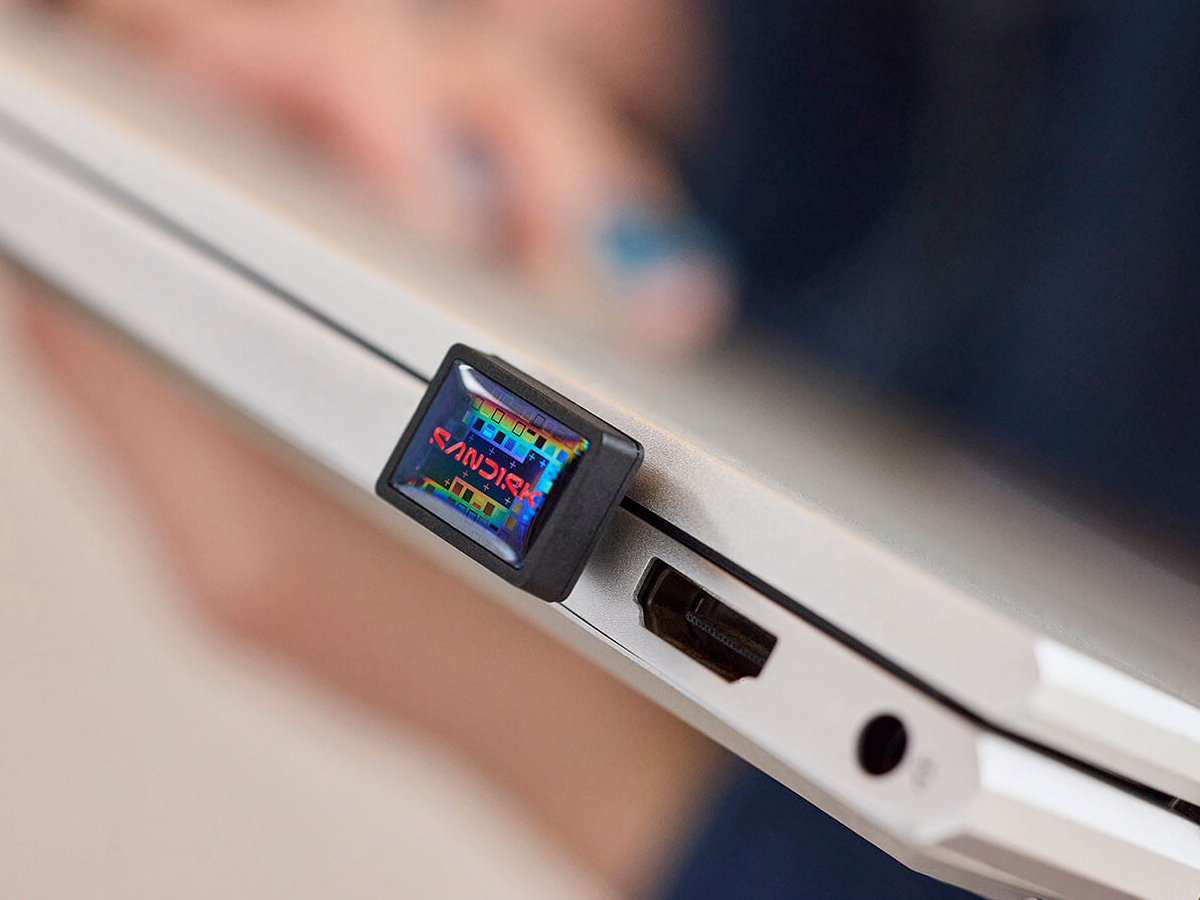
And the thermals on these things must be horrible, plus the label makes it look like a knock-off: Sandirk?
Are there any enclosures that hold charge to prevent data corruption in an event of sudden removal?
https://www.dockcase.com/collections/ssd-enclosure
One thing to keep in mind is USB 3 ports often only output around 4.5 Watts, whereas some nvme m.2 drives want more than double that when writing. So it’s a good idea to choose a drive with lower active power requirements. The longer enclosures for dockcase have an extra usb-c port that more power can be supplied with
I have a 10gbit/s enclosure and a 4TB gen4 nvme in it. It pains me to know that it could achieve >3GB/s write speeds but hindered by the interface.
It's key to get an enclosure with a chipset that will support whatever interface your computer actually provides, otherwise a lot of these enclosures will fall back to USB-3 speeds for compatibility and things will be slow. This site gives a pretty good overview of the chipsets out there and pros/cons of each one.
I've had good experiences with Acasis[1] enclosures - they seem have a lot of aluminum surface area for dissipating heat - but I get the feeling that a lot of these things are very similar in practice since they're just slapping the same chipsets into different boxes.
[1] https://www.amazon.com/Enclosure-Aluminum-External-Support-C...
Not small, but not huge either. More importantly, it gets about 3/4GB/s with a Kingston NV3 4TB drive and very acceptable temps.
https://www.amazon.com/dp/B0CQZ6SYD1
No tools to insert m.2 nvme stick, easily fits and locks into a pcie slot, without a metal bracket to unscrew/remove.
I don't have a pcie gen 5 system, but the new samsung drives might do 14,800 MB/s
I also love thin ethernet patch cables. and 5-in-1 usb cables for travel.
It's obviously limited by Thunderbolt 2 transfer rates, but it's still faster than both the sluggish factory SSD and the SSD RAID, consisting of 4 Samsung 850 Pros in an 8-drive Areca SAS enclosure that also contains 4 2 TB HGST Ultrastars that are somehow still running without a single uncorrectable error after more than 13 years of 24/7 operation in a dusty apartment with questionable climate control.
At this point, my money's on both the enclosure and at least two SSDs failing before any of the hard drives.
I'd say they don't make 'em like they used to, but since I've yet to see a failure or uncorrectable error on any of my newer 8 TB and 16 TB Ultrastars either, I lack data to support this conclusion.
I like to be mobile, so I put some velcro ultra-mate on the back of my laptop, and also on my disk, then the disk can be attached and plugged in while I move around.
I also got a 90-degree USB-C cable for a more direct cable route.
Here's the root partition (well, lvm) on a laptop I have been using for over three years now
» df -hT ~
Filesystem Type Size Used Avail Use% Mounted on
/dev/mapper/vgubuntu-root ext4 869G 298G 527G 37% /
I do have an external drive for backups and another for drone footage but this is it. Everything else is either fast enough in the cloud or just here.I want to see if I can move to prores in my import step, but I haven’t found a good workflow that allows for that.
A drive like the Patriot Memory P400 Lite is very low power, so it works with cheaper enclosures or USB ports that don't deliver as much power to the peripheral. It also generates less heat, which can help sustain performance depending on the enclosure and environment.
I'm guessing it's one search query + a one minute read away though. I just haven't.
There should be a market/demand for that, when people are paying fantasy prices for gamified crap, yes?
The other one was just metallic painted plastic.
That was the era of 512MB to 4GB. Never bought again from them.
I have a similar one too from HP(PNY), and it's crazy fast for its size, but the issue is its controller (ASMedia IIRC) reports it to the OS as a UAS (USB Attached SCSI), similar to an external HDD, instead of Removable Mass Storage as most thumb drives do, so you can't hot -plug/-unplug it, and that controller seems to be backlisted by the Linux kernel for some reason, so it's not recognized on linux unless I fiddle with the "options usb-storage quirks" kernel parameters, but even so my BIOS can't detect it to boot from it. From what I understand the issue causing all this is that it's a native 4K-block device causing issues with booting on it as typically 512-byte block native devices are required for EFI boot, or at least that have 512-byte emulation support which this controller does not.
I am so disappointed because I bought a fast USB SSD to install and dual boot Linux on it as a second drive for my Windows laptop. If only I knew that there's such a big difference in the types of USB drives out there and that they're not all remotely the same.
So do your due diligence on linux compatibility, if you ever want to buy these USB SSDs.
I also preferably call them USB sticks instead of SSDs, since afaik TRIM isn't supported on them, which makes them significantly worse than any proper SSD.
https://resources.yubico.com/53ZDUYE6/at/cm85k8947jm9g32znfs...
The reason is that the springs wear the most. This ensures longevity of USB ports in laptops where they are hard to replace. A USB cable or device is usually much easier to replace, and also a PC is normally used with many devices so the wear is shared between them now. But it does mean the contacts on the plug side are more fragile now.
And without USB3, filling something at current capacity levels is going to be tedious.
Of course for a yubikey that just transfers a few bytes this is not an issue but for a USB key it is.
https://www.kingston.com/en/usb-flash-drives/datatraveler-dt...
https://external-content.duckduckgo.com/iu/?u=https%3A%2F%2F...
https://www.bhphotovideo.com/c/product/658398-REG/Kingston_F...
https://www.amazon.com/SanDisk-Ultra-128GB-Flash-Drive/dp/B0...
USB-C too, though they stick out much more because of the tinier connector: https://www.amazon.com/128GB-PNY-Elite-X-Type-C-Flash/dp/B0D...
https://www.walmart.com/ip/PNY-128GB-DUO-LINK-USB-3-2-Type-C...
The closest I've found are minimal size dual-port things like https://www.amazon.co.uk/dp/B0B5S29JWY/ but they could be half the length (when inserted) without the A connector at all. I have no portable devices without at least as many C ports as A's, non-portable devices with only A ports I can stick a C-in-A adaptor or two semi-permanently into.
--------
[1] Examples: https://www.amazon.co.uk/dp/B07HPX38XC/ https://www.amazon.co.uk/dp/B07YYMX5LQ/ https://www.amazon.co.uk/dp/B08772NT1L/
Also note, which I accidentally found when messing with filesystems Samsung created a filesystem called F2FS (https://en.wikipedia.org/wiki/F2FS) which apparently has been supported in the Linux kernel and GRUB for ages (2012 and 2019 respectively) and seemingly works great with any kind of flash storage (but mostly external flash storage, because why run F2FS if you can run BTRFS on your NVMe SSD :) )
Going to experiment with it a bit soon, because this IMO is a much nice format than thumb drives which stick out... yes you guessed it.
I have adblock, how did this SanDisk commercial make it through?
Hopefully, this has been tested for durability and some MTBF specs are available to prove it.
Otherwise, buyer beware.
EDIT: I couldn't find any MBTF specs so I looked up the "limited warranty" for this product.
There is no warranty of uninterrupted or error-free operation.
SanDisk flashdrives get extremely hot and die in months.
The warranty process is time consuming and tedious.
I stick to Samsung flashdrives now.
That said, I see no way this drive could dissipate any useful amount of heat at all, so suspicious it would be a problem under sustained write loads.
Especially since most use cases likely would never have sustained write loads.
Quick edit: Wasn't a fake either, was bought direct.
This thing is too small to be handled or placed with confidence you won't drop it or knock if off the table.
It’s gotten to the point I just turn off my machine (instead of power saving) so that things actually work when I turn it on.
usb.autosuspend=-1 usbcore.autosuspend=-1
to the linux quiet=1 foo bar blah blah... line in your /etc/default/grub, /etc/lilo.conf or whatever bootloader you use. Then, run update-grub or similar.
It will draw more power on laptops but not much.https://cdn.shopify.com/s/files/1/0822/8493/files/feature-1_...
64 GB (curr. $14.99 instead of $15.99)
128 GB (curr. $19.99 instead of $21.99)
256 GB (curr. $27.99 instead of $29.99)
512 GB (curr. $54.99 instead of $59.99)
1 TB (curr. $109.99 instead of $117.99)What a weasel worded sentence. "1 TB … $16". Of course, it's $110, and yes, I see the qualifiers here. Allegedly journalistic sites should cut out the marketing sleeze before publishing. "Starting at 64 GB for $15 and ranging up to 1 TB for $110" it's not hard to write.
If the drive died, I wouldn’t care too much (beyond the cost of replacing the drive), because the master copy of my collection would still be at home. (And of course I have other backups besides.)
The thing is, 1 TB is actually too small to make this work. I’d really need 4 TB.
> Shaped unlike any other USB memory stick and has awkward ill-fitting shape
Genuis
This looks super flimsy and like it might break off easily and ruin your port.
That’s unfortunate, apparently the site requires some js, that is probably blocked by my firewall, to even load the page.
https://shop.sandisk.com/products/usb-flash-drives/sandisk-e...
https://resources.yubico.com/53ZDUYE6/at/cm85k8947jm9g32znfs...
https://www.kingston.com/en/usb-flash-drives/datatraveler-dt...
This product isn't quite there yet, but it's clearly aiming for the same market.
Nothing beats cheap storage like that and completely flush with the case
I just wanted more storage for media for when I'm not connected to my home setup and/or into a fast internet pipe, and also didn't want to pay apple 1000% margin for 2 commodity flash chips.
I went looking for a USB-C version and was surprised not to find one.
I would love to see one with SSD speeds if such a thing is possible.
From my own observation: Anything over 40C or so feels quite warm to my own touch, but 40C is generally rather insignificant to a solid-state IC.
It would not surprise me if a heavily written ss device in an unventilated environment, such a laptop on a bed with a blanket covering it, or left operating in a bag, could get close to such a temperature on the PCBA. It would also dissipate heat to the USB connector of the laptop, possibly weakening it as well.
Better a bigger one.
I used SanDisk Cruzer Fit https://amzn.to/47OqNXT for a very long time (USB 2.0) for ESXi server installations too. Never had a problem. But this "new" design looks terrible.
I still pop it out after the backup and store it elsewhere, but it's lovely that during the backup job (which can take a while if it's doing a fresh copy), it's completely unobtrusive and can't break off if I set the lappy down wrong.
1TB is enough space to be actually useful for some of this, and if you have a somewhat older laptop, it might only have 256GB or 512GB internal.