97 points · by janandonly · 11mo ago · 86 comments
If you really want a clean windows environment, you are better off getting an IoT enterprise LTSC license. It is boring, stable, has zero bloat and doesn't require hacking the registry to stop candy crush from reinstalling itself.
That said, it feels like a constant arms race. Microsoft introduces a new user-hostile pattern (like making local accounts harder to create), the community builds a workaround and then Microsoft patches the workaround. I am tired of fighting my own OS.
Unfortunately seems like there's no way of getting a license legally without being a company. Windows Server seems easier to obtain but harder to morph into something useful (mostly because of missing drivers on Windows Update) though definitely possible.
I still have my mid-2015 MBP running triple-boot between macOS, Windows and Arch Linux. That machine could run everything...
I now have to keep around a physical PC desktop in order to run games like ARC Raiders. I use OBS with a capture card to use my MacBook's screen as a monitor for the PC, and an application called Deskflow to forward the MacBook's keyboard to the PC (I connect the mouse directly). Also, SonoBus for voice chat, since the PC doesn't have a microphone built-in. It works well enough.
I used to love my 2013 MBP. ARM Macs run pretty much everything I need, and some things better than Windows (such as Lightroom and PS which don't run at all on Linux).
But what kills it for me is the absolutely bonkers window management, and the fisher-price interface filling up half the screen with empty space around huge widgets.
Works for me without any extra hardware. Just a network connection between the machines. Haven't tried voice chat though.
Edit: Steam streaming works pretty well too, but feels a tiny bit more laggy than the above. Also running non Steam games is a bit of a pain.
I may still look into those for the keyboard input, but the only improvement I foresee really making is getting Ethernet for the MacBook (I moved my one line to the PC since the MacBook's Wi-Fi is so much better). Haven't decided between a passive or active switch yet.
If you just need to browse the web and whatnot, just get a cheap tablet?
For all the good softwares, it seems like you just get much better performance out of a much lowered priced PC. I just don't get who is benifiting for the 1-2 hours of supplementary runtime out of a MacBook and this is wortht the price delta as well as the hassle of dealing with all the specificity of that software implementation.
But then again, my experience with Apple users is that they are not the most logical peoples around, so maybe that's just it.
I still like some parts of macOS but it has been very hard to justify considering how Apple has been behaving lately.
If Apple manages to produce a decent iMac soon enough, it might just bite the bullet once again, but otherwise I'm out.
People cite bugs or incompatible software on Linux as a reason to avoid it and use Windows, but they fail to recgonize that Windows actively fights you. I'd take something that's slightly and mistakenly broken on an utterly open platform where I can fix it if I care enough over a closed platform that's actively trying to screw me over.
I think the Pro version is enough for reasonable experience, most of the terrible stories originate from the Home version, which should be avoided like the plague.
There are multiple settings in Windows that are hidden which only appear in the menu when you add a registry entry. There are so many anti-patterns in Windows it feels like defending against a determined hacker who tries to make your life worse and is hunting for a slight misstep to turn the shit back on.
But my use case is never 24/7, I hibernate it overnight and every time I leave for longer than going to a grocery shop, and I have several Proxmox boxes with proper OSes for hosting stuff. Windows + WSL is my dev/media/web/files/OneDrive machine, a compact silent SFF box that is powerful enough for 90+% of my daily tasks. Lately I try Linux Desktop on Fedora/Ubuntu with every major version, however RDP server and secure boot that I can trust to work and not break myself - these things remain unsatisfactory.
This one looks more like a PowerShell automation and debloating script for power users than a classic one-click optimizer, but it still requires knowing exactly what each tweak does. Used without that understanding, tools like this can easily create confusing problems.
Glad to see it's still in use.
When Windows 95 entered the picture, such wipe-and-reinstall antics were pretty much standard for all but trivial problems. Even then people would usually live with those problems, though a handful of people would be able to go in and fix them. Of course, Microsoft has introduced some functionality over the years to mitigate such drastic measures, but they tend to be variations of the same theme (e.g. restore points rolling back changes, rather than going in to fix what is broken).
To be fair, this tool doesn't claim to fix a broken system; as near as I can tell it doesn't actually remove the underlying Windows installation, so the core problem will remain.
And in the end of each sprint a single exe comes out. Or multiple. Like a soap opera for product managers.
in conclusion:
>still requires knowing exactly what each tweak does. Used without that understanding, tools like this can easily create confusing problems.
Which I have always taken as extreme encouragement to use performance-improving setting configuations, and therefore gain the understanding to do so effectively.
If I can do it, anybody can, I'm no engineer.
With this approach in mind it makes the Titus offerings show a remarkable amount of superiority.
As another commenter has noted, 2022 is just when his Utility was beginning to get noticed.
It is being kept up-to-date with Windows 11 as it evolves.
I tried that. The advice was to reinstall. Then I remembered that this is the convention with Windows -- when it stops working, reinstall...
I will be switching to Linux before the ESU program expires though. I use my desktop mostly for gaming and have been planning to evaluate a few distros and desktop environments. I have my own Proxmox/TrueNAS/Debian homelab and use macOS daily for work so I'm fine with the CLI and tinkering but I'd rather everything Just Works™ for my gaming machine. I did a lot of dual booting back in the Fedora[ Core] 6-12 days but ultimately it got too tedious.
To be honest, I don't mind the Windows games. In fact I believe the ones shipped with XP, Vista, and 7 were top-notch. What I mind is games with annoying advertisements in them. I mind when my Weather program is not native and is a glorified web app, also ridden with advertisements.
I'm typing this on my company azure ad integrated windows 11. The system info says it's windows 11 enterprise 25h2.
My start menu still has multiple random xbox crap in there, game bar (what even is that?!), "game mode", "solitaire and casual games". It shows random ads in the weather app. It invites me to do more with a microsoft account, even though the computer is fully azure ad joined and my windows session is an azure ad account with some expensive office365 licence attached.
Before reinstalling the other day for unrelated reasons, I had actually tried to add that account. Turns out it doesn't work with a "work or school" account, it requires the personal one, but it doesn't say it clearly, only that "something went wrong".
I honestly don't see any difference when compared to my personal windows install I use for the occasional game and Lightroom / Photoshop.
Your Windows install probably started as Pro and then was changed to an Enterprise license key later.
Why MS feels the Kardashians should be in my start menu, I don't know.
is changed into a stock ticker and tabloid news cornucopia... dagnabbit, I know where to get those, I just want the weather info.
"They have no taste" was right.
(Asking as I don't have a Windows box of any kind around to test, as I'm not a masochist and therefore all of my machines run Linux or macOS)
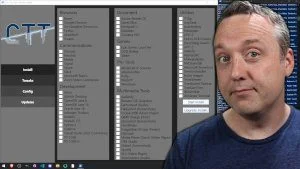
https://github.com/ChrisTitusTech/winutil/releases/tag/25.12...
I setup both a Windows and Linux VM and give them both the EXACT config from the hypervisor, including GPU passthrough and CPU Host.
The Linux VM runs faster in some games designed for Windows, running on Proton.
I read somewhere that Microsoft admitted Windows is bloated. Which surprised me since I didn't think anyone in the top 150 of Microsoft even knew Windows still existed, but it's a step in the right direction.
This was the first time in 10 years using Windows again, I wanted to play nice and pulled the MS Windows license key from my laptops firmware and used that to get a legitimate copy going. It worked!
Then Windows hit me in the face: because I went the legitimate way they downgraded me to Windows Home and I can't use Remote Desktop.
This got a good laugh out of me. God this software is so hostile to you.
It seems to work OK: it didn’t break anything, and disabled some Windows annoyances but not all.
It’s closed source so I don’t fully trust it, but I’m not keeping anything sensitive.
Writing your own OS?
It's not a comparison app, but you can check different resources in detail both before and after disabling un-needed features.
Disk activity is one of the things reported in real time, as well as memory usage, but the Gb of bloat on the OS drive is not a consideration.
Inhibiting things which are useless to you from occupying memory, may be less than 1 Gb but may still be worth it, but that is different than disk drive bloat which can really get massively out-of-hand.
Drive Gb is expected to grow with each additional program you install, but further drive bloat has often dwarfed that as preinstalled apps have proliferated, written by those who do not have experience using limited resources to a serious degree of efficiency.
And then after non-security updates became mandatory, each year this lack of professional experience has an accelerating impact across-the board, and by now you are expected to accomodate a dozen or more gigabytes than last year.
And both Windows 10 and Windows 11 were more functional in some ways than a year ago too.
Cut back on memory waste by keeping things from loading until an event when you yourself really need it.
Cut back on drive bloat by uninstalling things you know you are never going to need.
Also, checking those dozens of services will take a lot of time
Unsuspecting users can't even measure space savings correctly since many components can be hardlinked to something else and deleting them will "free up" the space shown in the folder (the size standard size reporting on Windows is deeply inadequate), but not free up anything in reality. Or for some uwp apps you can't even see the size at all as the folders have a very dumb permission set, and these scripts remove those preinstalled uwp apps.
That's the point of public benchmarking - so that ever single user doesn't have to waste time doing the mistaken comparisons on his own, so your suggestion doesn't help at all even in theory.
But at least in practice I can run challenging software that would not otherwise run.
Plus outperform those having more powerful hardware.
Regardless, it would be good to see a worthwhile suggestion when it comes to public benchmarks.
There are even more minimal Windows versions, but easy, convenient, legal distribution is kind of tricky
Any more than this you get sued for distributing MS owned code.
First: "safe" and Windows never ever matched. Not in Windows 98, not in Millenium, not in Vista. Not ever.
I, reluctantly, after having confiscated my mother-in-law's Windows laptop and replacing it with a Chromebook about two years ago (which still works fine for her btw), ordered her a new desktop PC six months ago, running Windows 11.
Six months.
Six months is all it took for this piece of shit to become infected to the point of being unusable. Malware over malware took over: whatever 0-click or 1-click exploit in Edge that took over the machine and tells her to call indian scam center to help her "get her PC rid of viruses", blinking left and right, covering half the screen.
In other words: good old Windows. It's 20-fucking-25, nearly 26, and Microsoft still cannot ship an OS that's not rooted when a grandma is browsing for less than six months.
Pathetic.
Windows is a mediocre piece of insecure (and now spying) turd.
I fully agree with you: reliable Linux distros are the Windows replacement.
And as we've reached a point where everyone except some part of the corporate world can do everything they need from an Android smartphone and these same people are just fine with a Linux distro on their laptop or desktop, people can be switched. And some are. And the numbers of "desktop Linux" users are slowly but surely growing.
I don't care about the snarky "2026 is the year of Linux on the desktop". Linux conquered everything: all the servers, all the routers, 500 of the world top 500 supercomputers, etc. Linux shall conquer the laptop and the desktop too.
And those who don't switch have two choices: MacOS (pricey hardware) or be slaves to that turdery on bits that Windows is.
P.S: actually I don't even care: be it Linux or MacOS or BeOS or Atari's TOS: anything but Microsoft.
To some extent. I am not convinced it would be as bad.
For one thing, Linux is less of a monoculture.
For another, you can lock it down more for that type of user. You can set it up to make it hard to install anything from outside trusted repos.
I even offer to hire your gradma, she seems really good at locating very valuable 0-days online.
I gave her an iPad Owh, 10 years ago? And I’ve never had to troubleshoot her system ever again. No spyware. No viruses. Nothing.
The worst that happened recently is that the Starlink antenna had te be realigned after a particularly heavy wind blew it off the roof almost. Oh and her printer needed new toners after printing for x years without problems.
shutdown ? /s