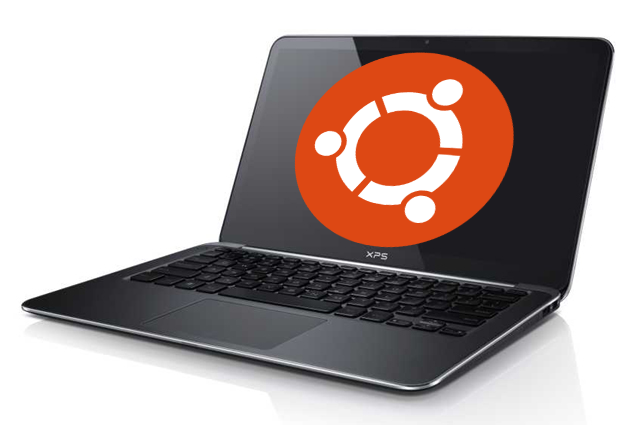
Dell releases powerful, well-supported Linux Ultrabook
Project Sputnik" aims to be your fellow traveler by focusing on "DevOps."
Ars Technica
520 points · by iProject · 13y ago · 349 comments
I couldn't be happier with it - I have a larger laptop that I use as my "main" computer at home (essentially as if it were a desktop), and the XPS13 is what I take with me everywhere and use for presentations, developing on the go, etc.
I've used Linux as my main OS for some years now, and for me the main appeal of this computer was the size/weight/battery life when compared to my larger laptop. If you've been waiting for a Linux ultrabook for portable development (or even just ultra-portable general use), this is it.
Compared to my work computer (a Macbook Air), the difference is enormous. Hardware-wise, the XPS13 just feels slimmer, even though the difference in size/weight is negligible. The biggest physical differences are the keys and trackpad - I'm typing this now on a mechanical keyboard, and I've gotten so used to the Das Keyboard that I can't stand the feel of chiclet-style keys. However, the shape of the XPS13 keys (slightly indented) alleviates some of the annoyances I have with most laptop keyboards (the Air included). The trackpad is highly sensitive, and I like the texture slightly more than that of the Macbook Air.
Battery life is great, even with Bluetooth turned on (though I usually leave this off - I still haven't found a real use for Bluetooth on my computers!).
I should mention the display - it's the perfect size for me. I actually dislike the Macbook Air on this one point - it absolutely kills my eyes by the end of the day (both the default size and default brightness/contrast). I have neither of these problems with the XPS13, but it's still crisp enough that I don't feel like I'm missing anything.
Overall, I'm incredibly happy that I got it, and I actually get slightly annoyed now when I have to use my Macbook Air for work - I wish I could be using the XPS13 instead. Aside from the fact that I'd rather be using Linux any day, hands-down, the computer just feels more physically appealing in itself. Even at its price[1], it's worth every penny.
[1] I should note that I received my testing laptop at a 20% discount, though after using it, I would be willing to pay full price for it if I'd had to.
I use my retina macbook for everything, and have not found myself using the dell at all, even when traveling. I didn't consider bringing it because I like the Mac so much more.
It is really nice hardware, with the exception that the screen has a much narrower viewing angle than either my macbook or my wife's macbook air. Also the trackpad is not as smooth as my macbook's, and more frequently registers the wrong kind of click.
Ubuntu has worked very well, and seems to be completely supported.
I greatly prefer the mac hardware, and would recommend an Air over the Dell.
edit: since parent disclosed that he got 20% off, I'll disclose that I was very fortunate to receive one for free at a conference raffle.
But I just can't seem to get over the fact that you are obviously not a Linux person (you seem to have strong preferences and by the looks of it, you know well that you are very much a Mac person), who won a Linux laptop for free and hasn't used it at all.
Had you but magnanimously declined the offer and passed it on, someone else could have used it happily all along....
Why jump on someone for giving their opinions on a product they won at a raffle? Are you supposed to decline prizes because you might not like them?
Also, what the hell is a "Linux person"? Is that someone who doesn't consider a day complete without compiling their own kernel extensions?
Despite my familiarity with linux, I can't be sure that simple comfort with the Mac OS isn't part of it. I don't much like the new Gnome (haven't used it since 2007, remember), nor do I care to learn how to install a different window manager and thereby spend the time supporting it.
2) The monitor is the biggest issue for me, followed by the mouse.
The monitor is low resolution, and feels very small compared to the retina monitor. Not a fair comparison, I know! But it's the one I make with the two computers side by side.
3) The dell keyboard is just as good as the mac's, and unlike most PCs, the overall hardware package generally feels very solid, simple, and well thought out. The carbon fiber bottom feels very cool. It's not quite as nice as the Air, but it's not too far away.
So, those are basically the reasons that it sits on my desk, unused, next to my macbook. Also, obviously I don't mind travelling with a slightly larger and heavier computer.
One of the most important things for a developer is a screen with as much vertical resolution as possible. Why didn't they put the 1440x900 in it? The Macbook Air still seems to be the best (developer) Ultrabook when I consider all specs. And it is by far not the most expensive.
As in, the "backspace", "d", and few other keys will not even register. Tried updating and rebooting too. I returned it for another unit so let's hope it is just a few odd batches that has this mfg defect. Googling this problem should give you more details.
If that's what stands out the most to you, there's probably nothing I can say to change your mind.
> Why didn't they put the 1440x900 in it?
No idea. I have no connection to Dell; I just filled out the form when they had public signups for the beta over the summer.
> One of the most important things for a developer is a screen with as much vertical resolution as possible.
Maybe if you do front-end/design work - I don't. I actually prefer the resolution on this compared to the Macbook Air - less eye strain when staring at a terminal all day.
Well, just increase the font size. Having a larger resolution allows you to see the same amount of content with better font rendering (only because of the larger point size on a larger resolution, I'm not going to discuss Linux vs OS X font rendering again).
Have you tried changing the font size on the Air ?
I mean, I can't see how a better resolution is a disadvantage.
Whenever I have tried to use linux on a laptop, I've never had this working right. One of the big reasons why I've always gone back to a macbook (that and the hardware).
Personally I have an Air with OSX and I shell into Linux for work. I can use vmware for a local copy if I wanted but I prefer to use my servers that Linode manages. That way when I loose my Air or it gets stolen or whatever, my work stays in good standing. Maybe I just never got past the old days, for me the laptop is something for running ssh, chrome and photoshop.
https://launchpad.net/~canonical-hwe-team/+archive/sputnik-k...
Color me impressed, if it is kept up over a three year time scale minimum. Also, here's an example bug report resolved with a kernel fix: http://en.community.dell.com/techcenter/os-applications/f/46...
Use of Launchpad is preferred, though, and one can see open and closed bugs here: https://bugs.launchpad.net/dell-sputnik
I haven't traveled with it, so I can't be sure that it's handling the battery properly while asleep, but it seems to.
Dunno if it's an XFCE thing or a Ubuntu thing or an X thing or a Linux thing. I'm too lazy to debug this fully. I just yank the power and reboot. :)
Also, but that might be subjective: 1366x768 would be way too less for me...
I'd rather not sideline this with a discussion about resolution and brightness, because frankly, it's one of those subjective, "try it yourself and see what works best for you" sort of things. In short, I view high brightness as a drawback, not a feature, and the resolution + font size is more important on OS X, where I have a much harder time getting everything to a reasonable size for me in concert.
I'm willing to bet none of that sounds familiar - as I said, it's one of those things where, if you have to ask, it's not an issue for you. All I can recommend in your case is that, if you're considering an XPS13, take look at one of the XPS13 models and seeing if that display works for you or not.
You can't do the opposite if the display does not support it.
For a while, I even went hardcore and used color-blind color mappings hotkeys via compiz to cut out the white glare backgrounds of web pages.
Edit: the older Lenovo keyboards; reading more comments has informed me that Lenovo's using chiclet keyboards now too.
It's been almost 6 months now and, honestly, these days when I got back to do stuff on my T61 it's a world of difference. The W530's key presses are much more substantial and have a better feel; the quality of the keys seem much better; and the seemingly awkward placement of they keys (excluding the Print Screen key) seem highly justified to me now. And more importantly, the chiclet-style keys are grew on me almost immediately.
I've used the MBA and other chiclet-style keys and the main difference to note is that the Lenovo keys are slightly concave. This, to me, makes the keys feel less chiclet-y and more normal, though they do have the visually noticeable spaces between each key. Compared to the MBA, the MBA's flat keys just don't feel right and I feel make typing less accurate.
The last time I used a Thinkpad was a couple of years ago, when I was working off of a friend's. I don't remember liking it much; I think this one is better, but to be entirely honest, that was ~2 years ago, so don't put much weight into that.
The main thing that distinguishes this keyboard from Apple's is that the keys aren't as flat - I'm used to tactile and auditory feedback on the Das Keyboard[1], and while neither Apple's nor Dell's keyboards provide this, having the indentations makes it slightly easier to type quickly (notice how the Das keyboards all have slight indendations too).
Also, the BIGGEST problem with Apple's keyboards for me is the 200ms delay hardcoded in the firmware for the Caps Lock key. I rebind Caps_Lock -> Escape for vim, and this frustrates me to no end.
At the end of the day, neither you nor I are ever going to be happy with any laptop keyboard, since they're all non-mechanical, but I think this as good as we're going to get.
[1] I have the "silent" (ie, still-audible) one at work and the regular (loud) one at home.
That should make a big difference; I'm amazed at the number of typos I make when I'm using a mac. Thanks!
I've only tried n = 2 monitors with this computer, which works, but in my experience with Linux, if you have any issues it'll be with going from 1->2, not 2->3 (or more). Ubuntu's had good support for this for a while.
While the Intel HD 4000 supports 3 displays, according to the docs, it only supports them when used with series 7 chipsets and the specs on this ultrabook say it uses the QS67 which is a series 6 chipset.
So I would bet that the answer is NO.
EDIT: REFERENCE LINKS http://www.intel.com/support/graphics/intelhdgraphics4000_25...
http://www.intel.com/content/www/us/en/chipsets/performance-...
I'd estimate somewhere between 6 and 8 hours. It's hard to say because I've never actually run it down fully, but it still estimates another couple hours' worth after I've been using it for 5 hours or so. Estimates should be taken with a grain of salt, but for comparison, that's more than I get on my larger laptop, and comparable to what I get on my Macbook Air.
I'm also in the market for a linux ultrabook, but considering the price difference I'll prolly go with the samsung chromebook or even with the thinkpad x1 carbon (yes, I'd pay a lot for a better screen resolution/specs-wise).
I was considering the Chromebook at one point, but I've heard mixed things about its support for ssh (connection reliability), so the Ultrabook seemed like a better choice even as a dumb remote terminal.
No other Ultrabooks, no, though I've owned both an HP Envy 14 and an HP Pavilion before that. Both always ran Linux well for me. I've tested out other Ultrabooks in the store (all running Windows), and the XPS13 was one of the ones I liked more, though I remember liking one of the Asus models too.
Other hardware may be fine; the big difference for me is the official support (even if I don't use it, it's nice to know it exists). The XPS13 hardware hasn't given me any reason to complain, but I'm also not very particular.
Thats total balony, trackpads and WiFi have been well supported in Linux for almost a decade. It is _rare_ to find a labtop that when you install la fresh modern distro on it , things don't work. Yes every now and then you get a vendor who insist on doing something different, but most of the time its a synaptic track pad ( well supported ) and a Broadcom or Intel WiFi card ( well supported ). I can remember back in 2004 taking my Government Issued Dell laptop and installing Fedora on it and everything working out of the box.
I thought I would dislike the new chiclet keyboard, which deviates from IBM/Lenovo's two-decade old keyboard design, but unbelievably, I actually like it. Having used chiclet keyboards on MacBooks, I never liked them, but Lenovo seems to have done it right.
Edit: there's one other issue, but this seems to be a (depressing) trend in the industry: decline in user serviceability of laptops. You can't replace the SSD (it's soldered onto the mobo), and replacing the RAM is not recommended. The price is quite high, especially if you upgrade the SSD (not recommended; just get a 2.5" USB 3.0-powered external HDD - I got a 1 TB one for $70 just a few days ago) or RAM (recommended; 8 GB is always good to have these days, and there's only one slot, so if you replace it later, you'll still have to buy 8 GB), so watch for sales/coupon codes (there was a good one for Black Friday) or use your college .edu address to get a student discount.
Edit 2: Lenovo also changed the power connector to a rectangular shaped one, because the X1 Carbon's profile is too thin to use the old, circular one. This means all your old ThinkPad power cables are now useless.
0: http://www.lenovo.com/products/us/laptop/thinkpad/x-series/x...
1: http://www.theverge.com/2012/8/13/3232132/lenovo-thinkpad-x1...
That's not quite correct. The SSD is not soldered, it is replaceable. The problem with the SSD is that it's not a standard mSATA part. The RAM does appear to be soldered to the motherboard.
Source: ThinkPad X1 Carbon Hardware Maintenance Manual - http://support.lenovo.com/en_US/guides-and-manuals/detail.pa... - SSD replacement instructions on p62; note the absence of RAM replacement instructions, indicating that it is not a Field Replaceable Unit (FRU).
As for the RAM, its absence from the hardware maintenance manual is because Lenovo doesn't recommend/support its replacement. You need to remove 7 screws and the entire bottom base of the laptop to do so.
That's been my experience with Linux in the last 3-4 years. Almost everything just works for the "usual" settings. No more futzing with XFree86Conf files... :D
Do you mean suspend/resume? It works fine with Xubuntu. I close the laptop, it turns off. I open it up, it turns back on to the lock screen. Then when I log in, it automatically reconnects to wifi within a few seconds. This is all without any configuration.
Battery life is great, I can get 5+ hours. But remember I'm running XFCE - things may not be the same with Unity or KDE.
Perhaps it's because I'm running a lightweight Linux distro, but I have absolutely none of the heat problems mentioned in the Verge review. The laptop runs very cool - much more so than my ThinkPad T410.
The trackpad is responsive, although I have little use for it. The keyboard design is fantastic, but the layout is a little annoying. They got rid of the 'back' and forward' keys next to the 'up' key, and I used those all the time in the browser. They also eliminated Scroll Lock, which I had repurposed as a keyboard shortcut. Finally, they moved the multimedia keys from Fn+up/down/left/right to Fn+F10/F11/F12, which is really annoying.
But those are specific to previous ThinkPad owners. The only other real complaint I have is that it's useless for 3D gaming. I installed the Steam Linux beta, and even a game as simple as Cogs[0] stutters. However, I'm not a big gamer, so it's no big loss. In fact, it will probably help my productivity.
Isn't a touch version of that coming out soon? Even if you don't like touch, it might be good to have if it's not too much extra cost.
http://www.engadget.com/2012/11/20/lenovo-thinkpad-x1-carbon...
Synaptic "clickpad" trackpad that claims to support multitouch: Sorry, only with their Windows driver. Not only I don't get multitouch in Ubuntu, but I can't even click or drag/drop anything. Ubuntu 12.04 claimed to fix the issue with clickpads, but it didn't work out of the box, and even after extensive tweaking, some features were still very buggy. In the end, I switched to a laptop that has a traditional trackpad without the multitouch bullshit.
Broadcom wifi card: Works fine once you install the additional driver. But there's a catch: last time I checked, the driver didn't come with the install CD. So I have to download it in order for wifi to work ... but I need wifi in order to download it. Ended up digging out an old ethernet cable from a dusty closet and crawling under another closet to connect it to the modem. Not pleasant!
Of course, most of the problem lies with hardware vendors who don't release fully functional open-source Linux drivers for their gadgets. But since when does the average user care whose fault it is that their trackpad doesn't work? The great thing about this Dell release is that all their drivers are fully functional and freely available as a PPA. Because without those drivers, few of today's latest PC laptops work with Linux out of the box.
Just like how installing Fedora on a laptop 8 years ago and having everything work doesn't mean that there aren't some things that are perpetually broken on Linux distros.
> A Single data point does not a result make.
Earlier you claimed that linux support was good. It doesn't make many counter examples to contradict that. YMMV is not Good.
You had an experience where linux worked. Some other have been able to struggle machines over the line previously but this is not evidence of maturity.
> Others have had no problems with that exact laptop.
It's common to read in this forum and others comments like yours, "oh linux has been well-supported on laptops for years" and then to optimistically go out and buy hardware, or try something, and find that you can't boot or similar. Just three weeks ago I had a hell of a time trying to get different distributions of linux (including ubuntu) to boot consistently on a three year old macbook with dual video cards. The problem seems to be caused by an issue that has been known about for two years, but with much fiddling in grub I couldn't get it to the stage where it would boot every time. And then there were all sorts of suspend/resume problems.
Wireless has definitely not been mature for a decade. Wireless on ubuntu has been mature from backend to user interface for about four years. Earlier than that there were all sorts of things that should have been done in the background being done in gnome tooling, and it caused suspend/resume problems on some platforms, and configuration was broken. Maybe a commenter could point out that there was some magic combination that didn't have that problem. Doesn't matter. magic combinations != mature.
Another favourite is where you install the base distribution, and things work, but then you make reasonable changes using the approved package management system and all sorts of crap just starts breaking. Flash stops working, or audio vanishes, or your display doesn't work in X any more, or your second display stops working.
I love Linux, but if you can't admit to how fucked up certain basic concepts are you are living in a TTY.
That's the problem. It means that if you're a linux expert and can spend some time fixing things each time they break, Linux on Laptops is great. And you're in a better position to fix things when they do, since you can modify the source.
Another Toshiba (Satellite L650) owner here. I had major issues with wifi and display. Drove me mad.... Ubuntu forums were helpful, but ultimately ineffective. If I installed it on VMWare... no issues though.... what in the name of heaven is going on.....
>> It means that if you're a linux expert and can spend some time fixing things each time they break
And I didn't have that liberty either, plus you really shouldn't be doing this kind of thing at this day and age, if you know what I mean.
For Linux, I still have to fire up the VM, the RAM usage goes up, the machine heats up.... and the family has a field day teasing me about my obsession with Linux... Frankly, some days I wonder it it's all worth it to jump so many hoops.
The track point sensitivity is too low and I have it at the highest sensitivity. (You need to turn the sensitivity in the settings to the lowest value to get the highest sensitivity!)
Don't get me started on lack of uefi boot support. Grub recognizes Windows 8 but refuses to boot it. I've had to install an msata ssd and put the Windows bootloader on that and install grub and a boot partition on the hdd to get useful dual booting.
Linux is far from a cakewalk on my machine.
Update:
My device isn't listed on the wiki. I'll have to spend several more hours digging through various pages to find things to try. This is why I don't like linux for laptops. Windows 8 works out of the box. I'd rather just up the ram to 8gb and virtualize linux.
I love Linux but the state of hardware support has reached a steady state in my opinion. Things break, others start working, then they break again.
This is done to save battery life. In most situations the integrated graphics are more than enough, so the dedicated graphics chip can be turned off. If, however, that isn’t transparent to the user (i.e. happens automatically and on the fly) it’s nearly useless. Who is going to bother and reboot to switch graphics?
This is a pretty standard feature, available in all Apple laptops with dedicated graphics and many (if not all) Windows laptops with dedicated graphics.
Although at the moment it's a manual install, it should find its way into popular distros soon enough.
You're right in that I can be reasonably certain that a laptop I buy will run Linux, but I can't be certain that there won't be issues. And I can't be certain that the random forum poster who successfully is using Linux on the model I want to buy uses their device like I do - maybe they never sleep and always shutdown, or don't ever use bluetooth, or don't care about USB 3.0, or never use two-finger scrolling, or don't need to access SAMBA shares, and so I cannot know before my purchase whether it'll do everything I want.
And so, I stick with Windows, because it is the devil I know.
Where do you research it? As I was intimating, all I can ever find is some person on some forum who says it's working fine for them. I have zero confidence in such "research".
Nunh-unh. I recently tried to repurpose an original MBA to Ubuntu 12.10 because it isn't supported by current OSX. While I was very favorably impressed by the current state of the Ubuntu out of the box experience, it just didn't work smoothly on the MBA:
* Sleep/wake wasn't smooth, often had to click the mouse or the power button to wake it;
* "right click" is an unintuitive two-finger tap that is often falsely detected as you attempt a two-finger scroll gesture -- the Mac convention of control-click isn't recognized;
* there is a persistent "serious problem" warning that pops up a couple of times every time it wakes up, related to a known bug with the graphics adapter -- it was harmless but would be dead scary to the novice I planned to give the machine to -- and it wasn't fixed after several weeks.
* After I plugged headphones into the jack, the internal speaker went silent. Ubuntu still knew whether there was a headphone in the jack or not, but the speaker never sounded again.
I finally put OSX Snow Leopard back on it and of course, everything "just worked" (including the internal speaker). The recipient will just have to live with end of life software.
A couple of years ago an issue with the USB3 driver broke suspend on laptops with USB3 for quite some time, requiring workarounds. Multi-touch trackpads took some time to get full gesture support. Auto-switch between paired graphics cards still doesn't work.
That's not to say things aren't pretty good now - but to imply that linux doesn't require some fiddling about under the hood hardware-wise is stretching a lot.
I reinstalled it with kubuntu 12.10 and the volume buttons doesn't work nor some of the fn+command keys. Sometime the touchpad just die and I have to restart the computer if I really want the touchpad (I use vim+tmux to dev so I don't need the touchpad unless I want to surf the web).
edit: As for what was wrong with mint. After Nvidia's driver update sleep wouldn't work, it would sleep forever like sleeping beauty unless you hold down the power button for several second to turn the laptop off and reboot.
The Lenovo s300 with Intel HD 3000 however works flawlessly out of the box, with HDMI, audio over HDMI, multitouch touchpad, camera, suspend and everything. Just don't touch anything with an ATI card.
Trackpads and wi-fi has been working for me for a long time(not implying this isn't a problem for many people), but what drives me completely insane is the video cards. If you are planning to run linux, seriously re-consider buying laptops with hybrid graphics. The graphic card might or might not run, the card switching will most likely not work, but you can ignore it since you can work with the intel card, right? Well, no. Most of the AGP, whether used or not, will eat up power, the fan will run at full speed and your laptop's behind will be hot enough to stir fry some veggies.
If you have a laptop with hybrid graphics, and you can't make it work, just switch off your discrete card.
https://help.ubuntu.com/community/HybridGraphics
Laptops in general, and linux laptops tend to run hot. However, don't mess with power settings a lot. Putting harddisks on powersaving mode(refer hdparm) so that they become idle puts unnecessary strain on the disk. You can try out experimenting with cpu frequency(cpufreq-set).
How did 1366x768 ever become acceptable?
I know it's a 13" screen but still...
I think it's a combination of two factors.
First, at the low end, manufacturers emphasise the screen size, but avoid mentioning resolution, so in my local supermarket there are cheap laptops prominently advertised as 15", but they only have 1366x768 resolution. Perhaps that's what the customers want: a big screen that they can use to watch videos in their bedrooms.
Second, even if you do care about resolution, it's hard to find out what it is. It's usually advertised as some cryptic series of letters ending in GA. QWERTYUGA; ASDFXGA; WTFGA. Look at this madness! https://en.wikipedia.org/wiki/Graphics_display_resolution
I wish they'd specify screens in size, aspect ratio, pixel density, and megapixels. (I know some of those are redundant, but shoppers shouldn't need a calculator.)
Why would Dell use such a low-resolution screen? My phone is higher resolution than this laptop. Visual information density is very useful to "devops" Dell is said to be targeting and hi-dpi enables this.
Linus Torvalds is right in saying we need a new standard (he is advocating for a new 2560x1600 laptop standard, see https://plus.google.com/+LinusTorvalds/posts/ByVPmsSeSEG ).
(edit - fixed resolution typo)
For the same price you can get a MacBook Air with a 1440x900 screen.
In short, most things work fine on Ubuntu 12.10. I first tried using this guide[1] to install Ubuntu 12.04, but had lots of gnarly install issues. I then tried with the regular 'amd64+mac' graphical installer for Ubuntu 12.10 beta, and got it running easily. I was able to ignore most of [1] except for installing and configuring macfanctld, and making the touchpad perform decently using the advice in [2]. (Unlike the author of [2], I hate tap-to-click, so I turned the TapButton[1-3] settings off.)
There are still a few nagging issues I haven't fixed. The Air boots with brightness at the max and won't let me turn it down until logged in, and it loses my touchpad settings on reboot, so I have a little bash script I run to fix them.
Or $1430 (still over a hundred dollars less) with twice as big of an SSD: http://www.amazon.com/Apple-MacBook-MD232LL-13-3-Inch-VERSIO...
This XPS does have 8GB RAM (versus 4), but that's the only big advantage that sticks out to me.
My experience has been that things like EFI have made it impossible to boot linux on recent macbooks (I have tried!), and many ultrabook hardware just doesn't work on linux. Graphics won't show up, the thing won't boot, SATA hard drives not found, etc.
Many of the websites I used to rely on (eg, linux-laptop.net) have very out of date information. Ubuntu has a list of certified machines (http://www.ubuntu.com/certification/) but still, it doesn't tell me much about ultrabooks released in the past year.
Are there any new resources I'm missing? Or personal experiences people can share?
As for myself, I'm successfully running Mint on a Toshiba Portege ultrabook. But that is the flimsiest computer I've ever used!
Ubuntu 12.04.1 installs & runs without modification, but some minor Fn keys didn't work (e.g., WiFi toggle button).
Arch Linux with systemd installs & runs fine, and it had great battery life because 'rfkill block all' seems to more thoroughly power-down those circuits on Arch than Ubuntu. (well over 7 hours with wired ethernet, plus Emacs and Firefox in heavy use)
> Ubuntu 12.04.1 installs & runs without modification, but some minor Fn keys didn't work (e.g., WiFi toggle button).
This doesn't even work on Windows without their crap-ware.
I made a copy of their installation files, uninstalled it, and now run it only when I need to use those FN keys (that is - very rarely).
Other than this and the 4GB of RAM ... this is absolutely the most perfect laptop I have ever put my hands on and even beats out the Apple MacBook Air (which I sold after getting this).
EDIT: But I did have to fiddle a little to get the clickpad working properly
So either I was installing and configuring it wrong (definitely possible) or it just doesn't work any more. (Or maybe a combination of both. This is the life of an open source zealot i'm afraid.)
Close tab.
Hopefully this (and the Surface RT) mean vendors are experimenting with ways to get the last of the crap resolution panels out of inventory and this generation of hardware will be the last.
Seriously, my 4.7" cell phone has 768 pixels in the short dimension. For a "developer laptop" this is unacceptable.
But true. Good news is that more and more vendors get this.
I do agree this is a great first step and partnership for hardware manufacturers, specifically for device drivers.
I really do hope this is successful enough that Dell sustains the product line and continues to iterate on improving it over the next couple years. I would love a Mac Airbook alternative ultrabook for development.
Additionally, let's hope this spurs some competition in the market for other manufacturers. I've done ZERO market analysis, but it seems like quite a niche market that is rip for the picking (*NIX DEV Ulatrabook), and has the potential for decent profits w/ the right hardware specs and pricing.
Kudos to Dell for taking the imitative in the right direction. Let's see how it pans out.
> Edit spur competition
I don't care about whatever "cloud" software BS they've tacked on but if you're making a laptop for developers you should have north of 1000 pixels of vertical space.
Even 1280x1024 would be better.
Most people who should be using Linux know how to install it on a wintel machine. I'd rather see Dell put 100% of its open source effort into releasing Linux-compatible drivers for all its laptops instead of marketing niche products.
Practically free? I don't think so, except for Windows Starter Edition on Netbooks and those have strict guidelines on what qualifies as a netbook.
Steps I've taken, and since given up:
1. Type in dell.com 2. Decide that I am looking for "For Home > Ultrabooks" 3. Scroll long page of laptops 4. Decide to narrow page down to 12-15 inch screens 5. Find XPS-13 6. Get taken to a configuration page 7. Sees no "view pictures of computer" button/link
The pics on ars makes the machine look good, the bottom kinda reminds of of the nexus 7's profile
Wow what a deal. /s
Absolutely crazy to make a "developer" laptop that can't even display the full standard page size that web developers will target web pages to. The surface pro has more resolution. The Nexus 4 and Nexus 7 have nearly the same and the Nexus 10 is nearly double in each direction and all these Nexii are priced < $400.
The main issue now though are the new Windows 8 tablets (the Pro ones that mostly are not out yet) - we'll have to see how well they run Linux distros.
I actually think it has more problems in Windows, as sometimes when I switch them, my USB 2.0 driver seems to die, and doesn't recognize the mouse anymore (USB 3.0 one still works), and I have to reboot to get it working again. Not sure why that happens.
Also, linux dev environments are finnicky because every developer has their own miniscule variant that drives them crazy if it doesn't exist. Pre-made dev environments seem like the antithesis of this.
Opinions?
edit: It seems I have slightly misunderstood. It seems more like chef-solo for dev tool configs.
If not on a budget, wouldn't you get a MacBook or a Lenovo?
Also, are these in a store where I can touch the hardware before dropping $1500?
I applaud Dell for making a go of it with Linux, targeting the right community, I just hope they get enough buyers to make better hardware for version 2.
The pricing also doesn't make sense to me, but it may to some. I know some people, especially professionals who buy machines as part of their work expense, would willingly walk into an Apple store and buy a MacBook at its retail price. In that regard, this Ubuntu XPS 13 is not that out of line. However, in the Windows world, you'd have to be stupid to buy any computer at MSRP. In fact, it's pretty much not possible due to all the discounts thrown on. I've seen these XPS 13 Ultrabooks go down to $799 on the street, and that's with a nice Windows 8 license thrown in (and installed and configured nicely; you may not think this, but configuring up a clean Windows install onto a laptop can be easily as much of a pain as configuring a Linux install). You might not need Windows, but why not take it as a bonus even if you immediately throw Ubuntu onto the next partition? This option also means you're using the latest Ubuntu build instead of Dell's own channel based on LTS (could be a pro or con, but you could also opt for LTS yourself as well).
Canonical has the image that Dell uses for the XPS on this page: http://hwe.ubuntu.com/uds-q/dellxps/
All that said, however, I understand and applaud the idea of making a complete hardware/software package as seamless as a MacBook. I don't doubt this would make for a great option for consumers who want a smooth experience with Linux.
http://news.ycombinator.com/item?id=4560423
Here is the feature list for this laptop:
* Retina-esque 1920x1080 resolution in an amazingly high quality 13.3" IPS display
* Intel's latest 17 watt Ivy Bridge processor with (finally!) decent integrated graphics
* 128 GB SSD with fast 6Gbps interface
* Just under 3 pounds
* Decent 6 hour runtime
* Classy brushed metal case and cover
I did a lot of shopping around about a month or two ago. There were only three serious contenders. Asus UX32VD, Sony Vaio Z 15 and Thinkpad X1 Carbon.
Out of this bunch, Thinkpad was out because of insane price in EU and because Asus had a better screen and massivelly better value. Sony didn't qualify because it felt cheap and I really dislike Sony as a company. So I the only real worthy computer was Asus UX32VD.
Running Ubuntu 12.10 I am super happy with it (although shame on Nvidia for not supporting Optimus on Linux). If I were buying a computer now, I would probably buy Asus U500 (15.4" and Quad Core CPU).
But I am still in market for a new Thinkpad, when Lenovo comes to its senses and releases something 14" with 1080 or 1200 resolution and Quad core CPU.
I have a feeling that next year the laptop market for developers will be awesome.
Other than that, props to Dell for even attempting something like this. The hardware ain't mind-blowing (as others have pointed out), but hopefully this is a step in the right direction.
Absolutely everything works. The integrated webcam, closing the lid putting it to sleep, the various built-in keyboard keys (for changing brightness, volume, ..), et cetra.
Can't say how happy I am with it. And it only cost $450. The specs are: Core i3-2570, 8GB DDR3, 320GB HDD, Intel HD 3000 Graphics (no discrete). The laptop looks and feels nice too.
I love Ubuntu. I use it for all of my server deployments. I'd love an Ubuntu laptop that works well. But, it has to work better than my Macbook Pro for me to consider switching.
I am not shitting you, I'll try to find an old CNET.com link for the review.
What is a laptop in this day and age coming with such low resolution?
As much as I wish it were the case, what developers adopt is not always what will be profitable to the masses. And this ends up biting developers in the end. My Macbook Air is good enough that I don't think I need to go back to Linux...and I can be relatively confident that even if Apple continues to screw with the OS, the Apple OS X user base is so massive that niceties like homebrew will be supported as long, if not longer, than the niceties for a developer-focused laptop.
I guess you can call me a beta tester, but I paid full price for the laptop at Best Buy so I could be up and running in a day after being robbed.
First couple weeks were annoying as the fixes for the cypress touchpad were not available. Once Dell got the patches in their kernel it's been a great laptop.
Physically I've found it easy to carry and handle. It looks great with the aluminum lid and carbon fiber bottom.
I'm a sysadmin, I generally prefer Linux. My one foray into apply with a 13in MBP left me knowing that I wasn't going to go back to Apple any way. I'm not going to compare OS's, I'm just someone happier with Linux.
I tried other Ubuntu variants with the laptop. Bodhi and Mint both installed fine, newer versions included the touchpad kernel updates from the main Ubuntu distribution so it worked out the box. I did end up installing the sputnik ppa and using that kernel to keep the brightness keys working. Over all I didn't have a lot of luck with e17 and volume/brightness at all. However, I'm not sure if that's the laptop or e17 as I haven't had luck with those on my workstation at work as well.
The resolution sucks. I mean, it's fine for doing some general web programming in python with a full screen tmux terminal and browser(s) in another virtual desktop. You need to start remote desktop to Windows servers and such and you really begin to hate the vertical resolution limit. I solved this by hooking it up to a monitor when working and using the laptop display as a second screen for email and such. Now that laptops are coming up with higher resolution screens by default I'll not get something that low ever again.
The specs on mine are 4GB RAM, core i5 (2 core + hyperthreading) and a 128GB SSD. Video on all of them in Intel HD3000 I believe. I don't do a lot of virtualization, I can see why they would increase the RAM and CPU for the developer edition if they expect developers to be spinning up VMs. I've never really taxed the memory on it with anything I do. Caveat I'm a sysadmin who plays around with developing websites with Python/Tornado on the side, I don't do a lot anyway. I believe I was able to soak the cpu pretty good playing with golang a few times.
The only issues I've really had with the laptop are the resolution of the laptop display and the fact it runs really hot playing Team Fortress 2 in the Steam for Linux Beta. CPU core temps reach over 190F regularly while playing and if you block airflow out the back it will shut down on you (learned that the hard way). Really makes me miss my Alienware M11x for gaming purposes.
Other issues I've had with laptops in the past have been hinges. I have yet to experience any issues with the hinges on this laptop.
Over all the resolution is the one knock I'd give the system for a developer system, especially with the developer edition having more memory and cpu that the model I have. If you already have a monitor and plan to use it for extended sessions with the laptop I think you'll find it great.
I'd love to be able to use Linux more, every time I've tried to make a switch though I've inevitably had to jump back to Windows because some bit of hardware just isn't compatible or working well enough.
Erm, gotta go, bye.
http://www.omgubuntu.co.uk/2012/11/system76-unviel-17-extrem...
And FWIW, I've had major problems with wifi and integrated graphics display as recently as Ubuntu 12.04! Virtual Linux on Win 7 works fine though. And I've been with Linux since Slackware 1.0/RHEL 5 (and several distros later....), still not given up on Linux.... continue to be hopeful....
I must be mad! (/joking to myself there)
Why not? I do this all the time. I also bike with it in my backpack, pick it up with one hand, toss it on my bed, hold it sideways to read a paper while laying down. And it's also dual core with 4GB of ram and a long battery life, where is the compromise?
I don't understand why you would put up with an unwieldy machine for such insignificant benefits in processing power and screen size.
If you don't move your laptop, you should get a desktop.
Bleh. What's so "ultra" about such a lousy resolution?
These issues make Skype on Ubuntu a non-starter for me.
EDIT: obviously, the X1 Carbon doesn't have the same level of Ubuntu support, but the out-of-the-box experience is perfect.
(Unfortunately, information to get this hardware working on other distributions is spread out across several web sites, git repositories and bug reports, that's why I created the page).
Hopefully enough people purchase this laptop for a gen2 to come out and by then hopefully 1600x900 or 1920x1080 on a 13.3" is the standard.
I find that intensely annoying.
Do our laws let Microsoft get anti-competitive exclusivity deals? Or are we Brits so establishment-loving that the market isn't there?
You mean this is not available in the UK? (Genuine question.)
So why is omg ubuntu covering it? (genuine Q)
OK, there is linuxemporium.co.uk - but it's mostly selling old stuff, and doesn't exactly look professional.
*edit: plus the vizio TVs are really nice.
Beyond that, seeing manufacturers making specific delivers for Linux is a nice symptom.
It's saying: Ubuntu, because it's better, not cheaper.
And if you think I'm wrong, what does this get you if your organization was standardized on Fedora?
If the vendor doesn't support it - this is why Linux fails
If it works and the vendor supports it - this is why Linux fails
hmmm...
Linux is like Europe. Kissenger can't call it on the phone. The laptop isn't a win for Linux. It's a win for Ubuntu. It doesn't do squat for any other distro.
Linux has success. It can continue to be successful on its own terms. But it will never be successful in the same way as Windows. Just as Windows will never be successful in the same way as the Mac ecosystem, and the Mac ecosystem will never be successful in the same way as Linux.
Long live the Commodore Amiga.
I don't really need another terminal for accessing the web and email.
(PS, It's not quite Dell with this under-powered laptop, but they're close! )
"Well supported."
When will this be available?
It's a shame, I'd buy it in a second to be able to replace OS X with Ubuntu.
A few tips, just cram in a decent screen and glass trackpad.