Parrot: Free, open-source AI meeting recorder for Mac
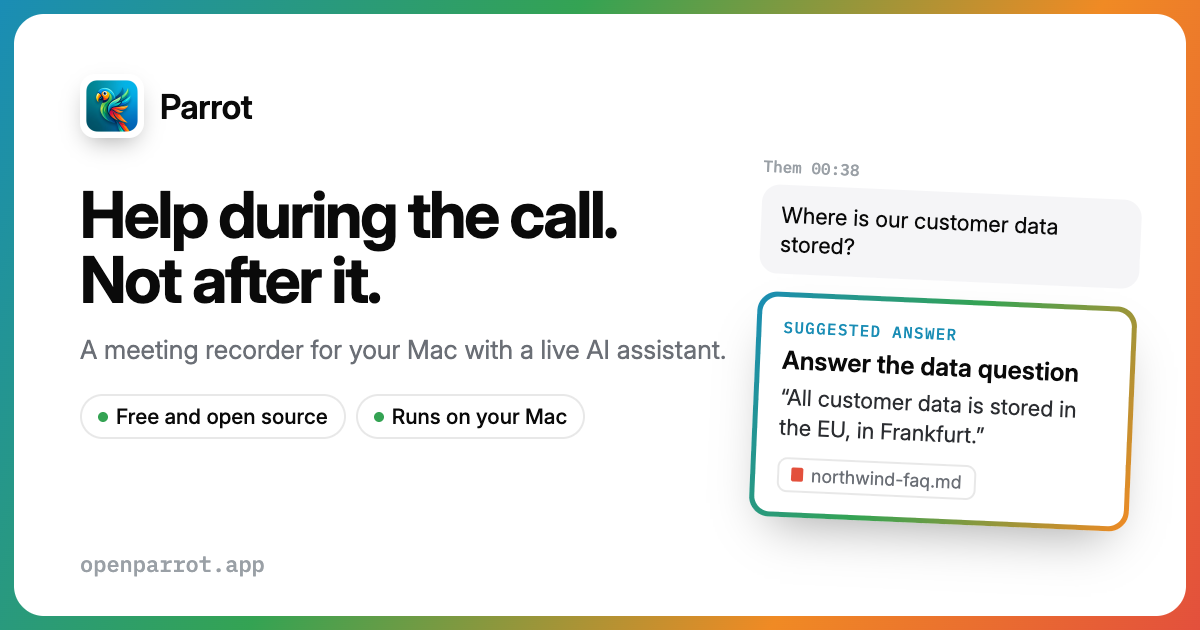
A meeting recorder for your Mac with a live AI assistant. Answers from your own documents, mid-call. Free and open source.
Parrot
39 points · by turantekin · 1mo ago · 38 comments
I am Uygar, I am an entrepreneur from London. I run my businesses on calls everyday, customers, partners and suppliers. And i have a horrible memory i forgot things. So months ago with the help of Claude i have built Parrot. I have designed and coded for my work and what i need. An to be honest worked very well and helped me alot.
Parrot records what your mac hears and everything stays in your computer if you use local models, no account, no API calls. There is something called copilot which made my life easier, you can upload your files and when parrot hears that question on the screen recommends the answer. Which i believe very handy.
If you want to make it smarter and dont mind cloud you can hook up your Claude API and Deepgram account, that gives super powers to Parrot. You still keep it locally but eventually you need to make API calls.
So local or cloud totally up to you.
Then after months of thinking i have decided share it as open source and this is my first open source project, so please go easy on me :)
No account, no membership, open source and free.
Code: https://github.com/turantekin/Parrot
This project made me so excited and really would like to share with you guys so i hope can help you too. Again, i am new so go easy on me and if you have any feedback i would like to hear.
Thank you Uygar
One more feature I'd love is the ability to export the text/transcript in markdown automatically. I have another tool (MeetingTranscriber) that does this and I like that so I can put the transcripts in my Obsidian Vault which I already expose to the various agents I use.
On the echo, a few questions so I can pin it down:
1. Which version are you on (Parrot menu > About Parrot)? 0.24.0 fixed a bug where the mic track and the system audio track could start a few seconds apart, which sounds exactly like two copies of the same voice. If you're on something older, updating fixes new recordings (old ones stay as they are, sorry).
2. Were you on headphones or speakers? On speakers the mic also picks up the other person. The echo canceller removes most of it but not all, so you can get a faint second copy a split second behind.
3. Roughly how far apart are the two copies? A short slapback points at mic bleed, a clear repeat of whole words points at timing or routing.
If you have a minute, one short test call with SoundSource and the other transcriber quit would tell us a lot. Both hook into system audio, and I want to rule out Parrot recording the call twice.
Happy to dig in on GitHub if that's easier: https://github.com/turantekin/Parrot/issues
On Markdown: that already exists, it's just tucked away in settings. Settings > Connections, pick a folder (your Obsidian vault works) and switch on automatic saving. Every finished meeting lands there as a note with front matter, summary, next steps as checkboxes and the full transcript. Saving again updates the same note instead of making a copy.
And since you mentioned agents: Parrot can also connect straight to Claude, Cursor or Codex (Settings > Claude & AI Apps), so they can search your meetings directly.
2. I am wearing headphones so I wouldn't expect any feedback
3. They are ever so slightly off. My voice is perfect, it's the other attendees that I hear with a slight echo, less than second and a slight static-y sound to it. I can't find. Example: https://www.dropbox.com/scl/fi/yditx2ykv4zgjvoa0v2f3/Example...
I will try to test with other things turned off to see if that makes a difference and I'll update.
On parrot i used SpeexDSP for echo cancelation, didnt try localVQE, are you happy with result?
- bonus if it works with OBS studio
- my actual voice is terrible and i have a lot of noise in vicinity to sit and process it
- what i want is to be able to talk into the mic and an AI voice is generated in real time with a very large degree of accuracy
- bonus if it works with OBS as a plugin or something
I have been playing with Whisper speech-to-text recently (both CLI, and also . Depending on the model & computer performance, it seems like it can stream (listen and transcribe to text) audio. Maybe you can pipe that to a text-to-speech service (remote or local), and configure that as an audio input to OBS.
Are you live-streaming, or just recording video file to edit/publish later? If it's not live, that may relax some of the latency requirements.
Related links:
- https://github.com/openai/whisper (speech-to-text for terminal)
- https://buzzcaptions.com/ (graphical interface to Whisper)
Somewhat related, Descript mentions it does dubbing. I recently used this tool to edit a video, and I was impressed by how easy it was, and accurate too. It may not fit your realtime use-case, but might be worth exploring...
Good luck!
Mostly yes. Parrot takes recording straight from your mac so it is always clean. I have pushed a new version 0.25.2 please try, should be fine.
https://github.com/turantekin/Parrot/discussions/categories/...
Really liked the onboarding! (kudos - definitely not something that could be one-shot vibe-coded)